
Screen guide · Web app
View OTP
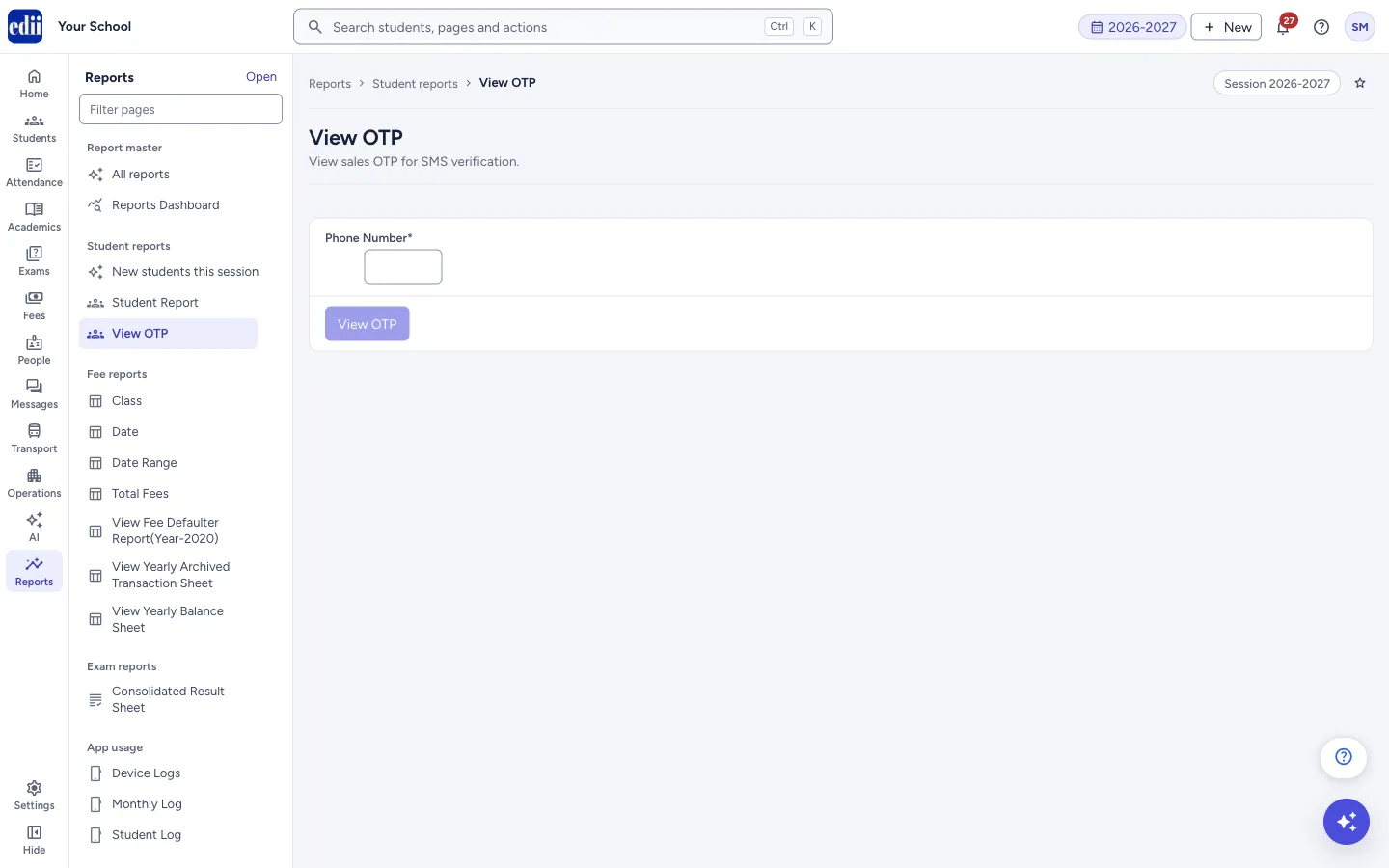
Type a phone number to see the latest one-time code (OTP) kept for it for SMS verification, and the time it was made.
यह पेज अंग्रेज़ी में है। कुछ समझ न आए तो ।
View OTP shows the latest one-time code, called an OTP, kept for a phone number for SMS verification. Type the Phone Number and select View OTP. A box Latest OTP then shows the Phone number, the OTP and the Time.
The screen only reads. It does not send a code and does not change anything.
A code is private to the person who owns the phone number. Read it out only to that person.
Who uses it and when
Section titled “Who uses it and when”An administrator, when a person says that a verification code did not reach the phone.
Where to find it
Section titled “Where to find it”- In school.edii.in: Reports › Student reports › View OTP
- Or press Ctrl K (⌘ K on a Mac) and type View OTP.
- Address:
school.edii.in/view/view-otp - Who can see it: Staff whose role includes Reports access. Shown only when your school uses Sales and Report in EDII. If it is missing from your menu, ask your school admin.
 Open a bigger pictureतस्वीर बड़ी करें
Step by step
Section titled “Step by step”1. Type the phone number
Section titled “1. Type the phone number”Type the number in Phone Number. It is required. The View OTP button stays off until the box is filled. If you click in the box and leave it empty, the page says Phone Number is required.
2. View the code
Section titled “2. View the code”Select View OTP. The box Latest OTP appears with Phone number, OTP and Time. If no code can be shown, a message appears (see below).
Fields and filters
Section titled “Fields and filters”| Field | What it is | Notes |
|---|---|---|
| Phone Number | The phone number to look up. | Required. |
Buttons
Section titled “Buttons”| Button | What it does | What happens next |
|---|---|---|
| View OTP | Shows the latest code for the number. | The Latest OTP box appears. |
Columns
Section titled “Columns”| Column | Meaning |
|---|---|
| Phone number | The number you looked up. |
| OTP | The latest one-time code for the number. |
| Time | When the code was made. |
Good to know
Section titled “Good to know”- A phone number is required.
- Share a code only with the owner of the number.
Messages you may see
Section titled “Messages you may see”| Message | What it means | What to do |
|---|---|---|
| Phone Number is required | The box was left empty. | Type the number. |
| Bad/Slow Internet Connection, Please check your internet connection | The server could not be reached. | Check the internet connection and try again. |
Stuck? Try this
Section titled “Stuck? Try this”| Problem | Likely cause | What to do |
|---|---|---|
| No code is shown for the number | No code is kept for that number, or the number was typed wrongly. | Check the number and try again. |
Did this page help?क्या इस पेज से मदद मिली?
Thanks! Glad it helped.धन्यवाद! अच्छा लगा कि काम बन गया।
Sorry about that. Ask in your own words, or write to us.माफ़ कीजिए। अपने शब्दों में पूछें, या हमें लिखें।