
Screen guide · Web app
Deleted Receipts
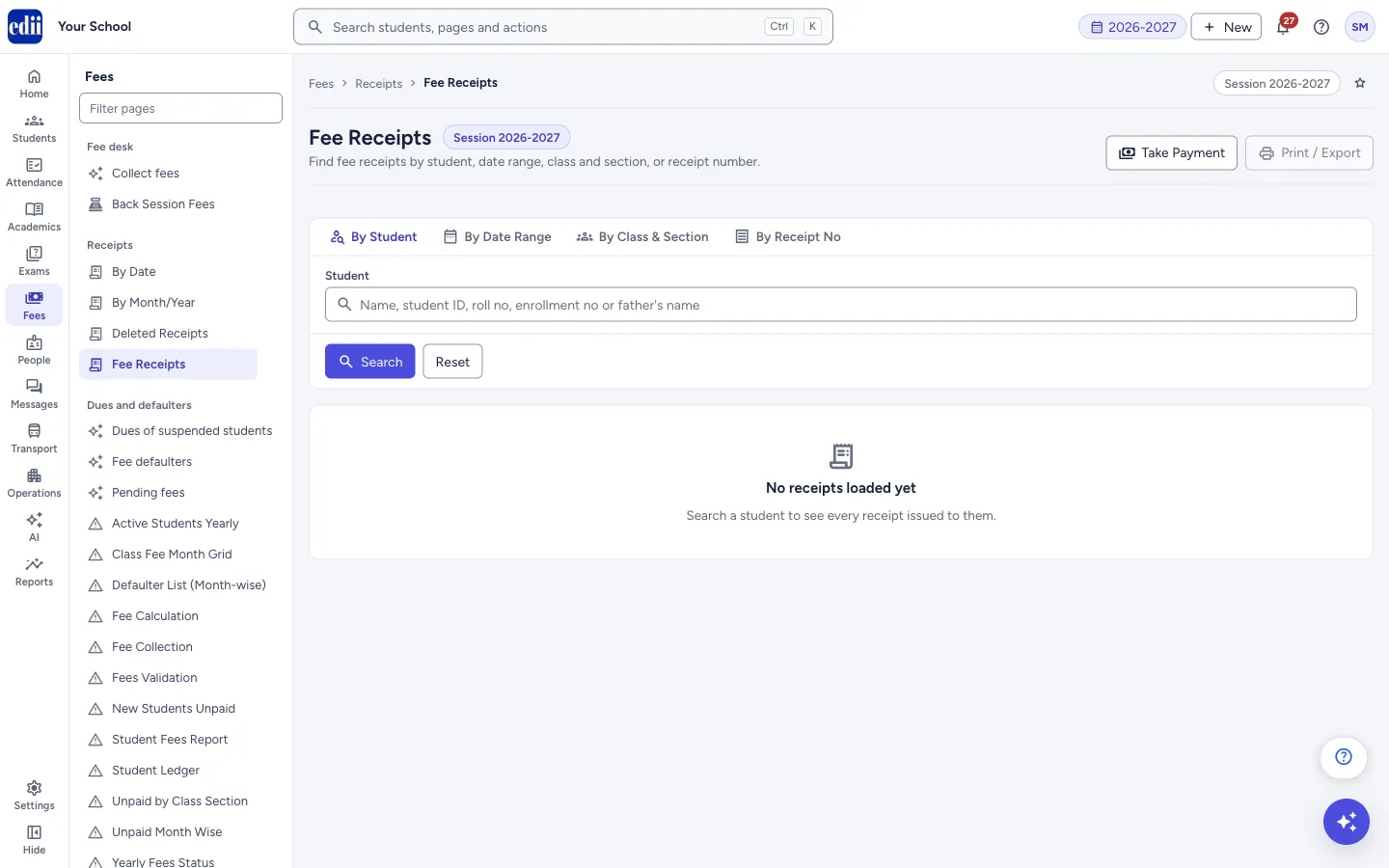
Shows the cancelled copy of one deleted receipt. When you open it from the menu without choosing a receipt first, EDII sends you to Fee Receipts instead.
यह पेज अंग्रेज़ी में है। कुछ समझ न आए तो ।
Deleted Receipts is the window that shows the Cancelled Copy of a receipt that was deleted. It needs a receipt to be chosen first, so it does not work as a list.
If you select Deleted Receipts in the menu, EDII shows the message Select a receipt first to view its cancelled copy. and opens Fee Receipts. This is normal.
To see a list of deleted receipts, use Receipts › Deleted by Date or Receipts › Deleted by Month; they show who deleted each receipt, the amount and the reason. To open the cancelled copy of a student’s deleted receipt, open the student in Collect fees, select the Deleted receipts tab at the bottom and select a row.
Who uses it and when
Section titled “Who uses it and when”The accountant or the office, to check or print the cancelled copy of a receipt that was deleted.
Where to find it
Section titled “Where to find it”- In school.edii.in: Fees › Receipts › Deleted Receipts
- Or press Ctrl K (⌘ K on a Mac) and type Deleted Receipts.
- Address:
school.edii.in/view/deleted-receipts - Who can see it: Staff whose role includes Fees access. Shown only when your school uses Finance in EDII. If it is missing from your menu, ask your school admin.
 Open a bigger pictureतस्वीर बड़ी करें
Step by step
Section titled “Step by step”1. Find the deleted receipt
Section titled “1. Find the deleted receipt”Open the student in Collect fees. At the bottom, select the Deleted receipts tab. It lists Receipt ID, Amount, Deleted by and Deleted at for each deleted receipt of that student. The tab shows only when the student has deleted receipts.
2. Open the cancelled copy
Section titled “2. Open the cancelled copy”Select a row. The cancelled copy opens in a window. It has two copies, School Copy and Parent Copy, each marked Cancelled Copy.
3. Read it
Section titled “3. Read it”Each copy shows the Date, Payment For (the months), the school name and logo, the Receipt No, the student’s Name and Class/Section, the Fee-Details with their amounts, the Discount lines, and the totals Paid(Total) and Discount(Total).
The receipt number starts with DEL/ followed by the number the receipt had, so it cannot be mistaken for a valid receipt.
4. Print
Section titled “4. Print”Select Print to print the cancelled copy, or Cancel to close the window.
Buttons
Section titled “Buttons”| Button | What it does | What happens next |
|---|---|---|
| Prints the cancelled copy. | Opens the print window. | |
| Cancel | Closes the cancelled copy. | Nothing is changed. |
After you save
Section titled “After you save”- This window only reads data. Nothing is changed and nothing is sent to parents.
Good to know
Section titled “Good to know”- A deleted receipt no longer counts as paid in the student’s fees. The cancelled copy is kept only for the record.
- The cancelled copy can be opened only after a receipt has been chosen. Opening the page from the menu sends you to Fee Receipts.
Messages you may see
Section titled “Messages you may see”| Message | What it means | What to do |
|---|---|---|
| Select a receipt first to view its cancelled copy. | You opened Deleted Receipts from the menu without choosing a receipt. | Open the cancelled copy from the student’s Deleted receipts tab in Collect fees. To list deleted receipts, use Deleted by Date or Deleted by Month. |
| Error in Fetching Receipt! | The cancelled copy could not be fetched. The text under the title says why. | Close the window and try again. |
| Bad/Slow Internet Connection, Please check your internet connection | The request did not go through. | Check the internet and try again. |
Stuck? Try this
Section titled “Stuck? Try this”| Problem | Likely cause | What to do |
|---|---|---|
| I chose Deleted Receipts and landed on Fee Receipts | The cancelled copy needs a chosen receipt, and the menu item has none. | Use Deleted by Date or Deleted by Month under Receipts to list the deleted receipts, or the student’s Deleted receipts tab in Collect fees to open one. |
Did this page help?क्या इस पेज से मदद मिली?
Thanks! Glad it helped.धन्यवाद! अच्छा लगा कि काम बन गया।
Sorry about that. Ask in your own words, or write to us.माफ़ कीजिए। अपने शब्दों में पूछें, या हमें लिखें।