
Screen guide · Web app
By Date
Lists the online tests that start on one date, with start and end times and a menu to view, open the result of, re-schedule or delete each test.
यह पेज अंग्रेज़ी में है। कुछ समझ न आए तो ।
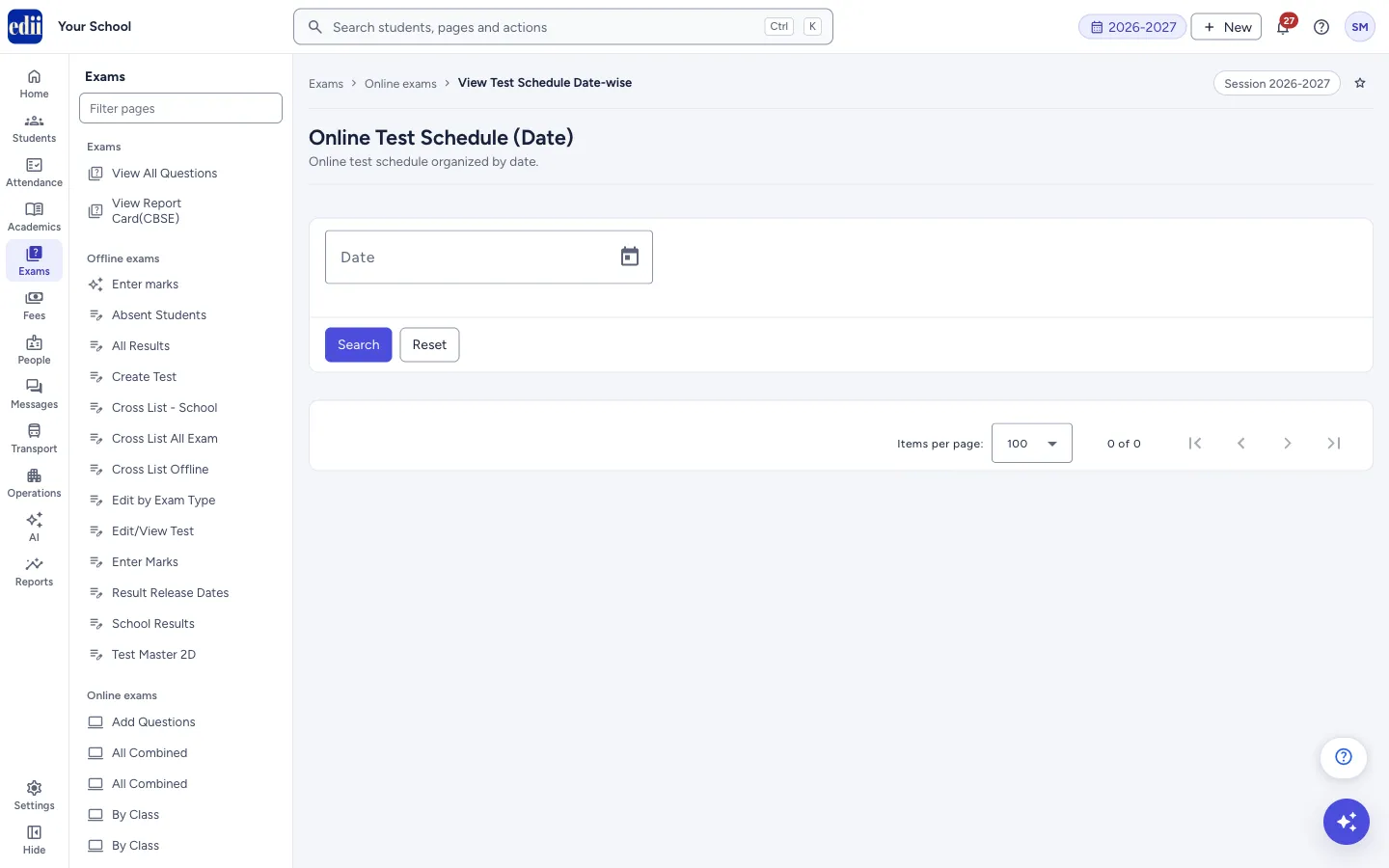
Online Test Schedule (Date) lists every online test of the school that starts on the date you choose, across all classes, sections and subjects. You pick the date, select Search, and the tests appear in a table with a three-dot Action menu on each row.
Each row shows the class, the section or sections, the start and end time and the subject. These are online tests with multiple-choice questions.
Use it to see what is on for the day, to open a test’s result, to arrange a re-exam, or to delete a test schedule.
Who uses it and when
Section titled “Who uses it and when”Exam in-charge and administrators, to see the online tests of a day. The page is meant for administrators; teachers see a warning when they open it.
Before you start
Section titled “Before you start”- Online tests must already be scheduled. Use Schedule Test to add one.
Where to find it
Section titled “Where to find it”- In school.edii.in: Exams › Online exams › By Date
- Or press Ctrl K (⌘ K on a Mac) and type By Date.
- Address:
school.edii.in/view/view-online-date-wise-test-schedule - Who can see it: Staff whose role includes Exams access. Shown only when your school uses Exam in EDII. If it is missing from your menu, ask your school admin.
 Open a bigger pictureतस्वीर बड़ी करें
Step by step
Section titled “Step by step”1. Choose the date
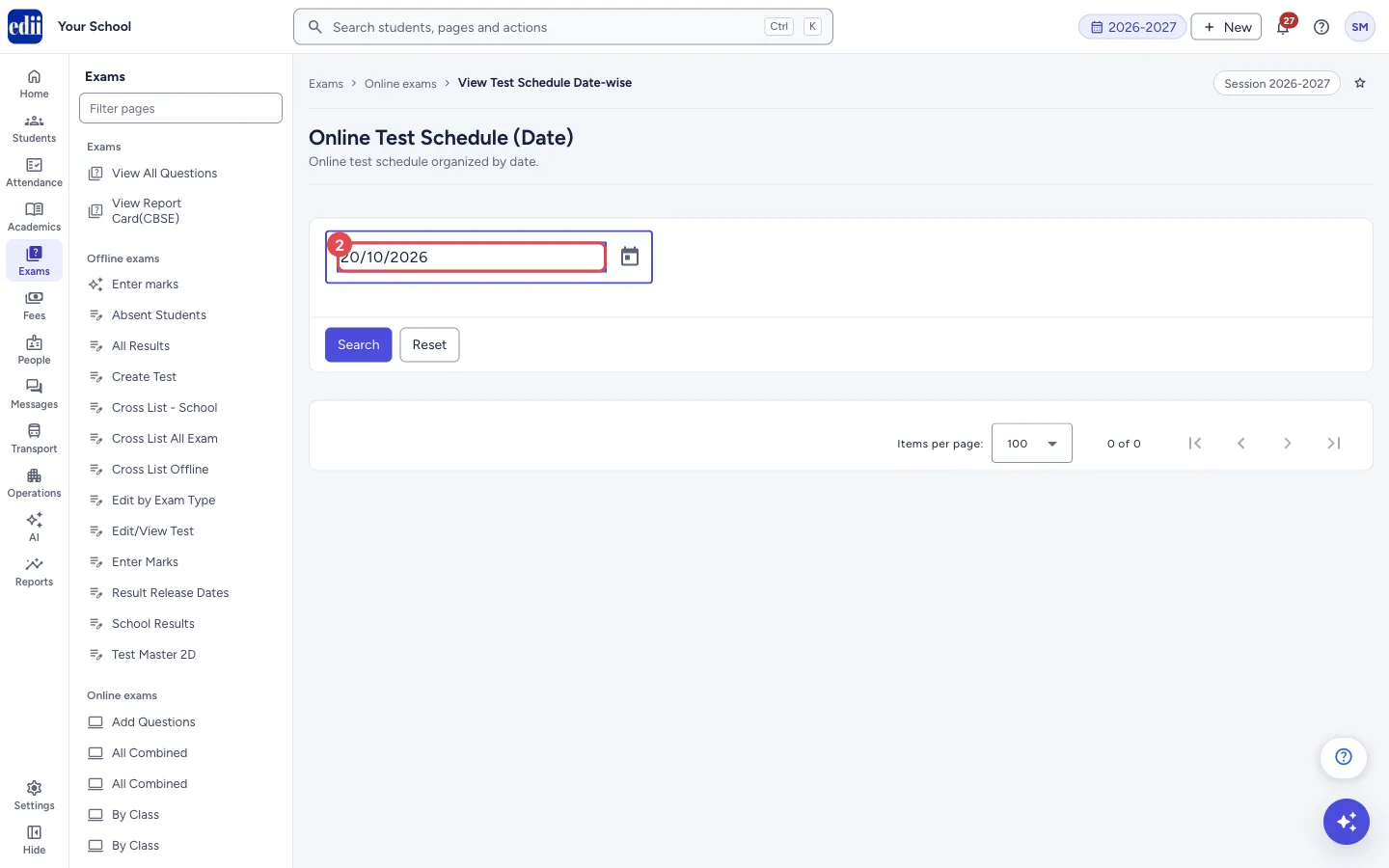
Section titled “1. Choose the date”Select the Date box and pick the day from the calendar. The box is read-only, so pick the date from the calendar; do not type it.
 Open a bigger pictureतस्वीर बड़ी करें
2. Select Search
Section titled “2. Select Search”Select Search. The date box folds away and the tests of that date are listed. If no online test starts on that date, a red message says You dont have any active online test planned, Please click on add button to fetch a online Test Schedule.
3. Use the Action menu
Section titled “3. Use the Action menu”On a row, open the three-dot menu and choose View, Result, Re-Exam or Delete.
4. Search, sort, print or download
Section titled “4. Search, sort, print or download”A Search… box narrows the rows on the screen, Columns chooses the columns, and the print button opens Print, Download Excel File, Download Text File and Download CSV File. Select a column heading to sort by it.
5. Change the date
Section titled “5. Change the date”Select Reset to open the date box again. It does not clear the date or the table. Pick another date and select Search.
Fields and filters
Section titled “Fields and filters”| Field | What it is | Notes |
|---|---|---|
| Date | The day on which the tests start. | Needed. Pick it from the calendar. |
| Items per page | How many rows show on one page of the table. | 100, 200, 300, 400, 500 or 1000. |
Buttons
Section titled “Buttons”| Button | What it does | What happens next |
|---|---|---|
| Search | Lists the online tests that start on the date. | The date box folds away and the table appears, or a red message shows. |
| Reset | Opens the date box again. | The date and the table stay as they were. |
| Action menu (three dots) | Opens View, Result, Re-Exam and Delete for that test. | The page for the choice opens, or the delete question appears. |
| Delete test (in the question box) | Deletes the test schedule. | EDII shows Online Schedule Deleted and the list is loaded again. The delete cannot be undone. |
| Add icon (next to the print button) | Opens Schedule Test, where you add a new online test. It shows once tests are listed. | The Schedule Test form opens. |
| Print menu | Print, Download Excel File, Download Text File and Download CSV File for the rows on the screen. | The print window opens, or a file is saved. |
Columns
Section titled “Columns”| Column | Meaning |
|---|---|
| Action | The three-dot menu for the test. |
| S.No | Row number. |
| Class | The class of the test. |
| Section | The section or sections the test is for. |
| Start | When the test opens. |
| End | When the test closes. |
| Subject | The subject of the test. |
Good to know
Section titled “Good to know”- The three-dot menu on each row has four choices. View opens Edit Online Test Schedule, where the schedule can be changed. Result opens the Online Test Results page for the test. Re-Exam opens Edit Re-exam Schedule, to arrange a re-examination for selected students. Delete removes the schedule after you confirm.
- Delete asks Delete test schedule? and says This test schedule will be permanently deleted. This action cannot be undone. Select Delete test to confirm or Cancel to keep it. After a delete, EDII shows Online Schedule Deleted and lists the tests again.
- Only tests that are scheduled show here. A test whose schedule was deleted is not listed.
- The page uses the date you choose and does not ask for a class, so it shows every class.
Messages you may see
Section titled “Messages you may see”| Message | What it means | What to do |
|---|---|---|
| Please select the Date first | You selected Search without a date. | Pick a date and select Search again. |
| You dont have any active online test planned, Please click on add button to fetch a online Test Schedule | No scheduled online test starts on that date. | Pick another date, or add a test with Schedule Test. |
| This module is restricted to Admin use only. Teachers do not have access to this module | A teacher opened this page. The page still opens, but this tells the teacher it is meant for administrators. | Ask an administrator. |
| Network Issue, Please Try Again. | The list could not be loaded. | Check the internet connection and select Search again. |
Stuck? Try this
Section titled “Stuck? Try this”| Problem | Likely cause | What to do |
|---|---|---|
| I cannot type the date | The date box is read-only. | Select the box or the calendar icon and pick the day. |
Did this page help?क्या इस पेज से मदद मिली?
Thanks! Glad it helped.धन्यवाद! अच्छा लगा कि काम बन गया।
Sorry about that. Ask in your own words, or write to us.माफ़ कीजिए। अपने शब्दों में पूछें, या हमें लिखें।