
Get started · Parent app
What's new in school.edii.in
school.edii.in में नया क्या है
school.edii.in is EDII's web app with a new layout: a rail of workspaces on the left, a panel of pages for each workspace, and one search box for students, pages and actions.
यह पेज अंग्रेज़ी में है। कुछ समझ न आए तो ।
school.edii.in is the EDII web app your school uses, in a new design. Everything you did before is still there; it is arranged by the work you do instead of one long menu.
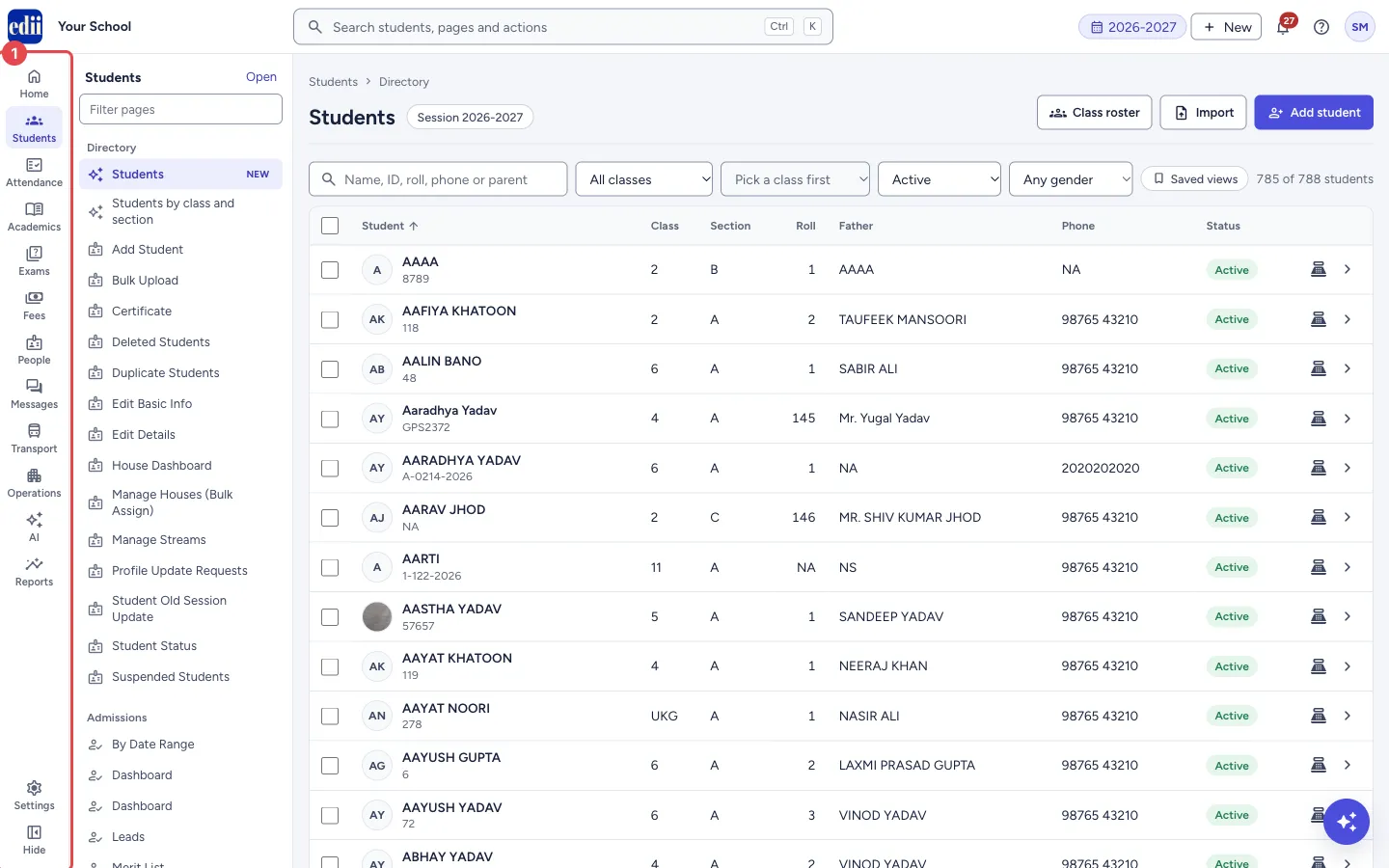
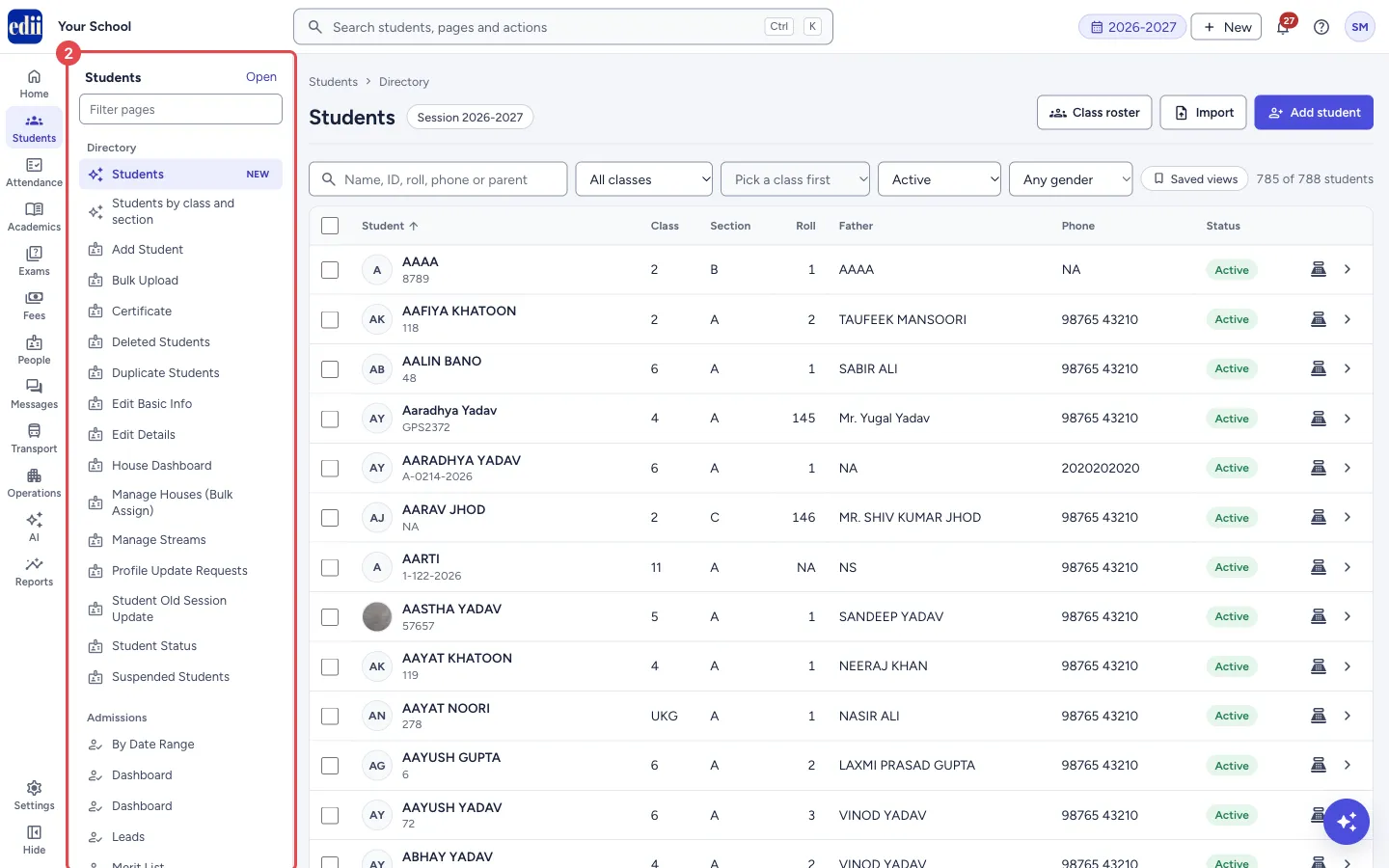
On the left is the rail: one icon per workspace (Home, Students, Attendance, Academics, Exams, Fees, People, Messages, Transport, Operations, AI, Reports, and Settings at the bottom). Next to it, the panel lists the pages of the workspace you are in, grouped into sections. At the top, one search box finds students, pages and actions.
Before you start
Section titled “Before you start”- Sign in at school.edii.in with your usual EDII username and password.
1. The rail
Section titled “1. The rail”Pick a workspace on the rail. What you see depends on your role and on what your school uses.
 Open a bigger pictureतस्वीर बड़ी करें
2. The panel
Section titled “2. The panel”The panel shows the pages of that workspace, section by section. Redesigned pages come first and are marked NEW for their first two weeks.
 Open a bigger pictureतस्वीर बड़ी करें
3. One search for everything
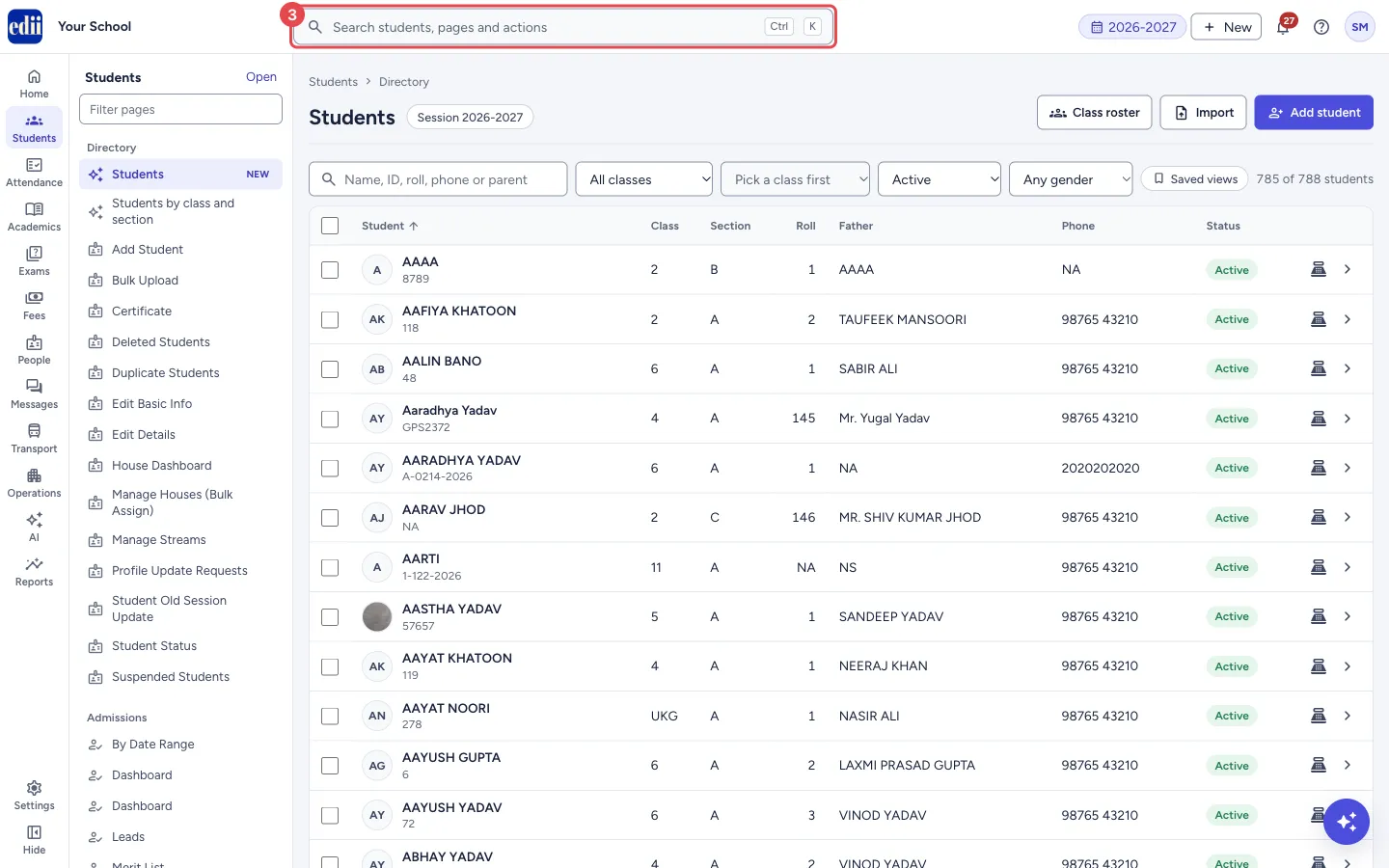
Section titled “3. One search for everything”Select the search box (or press Ctrl K) to find a student, a page or an action by typing.
 Open a bigger pictureतस्वीर बड़ी करें
4. Help is always one click away
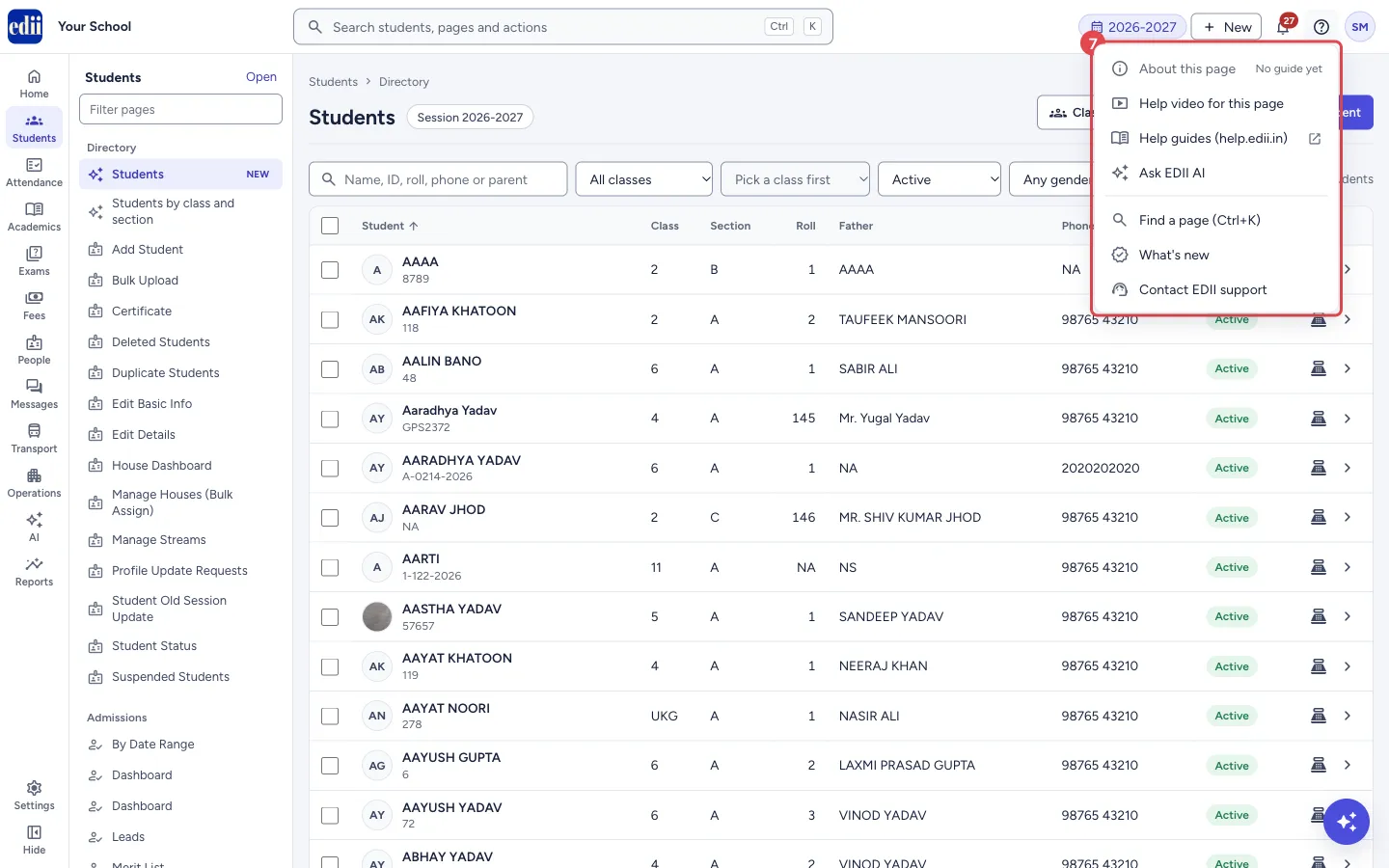
Section titled “4. Help is always one click away”The ? button at the top right opens help for the page you are on, the help guides, Ask EDII AI and EDII support.
 Open a bigger pictureतस्वीर बड़ी करें
What happens next
Section titled “What happens next”- Read Find your way around next.
Stuck? Try this
Section titled “Stuck? Try this”| You see | Why | What to do |
|---|---|---|
| A page I used before is missing | It may have moved to another workspace, or your role does not include it. | Press Ctrl K and type its name. If it does not come up, ask your school admin. |
Did this page help?क्या इस पेज से मदद मिली?
Thanks! Glad it helped.धन्यवाद! अच्छा लगा कि काम बन गया।
Sorry about that. Ask in your own words, or write to us.माफ़ कीजिए। अपने शब्दों में पूछें, या हमें लिखें।