
Screen guide · Web app
Fees of TC Students
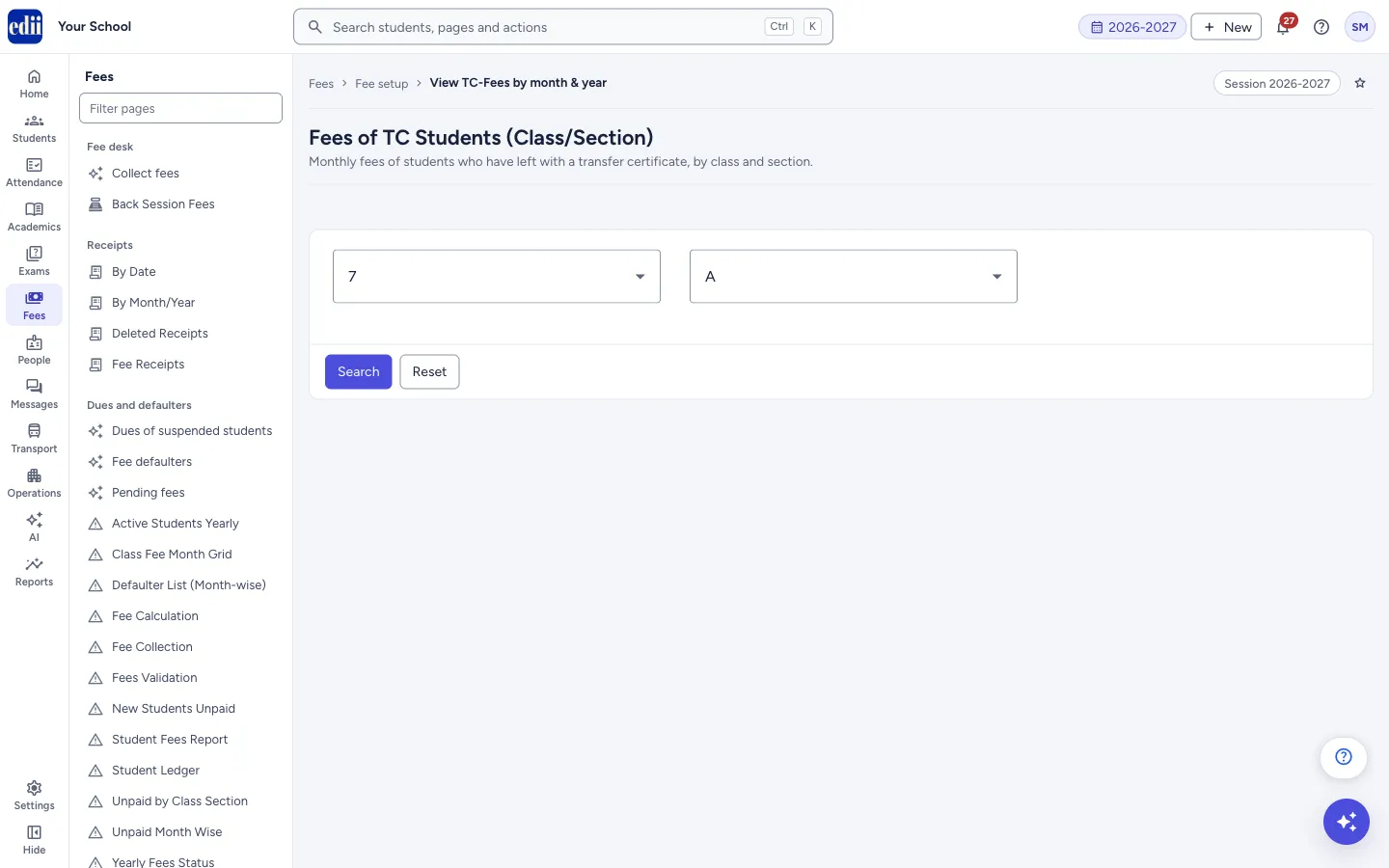
For students who have a transfer certificate (TC) from a class, shows the monthly fee and the amount paid for each month of the session.
यह पेज अंग्रेज़ी में है। कुछ समझ न आए तो ।
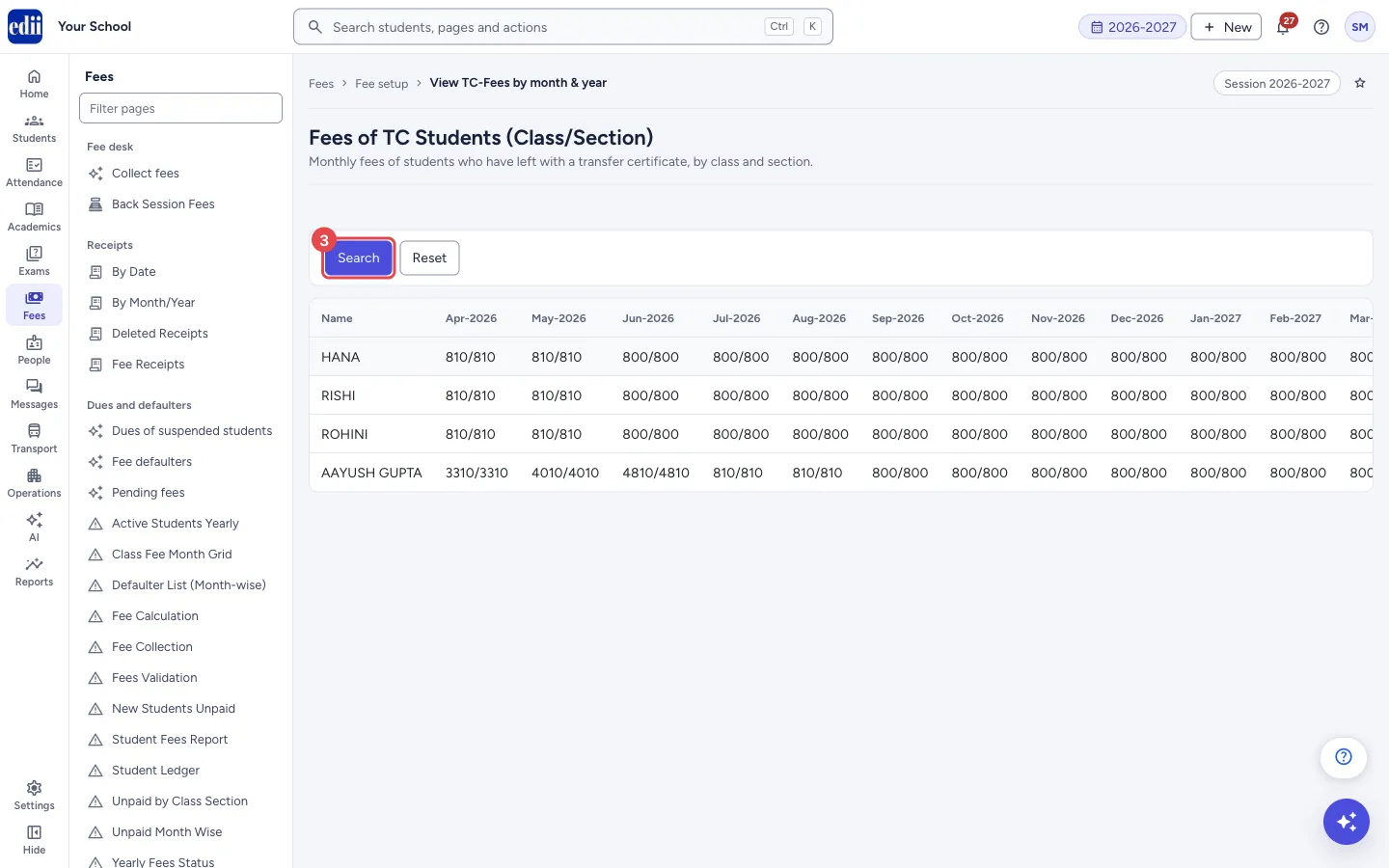
Fees of TC Students (the page is headed Fees of TC Students (Class/Section); the path at the top of the page shows View TC-Fees by month & year) lists the students who have a transfer certificate from the class you choose, one row for each student, with one column for every month of the open session. It shows the monthly fees and payments of students who have a TC, not the TC fee.
Each month cell shows two numbers separated by a slash, for example 810/810: the fee for that month, then the amount paid for it. For the fee charged for the TC itself, use View TC Fees.
Who uses it and when
Section titled “Who uses it and when”The accounts office uses it when settling the accounts of students who left the school, to see which months were paid.
Before you start
Section titled “Before you start”- Transfer certificates must already be issued for students of the class.
- Check the session at the top right of the page. The months and amounts are for that session.
Where to find it
Section titled “Where to find it”- In school.edii.in: Fees › Fee setup › Fees of TC Students
- Or press Ctrl K (⌘ K on a Mac) and type Fees of TC Students.
- Address:
school.edii.in/view/tc-fees-per-class-section-session - Who can see it: Staff whose role includes Fees or Students or Attendance access. Shown only when your school uses Finance and Student in EDII. If it is missing from your menu, ask your school admin.
 Open a bigger pictureतस्वीर बड़ी करें
Step by step
Section titled “Step by step”1. Choose the class
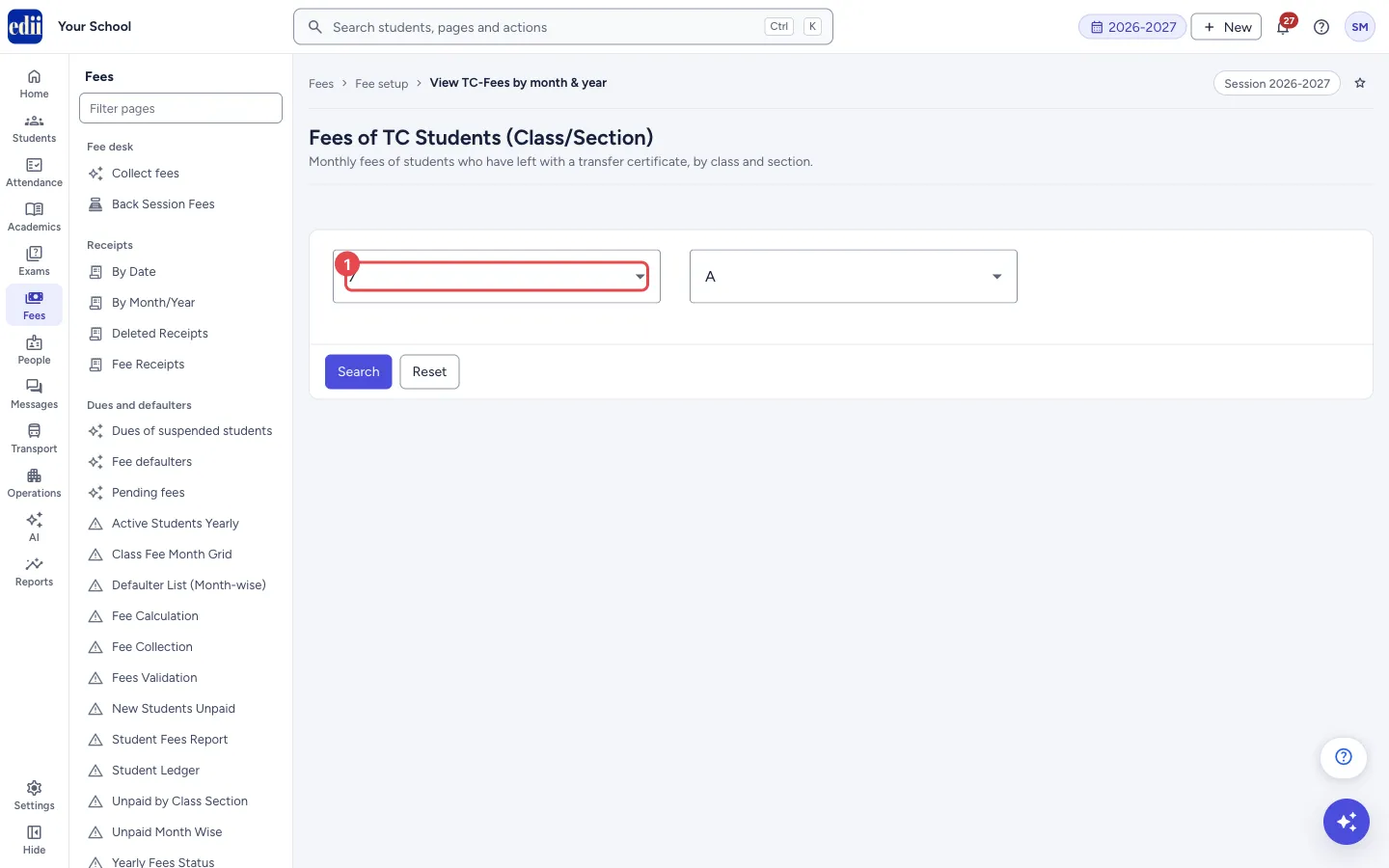
Section titled “1. Choose the class”Open Select Class and choose the class the students left from. EDII may already show the class and section you used last.
 Open a bigger pictureतस्वीर बड़ी करें
2. Choose the section
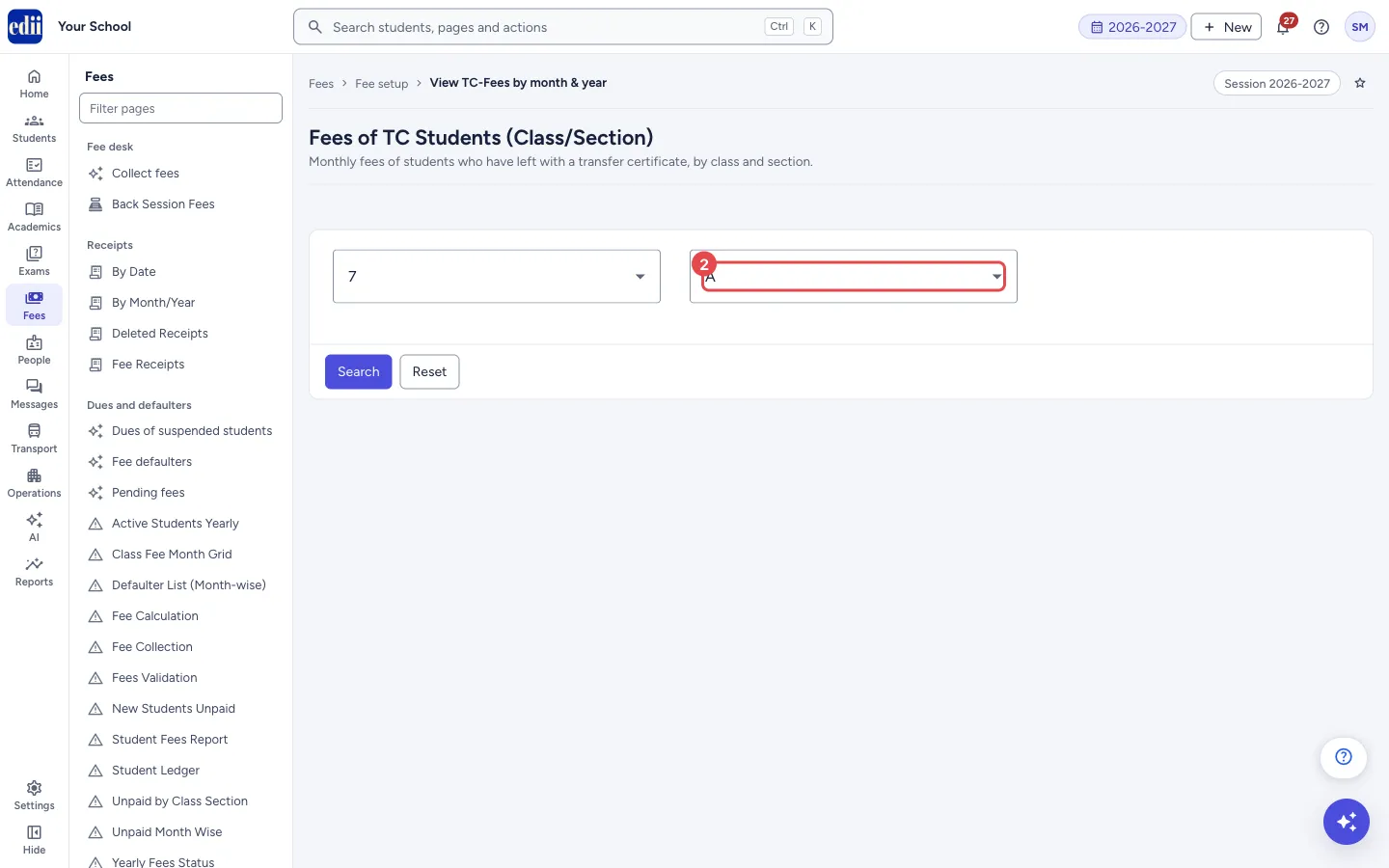
Section titled “2. Choose the section”Open Select Section and choose the section. Both the class and the section are required.
 Open a bigger pictureतस्वीर बड़ी करें
3. Search
Section titled “3. Search”Select Search. The table shows one row for each student, with the name and the months from the first to the last month of the session. The choice boxes are hidden while the table shows; select Reset to show them again and search another class.
 Open a bigger pictureतस्वीर बड़ी करें
Fields and filters
Section titled “Fields and filters”| Field | What it is | Notes |
|---|---|---|
| Select Class | The class from which the transfer certificates were issued. | Required. |
| Select Section | The section. | Required. |
Buttons
Section titled “Buttons”| Button | What it does | What happens next |
|---|---|---|
| Search | Builds the table for the class and section. | The table shows. The choice boxes are hidden. |
| Reset | Shows the class and section boxes again. | You can choose again and search. The table stays until you search again. |
Columns
Section titled “Columns”| Column | Meaning |
|---|---|
| Name | The student’s name. |
| Month columns (for example Apr-2026) | The fee for that month, a slash, and the amount paid for it, for example 810/810. |
Good to know
Section titled “Good to know”- The page only reads data. It has no print or download button.
- It uses the session open in EDII.
Messages you may see
Section titled “Messages you may see”| Message | What it means | What to do |
|---|---|---|
| Please Send the Class/Section Parameters | The class or the section was not chosen. | Choose both and select Search again. |
| No fee data available for the selected students | No fee could be found for the students of this class. | Check the class and the session. |
| Network Issue, Please Try Again. | The table could not be loaded. | Check the internet and select Search again. |
Stuck? Try this
Section titled “Stuck? Try this”| Problem | Likely cause | What to do |
|---|---|---|
| The table is empty or an error shows | No student has a TC from the chosen class in the open session, or the class and section are not chosen. | Check the class, the section and the session at the top right. |
| I expected the TC fee itself | This page shows the monthly fees of students who have a TC. The TC fee is recorded in Add TC Fees. | Open View TC Fees to see the TC fees recorded. |
Did this page help?क्या इस पेज से मदद मिली?
Thanks! Glad it helped.धन्यवाद! अच्छा लगा कि काम बन गया।
Sorry about that. Ask in your own words, or write to us.माफ़ कीजिए। अपने शब्दों में पूछें, या हमें लिखें।