
Get started · Parent app
Your account, text size and colours
आपका अकाउंट, अक्षर और रंग
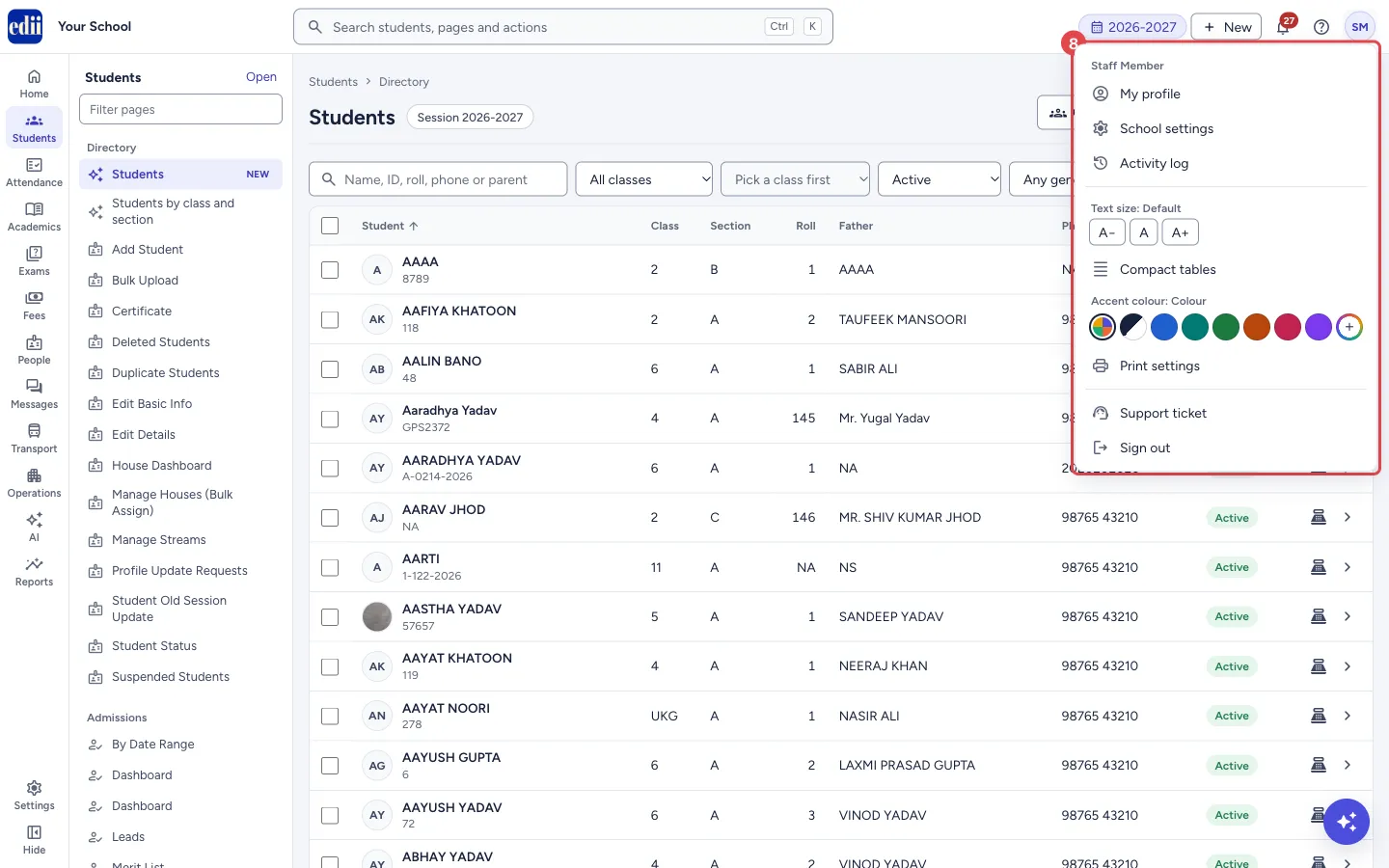
The account menu (your initials at the top right): your profile, school settings, activity log, text size, table spacing, accent colour, print settings, support ticket and sign out.
यह पेज अंग्रेज़ी में है। कुछ समझ न आए तो ।
Select your initials at the top right to open your account menu.
1. Open the account menu
Section titled “1. Open the account menu”Select the round button with your initials. Your name shows at the top of the menu.
 Open a bigger pictureतस्वीर बड़ी करें
2. Your pages
Section titled “2. Your pages”My profile opens your staff profile. School settings (for school admins) opens the school’s settings. Activity log lists recent actions.
3. Make it comfortable to read
Section titled “3. Make it comfortable to read”Text size: A− smaller, A default, A+ larger. Compact tables fits more rows on the screen (Comfortable tables switches back). Accent colour changes the app’s highlight colour on this browser: colour, black and white, a preset, or a custom colour.
4. Print, support, sign out
Section titled “4. Print, support, sign out”Print settings sets how pages print. Support ticket opens EDII support. Sign out ends your session; always sign out on a shared computer.
Good to know
Section titled “Good to know”- Text size, table spacing and accent colour are saved in this browser only.
Did this page help?क्या इस पेज से मदद मिली?
Thanks! Glad it helped.धन्यवाद! अच्छा लगा कि काम बन गया।
Sorry about that. Ask in your own words, or write to us.माफ़ कीजिए। अपने शब्दों में पूछें, या हमें लिखें।