
Screen guide · Web app
View All Visitors
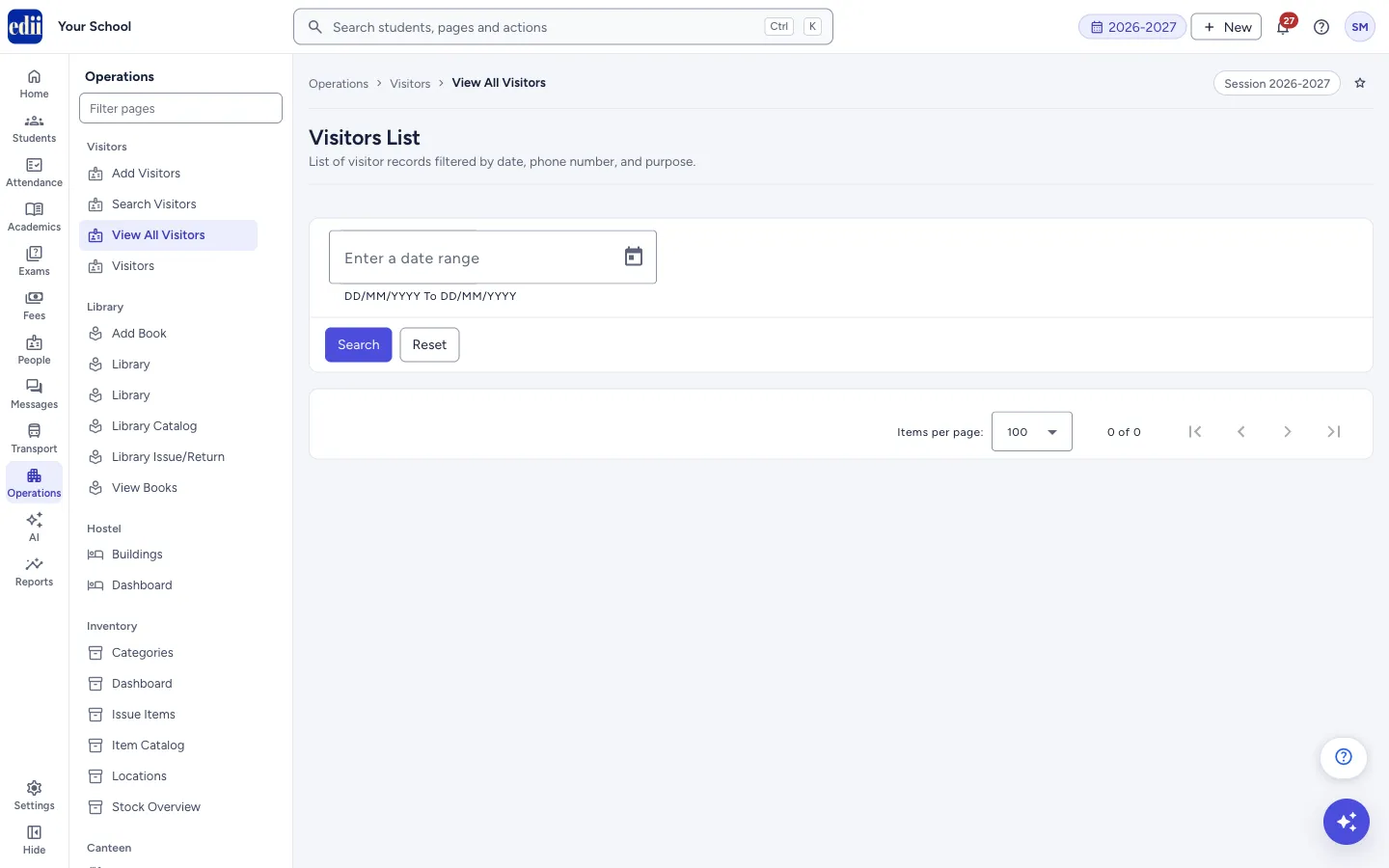
The Visitors List: all visits in a date range, with search, a choice of columns, print and download, and a button to open each visit.
यह पेज अंग्रेज़ी में है। कुछ समझ न आए तो ।
View All Visitors (the page heading is Visitors List) shows the visits that happened between two dates. Choose a date range, select Search, and the table opens with one row per visit.
The table has the visit’s ID, Name, Date, Phone Number and Purpose, and a View button that opens the details of that visit. You can search inside the table, choose the columns, print it or save it as a file.
Who uses it and when
Section titled “Who uses it and when”The front office or the principal’s office, to check who visited on a day, in a week or in a month.
Where to find it
Section titled “Where to find it”- In school.edii.in: Operations › Visitors › View All Visitors
- Or press Ctrl K (⌘ K on a Mac) and type View All Visitors.
- Address:
school.edii.in/view/view-all-visitors - Who can see it: The same staff who see the other Visitors pages. If it is missing from your menu, ask your school admin.
 Open a bigger pictureतस्वीर बड़ी करें
Step by step
Section titled “Step by step”1. Choose the dates
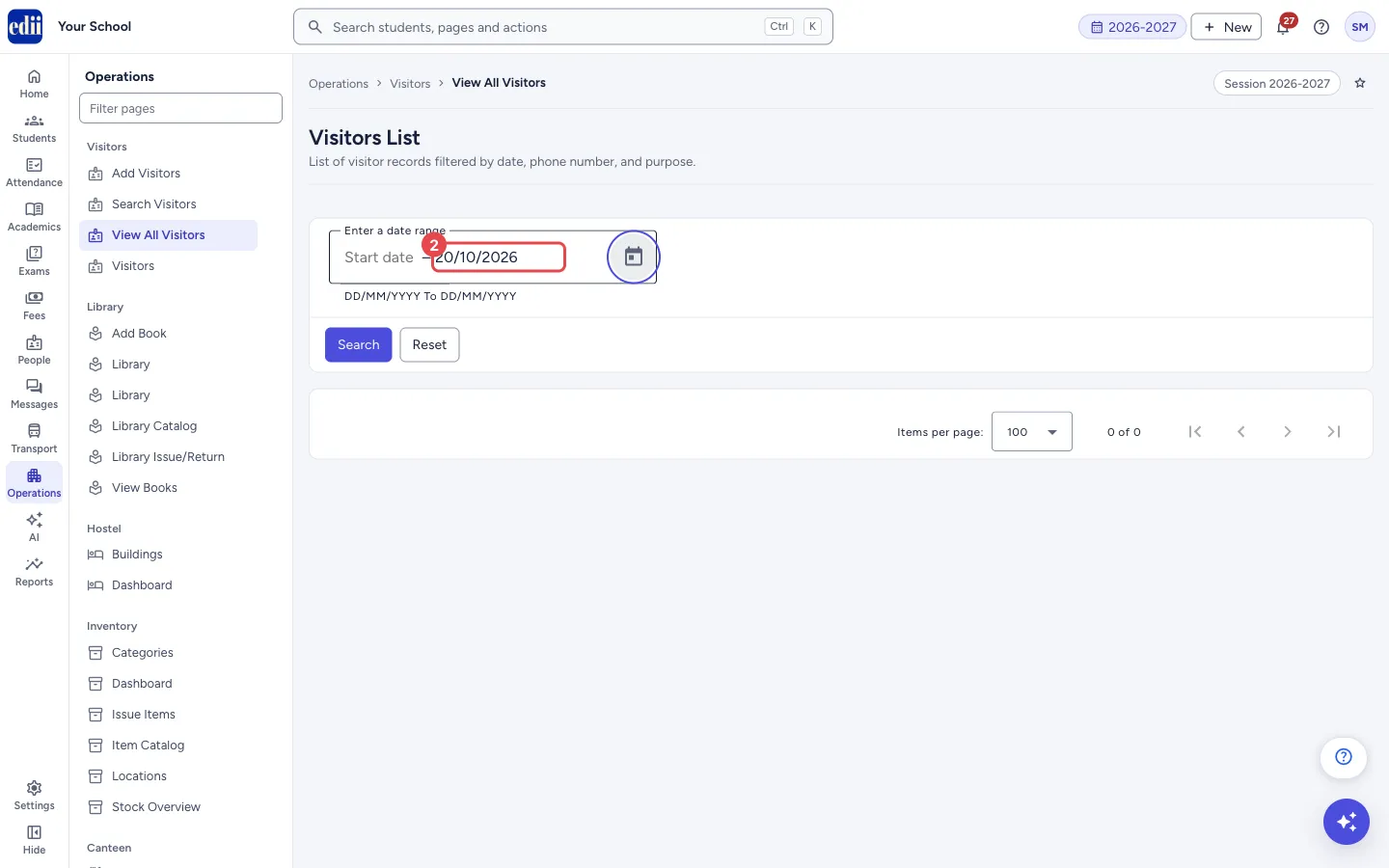
Section titled “1. Choose the dates”In Enter a date range pick the start date and the end date with the calendar button, or type them as DD/MM/YYYY. A red message Invalid start date or Invalid end date shows if a date cannot be read.
 Open a bigger pictureतस्वीर बड़ी करें
2. Select Search
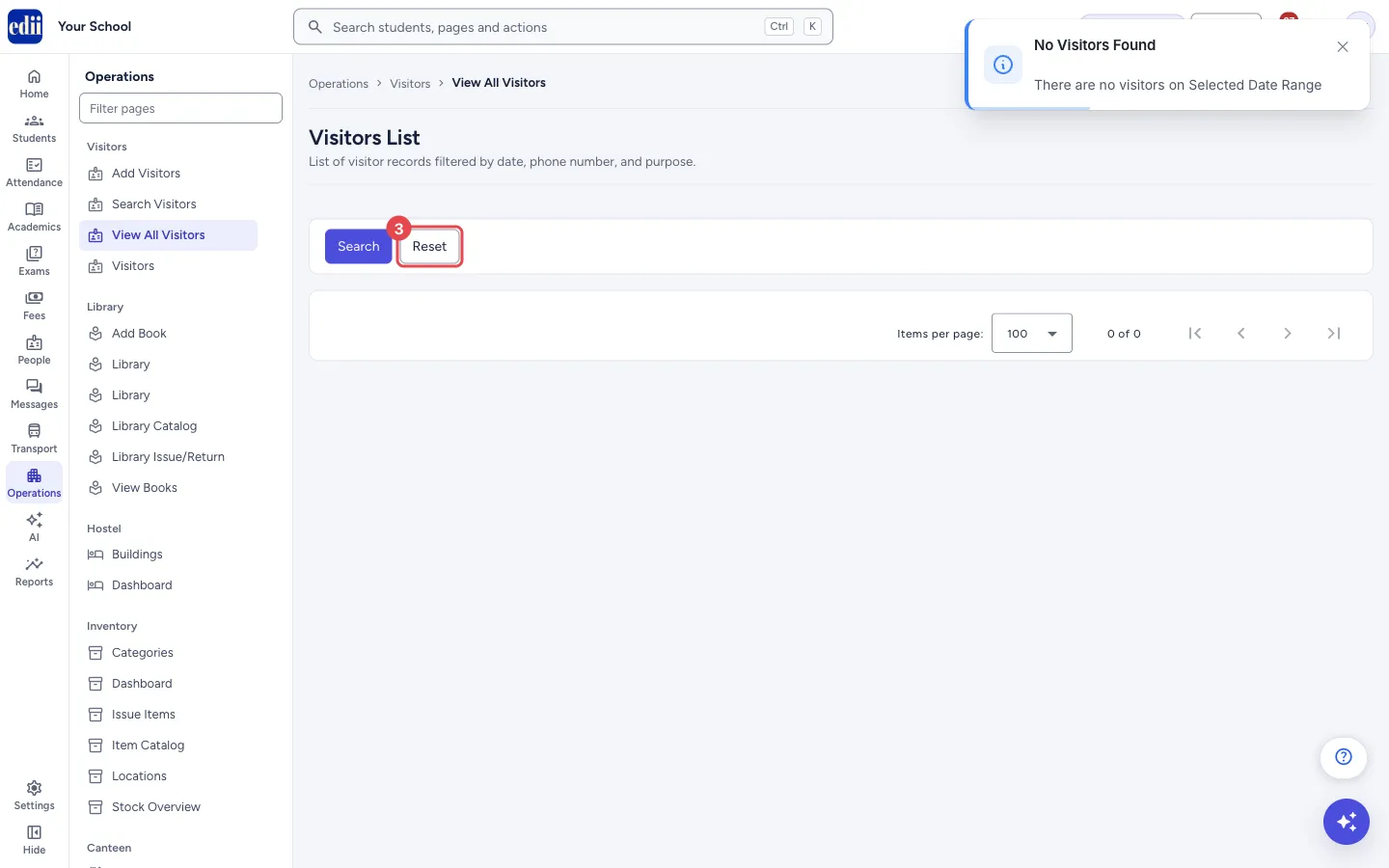
Section titled “2. Select Search”EDII loads the visits and shows Visitors Fetched. The date box then closes and the table opens in its place. If nothing was found, EDII shows No Visitors Found, with the message There are no visitors on Selected Date Range, and only Search and Reset stay on the page.
 Open a bigger pictureतस्वीर बड़ी करें
3. Look through the table
Section titled “3. Look through the table”Type in Search… to keep only the rows that contain your text. Open the column box (Columns) to choose columns; Select All ticks them all. Select a column heading to sort.
At the bottom, Items per page can be 100, 200, 300, 400, 500 or 1000.
4. Open a visit
Section titled “4. Open a visit”Select the eye button in the View column to open the details of that visit.
5. Print, download or add a visitor
Section titled “5. Print, download or add a visitor”The printer button has Print, Download Excel File, Download Text File and Download CSV File. The printout has the school logo, the school name and the date and time it was made. The + button next to it opens Add Visitors.
To search another range, select Reset. It brings the date box back.
Fields and filters
Section titled “Fields and filters”| Field | What it is | Notes |
|---|---|---|
| Enter a date range | The first and last day of the visits you want. Typed as DD/MM/YYYY. | Needed to see visits. |
| Search… | Keeps only the rows that contain the text. | Shown after the visits are loaded. |
| Columns | Chooses the columns: S. No, ID, Name, Date, Phone Number, Purpose, View. | Your choice is remembered and used for print and download. |
Buttons
Section titled “Buttons”| Button | What it does | What happens next |
|---|---|---|
| Search | Loads the visits for the date range. | The table opens, or No Visitors Found. |
| Reset | Brings the date box back so you can choose new dates. | The date box shows again. The table stays until you search. |
| View (eye) | Opens the details of one visit. | The visit’s details open. |
| Printer button | Print, or download as Excel, Text or CSV. | The print window opens or a file is saved. |
| + (add) | Opens Add Visitors. | The add form opens. |
Columns
Section titled “Columns”| Column | Meaning |
|---|---|
| S.No | Row number. |
| ID | The Visitor ID. Use it in Search Visitors. |
| Name | The visitor’s name. |
| Date | The day of the visit. |
| Phone No | The visitor’s phone number. |
| Purpose | Why the visitor came. |
| View | Opens the visit. |
Good to know
Section titled “Good to know”- The list is made only from the dates you choose. The line under the heading also mentions phone number and purpose, but there is no filter for them; use the Search… box in the table.
- The date box closes after Search and is not cleared by Reset.
Messages you may see
Section titled “Messages you may see”| Message | What it means | What to do |
|---|---|---|
| Visitors Fetched | The visits were loaded. | Nothing to do. |
| There are no visitors on Selected Date Range | No visits in those dates. It appears with the title No Visitors Found. | Choose a wider range. |
| Network Issue, Please Try Again. | The list could not be loaded. | Check the internet and select Search again. |
- Choose the same day as the start and end date to see one day’s visitors.
- Download the CSV to count visits by purpose in Excel.
Stuck? Try this
Section titled “Stuck? Try this”| Problem | Likely cause | What to do |
|---|---|---|
| The table is empty after Search | No visit was saved in those dates. | Widen the range, or check that visits were added in Add Visitors. |
| The date box disappeared | It closes after every Search. | Select Reset to open it again. |
Did this page help?क्या इस पेज से मदद मिली?
Thanks! Glad it helped.धन्यवाद! अच्छा लगा कि काम बन गया।
Sorry about that. Ask in your own words, or write to us.माफ़ कीजिए। अपने शब्दों में पूछें, या हमें लिखें।