
Screen guide · Web app
Class
Fee defaulter list for the classes, sections and fee months you pick, with a button on each pending row to send the parent an approved WhatsApp fee reminder.
यह पेज अंग्रेज़ी में है। कुछ समझ न आए तो ।
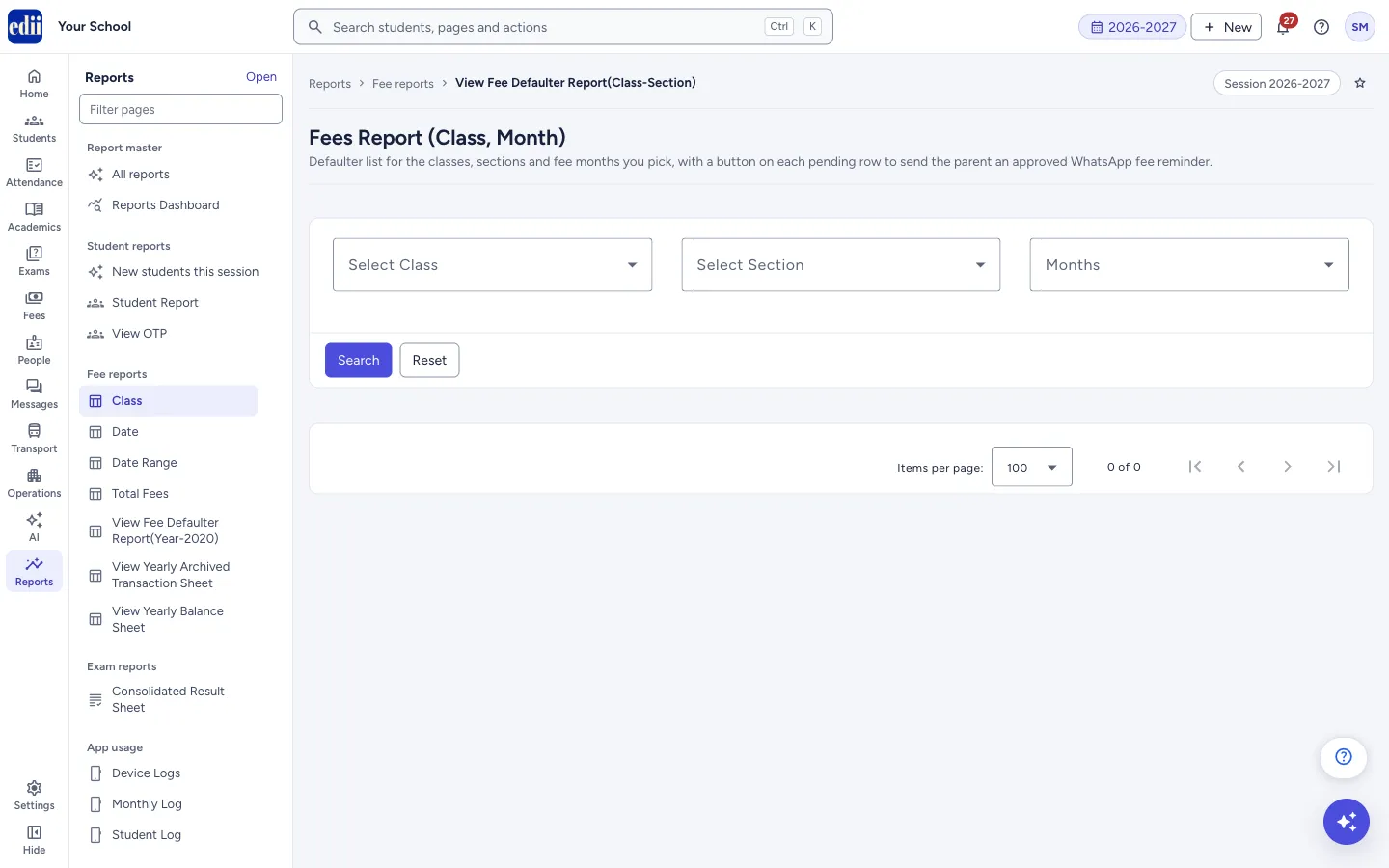
This screen is headed Fees Report (Class, Month) and sits under Reports › Fee reports › Class. Each row is one student for one fee month, with the Fees of that month, how much is Paid and how much is Un-paid.
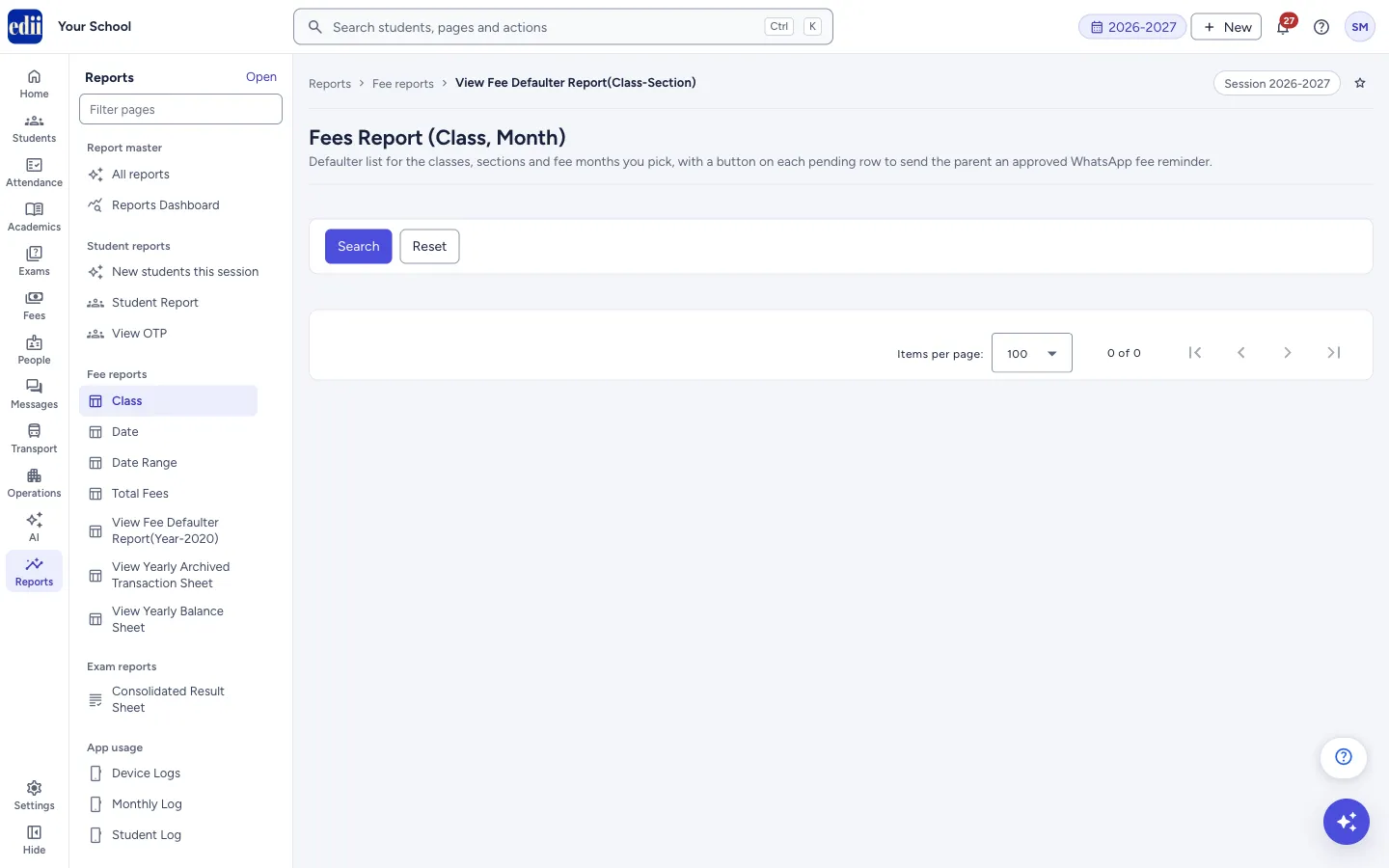
After you select Search, the filter boxes are hidden and only the results show. Select Reset to bring the boxes back. Two ticks, Show Paid Student and Show UnPaid Student, then split the loaded rows.
On a row with an unpaid amount, the speech-bubble button beside the name sends the parent a WhatsApp fee reminder. The report itself only reads; nothing is changed unless you send a reminder.
Who uses it and when
Section titled “Who uses it and when”The accountant and class teachers, to see who still owes fees for which months, and to remind the parents.
Before you start
Section titled “Before you start”- Fees must already be set for the students. For a reminder, the student needs a phone number on record and at least one unpaid month.
Where to find it
Section titled “Where to find it”- In school.edii.in: Reports › Fee reports › Class
- Or press Ctrl K (⌘ K on a Mac) and type Class.
- Address:
school.edii.in/view/all-unpaid-students-class-section - Who can see it: Staff whose role includes Reports access. Shown only when your school uses Report in EDII. If it is missing from your menu, ask your school admin.
 Open a bigger pictureतस्वीर बड़ी करें
Step by step
Section titled “Step by step”1. Choose class, section and months
Section titled “1. Choose class, section and months”Tick one or more in Select Class and Select Section (or Select All), and tick the fee months in Months. Months follow the school’s fee months (for some schools these are quarters).
2. Search
Section titled “2. Search”Select Search. The rows appear in a table and the boxes above disappear. If the report cannot be built, Error in Fetching Fees Details! shows with the reason.
 Open a bigger pictureतस्वीर बड़ी करें
3. Show paid or unpaid students
Section titled “3. Show paid or unpaid students”Tick Show UnPaid Student to list only rows with an unpaid amount above 0, or Show Paid Student for rows with nothing unpaid (0 or less). Tick both to see both. The Total row at the bottom is added up again for the rows shown.
4. Find, arrange and print
Section titled “4. Find, arrange and print”Search… filters the rows on the screen. Columns chooses the columns. The printer button prints the list, as Defaulters Report, or saves it as a file called Defaulter List Class. Click a column heading to sort.
5. Send a WhatsApp reminder (optional)
Section titled “5. Send a WhatsApp reminder (optional)”On a row with an unpaid amount, select the speech-bubble button next to the student’s name. A box Send WhatsApp Fee Reminder? says an approved fee-reminder message will be sent to the parent mobile saved for the student, for each unpaid month listed, that EDII fills each detail from its own records, and that the wording is fixed and cannot be edited or taken back. Select Send WhatsApp to send, or Not yet.
One message is sent for each unpaid month of that student, not one message for all months.
Fields and filters
Section titled “Fields and filters”| Field | What it is | Notes |
|---|---|---|
| Select Class | The classes to include. | Tick one or more, or Select All. |
| Select Section | The sections to include. | Tick one or more, or Select All. |
| Months | The fee months to include. | Tick one or more, or Select All. |
| Show Paid Student / Show UnPaid Student | Splits the loaded rows by what is unpaid. | Appear after a search. |
| Search… | Filters the loaded rows. | Appears after a search. |
| Columns | Chooses the columns. | Appears after a search. |
Buttons
Section titled “Buttons”| Button | What it does | What happens next |
|---|---|---|
| Search | Builds the report for your choices. | The table shows and the boxes are hidden. |
| Reset | Shows the boxes again. | Choose again and select Search. |
| Speech-bubble (on a row) | Sends a WhatsApp fee reminder to the parent, after you confirm. | The message WhatsApp reminder sent for <n> month(s) to <name>. shows. |
| Print (printer icon) | Prints the table or saves it as a file. |
Columns
Section titled “Columns”| Column | Meaning |
|---|---|
| S.No | Row number. |
| Month/Year | The fee month the row is for. |
| Name | The student, with the reminder button if something is unpaid. |
| Father Name, Class/Section, Phone No., Roll No, Id No | The student’s details. |
| Fees | The fees of that month for the student. |
| Paid | How much of it has been paid. |
| Un-paid | How much is still to be paid. |
Good to know
Section titled “Good to know”- The Total row adds up Fees, Paid and Un-paid of the rows shown, and changes when you tick Show Paid Student or Show UnPaid Student.
- A student unpaid for several months has one row for each month.
- A reminder needs a phone number on record and at least one unpaid month for the student.
Messages you may see
Section titled “Messages you may see”| Message | What it means | What to do |
|---|---|---|
| Error in Fetching Fees Details! | The report could not be built; the reason is shown with it. | Read the reason and search again. |
| Network Issue, Please Try Again. | The server could not be reached. | Check the internet connection and search again. |
| No phone number on record for this student. | There is no number to send to. | Add the number to the student’s record. |
| No unpaid month found for this student. | Nothing is due for the student in this report. | Nothing to send. |
| Missing student reference for this row. | The row has no student identity. | Search again. |
| WhatsApp reminder sent for <n> month(s) to <name>. | The reminder was sent. | |
| Sent for <n> month(s); <m> could not be sent. See WhatsApp Message Report for details. | Some months were sent and some were not. | Open WhatsApp Report to see why. |
| The WhatsApp reminder could not be sent. See WhatsApp Message Report for details. | No month was sent. | Open WhatsApp Report to see why. |
- Search with Show UnPaid Student ticked and print the list for the class teachers.
Stuck? Try this
Section titled “Stuck? Try this”| Problem | Likely cause | What to do |
|---|---|---|
| The boxes at the top have gone | They are hidden after a search. | Select Reset. |
| The table is empty | No class, section or month was chosen, or nothing matches. | Select Reset, choose the class, section and months, and search again. |
Did this page help?क्या इस पेज से मदद मिली?
Thanks! Glad it helped.धन्यवाद! अच्छा लगा कि काम बन गया।
Sorry about that. Ask in your own words, or write to us.माफ़ कीजिए। अपने शब्दों में पूछें, या हमें लिखें।