
Screen guide · Web app
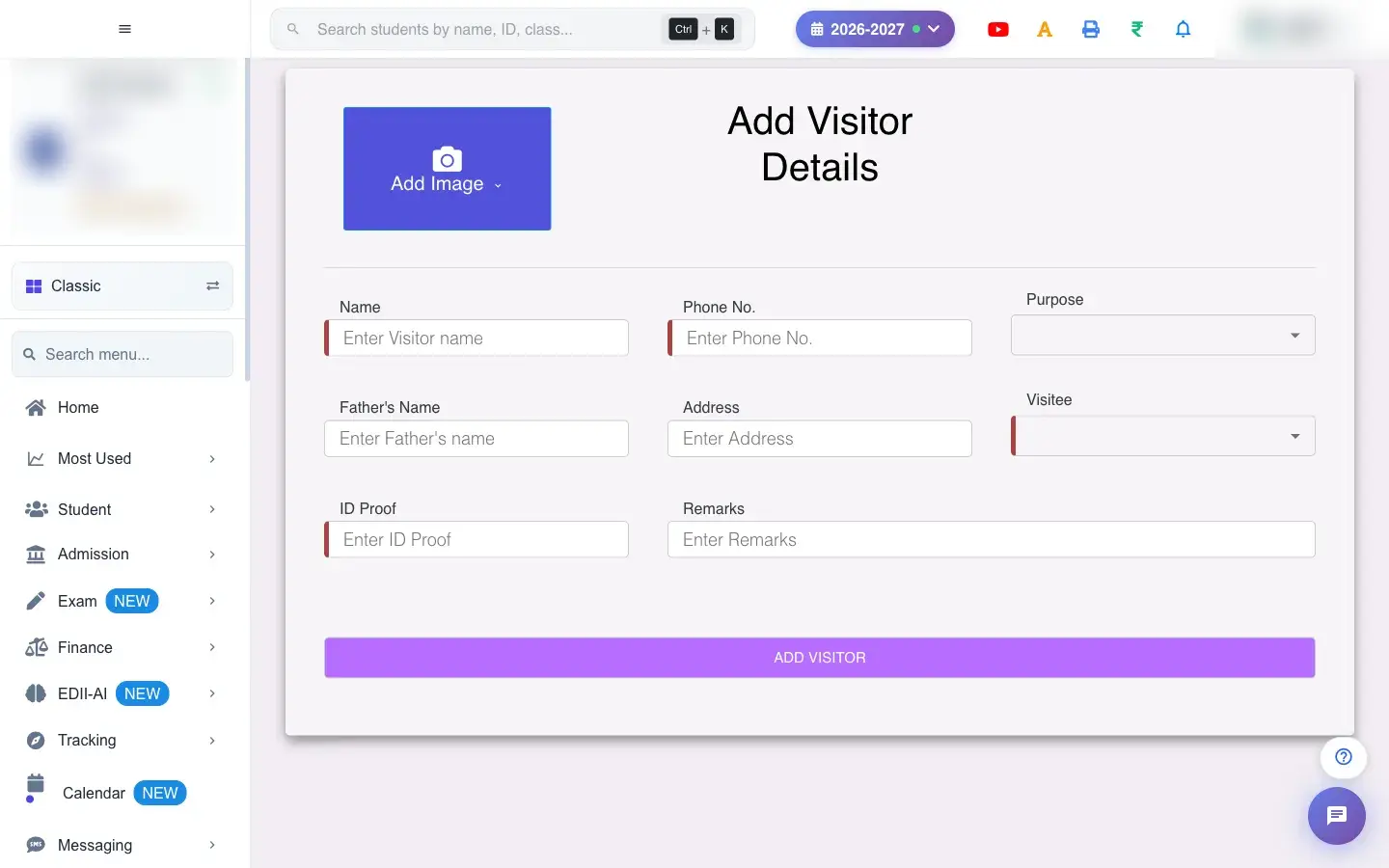
Add Image Capture Upload Add Visitor details
Register a visitor (for example a parent enquiring about admission) with their details, who they are visiting, and an ID proof or photo.
यह पेज अंग्रेज़ी में है। कुछ समझ न आए तो ।
Add Visitor details registers a visit. Choose the Purpose of the visit, then fill the sections: Student Details, Guardian Details, Previous School Details and Attachments. Search & Prefill looks up an existing record by a value (for example an Aadhaar number) and fills the form. Select Register to save.
If the purpose is an admission enquiry, the page can take you on to the admission form (Redirecting You to Add Student). A photo can be captured with the camera (Use This Photo) or uploaded; files above 10 MB are refused (Max File Size is 10 MB).
Who uses it and when
Section titled “Who uses it and when”The front office registers every visitor at the gate or reception.
Before you start
Section titled “Before you start”- Have the visitor’s name, a 10-digit phone number, the purpose and, if available, an ID proof.
Where to find it
Section titled “Where to find it”- This screen opens from another screen, not from the menu.
- Address:
/add/add-visitors - If it is missing from your menu, your role does not include it. Ask your school admin.
 Open a bigger pictureतस्वीर बड़ी करें
Step by step
Section titled “Step by step”1. Pick the purpose
Section titled “1. Pick the purpose”Choose why they are visiting. Please select purpose of visit appears if you skip it.
2. Fill in the details
Section titled “2. Fill in the details”Enter the visitor’s name (Please enter visitor name) and a valid 10-digit phone number (Please enter a valid 10-digit phone number), and the other details you have.
3. Add a photo or ID
Section titled “3. Add a photo or ID”Capture or upload a photo or ID proof, up to 10 MB.
4. Register
Section titled “4. Register”Select Register. A Visitor: confirmation appears.
With data
Section titled “With data”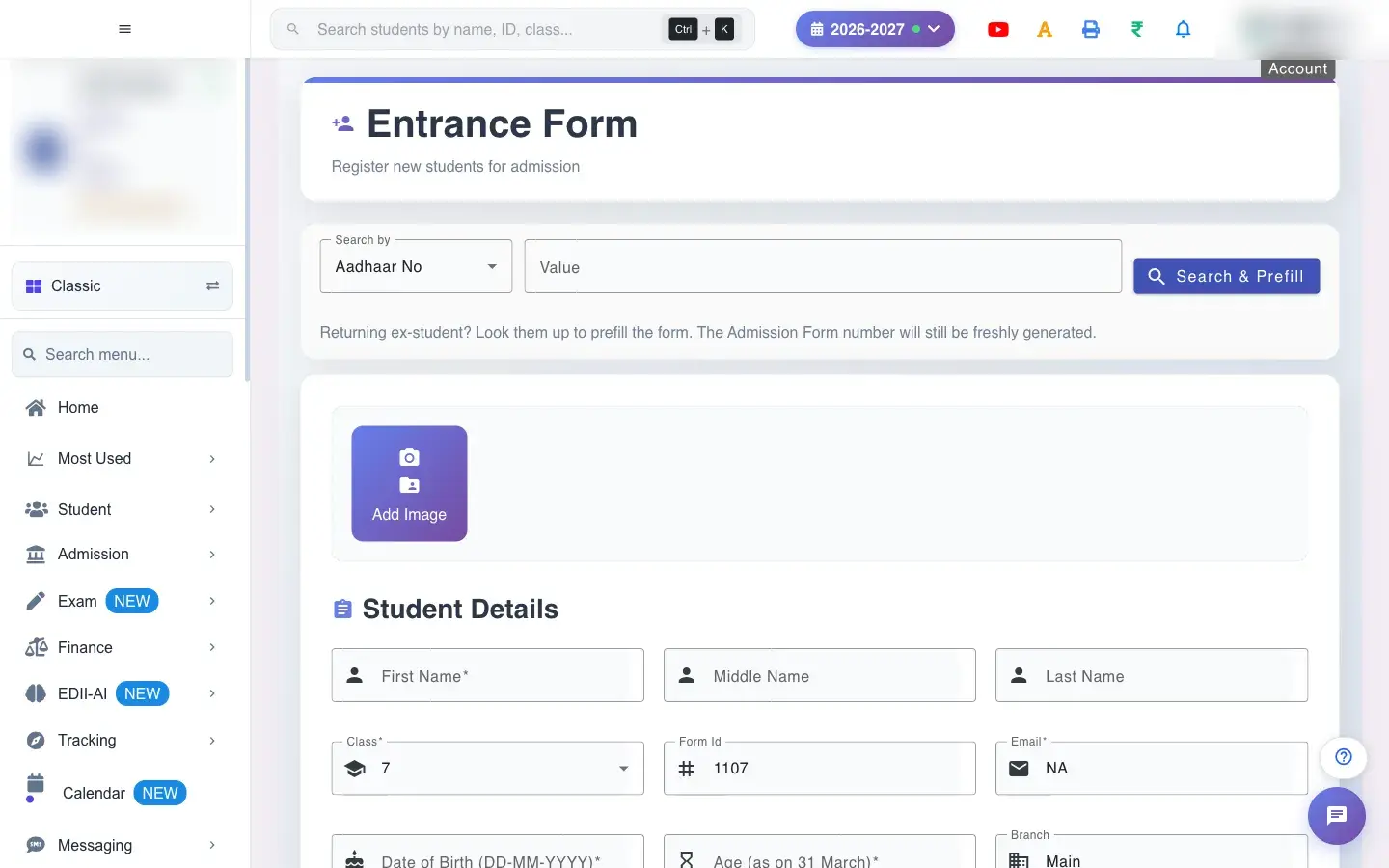 Open a bigger pictureतस्वीर बड़ी करें
Fields and filters
Section titled “Fields and filters”| Field | What it is | Notes |
|---|---|---|
| Purpose | Why they are visiting (for example Admission). | Required. |
| Class / Session / Religion | For an admission enquiry. | Shown for Admission. |
| Student, Guardian and Previous School sections | First, middle and last name, date of birth, age as on 31 March, phone number, father’s name, email, address, caste, nationality, optional subject, Aadhaar and PAN, previous school details. | Name, 10-digit phone, purpose and address are required. |
| Attachments | ID proof and photo (capture or upload). | Each file up to 10 MB. |
Buttons
Section titled “Buttons”| Button | What it does | What happens next |
|---|---|---|
| Search & Prefill | Looks up an earlier record and fills the form. | Fills the boxes. |
| Register | Saves the visitor. | Shows a Visitor: message. |
After you save
Section titled “After you save”- The visit is recorded and appears in the visitor lists and the dashboard.
Good to know
Section titled “Good to know”- Name, a 10-digit phone number, purpose and ID proof are required.
- Files must be 10 MB or smaller.
Messages you may see
Section titled “Messages you may see”| Message | What it means | What to do |
|---|---|---|
| Please enter visitor name | Name missing. | Type the name. |
| Please enter a valid 10-digit phone number | Phone invalid. | Enter ten digits. |
| Please select purpose of visit | No purpose. | Choose one. |
| Max File Size is 10 MB | File too big. | Use a smaller file. |
| Bad/Slow Internet Connection, Please check your internet connection | A request failed. | Try again. |
- Use the Visitor dashboard for quick check-in and check-out.
Stuck? Try this
Section titled “Stuck? Try this”| Problem | Likely cause | What to do |
|---|---|---|
| Register does nothing | A required field is empty. | Fill name, phone and purpose. |
Did this page help?क्या इस पेज से मदद मिली?
Thanks! Glad it helped.धन्यवाद! अच्छा लगा कि काम बन गया।
Sorry about that. Ask in your own words, or write to us.माफ़ कीजिए। अपने शब्दों में पूछें, या हमें लिखें।