
Screen guide · Web app
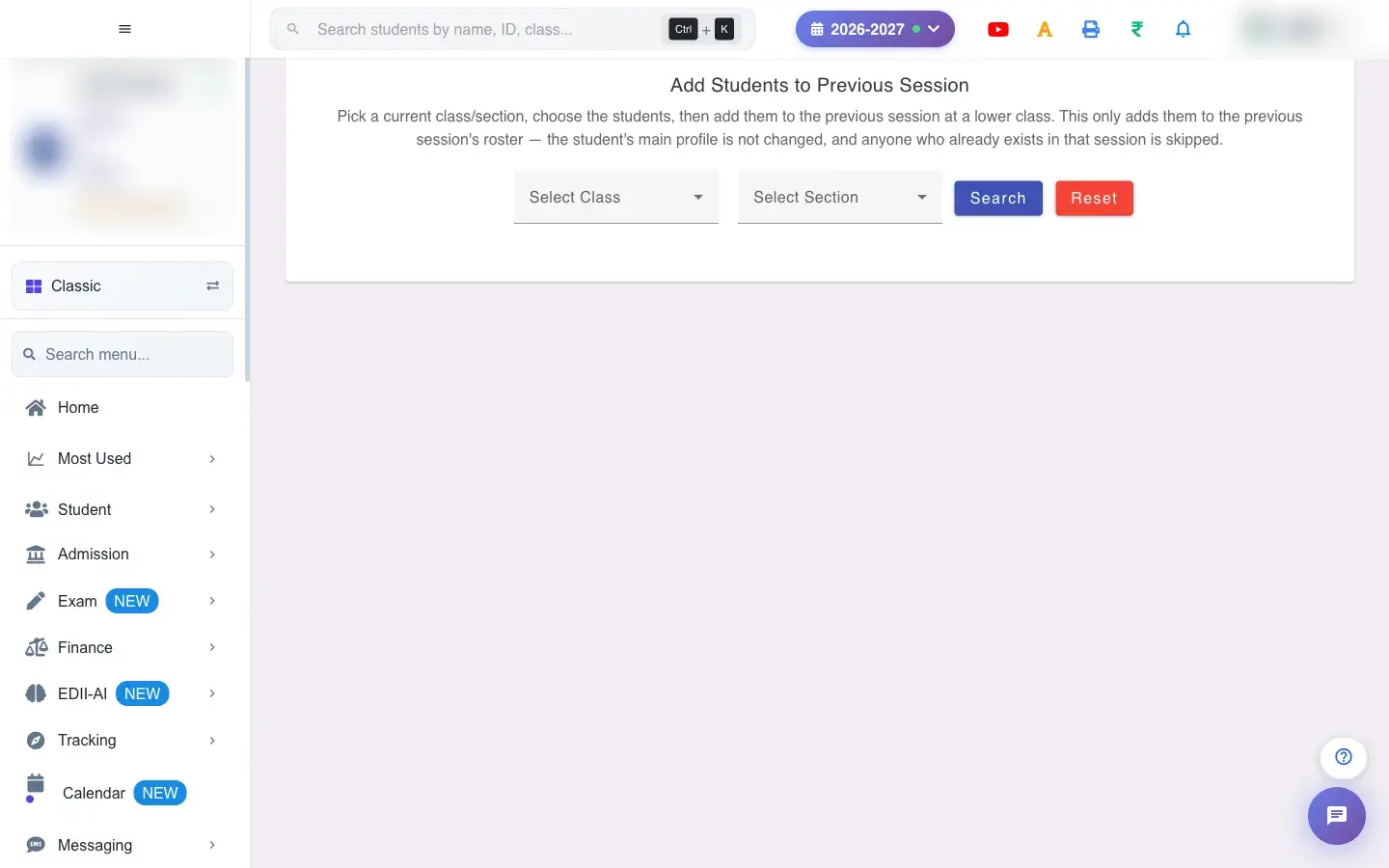
Add Students to Previous Session
Add current students to an earlier session's roster in a lower class, so their past-session fees, attendance or marks can be entered, without changing their main profile.
यह पेज अंग्रेज़ी में है। कुछ समझ न आए तो ।
Add Students to Previous Session (Student › Add to Previous Session) places selected students on the roll of a previous session at a lower class. For example, a class 7 student can be added to 2025-2026 in class 6.
It only adds them to that session’s roster. The student’s main profile is not changed, and anyone who already exists in that session is skipped.
Who uses it and when
Section titled “Who uses it and when”The office uses it when a school joins EDII mid-way and needs history for earlier sessions, for instance to record old fees.
Before you start
Section titled “Before you start”- Choose the students’ current class and section, then the previous session and the class and section they were in then.
Where to find it
Section titled “Where to find it”- Menu: Student › Add to Previous Session
- Address:
/view/student-add-previous-session - If it is missing from your menu, your role does not include it. Ask your school admin.
 Open a bigger pictureतस्वीर बड़ी करें
Step by step
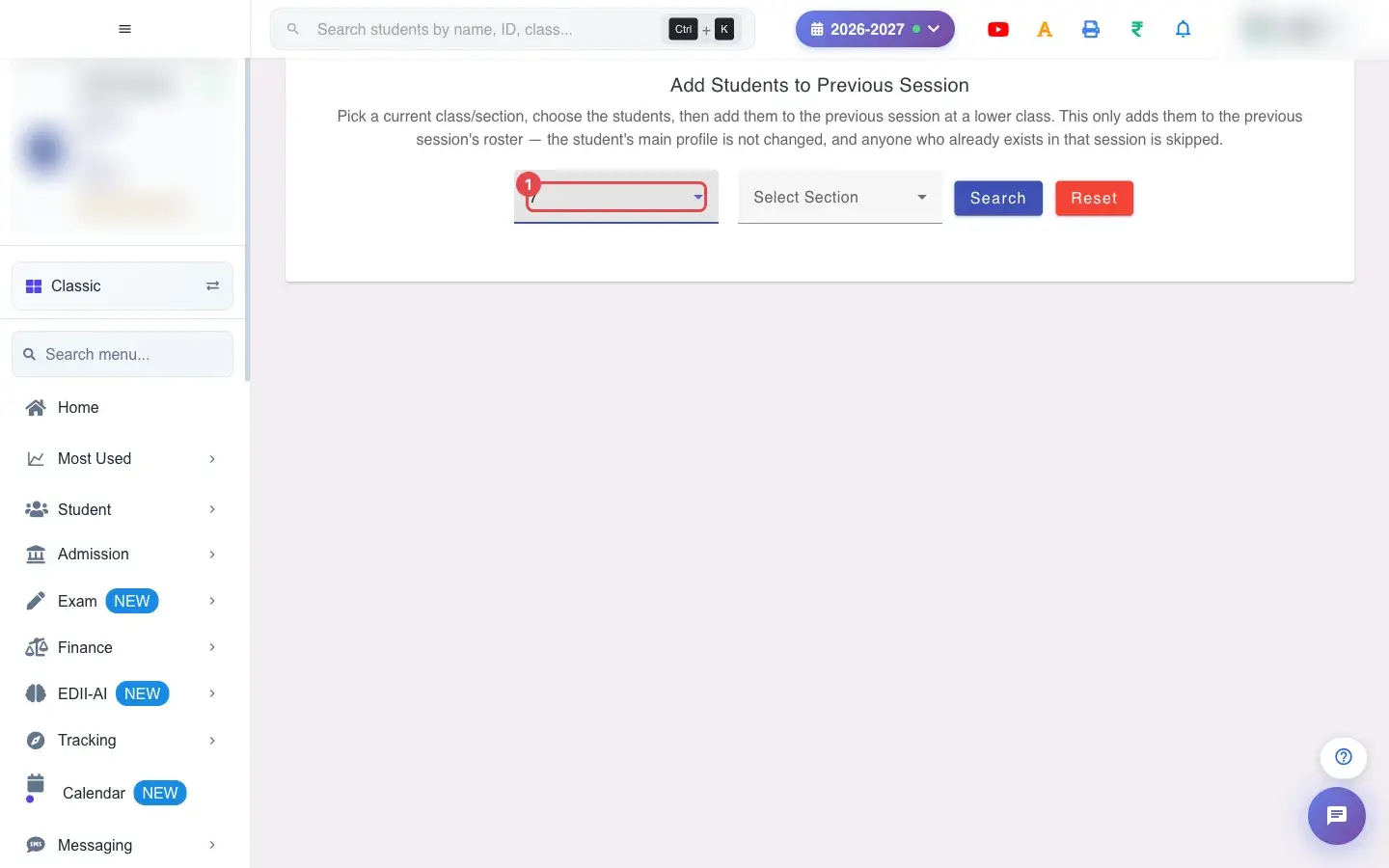
Section titled “Step by step”1. Choose Select Class (for example 7)
Section titled “1. Choose Select Class (for example 7)”Choose the current Class.
 Open a bigger pictureतस्वीर बड़ी करें
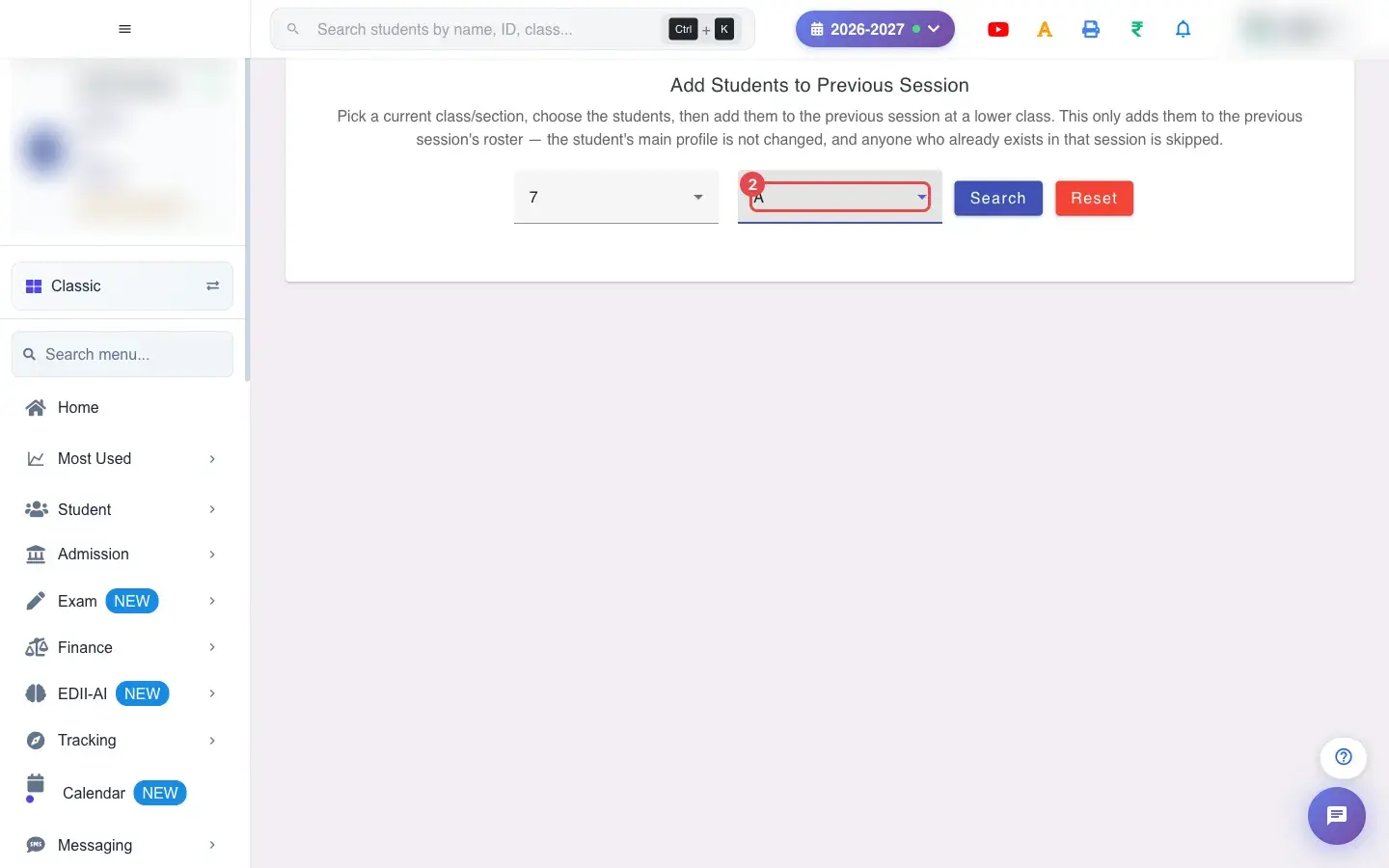
2. Choose Select Section (for example A)
Section titled “2. Choose Select Section (for example A)”Choose the current Section.
 Open a bigger pictureतस्वीर बड़ी करें
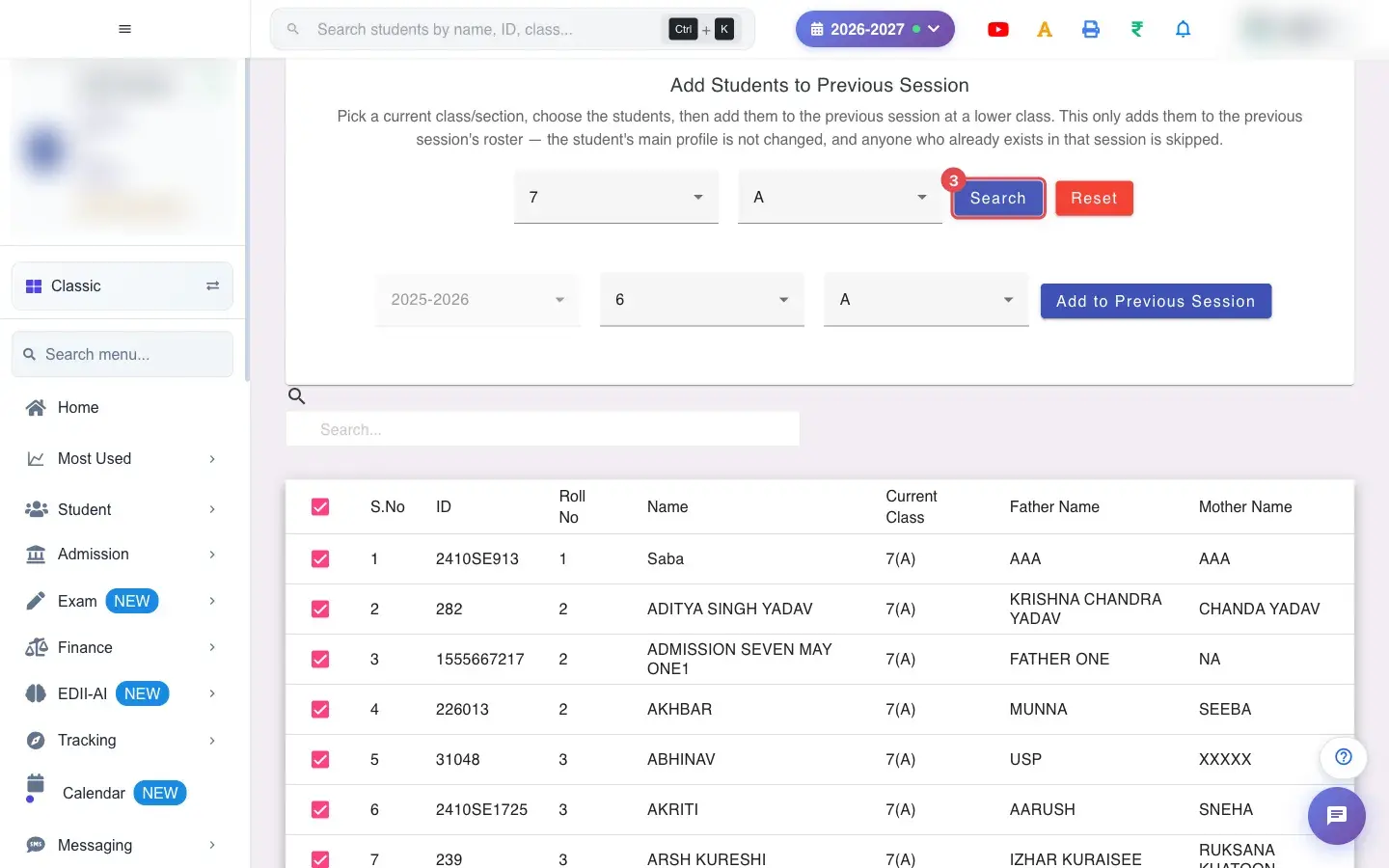
3. Select Search
Section titled “3. Select Search”Select Search to list the students.
 Open a bigger pictureतस्वीर बड़ी करें
4. Choose the previous session
Section titled “4. Choose the previous session”Set Previous Session (for example 2025-2026) and the Previous Class and Section they were in.
5. Choose the students
Section titled “5. Choose the students”Tick the students to add; Select All ticks everyone.
6. Add them
Section titled “6. Add them”Select Add to Previous Session. If nobody is ticked you see Select at least one student; if you did not choose the previous class and section you see Please choose the previous-session Class and Section.
With data
Section titled “With data”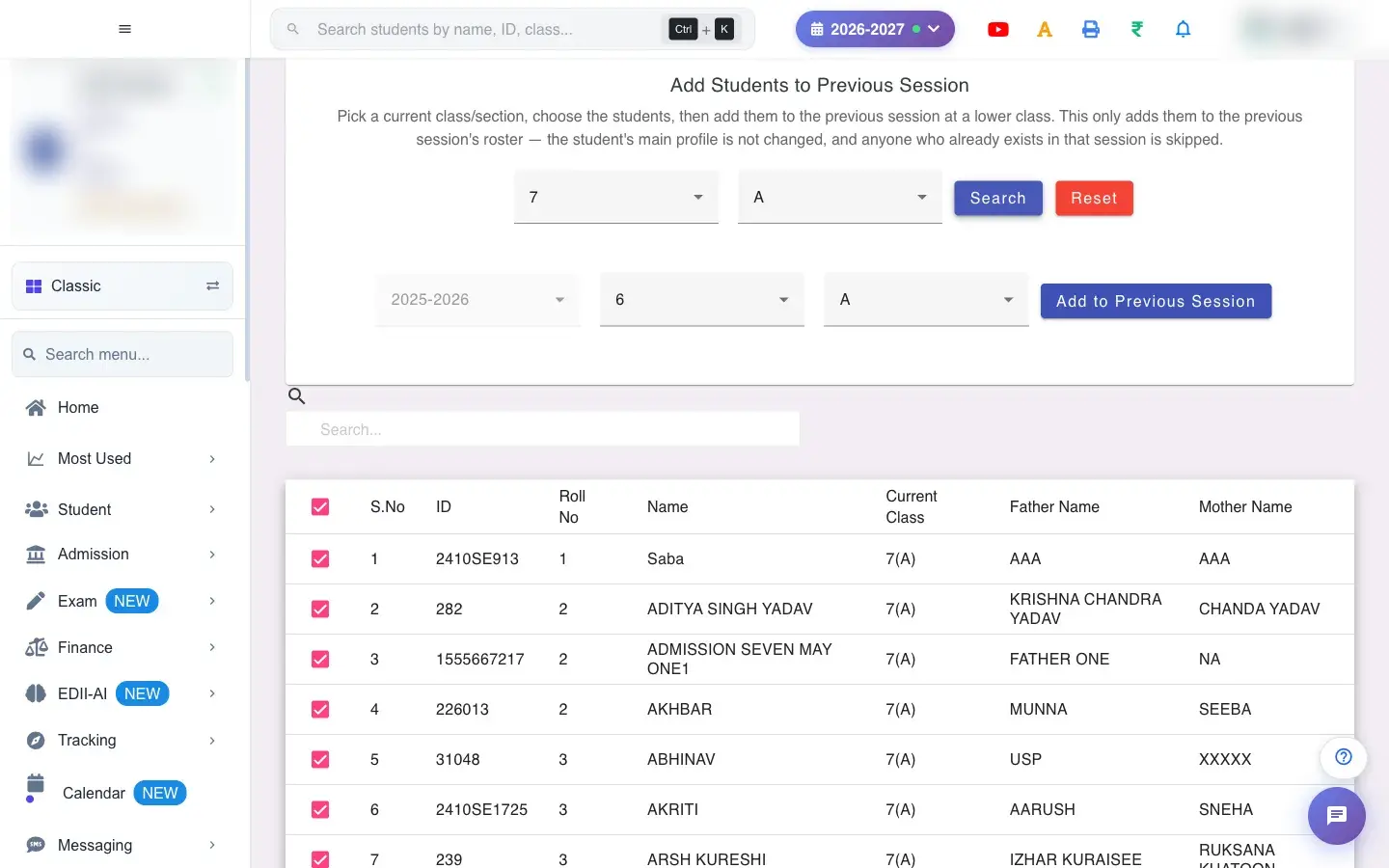 Open a bigger pictureतस्वीर बड़ी करें
Fields and filters
Section titled “Fields and filters”| Field | What it is | Notes |
|---|---|---|
| Select Class / Select Section | Current class. | Required. |
| Previous Session / Previous Class / Section | Where they go. | A lower class. |
Buttons
Section titled “Buttons”| Button | What it does | What happens next |
|---|---|---|
| Search | Lists the students. | Shows Please select Class and Section if missing. |
| Add to Previous Session | Adds ticked students. | Skips students already there. |
Columns
Section titled “Columns”| Column | Meaning |
|---|---|
| S.No / ID / Roll No / Name / Current Class / Father Name / Mother Name | The students. |
After you save
Section titled “After you save”- Students appear on the chosen previous session’s roster. Their main profile and current class are unchanged.
Good to know
Section titled “Good to know”- Students already in that session are skipped.
- Only the roster is added.
Messages you may see
Section titled “Messages you may see”| Message | What it means | What to do |
|---|---|---|
| Please select Class and Section | A choice is missing. | Choose both. |
| Select at least one student | Nobody ticked. | Tick students. |
| Please choose the previous-session Class and Section | The target is not chosen. | Choose it. |
| Network Issue, Please Try Again. | A request failed. | Try again. |
- Add only the students you need history for.
Stuck? Try this
Section titled “Stuck? Try this”| Problem | Likely cause | What to do |
|---|---|---|
| A student is not added | They already exist in that session. | Nothing to do; they are already there. |
Did this page help?क्या इस पेज से मदद मिली?
Thanks! Glad it helped.धन्यवाद! अच्छा लगा कि काम बन गया।
Sorry about that. Ask in your own words, or write to us.माफ़ कीजिए। अपने शब्दों में पूछें, या हमें लिखें।