
Screen guide · Teacher app
Daily planner
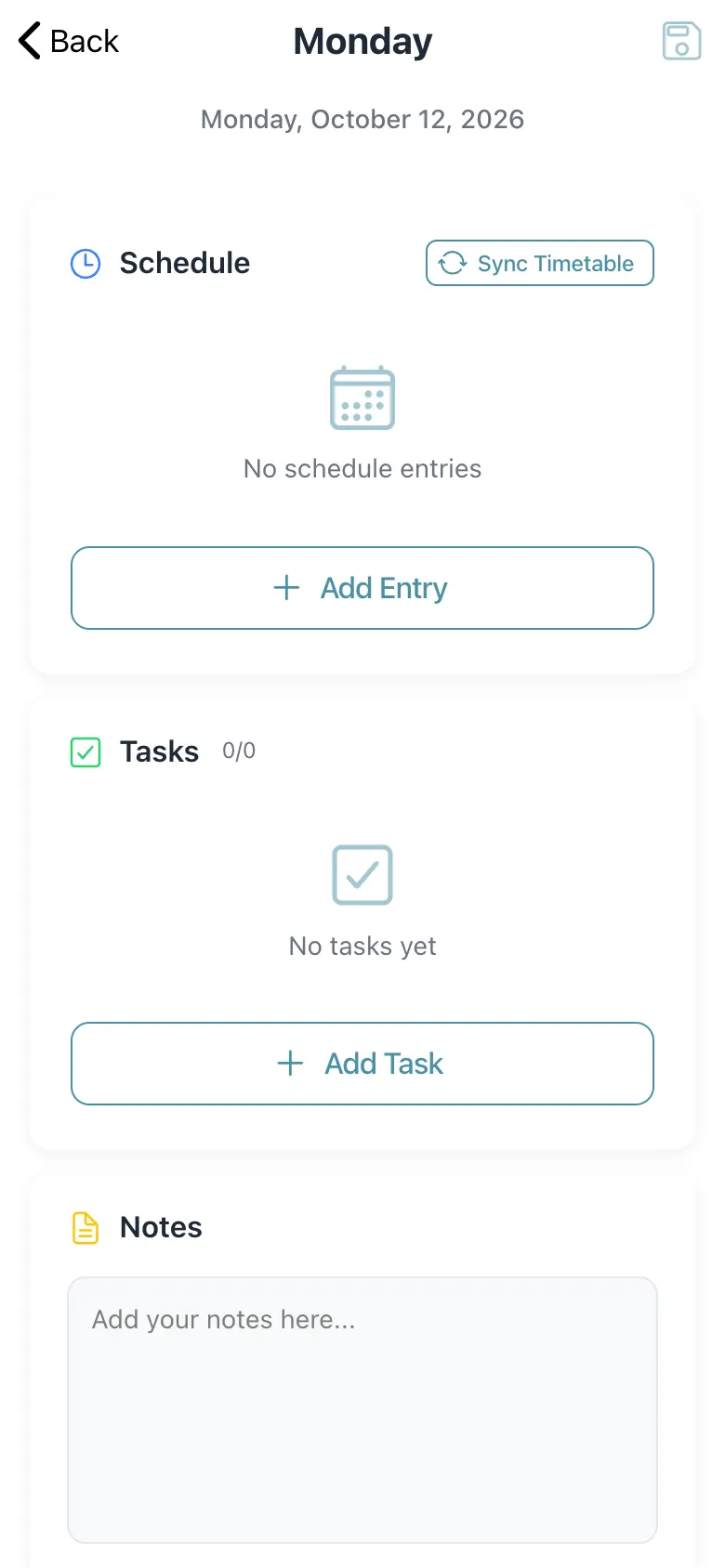
A single day's planner: your schedule entries (synced from the timetable), tasks and notes.
यह पेज अंग्रेज़ी में है। कुछ समझ न आए तो ।
The daily planner has Schedule (Sync Timetable fills it from your timetable; Add Entry adds your own; timetable entries cannot be deleted), Tasks (Tasks 0/0; Add Task with a title and priority; tick to complete, delete with confirmation) and Notes (Add your notes here…). Select Save Changes to save (Planner saved).
Who uses it and when
Section titled “Who uses it and when”Teachers, for each teaching day.
Before you start
Section titled “Before you start”- Your timetable should exist if you want to sync it.
Where to find it
Section titled “Where to find it”- Open Planner, choose a date and select Create Daily Planner.
 Open a bigger pictureतस्वीर बड़ी करें
Step by step
Section titled “Step by step”1. Sync your timetable
Section titled “1. Sync your timetable”Select Sync Timetable (Timetable synced successfully).
2. Add tasks and notes
Section titled “2. Add tasks and notes”Use Add Task and the Notes box.
3. Save
Section titled “3. Save”Select Save Changes.
Fields and filters
Section titled “Fields and filters”| Field | What it is | Notes |
|---|---|---|
| Schedule entry | A time-boxed item (title, start, end). | All three required. |
| Task | A to-do with a priority. | A title is required. |
| Notes | Free text for the day. | Optional. |
Buttons
Section titled “Buttons”| Button | What it does | What happens next |
|---|---|---|
| Sync Timetable | Loads timetable periods. | Timetable synced successfully. |
| Add Entry / Add Task | Adds an item. | Schedule entry added / Task added. |
| Save Changes | Saves the planner. | Planner saved. |
After you save
Section titled “After you save”- The plan is saved for that date.
Good to know
Section titled “Good to know”- Timetable entries cannot be deleted (Cannot delete timetable entries).
Messages you may see
Section titled “Messages you may see”| Message | What it means | What to do |
|---|---|---|
| Planner saved | Saved. | Nothing to do. |
| Error loading planner | It failed to load. | Retry. |
| Cannot delete timetable entries | Synced entries are fixed. | Delete only your own entries. |
| Task deleted | Removed. | Nothing to do. |
- Sync the timetable first, then add what is special.
Stuck? Try this
Section titled “Stuck? Try this”| Problem | Likely cause | What to do |
|---|---|---|
| No schedule after sync | No timetable for you on that day. | Check the timetable. |
Did this page help?क्या इस पेज से मदद मिली?
Thanks! Glad it helped.धन्यवाद! अच्छा लगा कि काम बन गया।
Sorry about that. Ask in your own words, or write to us.माफ़ कीजिए। अपने शब्दों में पूछें, या हमें लिखें।