
Screen guide · Web app
Circular & Announcements
Create and manage circulars and announcements: write (with AI help), attach files, choose who gets it, and download as English or Hindi PDF.
यह पेज अंग्रेज़ी में है। कुछ समझ न आए तो ।
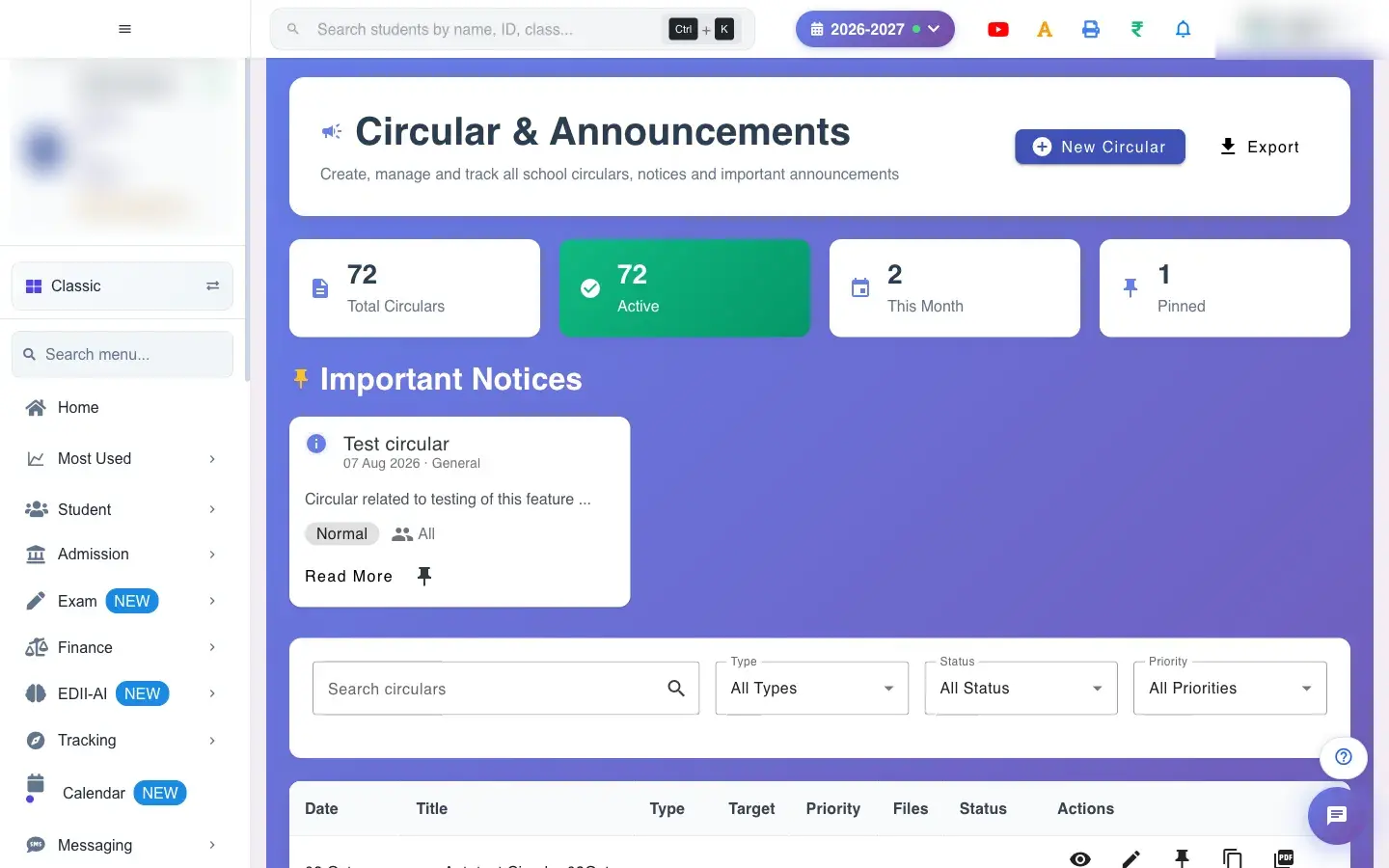
Circular & Announcements (Student › Circular) lists circulars with Date, Title, Type, Target, Priority, Files, Status and Actions, with counts at the top and an Important Notices block. Filter by type, status (Active or Expired) and priority, search circulars, and Export the list.
New Circular opens the form: Title, Type, Priority, Target Audience, Class and Section (Optional), Valid From and Valid To (Optional), the content and an optional video link. Describe in one line with the AI helper writes the content for you (Content generated successfully); review it before saving. Attach files up to 10 MB each (Files uploaded successfully; File … exceeds 10MB limit). Each circular can be downloaded as an English PDF or Hindi PDF.
Who uses it and when
Section titled “Who uses it and when”The office and principal issue notices.
Before you start
Section titled “Before you start”- Know the audience, dates and any attachments.
Where to find it
Section titled “Where to find it”- Menu: Student › Circular
- Address:
/view/circular-management - If it is missing from your menu, your role does not include it. Ask your school admin.
 Open a bigger pictureतस्वीर बड़ी करें
Step by step
Section titled “Step by step”1. Start a circular
Section titled “1. Start a circular”Select New Circular and fill the title, type, priority and audience.
2. Write the content
Section titled “2. Write the content”Type it, or describe it in one line and let the AI draft it, then edit.
3. Attach and date
Section titled “3. Attach and date”Add files (10 MB each) and the validity dates.
4. Save
Section titled “4. Save”Save it. Please fill all required fields appears if something is missing.
With data
Section titled “With data”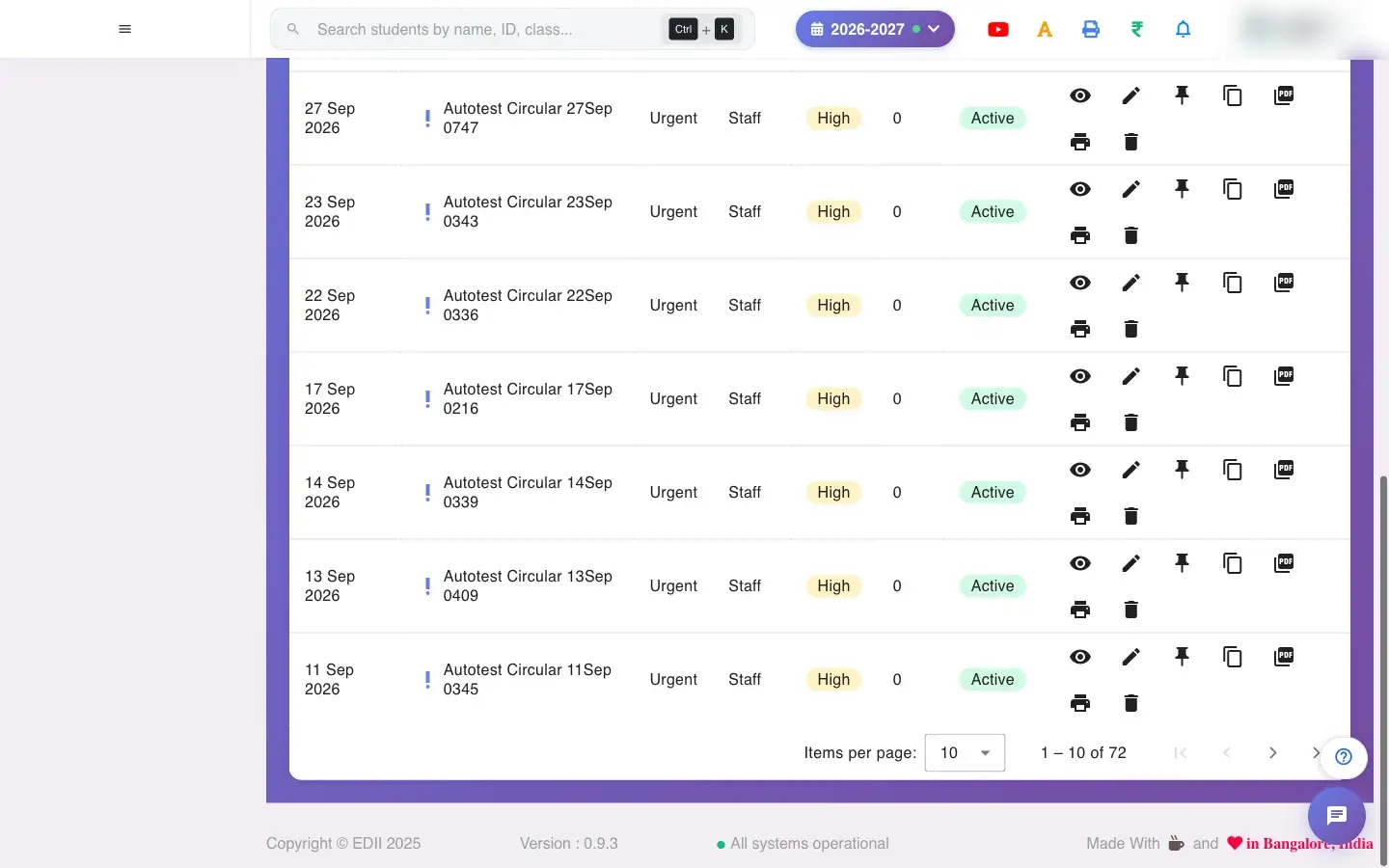 Open a bigger pictureतस्वीर बड़ी करें
Fields and filters
Section titled “Fields and filters”| Field | What it is | Notes |
|---|---|---|
| Title / Type / Priority | Identity of the notice. | Required. |
| Target Audience / Class / Section | Who it is for. | Section optional. |
| Valid From / Valid To | How long it is active. | To is optional. |
| Content / Describe in one line | The text or an AI prompt. | Review AI text. |
| URL (Video Link) | A video to link. | Optional. |
| Files | Attachments. | 10 MB each. |
Buttons
Section titled “Buttons”| Button | What it does | What happens next |
|---|---|---|
| New Circular | Opens the form. | A form opens. |
| English PDF / Hindi PDF | Makes a printable PDF. | PDF generated successfully. |
| Export | Downloads the list. | A CSV downloads. |
| Delete | Removes the circular. | Circular deleted successfully. |
After you save
Section titled “After you save”- The circular is saved and shown to its audience (for example parents of the chosen class in their app).
Good to know
Section titled “Good to know”- Required fields must be filled.
- Each file must be 10 MB or smaller.
Messages you may see
Section titled “Messages you may see”| Message | What it means | What to do |
|---|---|---|
| Please fill all required fields | A field is missing. | Complete it. |
| File … exceeds 10MB limit | File too large. | Use a smaller file. |
| Content generated successfully | AI text ready. | Review it. |
| Please enter a description first | No prompt for AI. | Describe the notice. |
| Failed to load circulars | List failed. | Refresh. |
- Set Valid To so old notices expire by themselves.
- Use the Hindi PDF for parents who prefer Hindi.
Stuck? Try this
Section titled “Stuck? Try this”| Problem | Likely cause | What to do |
|---|---|---|
| Parents did not see it | Wrong audience or dates. | Check target and validity. |
Did this page help?क्या इस पेज से मदद मिली?
Thanks! Glad it helped.धन्यवाद! अच्छा लगा कि काम बन गया।
Sorry about that. Ask in your own words, or write to us.माफ़ कीजिए। अपने शब्दों में पूछें, या हमें लिखें।