
Screen guide · Admin app
Today
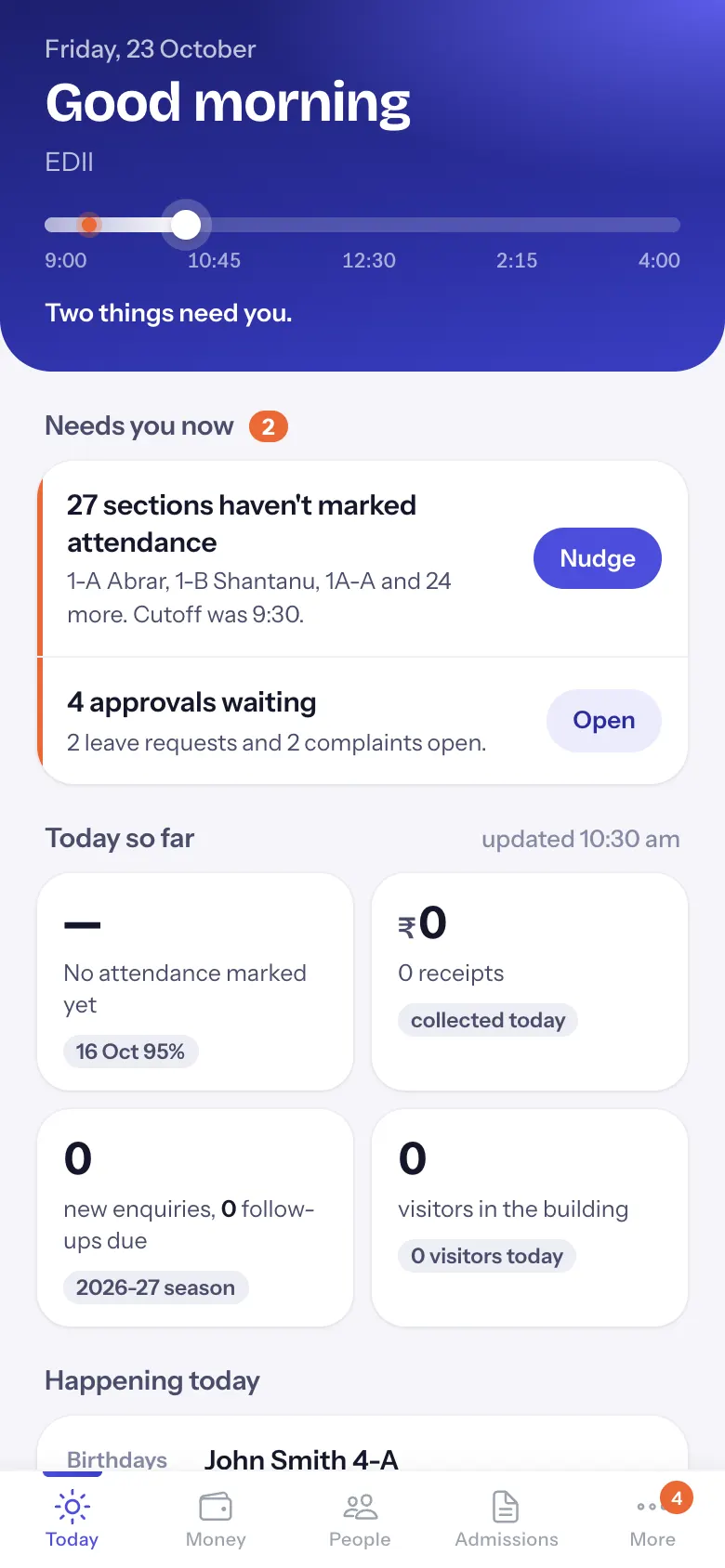
The principal's day on one screen: the school day as a line, what needs you now with one button each, today's attendance, money, enquiries and visitors, and what is happening today.
यह पेज अंग्रेज़ी में है। कुछ समझ न आए तो ।
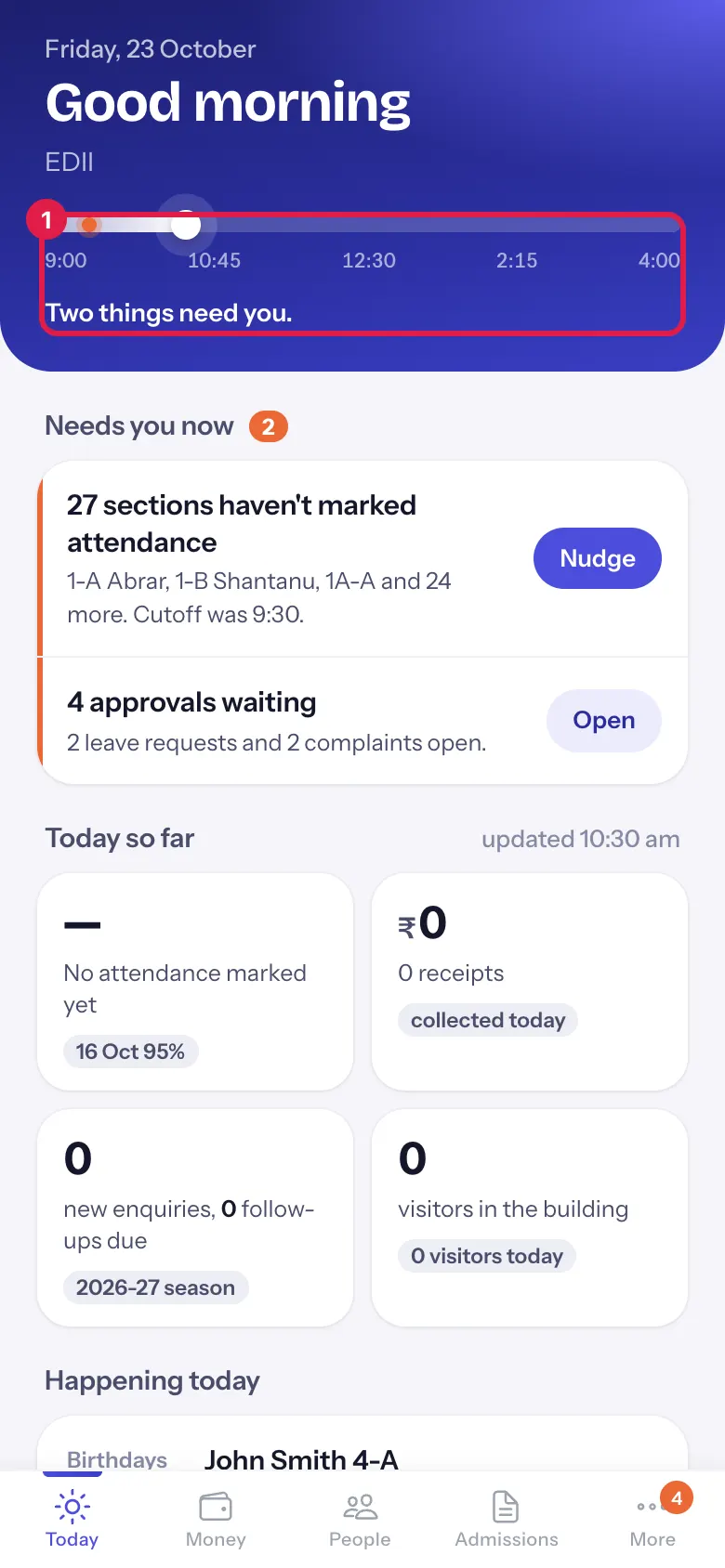
At the top: today’s date, a greeting (Good morning, Good afternoon or Good evening, with your first name when your account has one) and the school’s name. Under it the school day as a line, from the start to the end of school hours. The white dot is now. An orange mark at 9:30, the attendance cutoff, means sections were still unmarked after it; small marks show timed events. One sentence sums it up: Two things need you., Nothing needs you right now., School starts at 8:00., The school day is over. or No school today: <holiday>.
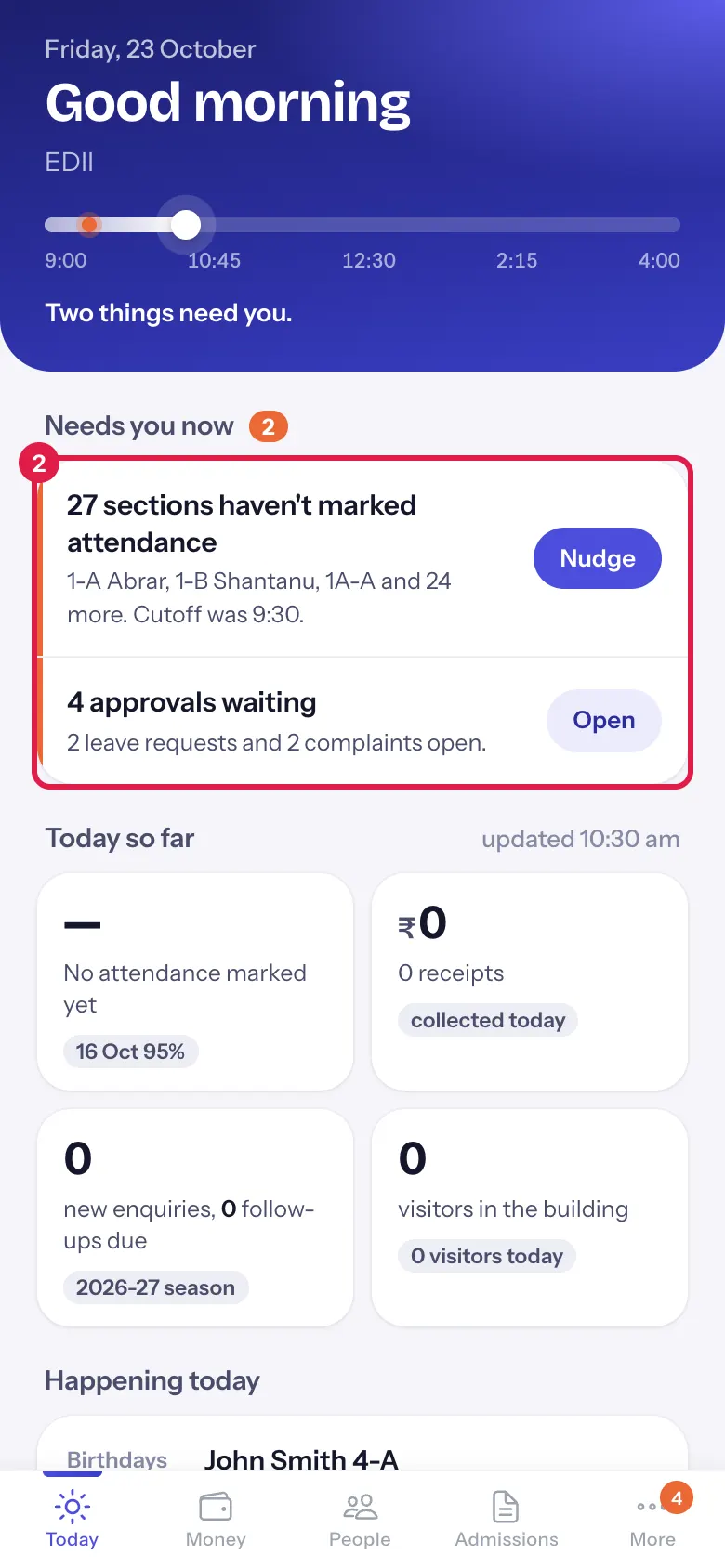
Needs you now (with a count) lists only what needs action, one row each with one button. Select a row to open the screen behind it, or its button to act:
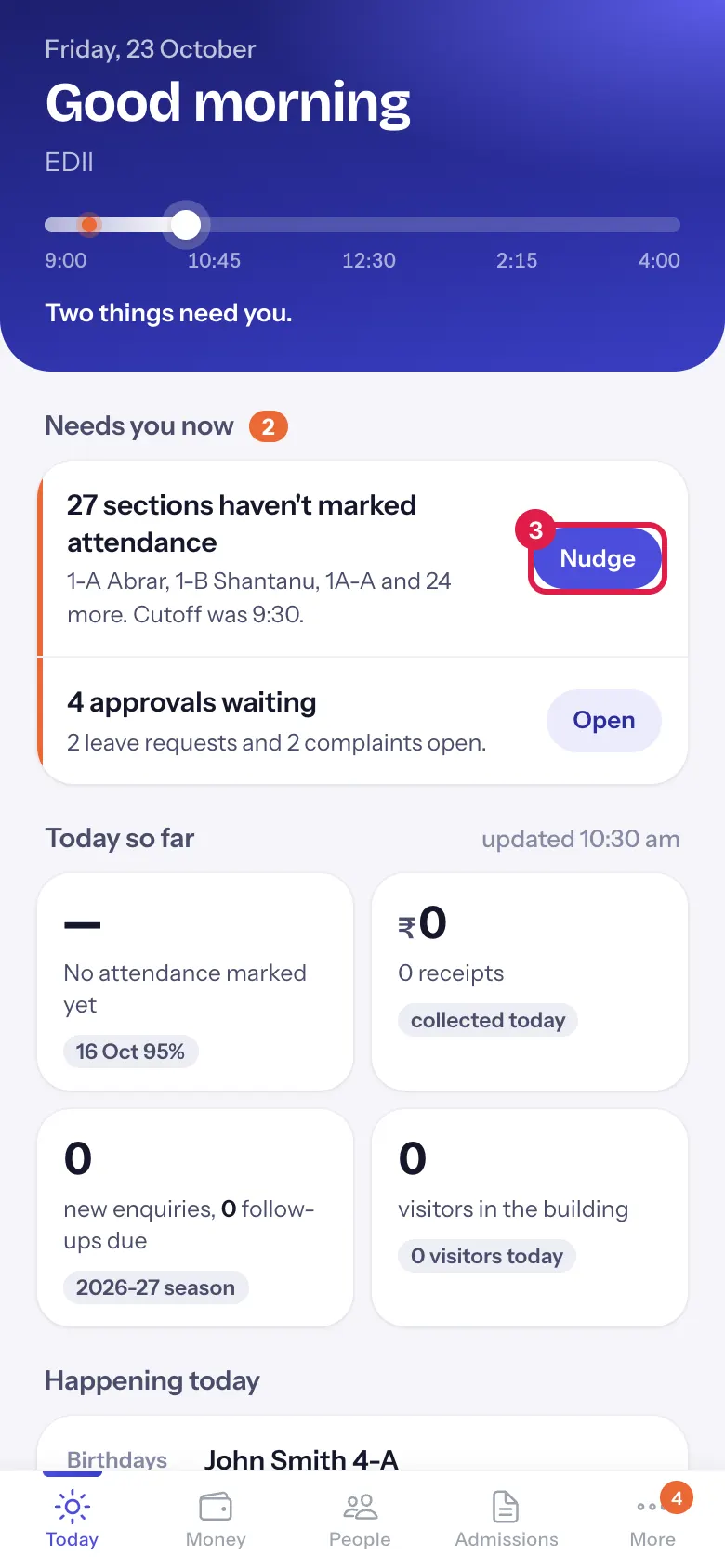
- 27 sections haven’t marked attendance: the sections and their teachers; after 9:30 it adds Cutoff was 9:30. Nudge reminds those teachers. It shows once school has started.
- Period 3 uncovered in 7-A or 4 periods need cover today: who is absent and who is free. Assign shows the suggested cover to confirm.
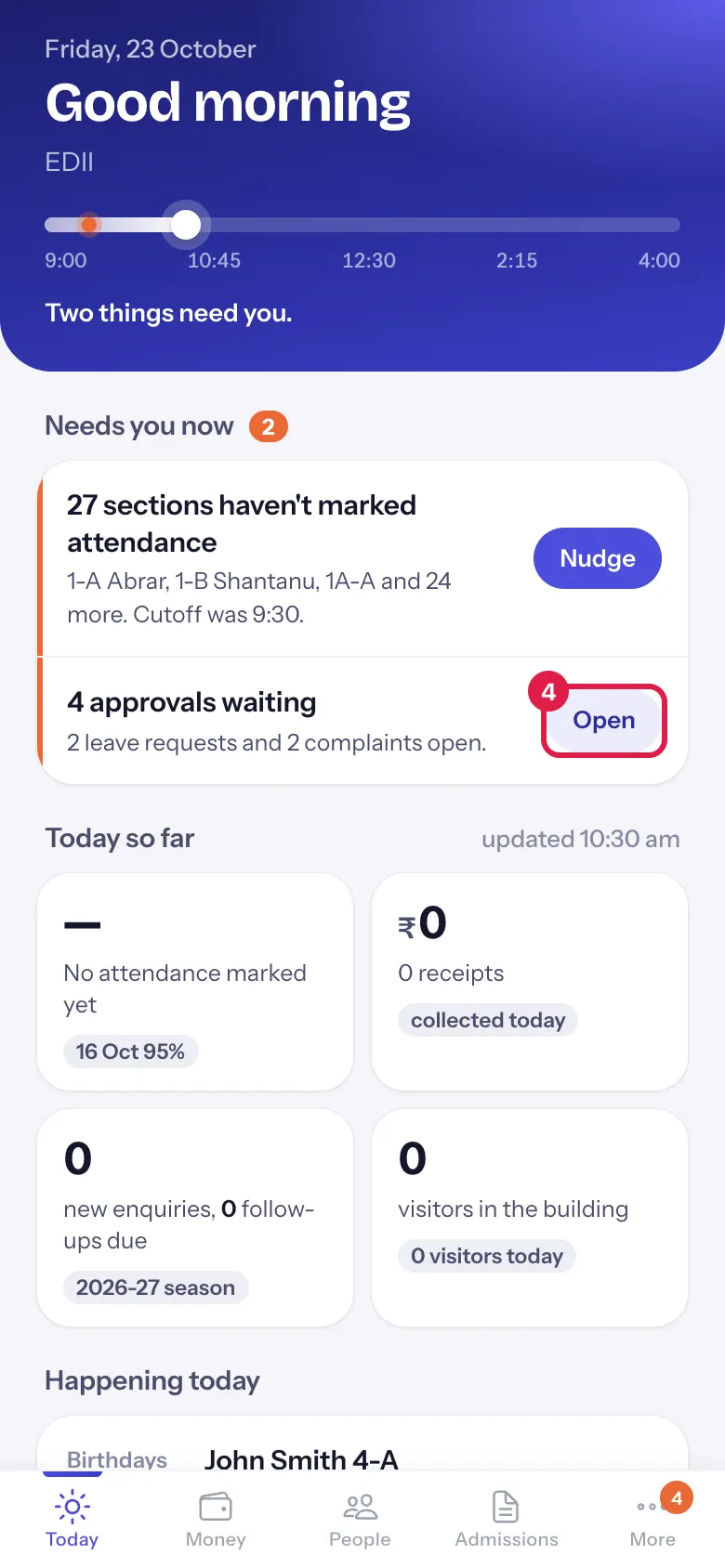
- 4 approvals waiting: leave requests, complaints and detail changes. Open opens Approvals.
- 3 children have been absent 3 days or more: Open opens Attendance today, where you can call the families.
- 2 staff haven’t punched in: shows 15 minutes after staff count as late. Open opens People.
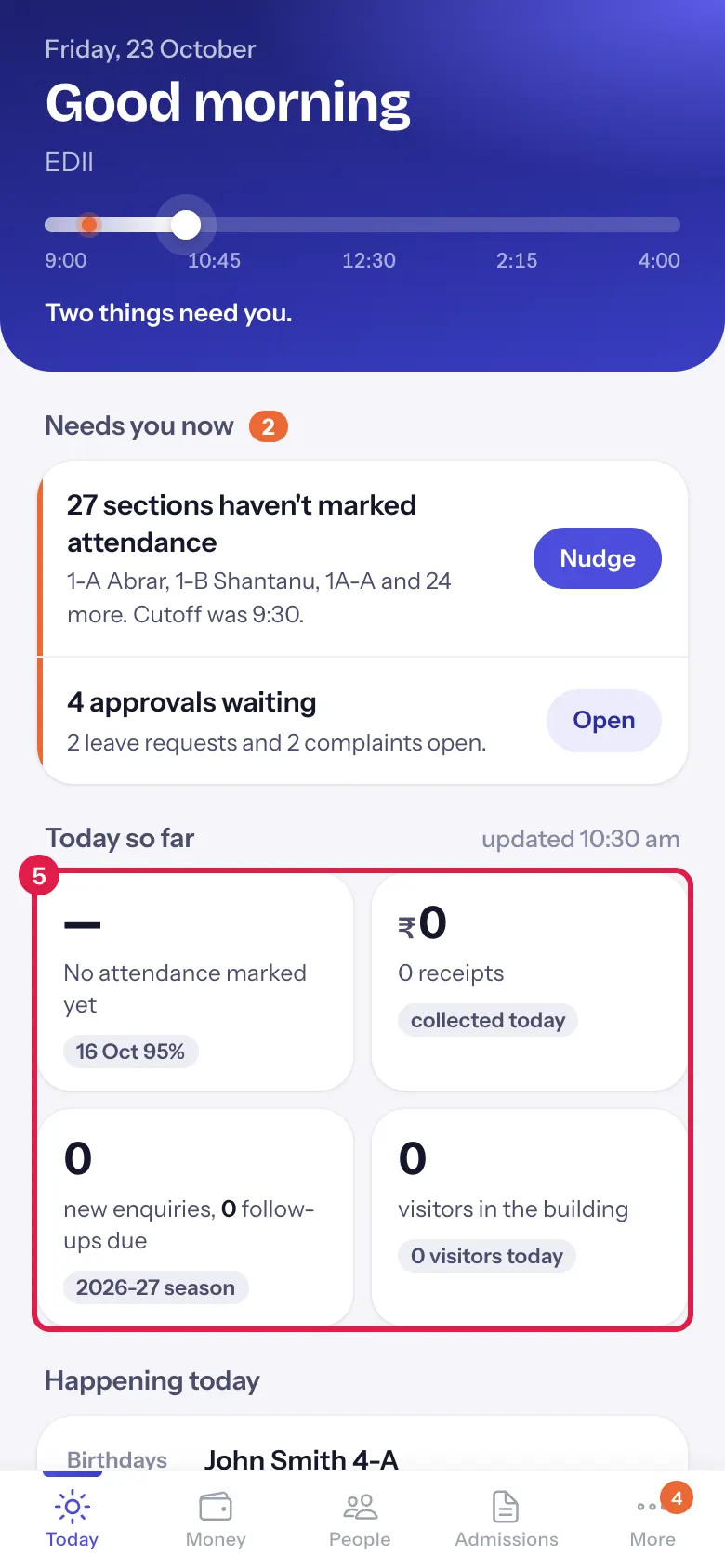
Today so far (updated <time>) has four tiles: attendance (92%, 460 of 500 present, or No attendance marked yet; the small label is the previous school day, for example 16 Oct 95%), money (₹ collected today, receipts and the online part), enquiries (new enquiries and applications today, follow-ups due, and the admission season) and visitors (in the building now, with the first visitor and time). The first three open Attendance today, Money and Admissions.
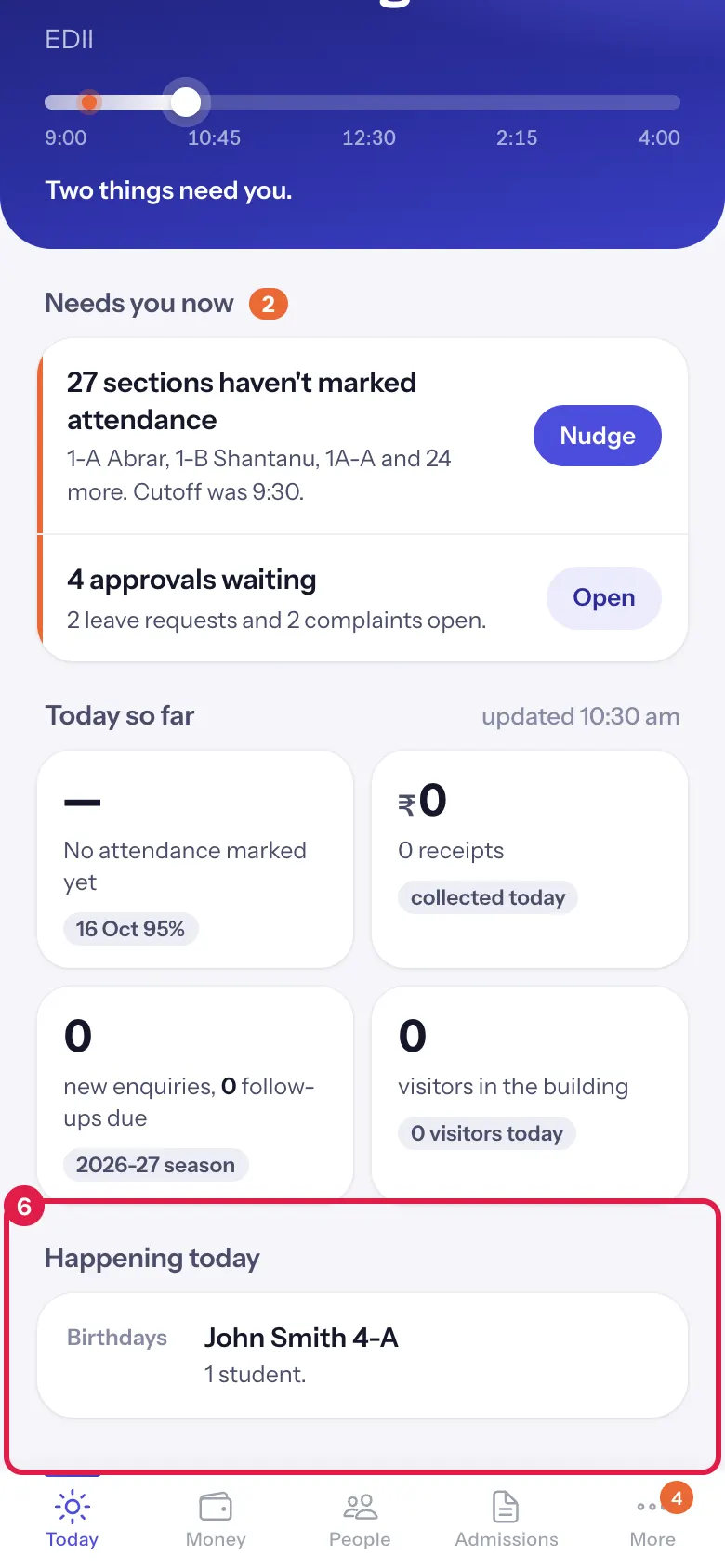
Happening today lists calendar events with their time (or All day), exam papers in the coming days (Today, Tomorrow or the date, with the exam and each class and subject) and today’s Birthdays of students and staff. With nothing on: Nothing on the calendar, no exams this week and no birthdays today.
A dash (—) means a figure could not be read. It never means zero. Pull down to get the latest figures.
Who uses it and when
Section titled “Who uses it and when”Principals: first thing in the morning, again after 9:30, and whenever the More tab shows a number.
Before you start
Section titled “Before you start”- Teachers mark attendance and staff punch in as usual; Today reads what is already in EDII.
Where to find it
Section titled “Where to find it”- Open the app: Today is the first tab and opens after you sign in.
- From anywhere, choose Today in the bottom bar.
 Open a bigger pictureतस्वीर बड़ी करें
Step by step
Section titled “Step by step”1. Read the day line
Section titled “1. Read the day line”The line runs from the start to the end of school hours. The white dot is now; an orange mark at 9:30 means sections were still unmarked at the attendance cutoff. The sentence under it says how many things need you.
 Open a bigger pictureतस्वीर बड़ी करें
2. Work down Needs you now
Section titled “2. Work down Needs you now”Each row says what is wrong and who is involved. Select a row to open the screen behind it.
 Open a bigger pictureतस्वीर बड़ी करें
3. Nudge the teachers of unmarked sections
Section titled “3. Nudge the teachers of unmarked sections”Select Nudge. Each section’s class teacher (or, if it has none, the teachers of that section) gets a notification in the EDII Teacher app and on the web: Attendance not marked. A message tells you how many teachers were reminded.
 Open a bigger pictureतस्वीर बड़ी करें
4. Open approvals
Section titled “4. Open approvals”Select Open on approvals waiting to decide leave requests, complaints and detail changes.
 Open a bigger pictureतस्वीर बड़ी करें
5. Assign cover for absent teachers
Section titled “5. Assign cover for absent teachers”When an absent teacher’s periods have nobody, the row names who is free. Select Assign: the app lists each period with the suggested teacher (Period 3, 7-A: <teacher>). Choose Assign to save it or Not now. The teachers are told in their app.
6. Check today so far
Section titled “6. Check today so far”Read the four tiles. Select attendance, money or enquiries to open the full screen.
 Open a bigger pictureतस्वीर बड़ी करें
7. See what is happening today
Section titled “7. See what is happening today”Scroll to Happening today for events, exam papers and birthdays.
 Open a bigger pictureतस्वीर बड़ी करें
Buttons
Section titled “Buttons”| Button | What it does | What happens next |
|---|---|---|
| Nudge | Reminds the teachers of every unmarked section that has a teacher. | Reminded 12 teachers in 9 sections. |
| Assign | Shows the suggested cover for uncovered periods. | Confirm with Assign: Assigned 4 periods. The teachers are told in their app. |
| Open | Opens Approvals, Attendance today or People. | That screen opens. |
| Try again | Reloads Today after a failure. | The screen reloads. |
After you save
Section titled “After you save”- Nudge sends a notification to teachers; nothing changes in attendance.
- Assign saves the substitute periods for today and tells those teachers in their app.
Good to know
Section titled “Good to know”- A section can be nudged once every 15 minutes.
- Only sections with a teacher can be nudged; the message says how many sections have no teacher assigned.
- Rows for attendance, cover and staff show on school days only (not on Sundays or holidays).
- A dash (—) means the figure could not be read, not zero.
Messages you may see
Section titled “Messages you may see”| Message | What it means | What to do |
|---|---|---|
| Reminded <n> teachers in <n> sections. | The nudge went out. | Nothing to do. |
| <n> sections have no teacher assigned. | Those sections could not be nudged. | Give them a class teacher in the web app. |
| A reminder for <section> went out a few minutes ago | That section was nudged less than 15 minutes ago. | Wait, then nudge again if it is still unmarked. |
| Assigned <n> periods. The teachers are told in their app. | Cover is saved. | Nothing to do. |
| Couldn’t assign cover. | The cover could not be saved. | Try again, or arrange it on the web. |
| Couldn’t load today. Pull down to try again. | Today could not be built. | Pull down. |
| Couldn’t reach EDII. Check the connection and pull down to try again. | No connection. | Check the internet, then pull down. |
| No attendance marked yet | No section has saved attendance today. | Nudge the teachers after school starts. |
- Look again just after 9:30: unmarked sections are the first thing to fix.
- The orange number on More is the approvals waiting.
Stuck? Try this
Section titled “Stuck? Try this”| Problem | Likely cause | What to do |
|---|---|---|
| A tile shows — | That figure could not be read just now. | Pull down to refresh. |
| Nudge is missing on the attendance row | None of those sections has a teacher assigned. | Assign class teachers in the web app. |
| Assign is missing on the cover row | Nobody is free in those periods. | Arrange cover from the timetable on the web. |
| It says No school today | Today is a Sunday or a holiday in the school calendar. | If the holiday is wrong, correct it in the web app’s holiday list. |
Did this page help?क्या इस पेज से मदद मिली?
Thanks! Glad it helped.धन्यवाद! अच्छा लगा कि काम बन गया।
Sorry about that. Ask in your own words, or write to us.माफ़ कीजिए। अपने शब्दों में पूछें, या हमें लिखें।