Skip to content
This guide is about the older EDII web app. Using school.edii.in? Open the school.edii.in help.
Help homeहेल्प होम

How-to · Web app

Schedule an online test

Schedule an online test students take in the app.

1 step1 स्टेप

यह पेज अंग्रेज़ी में है। कुछ समझ न आए तो ।

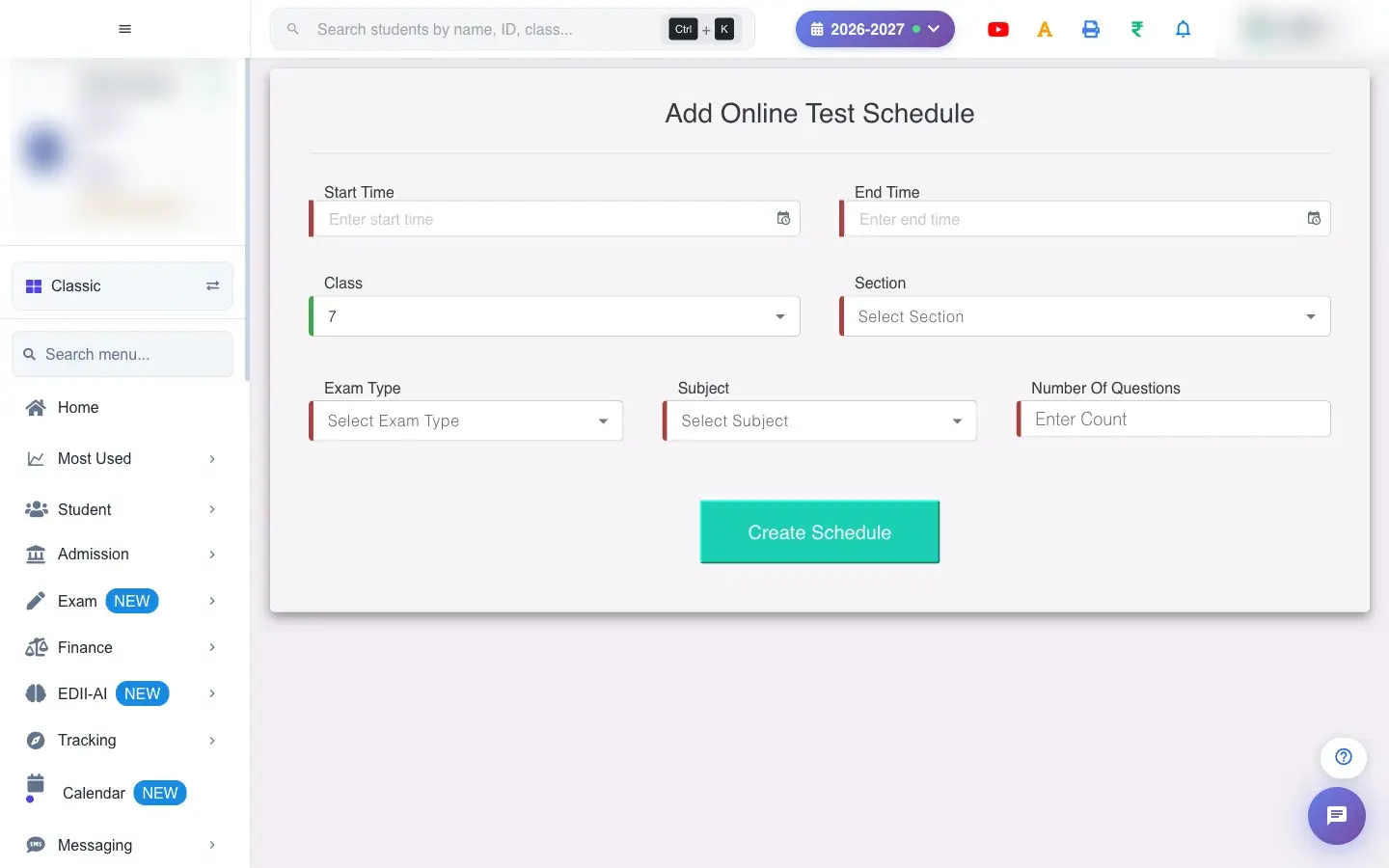
Add Online Test Schedule (Exam › Schedule) schedules an online test that students take in the app. Choose the Class, Section, Exam Type and Subject, set the Start Time and End Time and the Number Of Questions, and select Create Schedule. The test draws the questions from the question bank for that subject.

  • The question bank must have enough questions for the subject.
  1. Open the screen from the menu.

    Open the screenOpen a bigger pictureतस्वीर बड़ी करें
    Full details of this screen Schedule an online test
  • The online test is scheduled and shows in the student app between the start and end times.
  • All fields are required.
  • End must be after start.
You see Why What to do
Students cannot see the test It is outside the start and end time. Check the times.

Did this page help?क्या इस पेज से मदद मिली?

Ask EDIIEDII से पूछें

Ask in English, Hindi or Hinglish. Answers come only from these help pages.English, हिंदी या Hinglish में पूछें। जवाब सिर्फ़ इन्हीं हेल्प पेजों से आते हैं।

Try askingऐसे पूछकर देखें