
How-to · Admin app
Approve leave, complaints and detail changes
Decide student leave requests, open complaints and detail changes from the phone.
यह पेज अंग्रेज़ी में है। कुछ समझ न आए तो ।
Approvals collects what families and staff are waiting on you for: student leave requests, open complaints and requests to change a student’s details. Open it from Today (approvals waiting › Open) or More › Approvals.
Before you start
Section titled “Before you start”- Families apply for leave and ask for detail changes in the EDII parent app; complaints are logged by staff.
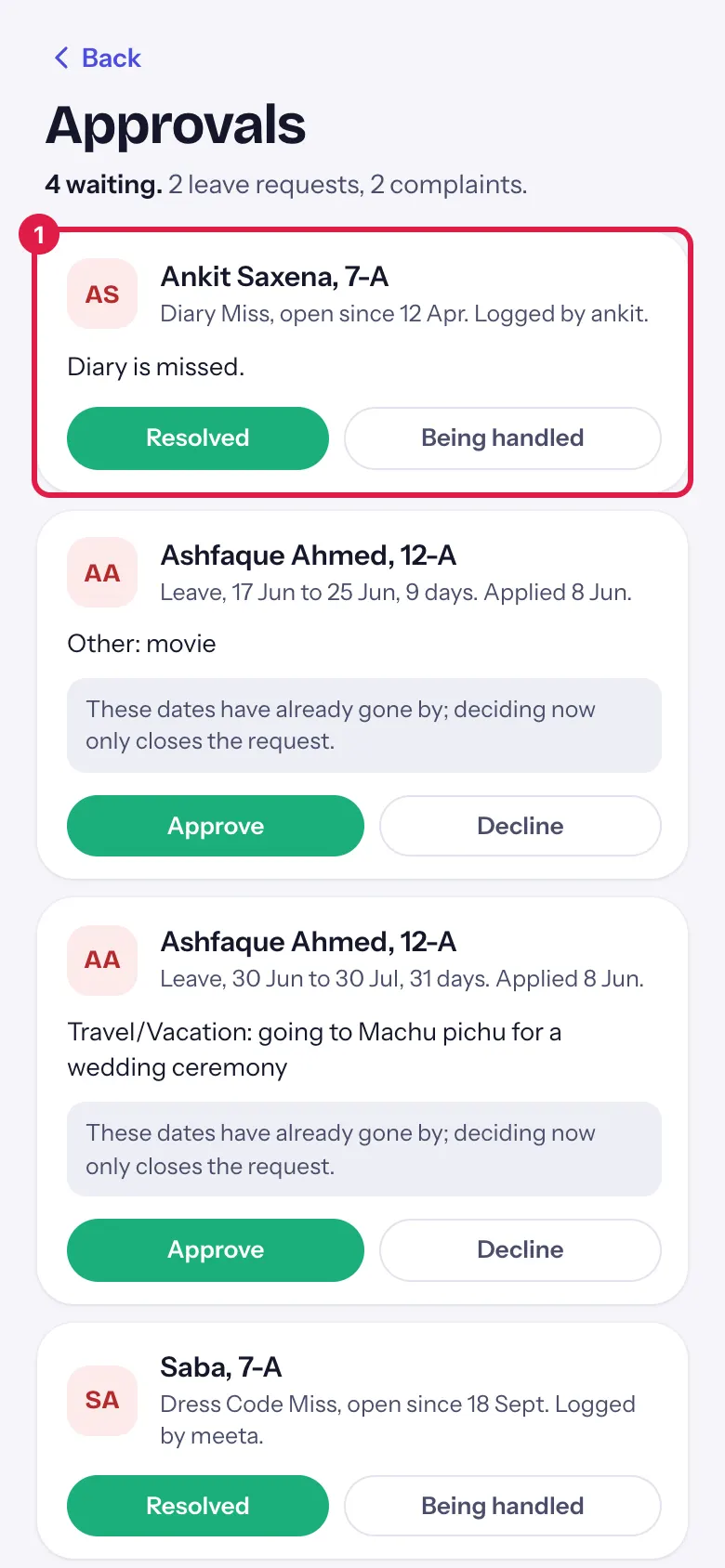
1. Read the card
Section titled “1. Read the card”Check the student, the dates or the complaint, and any note in grey (an exam clash or dates already gone by).
 Open a bigger pictureतस्वीर बड़ी करें
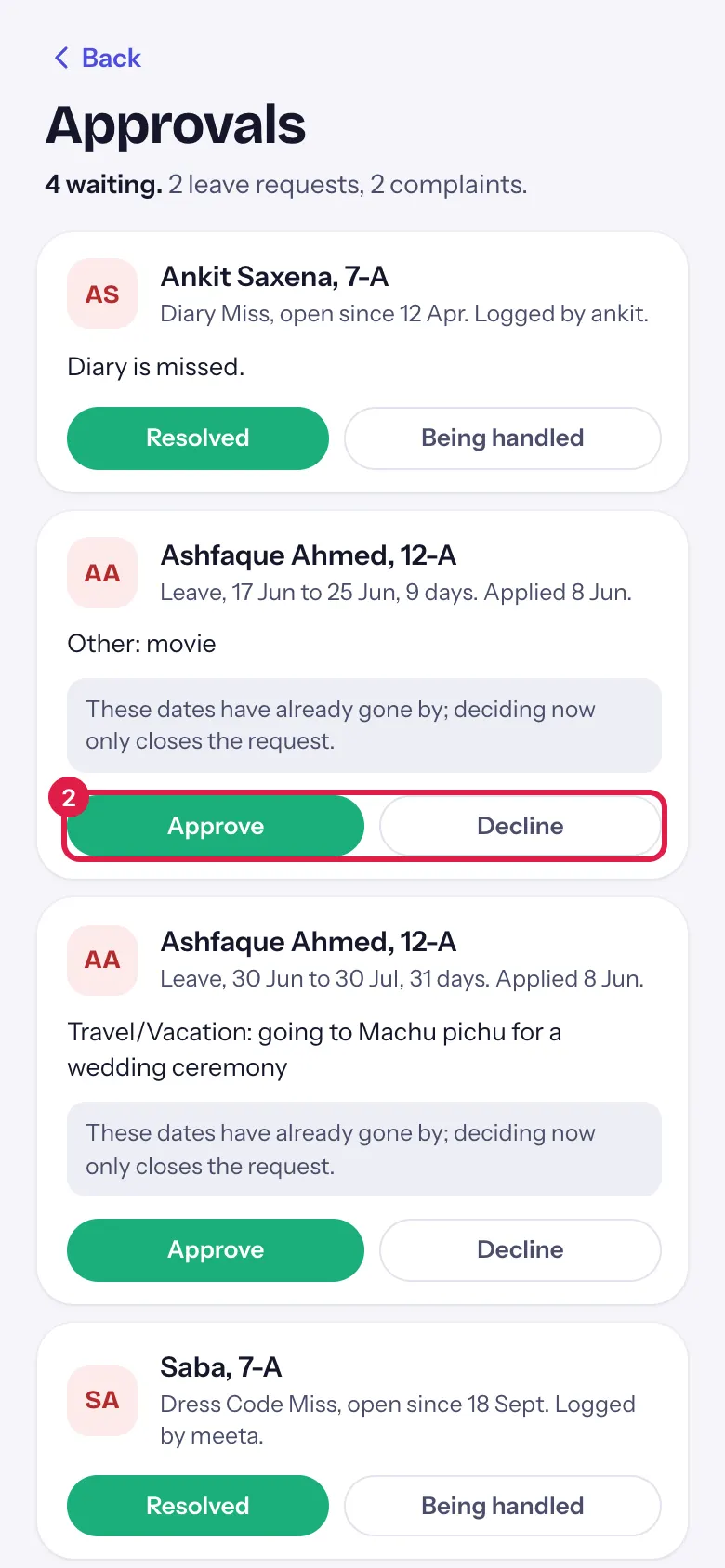
2. Decide
Section titled “2. Decide”Select Approve (or Resolved for a complaint). It is saved straight away and the card leaves the list.
 Open a bigger pictureतस्वीर बड़ी करें
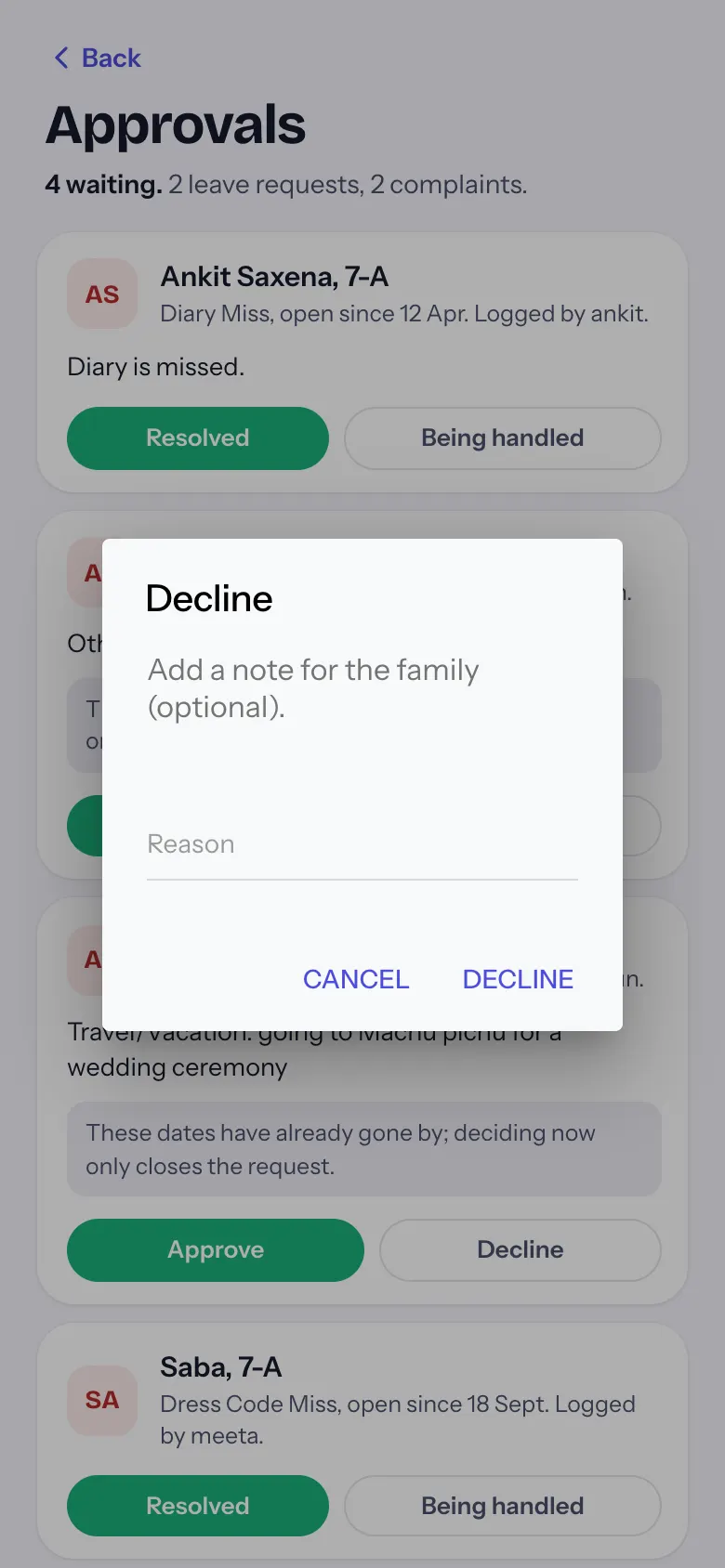
3. Decline with a reason
Section titled “3. Decline with a reason”Select Decline. Add a reason for the family if you like, then Decline again, or Cancel.
 Open a bigger pictureतस्वीर बड़ी करें
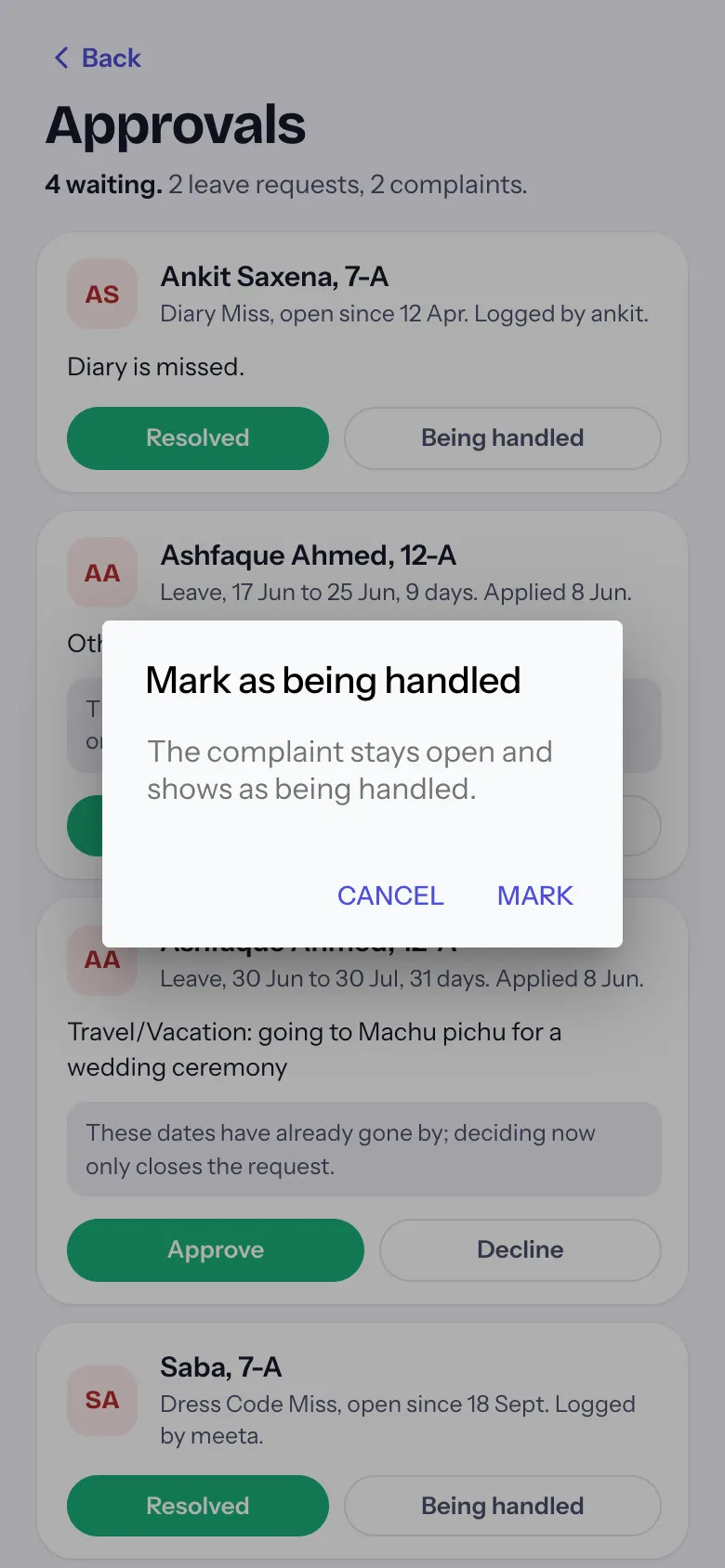
4. Keep a complaint open
Section titled “4. Keep a complaint open”On a complaint, select Being handled and then Mark. It stays in the list as being handled.
 Open a bigger pictureतस्वीर बड़ी करें
What happens next
Section titled “What happens next”- The decision is saved at once and the card leaves the list (a complaint marked being handled stays).
- The count on Today and More goes down.
Good to know
Section titled “Good to know”- Approve and Resolved act at once, without a second question; Decline and Being handled ask first.
- A leave whose dates have passed can still be decided; that only closes the request.
Stuck? Try this
Section titled “Stuck? Try this”| You see | Why | What to do |
|---|---|---|
| A request I expected is not here | It was already decided on the web or by another admin. | Pull down to refresh. |
| A complaint stays after Being handled | Being handled keeps it open on purpose. | Select Resolved when it is closed. |
Did this page help?क्या इस पेज से मदद मिली?
Thanks! Glad it helped.धन्यवाद! अच्छा लगा कि काम बन गया।
Sorry about that. Ask in your own words, or write to us.माफ़ कीजिए। अपने शब्दों में पूछें, या हमें लिखें।