Skip to content
This guide is about the older EDII web app. Using school.edii.in? Open the school.edii.in help.
Help homeहेल्प होम

How-to · Web app

Add a student

नया एडमिशन करें

Add a new student to a class, with parents, contact details, photo and documents.

1 step1 स्टेप

यह पेज अंग्रेज़ी में है। कुछ समझ न आए तो ।

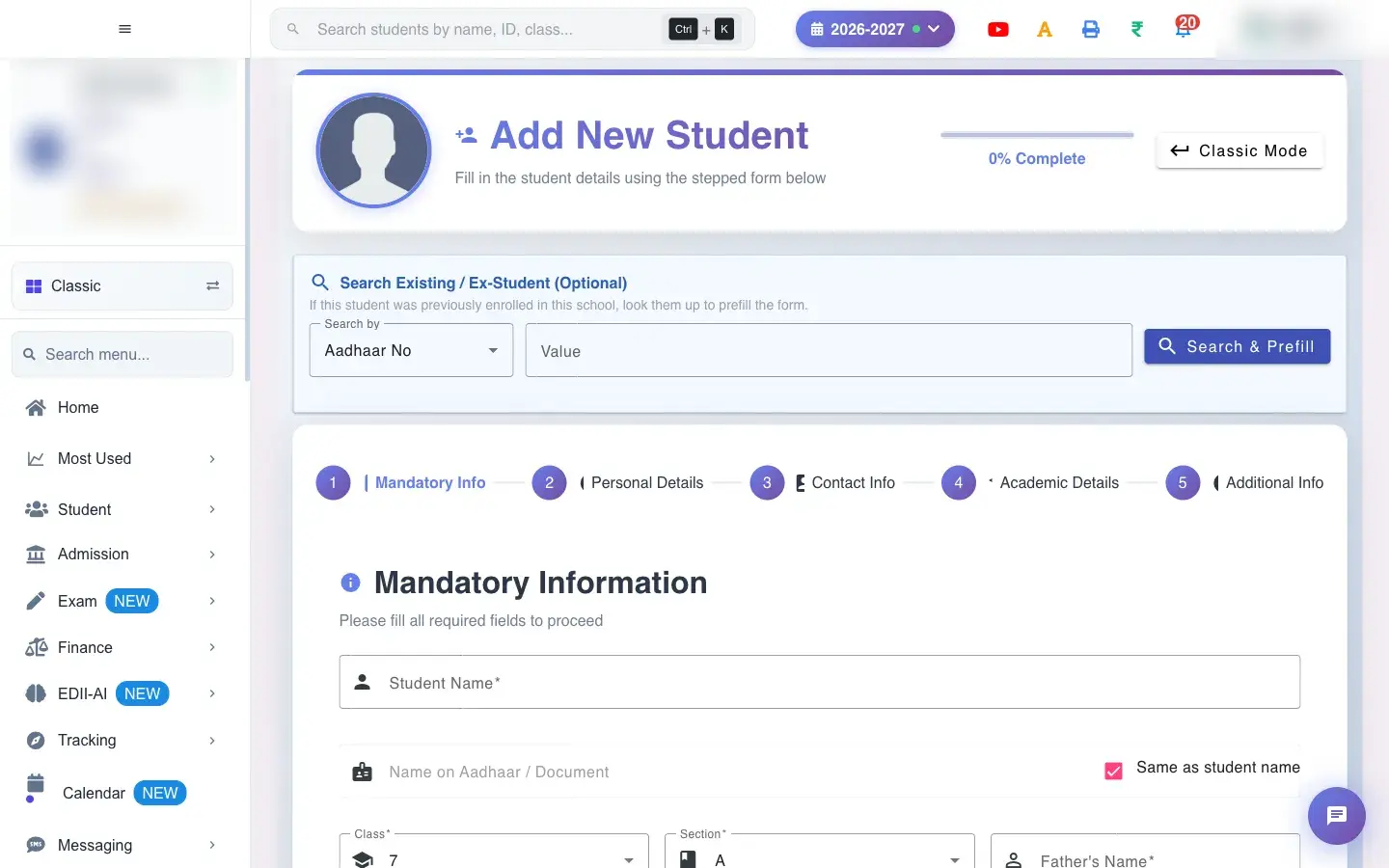
Add New Student is the main admission form. It is a stepped form with five tabs: Mandatory Info, Personal Details, Contact Info, Academic Details and Additional Info. A % Complete indicator at the top shows how much of the form you have filled in.

  • Classes, sections and the academic session must exist. Houses, categories and streams appear only if the school has set them up.
  • The student ID and admission form number are generated by the school’s settings (Preferences › Academic Details). You do not type them here.
  • Keep a passport-size photo (up to 10 MB) ready if you want to add one now.
  1. Open Student › Add from the menu.

    Open the screenOpen a bigger pictureतस्वीर बड़ी करें
    Full details of this screen Add a student
  • The student is created in the chosen class and section for the current session, with a generated student ID and admission form number.
  • Fees assigned to that class and section are linked to the student, together with any special fees or discounts you entered.
  • The student appears in Student Search and the class lists immediately.
  • The parent’s phone number becomes the number used for the student app login and school messages.
  • Mandatory: name, class, section, father’s name, mother’s name, gender, date of birth and phone number.
  • A student must be at least 3 years old.
  • A PEN number must be more than 10 digits and unique.
  • A duplicate student (same details already in the school) is refused with a message.
  • Photos are limited to 10 MB.
You see Why What to do
Submit jumps back to an earlier tab A required field there is empty. Read the message, fill the field and submit again.
Student ID cannot be edited It is generated from the school’s ID setting. Change the ID format in Preferences › Academic Details.
House list is missing The school has not created houses. Create houses in Manage Houses.

Did this page help?क्या इस पेज से मदद मिली?

Ask EDIIEDII से पूछें

Ask in English, Hindi or Hinglish. Answers come only from these help pages.English, हिंदी या Hinglish में पूछें। जवाब सिर्फ़ इन्हीं हेल्प पेजों से आते हैं।

Try askingऐसे पूछकर देखें