
How-to · Web app
Add a staff user
टीचर का लॉगिन बनाएँ
Create a staff account with a role.
यह पेज अंग्रेज़ी में है। कुछ समझ न आए तो ।
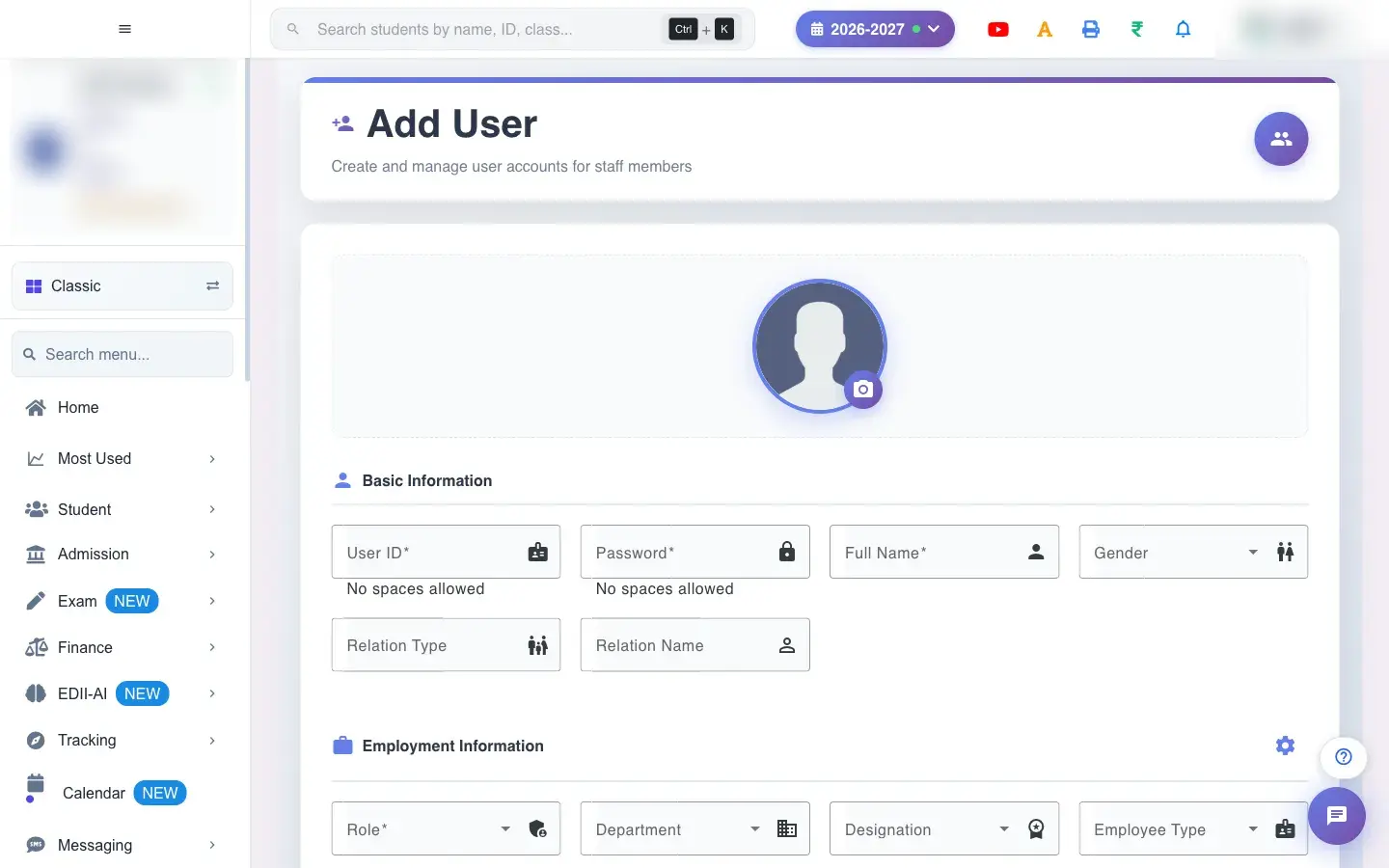
Add User (User › Add) creates a staff member who can sign in. Fill the sections Basic Information, Employment Information, Contact Information and Identity & Personal Details (plus bank details). The User ID must be unique (the page checks it) and cannot contain spaces, and the Password cannot contain spaces. Choose the Role; permissions by class, section and subject can be added in the permissions table, and a photo can be taken after the user ID is entered (Please enter User ID first). Select Add User.
Before you start
Section titled “Before you start”- Decide the user ID and role; collect the mobile number. Never share a password in writing.
1. Enter sign-in details
Section titled “1. Enter sign-in details”Type a unique User ID and a Password (no spaces), the Full Name and Mobile Number.
 Open a bigger pictureतस्वीर बड़ी करें
2. Choose the role
Section titled “2. Choose the role”Pick the Role that matches the job.
3. Fill the other details
Section titled “3. Fill the other details”Department, designation, dates, qualifications, identity and bank details as available.
4. Add permissions (teachers)
Section titled “4. Add permissions (teachers)”Add rows of class, section and subject the teacher may use.
5. Save
Section titled “5. Save”Select Add User.
Full details of this screen Add a staff user
What happens next
Section titled “What happens next”- The staff member can sign in with the ID and password, with the access of their role.
Good to know
Section titled “Good to know”- User ID, password, full name, role and mobile are required.
- The User ID must be new and without spaces.
Stuck? Try this
Section titled “Stuck? Try this”| You see | Why | What to do |
|---|---|---|
| User ID is taken | Another user has it. | Pick a different ID. |
Did this page help?क्या इस पेज से मदद मिली?
Thanks! Glad it helped.धन्यवाद! अच्छा लगा कि काम बन गया।
Sorry about that. Ask in your own words, or write to us.माफ़ कीजिए। अपने शब्दों में पूछें, या हमें लिखें।