
How-to · Teacher app
Chase absentees
गैरहाज़िर बच्चों के घर बात करें
Work the absence list: status, reason, call, note or WhatsApp.
यह पेज अंग्रेज़ी में है। कुछ समझ न आए तो ।
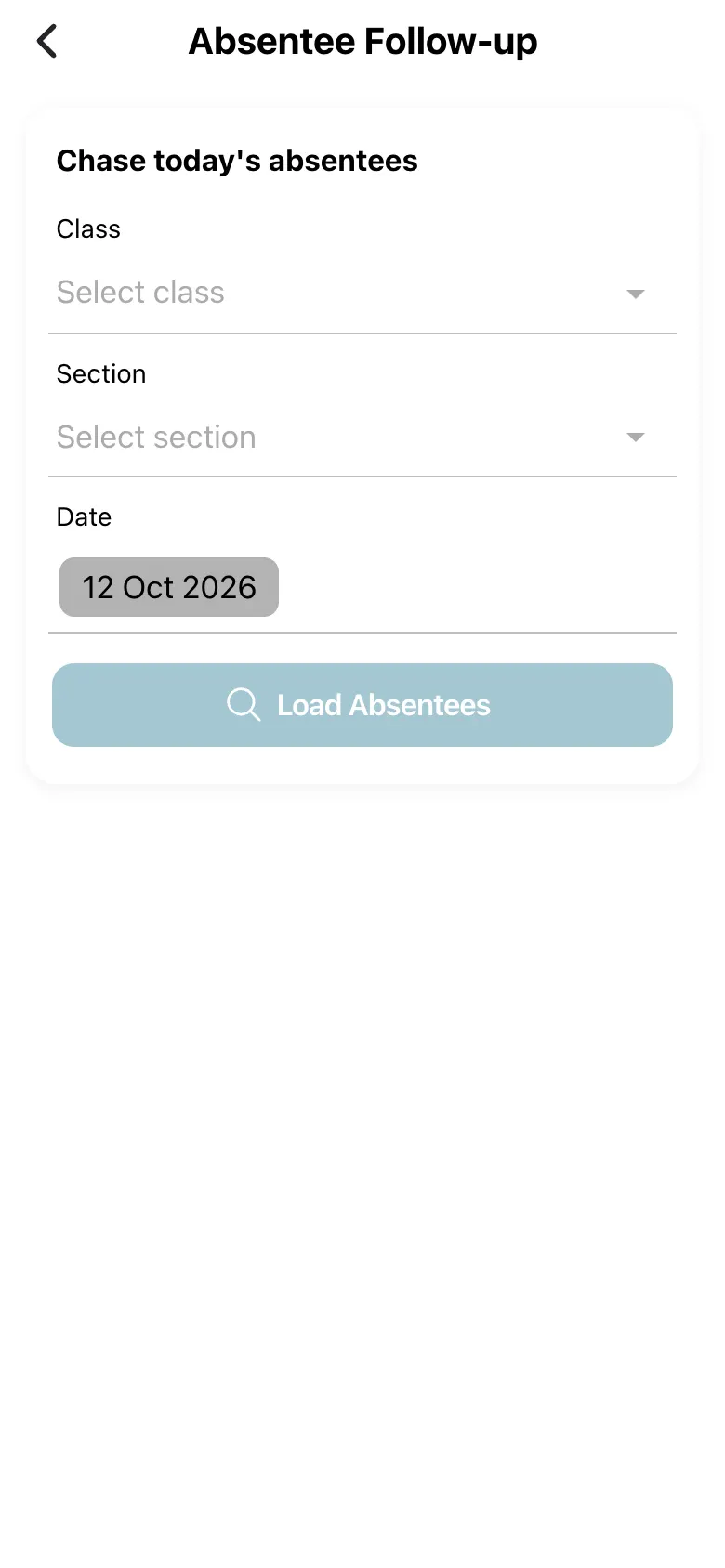
Absentee Follow-up (Chase today’s absentees) takes a Class, Section and Date (class and section are required) and loads the absentees (Load Absentees). For each student you can set the Status (Absent, Not contacted, Contacted, Escalated, Resolved), a Reason category, Notes (optional) and an Expected return date, and see Recent absences and the Contact log. Select Save to store it.
Before you start
Section titled “Before you start”- Mark attendance first.
1. Choose the class and date
Section titled “1. Choose the class and date”Pick class, section and date and select Load Absentees.
 Open a bigger pictureतस्वीर बड़ी करें
2. Work each student
Section titled “2. Work each student”Set the status, reason and expected return date.
3. Contact the parent
Section titled “3. Contact the parent”Use Call, Copy a drafted message, or WhatsApp (confirm first).
4. Save
Section titled “4. Save”Select Save.
Full details of this screen Chase absentees
What happens next
Section titled “What happens next”- The follow-up record is saved with the contact log.
Good to know
Section titled “Good to know”- WhatsApp sends a real message; only the Send button after confirming does it.
- Class and section are required.
Stuck? Try this
Section titled “Stuck? Try this”| You see | Why | What to do |
|---|---|---|
| Parent says they got a message twice | The register SMS and the WhatsApp both went out. | Use Call or Note when the SMS was already sent. |
Did this page help?क्या इस पेज से मदद मिली?
Thanks! Glad it helped.धन्यवाद! अच्छा लगा कि काम बन गया।
Sorry about that. Ask in your own words, or write to us.माफ़ कीजिए। अपने शब्दों में पूछें, या हमें लिखें।