
Screen guide · Admin app
Parent Insights & PTM
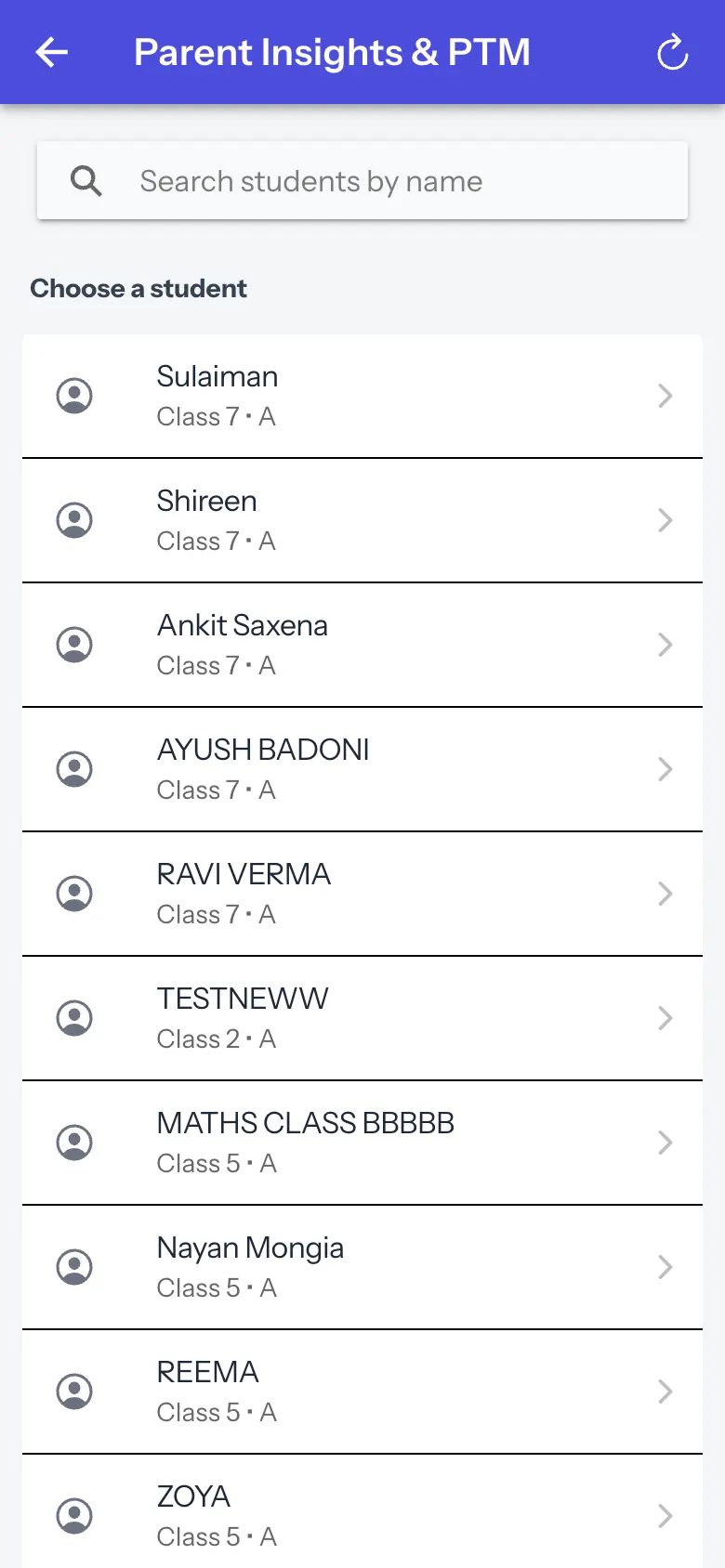
Pick a student to see weekly insights and build a PTM one-pager with an opening line, discussion points and a question for the parent.
यह पेज अंग्रेज़ी में है। कुछ समझ न आए तो ।
Parent Insights & PTM asks you to Choose a student (it shows the first 30; search to narrow down). After choosing, Weekly insights show Attendance, Homework and Avg marks with a Suggestion; the PTM one-pager has Opening line, Discussion points, Question for the parent and Follow-up. Change student returns to the list. Messages: No weekly insights for this student yet., No one-pager was returned for this student.
Who uses it and when
Section titled “Who uses it and when”Principals preparing parent meetings.
Before you start
Section titled “Before you start”- Choose a student.
Where to find it
Section titled “Where to find it”- Open More › All insights › Parent Insights & PTM.
 Open a bigger pictureतस्वीर बड़ी करें
Step by step
Section titled “Step by step”1. Choose a student
Section titled “1. Choose a student”Search by name and select.
Fields and filters
Section titled “Fields and filters”| Field | What it is | Notes |
|---|---|---|
| Search students by name | Finds a student. | Filters. |
After you save
Section titled “After you save”- This screen only shows information.
Messages you may see
Section titled “Messages you may see”| Message | What it means | What to do |
|---|---|---|
| No weekly insights for this student yet. | Not enough activity. | Check later. |
| No one-pager was returned for this student. | Generation returned nothing. | Try again. |
- Generate the one-pager the evening before.
Did this page help?क्या इस पेज से मदद मिली?
Thanks! Glad it helped.धन्यवाद! अच्छा लगा कि काम बन गया।
Sorry about that. Ask in your own words, or write to us.माफ़ कीजिए। अपने शब्दों में पूछें, या हमें लिखें।