
How-to · Web app
Link siblings
Find and confirm groups of brothers and sisters.
यह पेज अंग्रेज़ी में है। कुछ समझ न आए तो ।
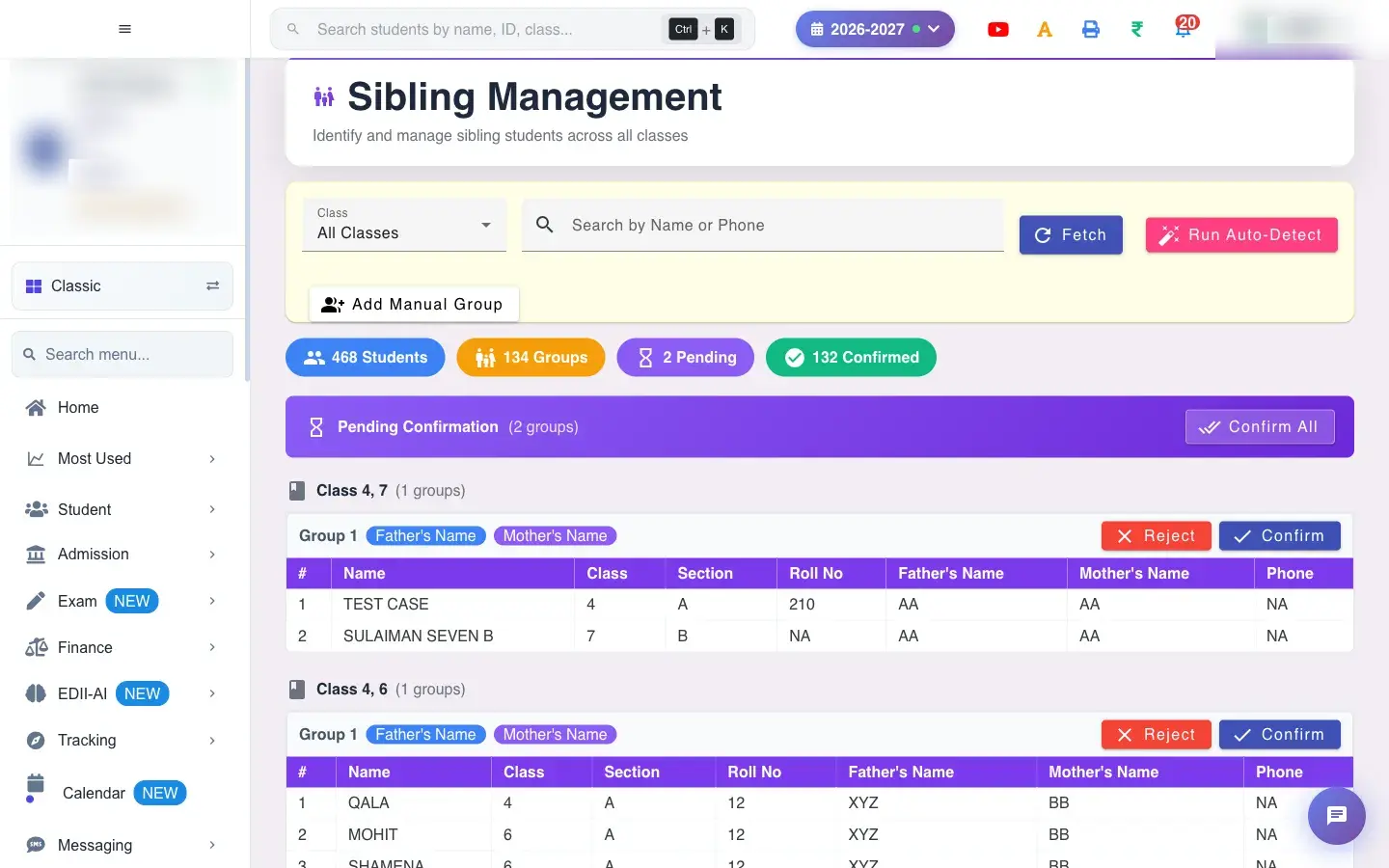
Sibling Management (Student › Siblings) keeps the school’s sibling groups, which can be used for sibling fee concessions and for linking siblings in the parent app. Choose a Class (default All Classes) and select Fetch to list existing groups. Run Auto-Detect compares father’s name, mother’s name and phone numbers and proposes new groups (No new sibling groups found if there are none). Review each proposed group and Confirm or Reject it, or use Confirm All.
Before you start
Section titled “Before you start”- Parent names and phone numbers should be correct in student records, because detection relies on them.
1. Fetch the groups
Section titled “1. Fetch the groups”Choose the class and select Fetch.
 Open a bigger pictureतस्वीर बड़ी करें
2. Detect new groups
Section titled “2. Detect new groups”Select Run Auto-Detect. Check each proposed group carefully: families with similar names can be different.
3. Confirm or reject
Section titled “3. Confirm or reject”Confirm correct groups (or Confirm All) and Reject wrong ones.
4. Set positions
Section titled “4. Set positions”Give every child a position and select Save Positions.
Full details of this screen Link siblings
What happens next
Section titled “What happens next”- Confirmed groups link the children as siblings for concessions and in the parent app.
Good to know
Section titled “Good to know”- Every member needs a position before saving.
- Reject groups that are not truly siblings.
Stuck? Try this
Section titled “Stuck? Try this”| You see | Why | What to do |
|---|---|---|
| Two real siblings not detected | Parent names or phone differ. | Add a manual group. |
| Two unrelated students grouped | Shared surname and phone. | Reject or remove the child. |
Did this page help?क्या इस पेज से मदद मिली?
Thanks! Glad it helped.धन्यवाद! अच्छा लगा कि काम बन गया।
Sorry about that. Ask in your own words, or write to us.माफ़ कीजिए। अपने शब्दों में पूछें, या हमें लिखें।