
Screen guide · Web app
Parent AI Advisor
Parent AI Advisor: weekly AI insights for each student about attendance and academics, a history, a 12-week trend and a PTM summary you can edit.
यह पेज अंग्रेज़ी में है। कुछ समझ न आए तो ।
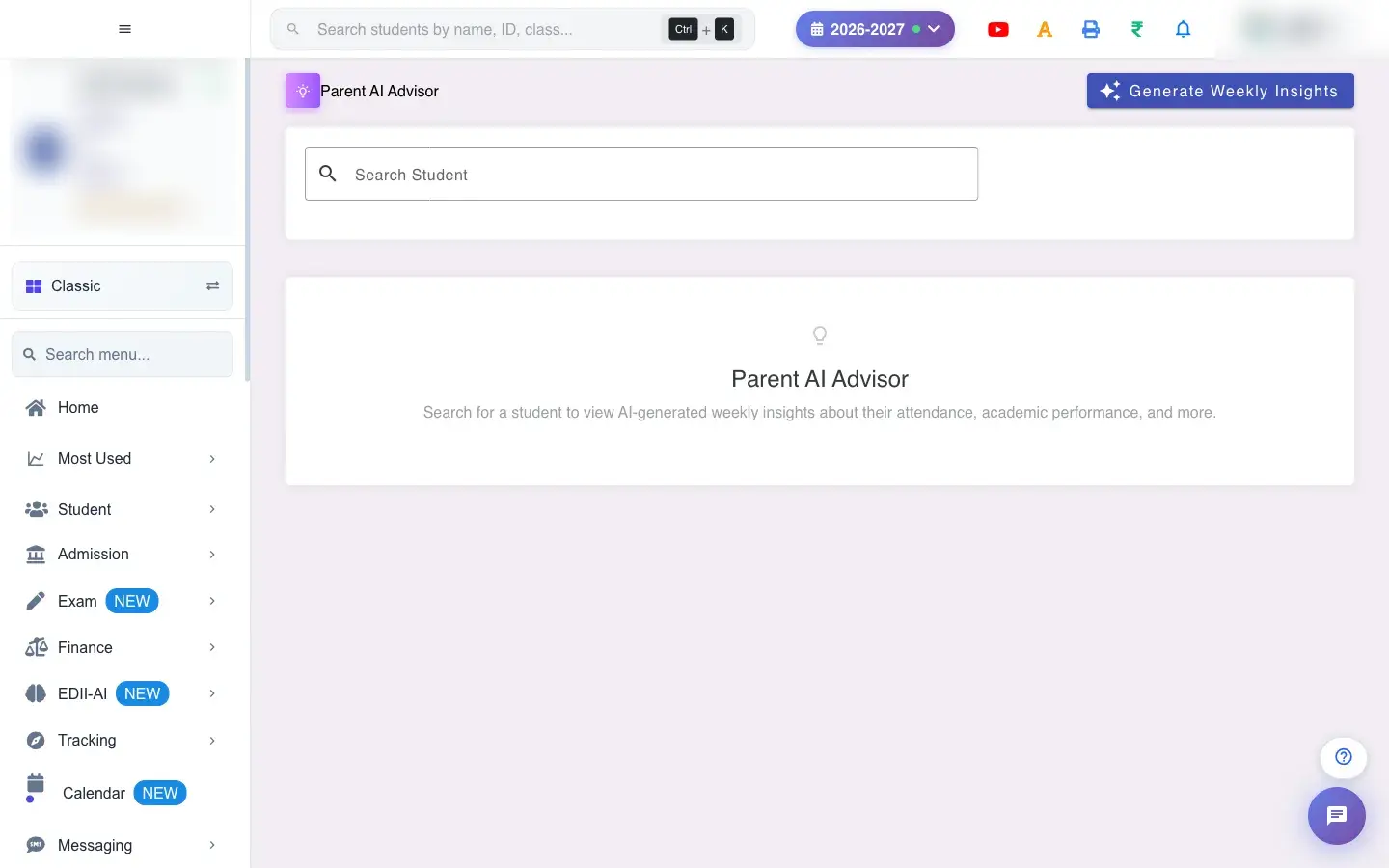
Parent AI Advisor (EDII-AI › Parent AI Advisor) prepares what to tell parents about a child. Search a student and you see the Latest Insight for the week, the History of past insights, Trends over the last 12 weeks (attendance % and average score %, with colours: green, amber, red) and a PTM Summary for parent-teacher meetings. The week’s numbers include Attendance (7d), Avg Score (Recent), Days Present and Homework Rate.
Generate Weekly Insights creates the insights for all students (Generating insights for all students… This may take a moment., then Insights generated for N/M students).
Who uses it and when
Section titled “Who uses it and when”Teachers and the principal use it before parent-teacher meetings.
Before you start
Section titled “Before you start”- Attendance, homework and marks should be recorded so insights are meaningful.
Where to find it
Section titled “Where to find it”- Menu: EDII-AI › Parent AI Advisor
- Address:
/view/parent-insights - If it is missing from your menu, your role does not include it. Ask your school admin.
 Open a bigger pictureतस्वीर बड़ी करें
Step by step
Section titled “Step by step”1. Find a student
Section titled “1. Find a student”Type in Search Student and choose the student (Please select a student if none).
2. Read the insight
Section titled “2. Read the insight”Read the latest insight and the numbers. If none exist you see No insights available yet for this student. Click “Generate Weekly Insights” to create them.
3. Look at history and trends
Section titled “3. Look at history and trends”History lists past insights by week; Trends shows the last 12 weeks.
4. Prepare the PTM summary
Section titled “4. Prepare the PTM summary”Generate a PTM Summary (PTM Summary generated), edit the narrative (it cannot be empty: Narrative cannot be empty) and save (PTM Summary updated), or delete it (PTM Summary deleted).
Fields and filters
Section titled “Fields and filters”| Field | What it is | Notes |
|---|---|---|
| Search Student | Find a student. | Required. |
| PTM narrative | The summary text you can edit. | Cannot be empty. |
Buttons
Section titled “Buttons”| Button | What it does | What happens next |
|---|---|---|
| Generate Weekly Insights | Creates insights for all students. | Takes a moment. |
| Generate / Update / Delete PTM Summary | Manages the meeting summary. | Saved for that student. |
After you save
Section titled “After you save”- Generated insights and PTM summaries are saved for the student; nothing is sent to parents automatically.
Good to know
Section titled “Good to know”- A student must be selected.
- The PTM narrative cannot be empty.
Messages you may see
Section titled “Messages you may see”| Message | What it means | What to do |
|---|---|---|
| No insights available yet for this student | None generated. | Generate Weekly Insights. |
| Generation timed out or failed. If data exists, it will still show. | Generation was slow. | Check again shortly. |
| PTM Summary generated / updated / deleted | The summary changed. | Nothing to do. |
| Narrative cannot be empty | The text is blank. | Write something. |
- Generate insights on Monday for the week ahead.
- Edit the AI wording to suit your voice.
Stuck? Try this
Section titled “Stuck? Try this”| Problem | Likely cause | What to do |
|---|---|---|
| Trend data is empty | Fewer than two weeks of insights. | Generate across several weeks. |
Did this page help?क्या इस पेज से मदद मिली?
Thanks! Glad it helped.धन्यवाद! अच्छा लगा कि काम बन गया।
Sorry about that. Ask in your own words, or write to us.माफ़ कीजिए। अपने शब्दों में पूछें, या हमें लिखें।