
Screen guide · Web app
Calendar & Planner
A calendar and planner: your day, week or month with events, online classes, timetable periods and personal tasks, or any teacher's day.
यह पेज अंग्रेज़ी में है। कुछ समझ न आए तो ।
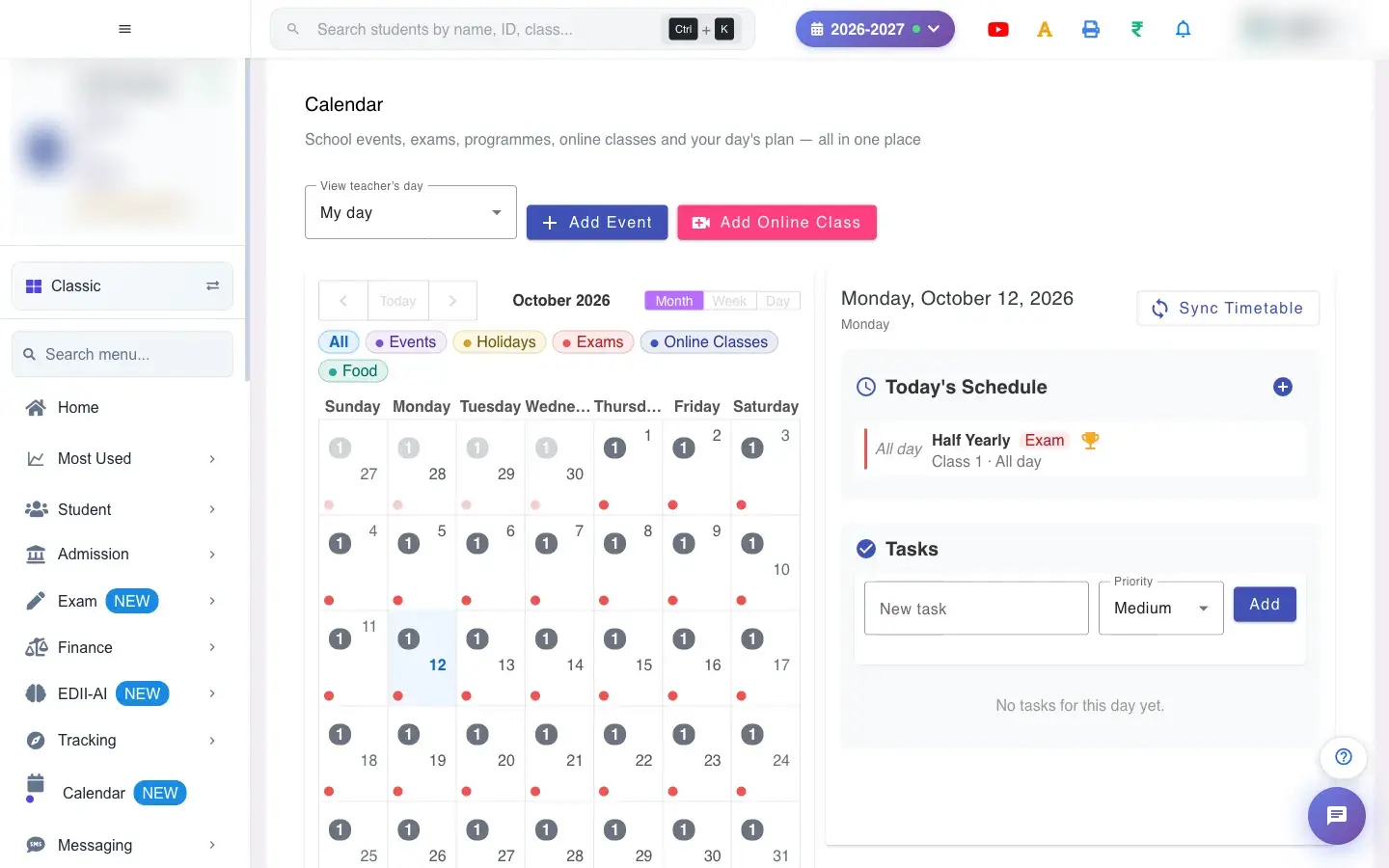
Calendar & Planner (Staff › Calendar & Planner) shows a Month, Week or Day calendar with Today to jump back. Choose View teacher’s day (My day or another teacher) to see that teacher’s schedule. Add Event creates a calendar event and Add Online Class schedules a class.
Sync Timetable copies the day’s timetable periods into the planner (Timetable synced for this day). Add your own schedule entries (title, start and end time) and a personal New task with a Priority; tasks can be ticked off, edited or deleted (Task added, Task deleted). Events can be deleted (Calendar event deleted). With none you see No events or meetings added yet for this session.
Who uses it and when
Section titled “Who uses it and when”Teachers plan their day; the office tracks events.
Before you start
Section titled “Before you start”- Make sure the class timetable exists before syncing.
Where to find it
Section titled “Where to find it”- Menu: Staff › Calendar & Planner
- Address:
/view/calendar - If it is missing from your menu, your role does not include it. Ask your school admin.
 Open a bigger pictureतस्वीर बड़ी करें
With data
Section titled “With data”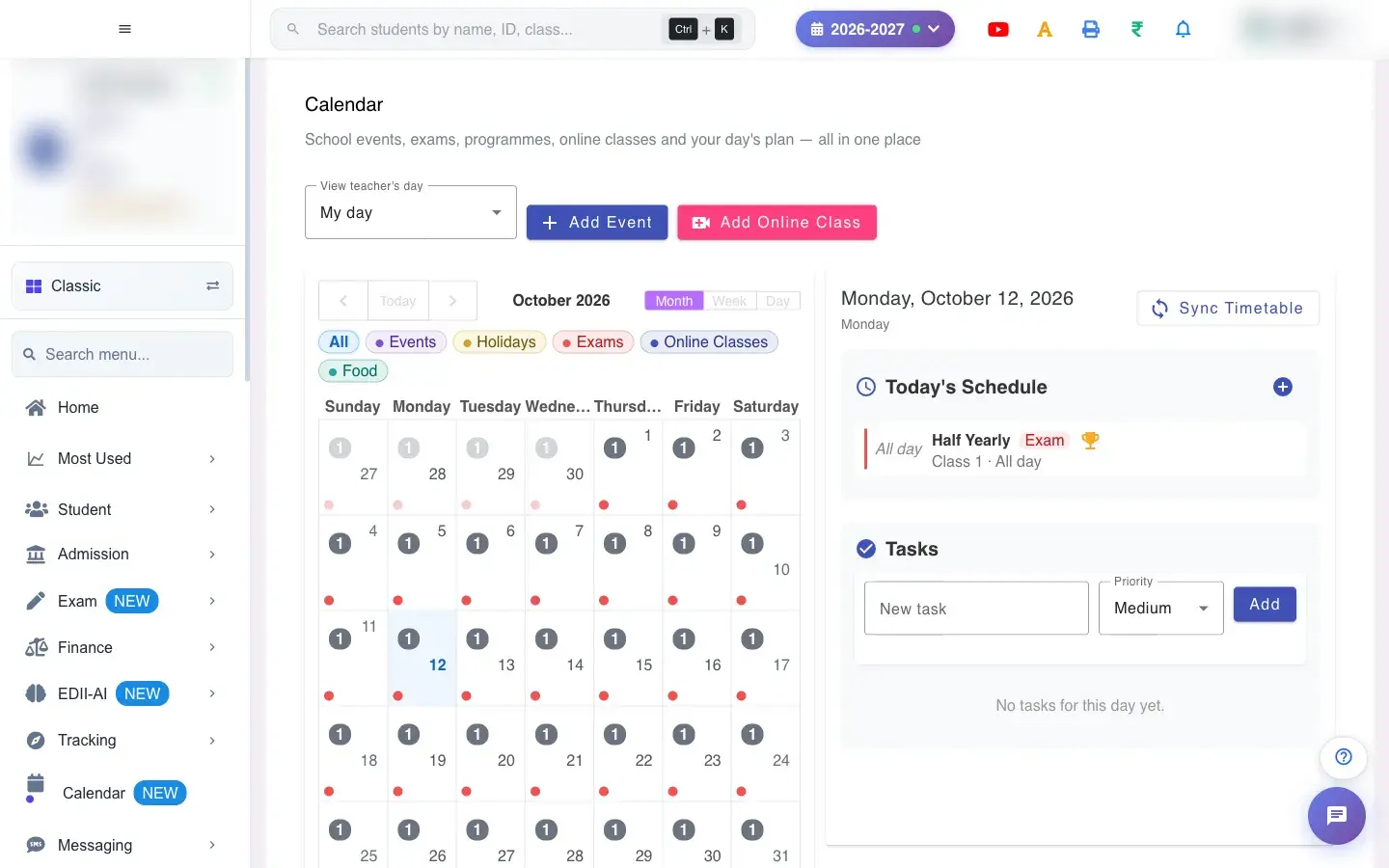 Open a bigger pictureतस्वीर बड़ी करें
Fields and filters
Section titled “Fields and filters”| Field | What it is | Notes |
|---|---|---|
| View teacher’s day | Whose schedule to show. | Default My day. |
| New task / Priority | A personal to-do. | A title is required. |
Buttons
Section titled “Buttons”| Button | What it does | What happens next |
|---|---|---|
| Add Event | Creates an event. | It shows on the calendar. |
| Add Online Class | Schedules a class. | It shows on the calendar. |
| Sync Timetable | Loads timetable periods into the day. | Timetable synced for this day. |
| Add (task / entry) | Adds the task or schedule entry. | Task added or Entry added. |
| Today / Month / Week / Day | Change the view. | The calendar changes. |
After you save
Section titled “After you save”- Events appear on the calendar for the school or teacher; tasks and entries stay in your planner.
Good to know
Section titled “Good to know”- A task needs a title; an entry needs a title and start and end time.
Messages you may see
Section titled “Messages you may see”| Message | What it means | What to do |
|---|---|---|
| Please enter a task title | Empty task. | Type a title. |
| Please fill title, start and end time | Entry incomplete. | Fill all three. |
| Error loading planner | It failed to load. | Refresh. |
| Network error, please try again | A request failed. | Try again. |
- Sync the timetable each morning.
- Use priorities to see what matters first.
Stuck? Try this
Section titled “Stuck? Try this”| Problem | Likely cause | What to do |
|---|---|---|
| Nothing after Sync Timetable | No timetable for that day. | Create the timetable first. |
Did this page help?क्या इस पेज से मदद मिली?
Thanks! Glad it helped.धन्यवाद! अच्छा लगा कि काम बन गया।
Sorry about that. Ask in your own words, or write to us.माफ़ कीजिए। अपने शब्दों में पूछें, या हमें लिखें।