
Screen guide · Web app
AI Generated Exams Create AI Exam
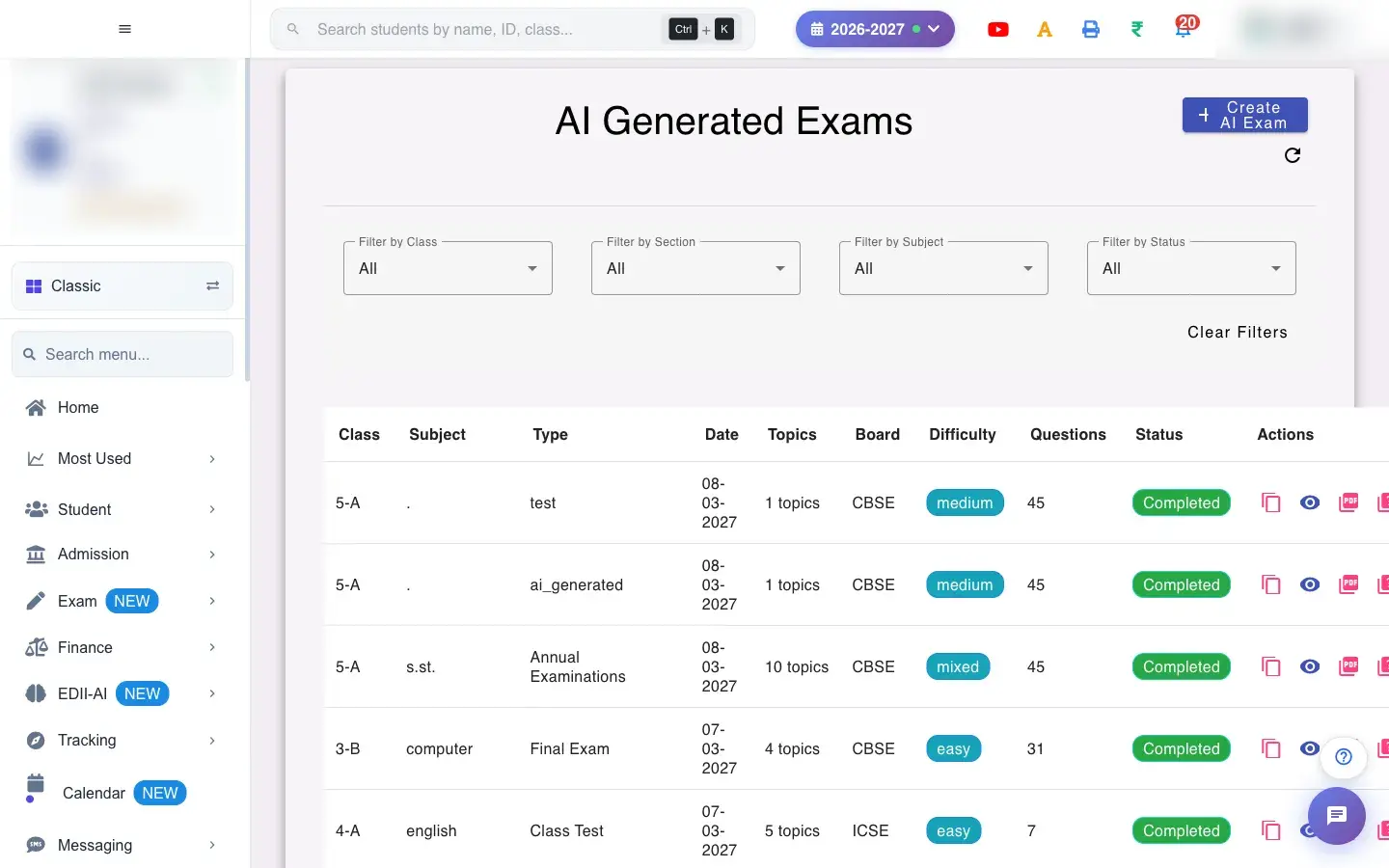
AI Generated Exams: every AI-made test with its class, subject, topics, board, difficulty and status; review questions, run a quality check and download question and answer PDFs.
यह पेज अंग्रेज़ी में है। कुछ समझ न आए तो ।
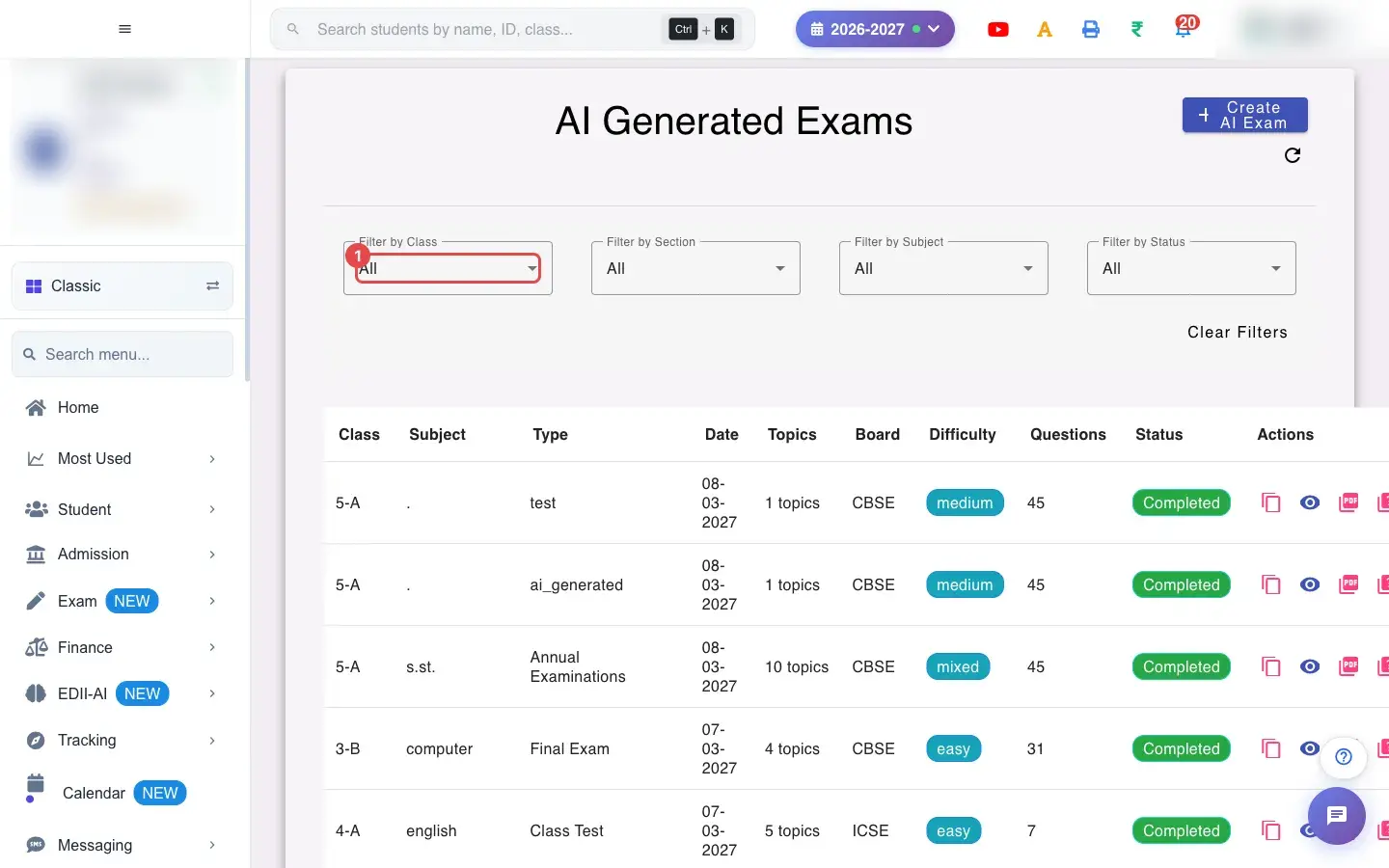
AI Generated Exams (Exam › View) lists the tests EDII’s AI created: Class, Subject, Type, Date, Topics, Board, Difficulty, Questions, Status and Actions. Filter by class, section, subject and status, and Clear Filters. Create AI Exam starts a new one.
Open a test to review its questions: edit a question, its answer or its marks, regenerate a question (you can preview the new one before applying it), add or delete questions and reorder them, or ask the AI to re-check an answer. Changes are saved as a draft (Changes saved as a draft. Click Quality Check to review and republish this test.); run Quality Check to review and republish. Download the Question PDF and Answer PDF (Question PDF not available yet until they are generated); PDFs cannot be exported while questions still have unresolved problems.
Who uses it and when
Section titled “Who uses it and when”Teachers after creating an AI test, and before conducting it.
Before you start
Section titled “Before you start”- Always read every AI question and answer; the teacher is responsible for the final paper.
Where to find it
Section titled “Where to find it”- Menu: Exam › View
- Address:
/view/view-test-ai - If it is missing from your menu, your role does not include it. Ask your school admin.
 Open a bigger pictureतस्वीर बड़ी करें
Step by step
Section titled “Step by step”1. Find the test
Section titled “1. Find the test”Use the filters, then open the test.
 Open a bigger pictureतस्वीर बड़ी करें
2. Review questions
Section titled “2. Review questions”Check each question and answer; fix or regenerate weak ones. Please select the correct answer appears if a multiple-choice question has no answer.
3. Quality check and republish
Section titled “3. Quality check and republish”Run Quality Check, then republish the test.
4. Download
Section titled “4. Download”Download the question and answer PDFs.
With data
Section titled “With data”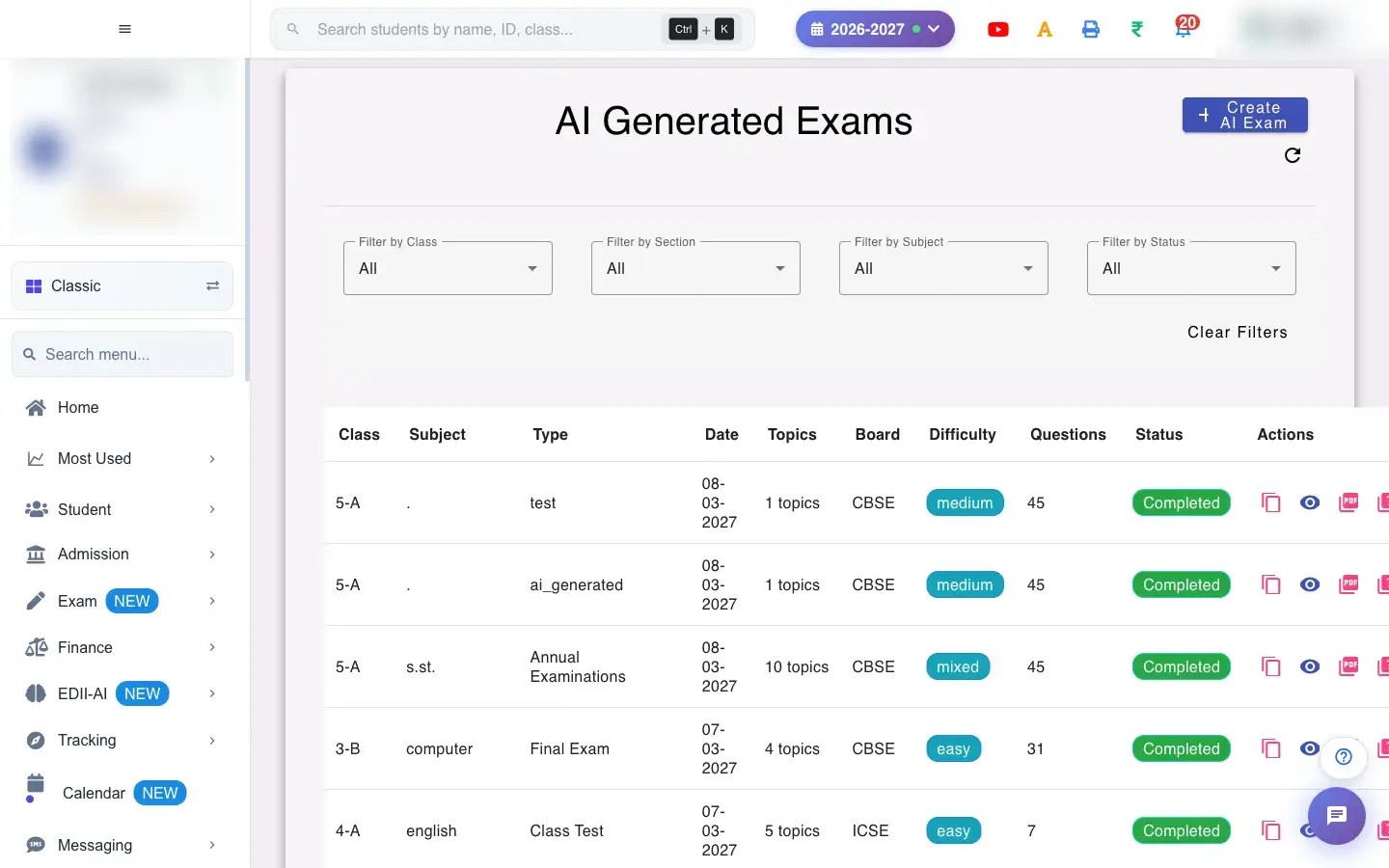 Open a bigger pictureतस्वीर बड़ी करें
Fields and filters
Section titled “Fields and filters”| Field | What it is | Notes |
|---|---|---|
| Filter by Class / Section / Subject / Status | Narrow the list. | Default All. |
Buttons
Section titled “Buttons”| Button | What it does | What happens next |
|---|---|---|
| Create AI Exam | Starts a new AI test. | The creation screen opens. |
| Clear Filters | Resets filters. | All tests show. |
| Question PDF / Answer PDF | Opens or downloads the paper or the key. | A PDF opens. |
| Quality Check | Checks the test and lets you republish it. | The test is republished. |
After you save
Section titled “After you save”- Edits are saved as a draft until you republish; a republished test is what students see.
Good to know
Section titled “Good to know”- A test with unresolved problems cannot be exported.
- Edits need a quality check before republishing.
Messages you may see
Section titled “Messages you may see”| Message | What it means | What to do |
|---|---|---|
| Changes saved as a draft. Click Quality Check to review and republish this test. | Your edit is a draft. | Run Quality Check. |
| Question PDF not available yet | Not generated. | Wait or republish. |
| Please select the correct answer | No answer chosen. | Pick the answer. |
| Network error | A request failed. | Try again. |
- Regenerate a single weak question instead of the whole paper.
- Keep difficulty and topics matching what you taught.
Stuck? Try this
Section titled “Stuck? Try this”| Problem | Likely cause | What to do |
|---|---|---|
| Cannot download the PDF | Questions still have unresolved problems. | Fix them, run Quality Check and retry. |
Did this page help?क्या इस पेज से मदद मिली?
Thanks! Glad it helped.धन्यवाद! अच्छा लगा कि काम बन गया।
Sorry about that. Ask in your own words, or write to us.माफ़ कीजिए। अपने शब्दों में पूछें, या हमें लिखें।