
Screen guide · Driver app
Driver sign in
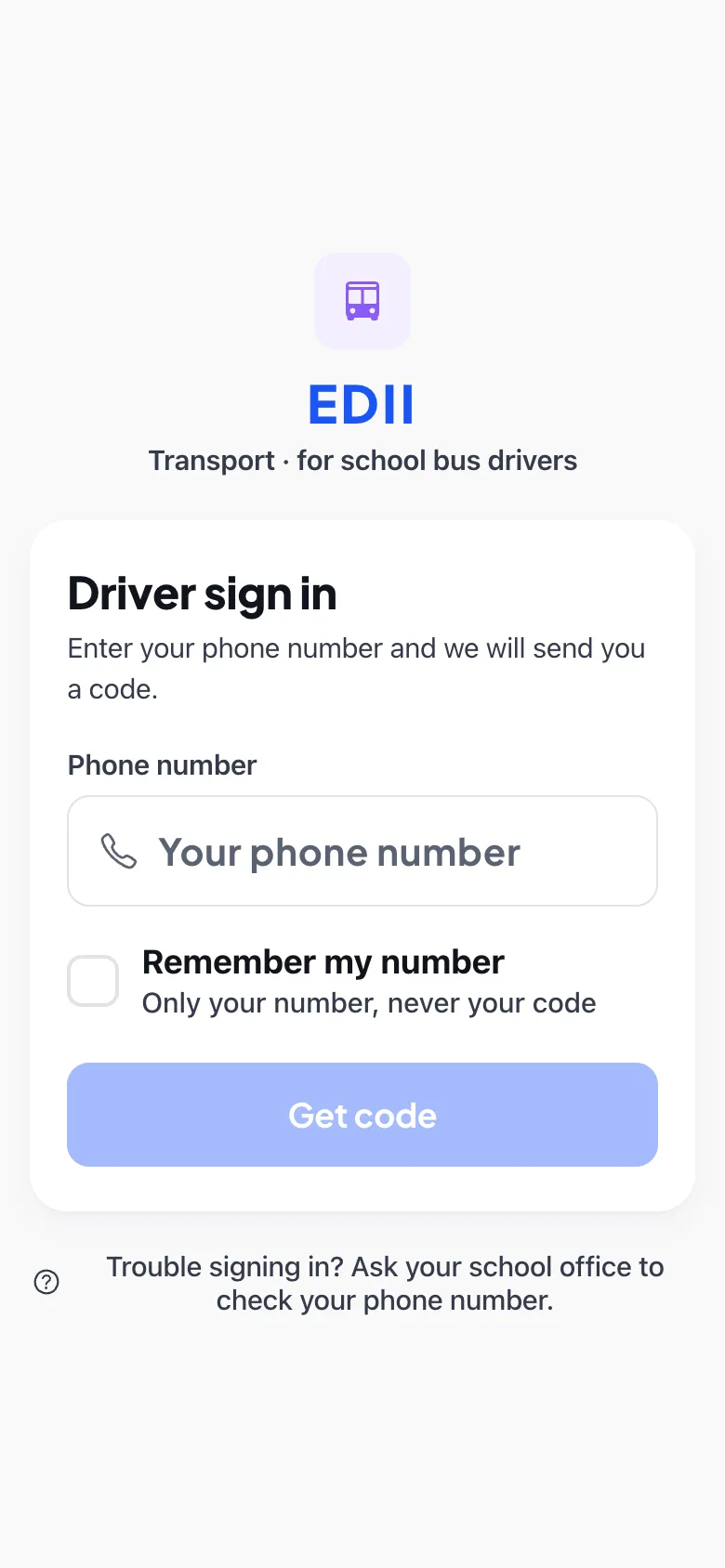
Sign in to the EDII Transport app with your phone number and a one-time code sent to your WhatsApp (or a code your school gave you).
यह पेज अंग्रेज़ी में है। कुछ समझ न आए तो ।
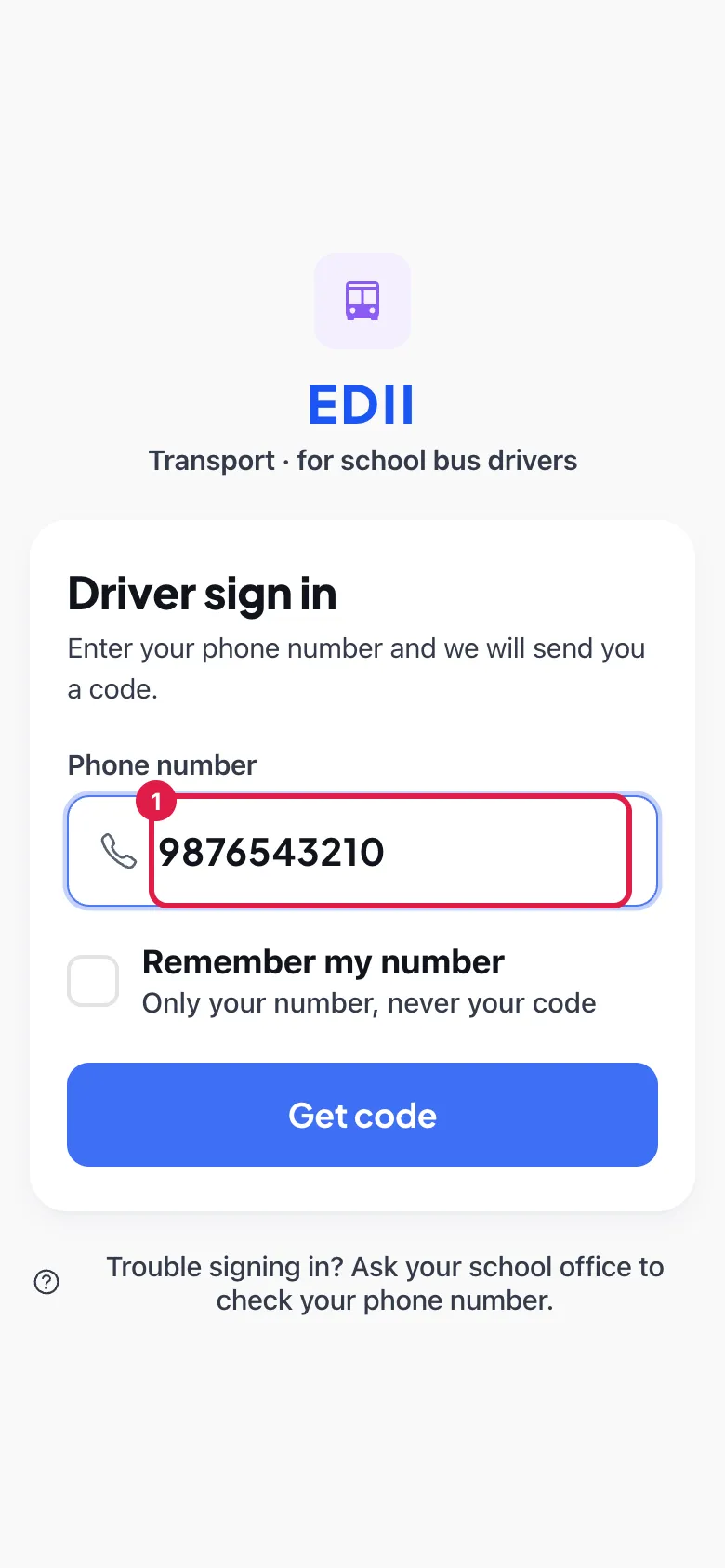
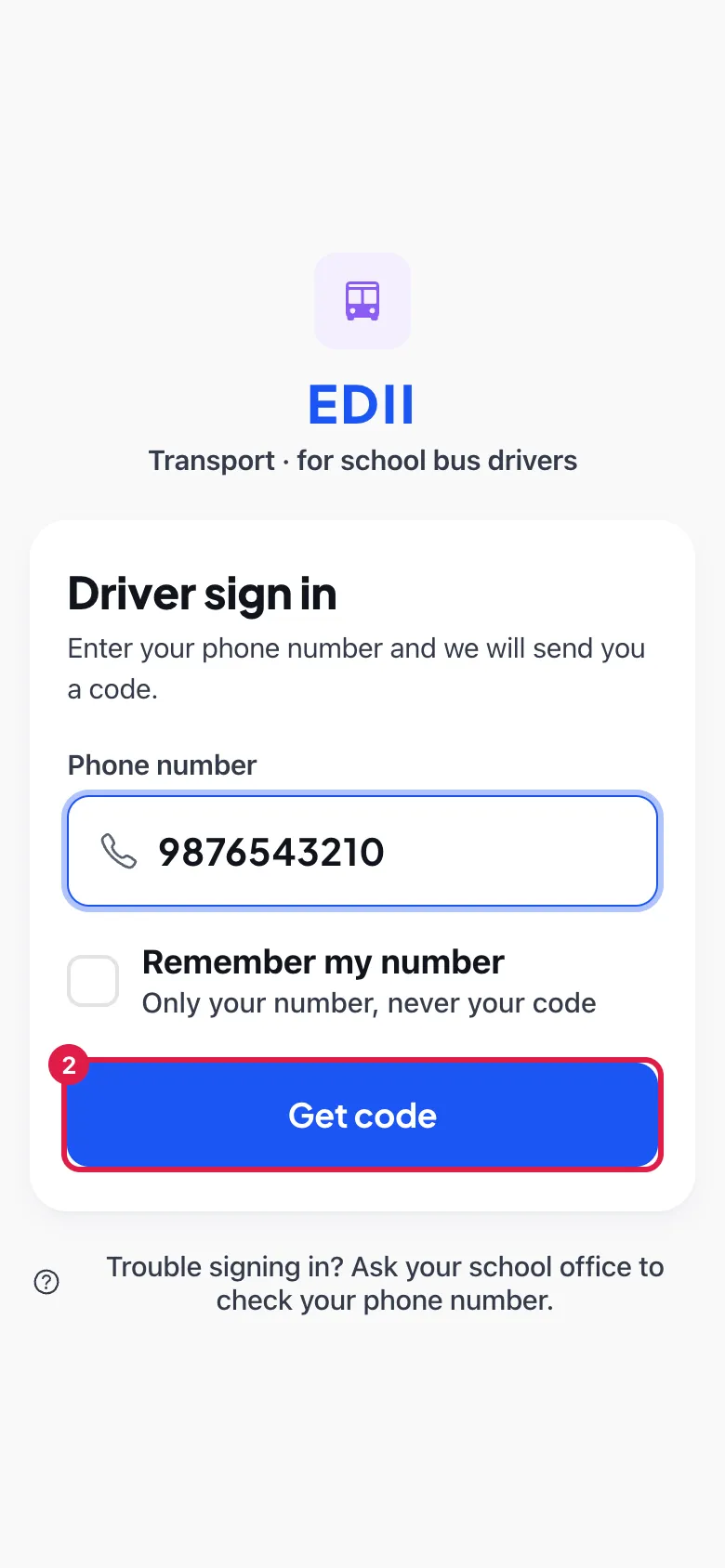
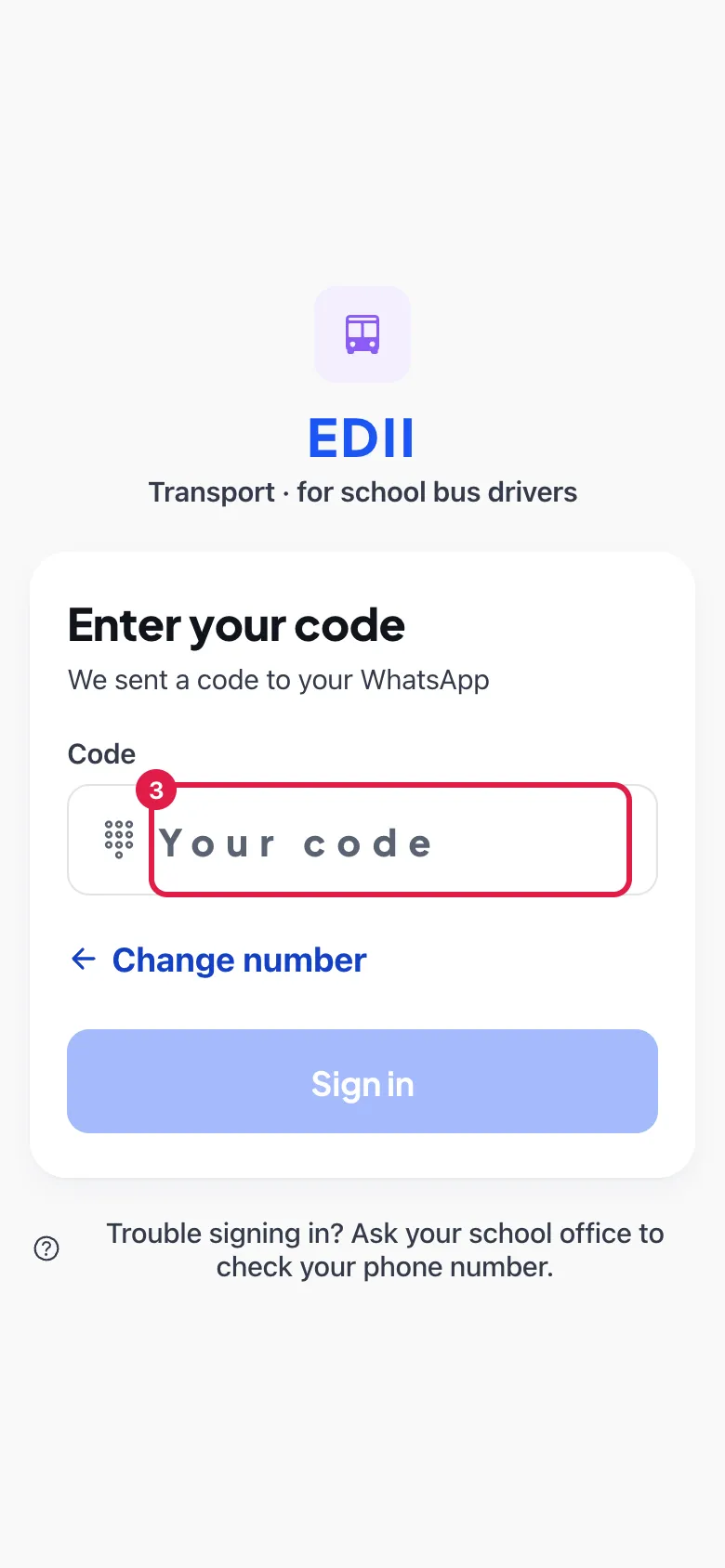
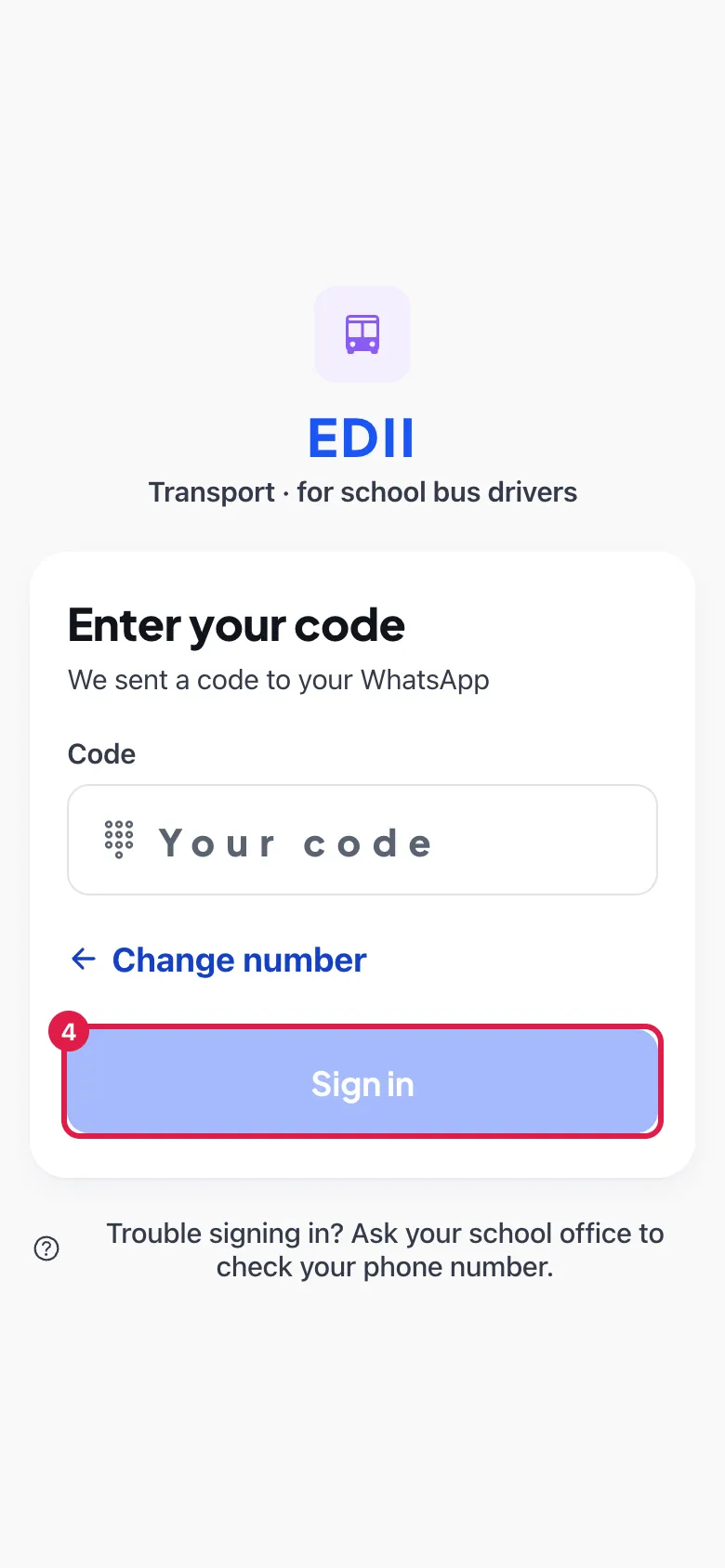
Driver sign in (EDII Transport · for school bus drivers) says Enter your phone number and we will send you a code. Type your Phone number (the one your school registered for you) and select Get code. Remember my number keeps your number on the phone for next time (Only your number, never your code). The next step is Enter your code: We sent a code to your WhatsApp (or, if your school handed you a fixed code, the screen says so); type the Code and select Sign in. Change number goes back to correct a mistyped number. If you cannot sign in the screen says Trouble signing in? Ask your school office to check your phone number.
Who uses it and when
Section titled “Who uses it and when”Bus drivers, at the start of the day and after logging out.
Before you start
Section titled “Before you start”- Your school must have registered you as a driver in Transport.
- Have WhatsApp on the registered number.
Where to find it
Section titled “Where to find it”- Install EDII Transport and open it. The sign-in screen appears the first time and after you log out.
 Open a bigger pictureतस्वीर बड़ी करें
Step by step
Section titled “Step by step”1. Enter your phone number
Section titled “1. Enter your phone number”Type the number your school registered for you.
 Open a bigger pictureतस्वीर बड़ी करें
2. Ask for the code
Section titled “2. Ask for the code”Select Get code. EDII sends a code to your WhatsApp.
 Open a bigger pictureतस्वीर बड़ी करें
3. Enter the code
Section titled “3. Enter the code”Type the code under Code.
 Open a bigger pictureतस्वीर बड़ी करें
4. Sign in
Section titled “4. Sign in”Select Sign in. You see Today.
 Open a bigger pictureतस्वीर बड़ी करें
Fields and filters
Section titled “Fields and filters”| Field | What it is | Notes |
|---|---|---|
| Phone number | The number the school registered for you. | Required. |
| Code | The one-time code from WhatsApp (or the fixed code your school gave you). | Required. |
| Remember my number | Keeps the number for next time. | Optional; never stores the code. |
Buttons
Section titled “Buttons”| Button | What it does | What happens next |
|---|---|---|
| Get code | Requests a one-time code. | The code step opens. |
| Sign in | Checks the code and signs you in. | You see Today. |
| Change number | Returns to the number box. | Enter another number. |
After you save
Section titled “After you save”- You are signed in on this phone.
Good to know
Section titled “Good to know”- Only drivers registered by the school can sign in.
Messages you may see
Section titled “Messages you may see”| Message | What it means | What to do |
|---|---|---|
| Trouble signing in? Ask your school office to check your phone number. | Sign-in failed. | Ask the office to check the number. |
- Keep WhatsApp installed on the registered number.
Stuck? Try this
Section titled “Stuck? Try this”| Problem | Likely cause | What to do |
|---|---|---|
| No code arrives | The number is not registered or WhatsApp is not on that number. | Ask the school office to check your number. |
Did this page help?क्या इस पेज से मदद मिली?
Thanks! Glad it helped.धन्यवाद! अच्छा लगा कि काम बन गया।
Sorry about that. Ask in your own words, or write to us.माफ़ कीजिए। अपने शब्दों में पूछें, या हमें लिखें।