
Screen guide · Web app
Select Months
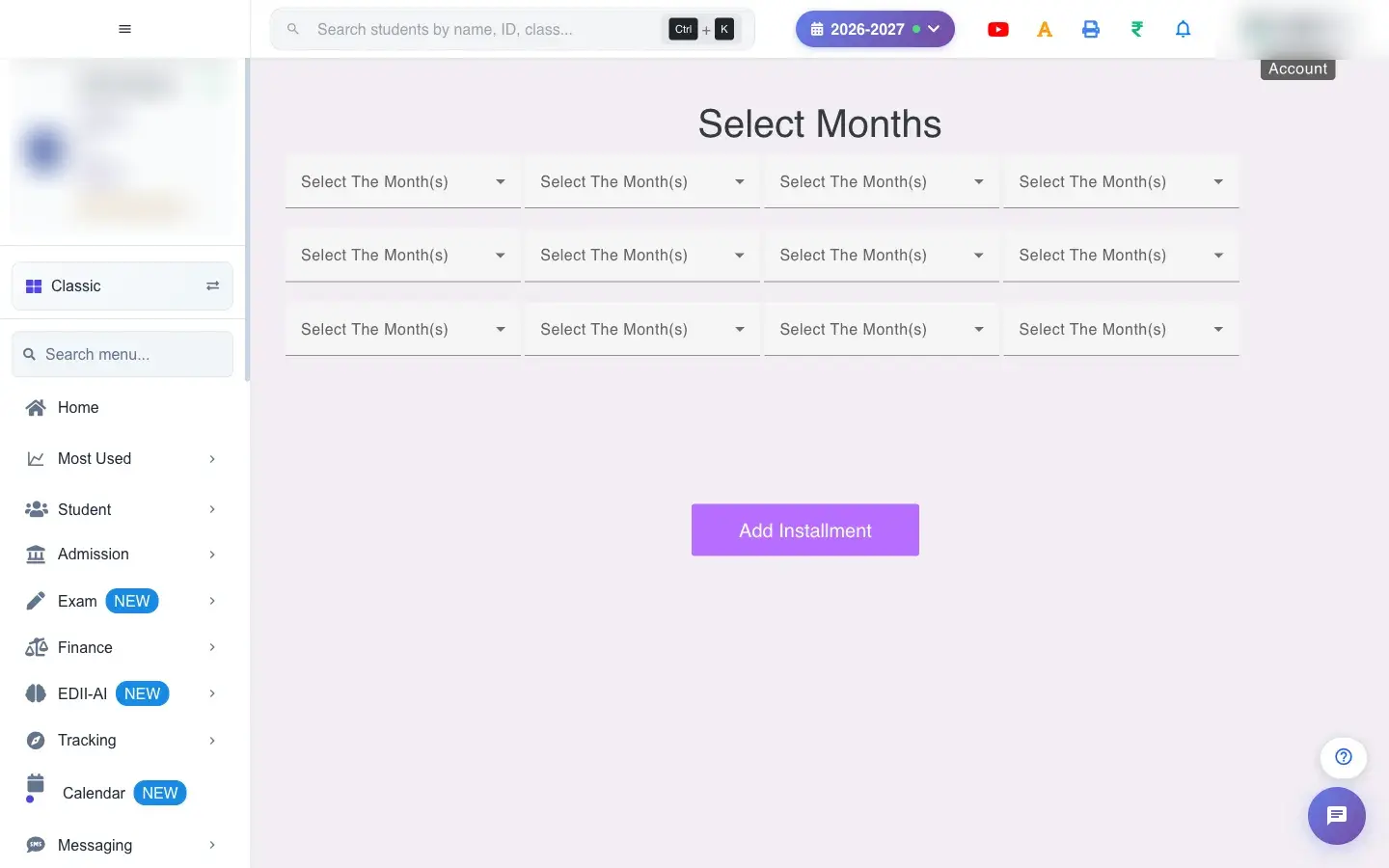
Group the months of the session into installments (up to twelve groups), so parents pay several months together as one installment.
यह पेज अंग्रेज़ी में है। कुछ समझ न आए तो ।
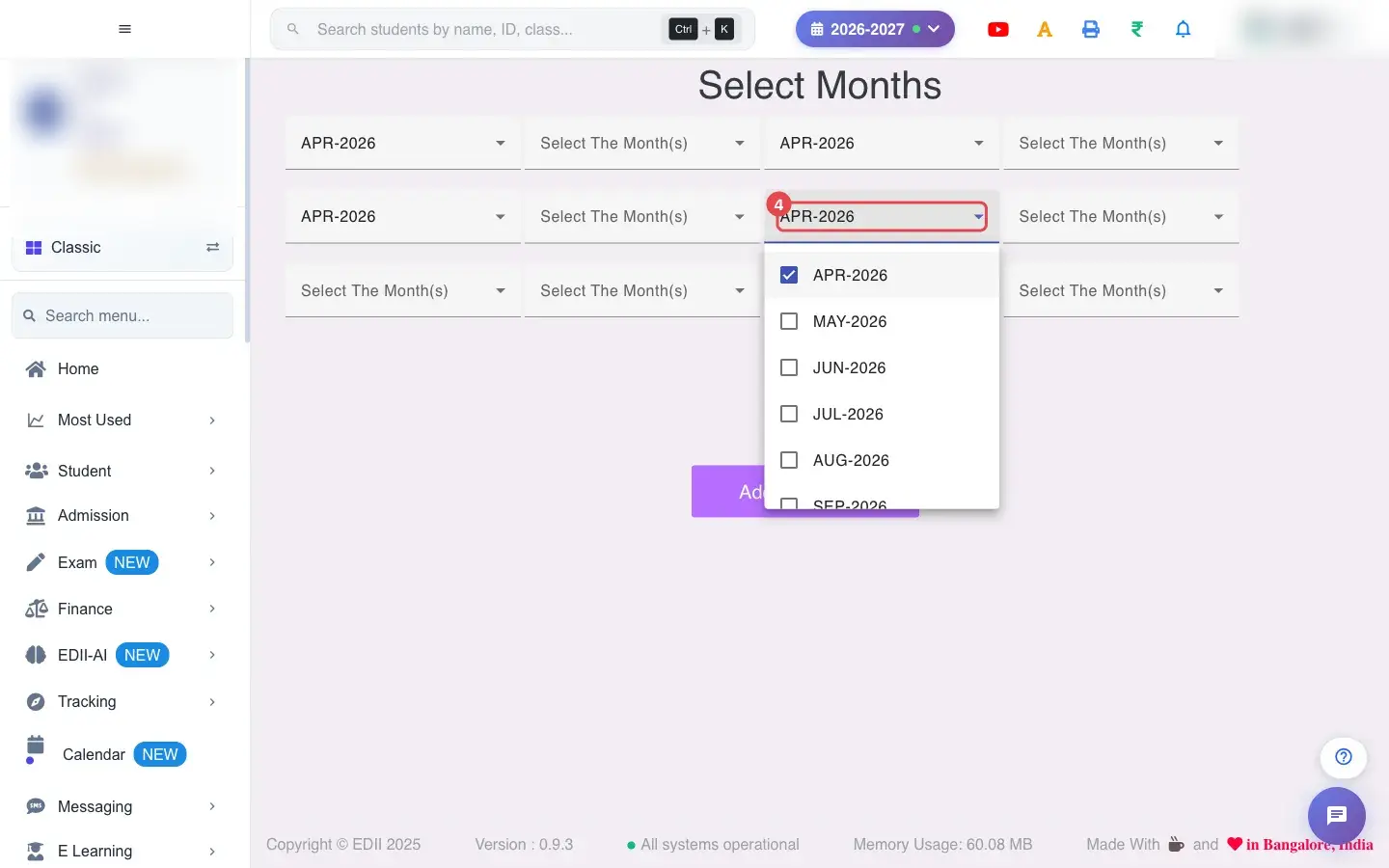
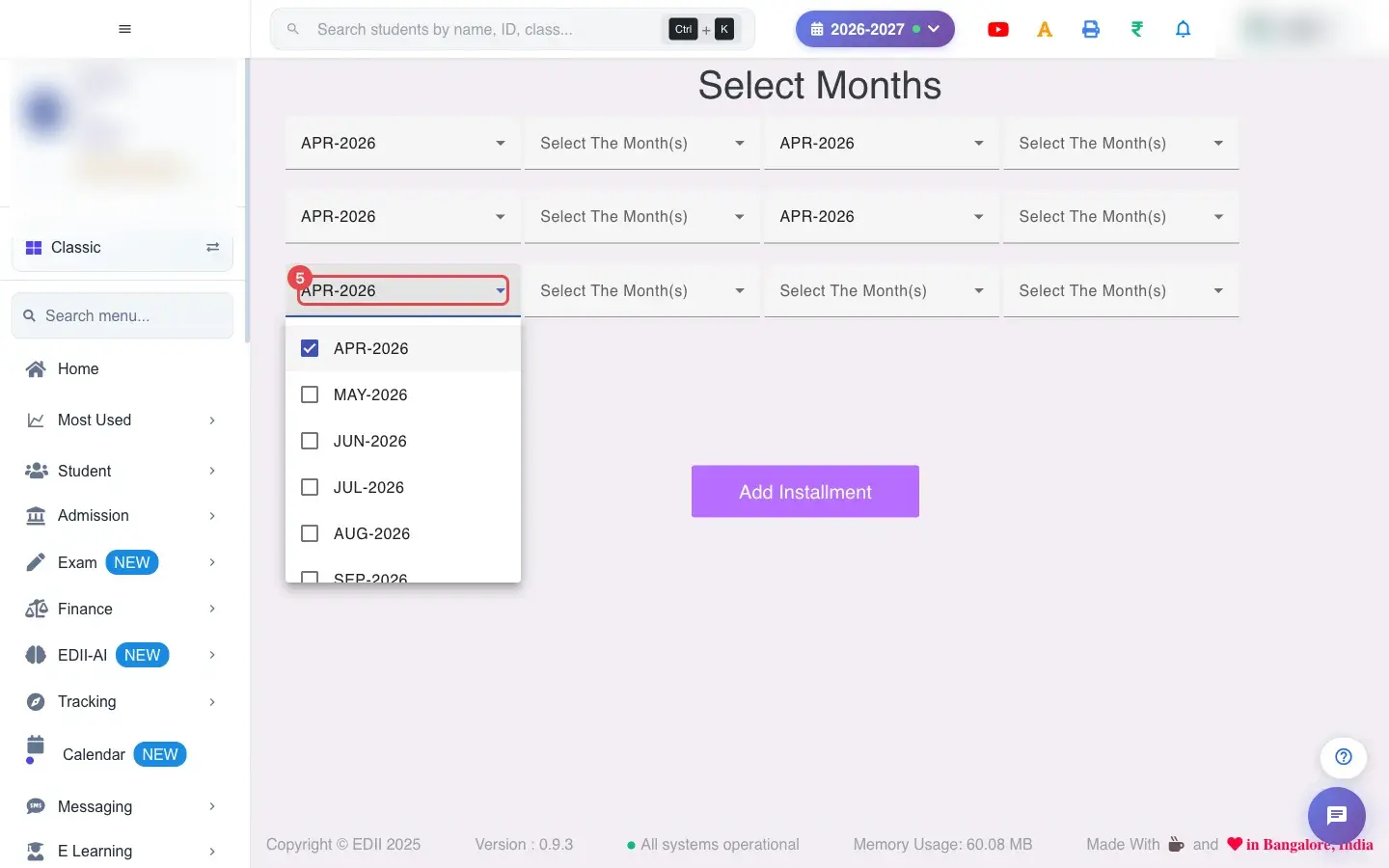
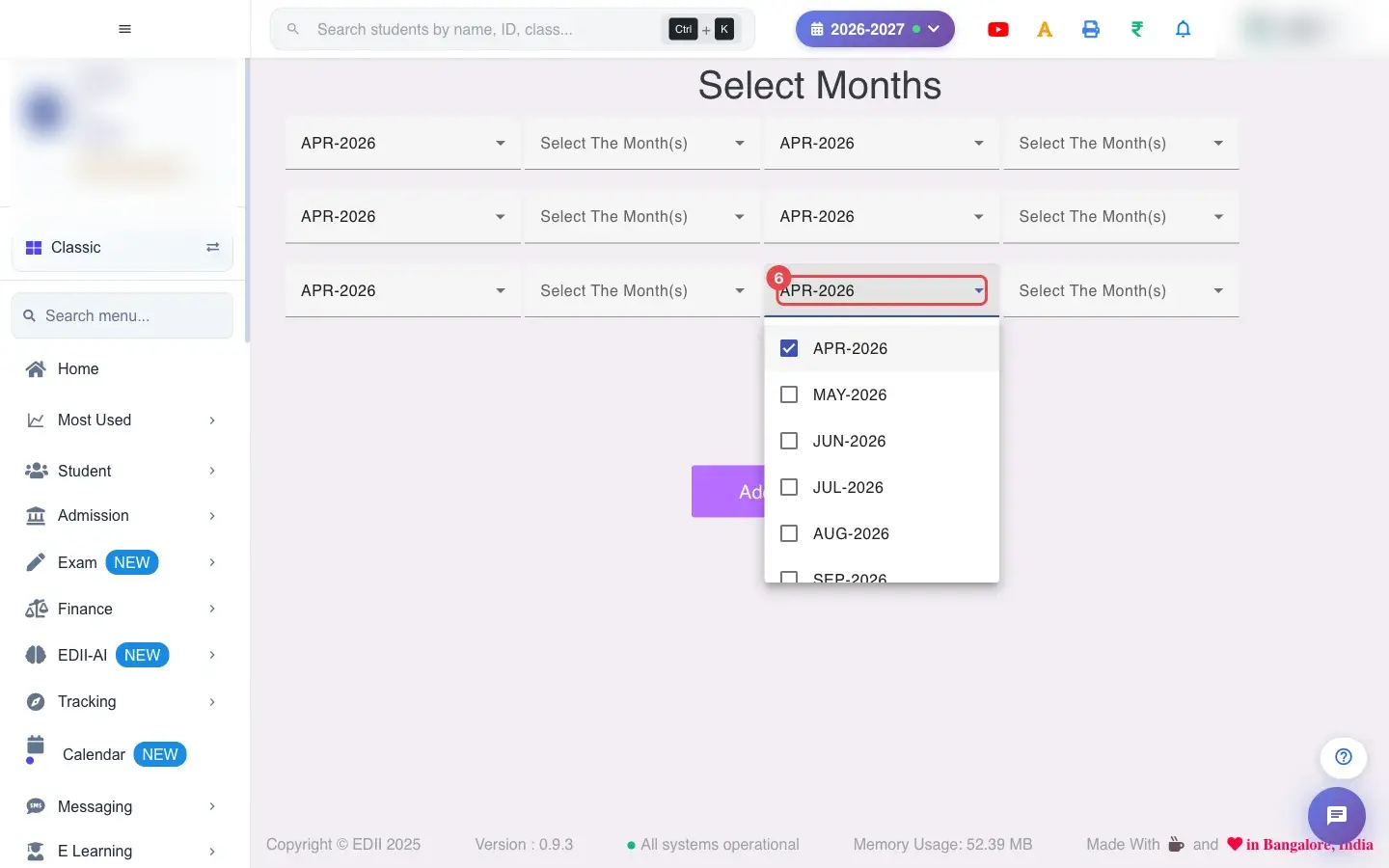
Add Installment (Finance › Add) lets you decide which months are paid together. The screen has twelve Select The Month(s) boxes; each box is one installment and you tick the months that belong to it, for example April, May and June in the first and July to September in the second.
When the school has defined installments, the fee screens and the parent app group those months together as one payment.
Who uses it and when
Section titled “Who uses it and when”The accounts head sets it once at the start of the session.
Before you start
Section titled “Before you start”- Your fees must exist for the months you plan to group. Installments you saved earlier load back when you open the screen (Installments Fetched!).
Where to find it
Section titled “Where to find it”- Menu: Finance › Add
- Address:
/add/add-installment - If it is missing from your menu, your role does not include it. Ask your school admin.
 Open a bigger pictureतस्वीर बड़ी करें
Step by step
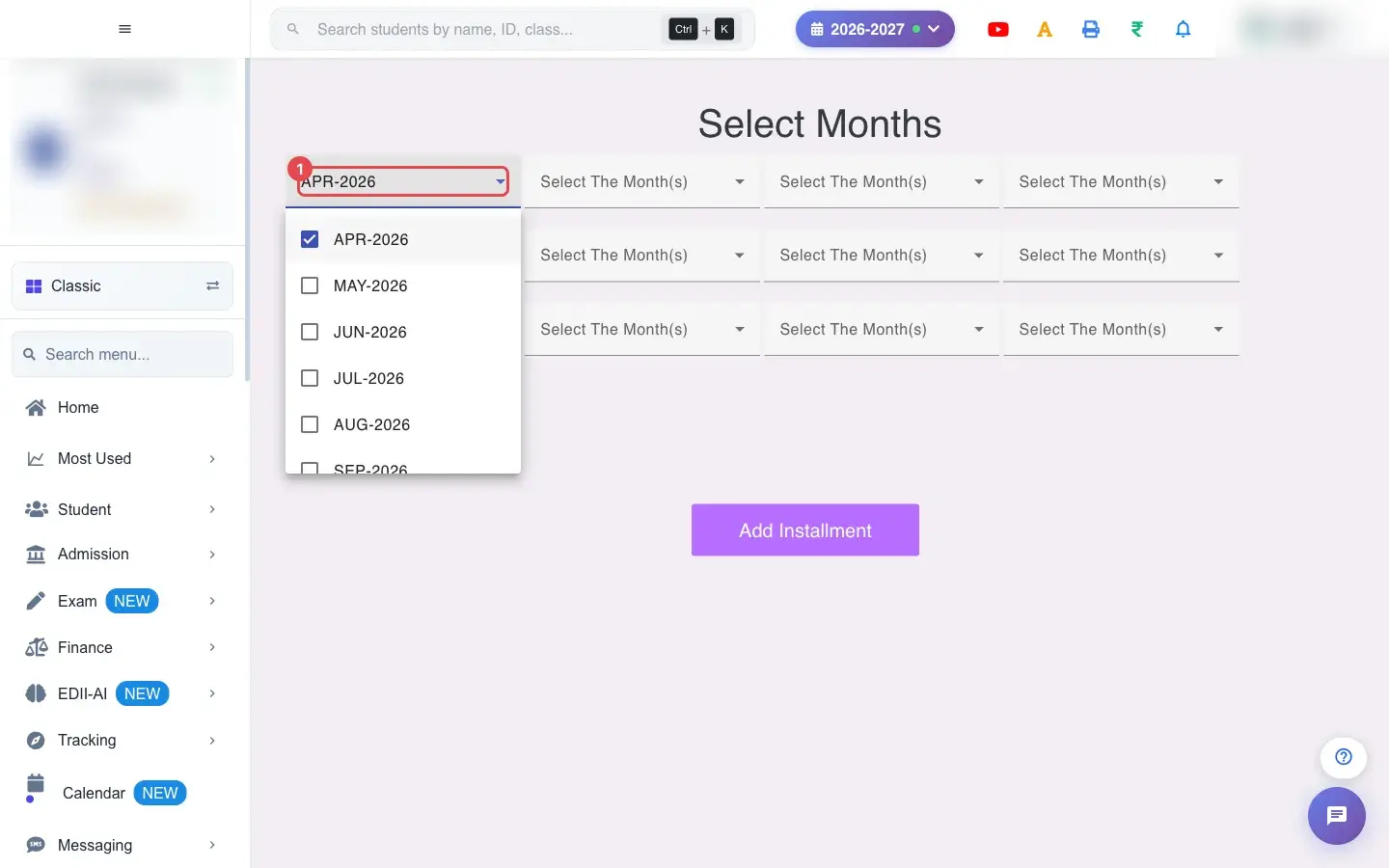
Section titled “Step by step”1. Choose Select The Month(s) (for example APR-2026)
Section titled “1. Choose Select The Month(s) (for example APR-2026)”In the first box tick the months for installment 1, for example April.
 Open a bigger pictureतस्वीर बड़ी करें
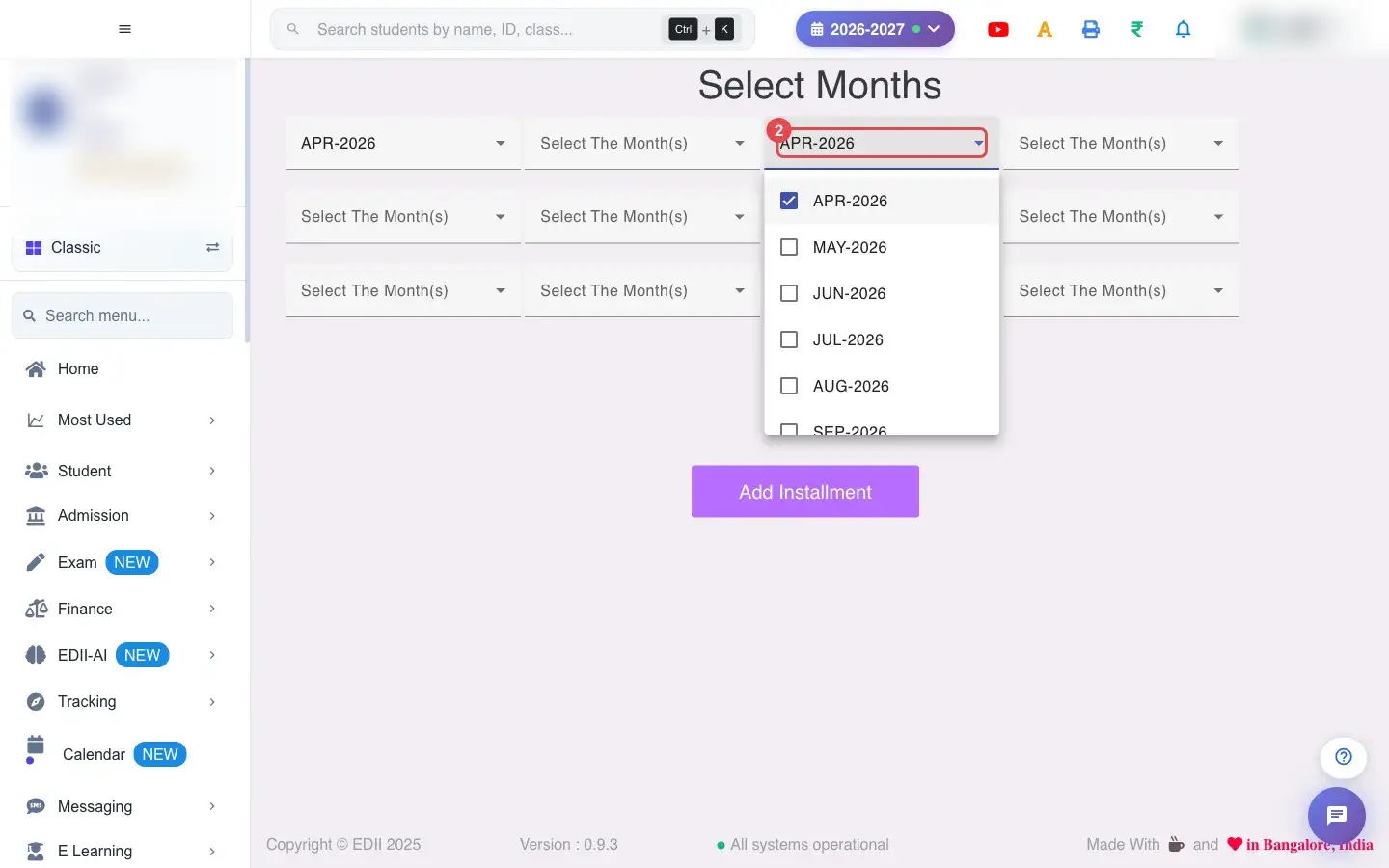
2. Choose Select The Month(s) (for example APR-2026)
Section titled “2. Choose Select The Month(s) (for example APR-2026)”Continue with the next box for installment 2.
 Open a bigger pictureतस्वीर बड़ी करें
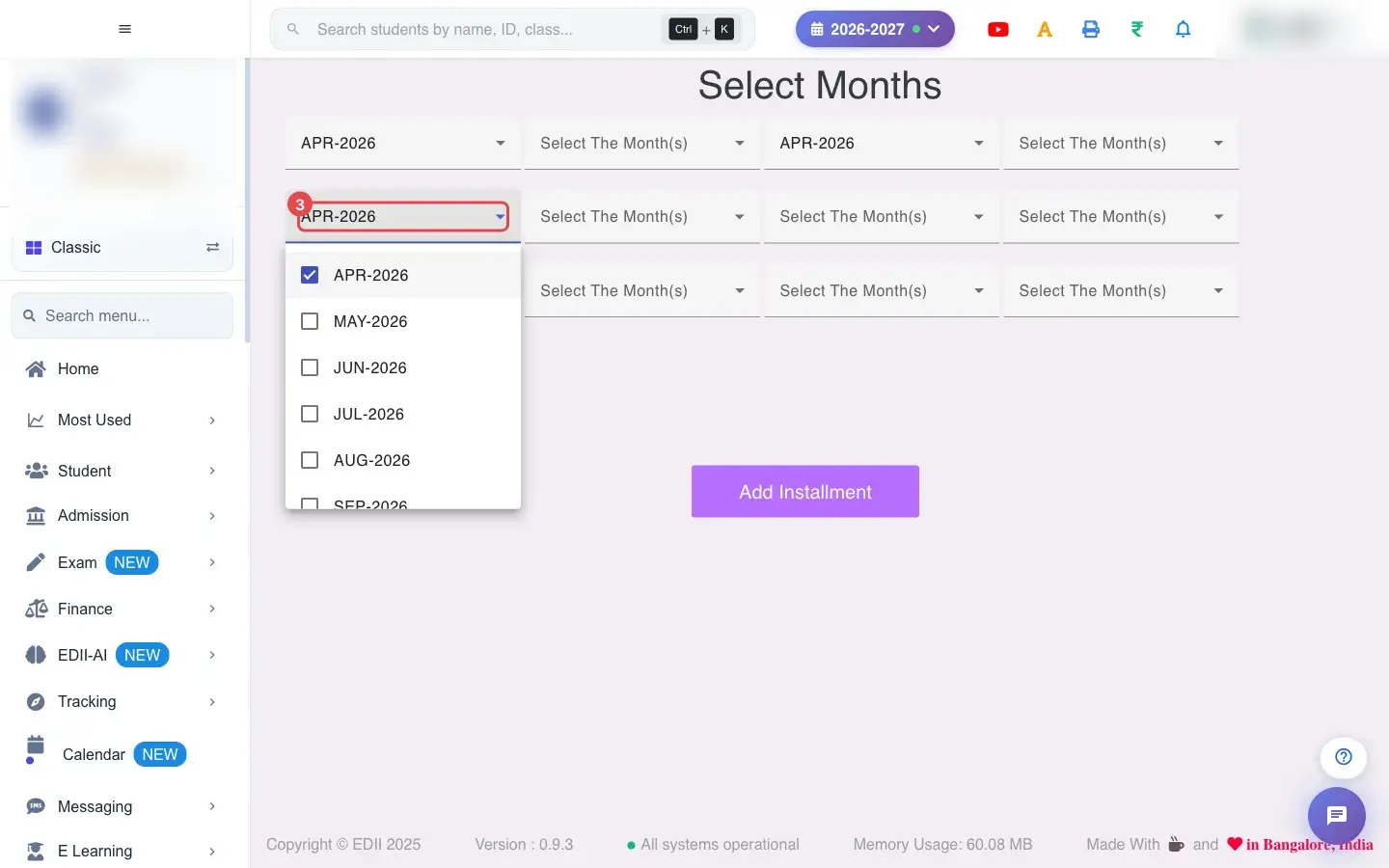
3. Choose Select The Month(s) (for example APR-2026)
Section titled “3. Choose Select The Month(s) (for example APR-2026)”Installment 3.
 Open a bigger pictureतस्वीर बड़ी करें
4. Choose Select The Month(s) (for example APR-2026)
Section titled “4. Choose Select The Month(s) (for example APR-2026)”Installment 4.
 Open a bigger pictureतस्वीर बड़ी करें
5. Choose Select The Month(s) (for example APR-2026)
Section titled “5. Choose Select The Month(s) (for example APR-2026)”Installment 5.
 Open a bigger pictureतस्वीर बड़ी करें
6. Choose Select The Month(s) (for example APR-2026)
Section titled “6. Choose Select The Month(s) (for example APR-2026)”Installment 6.
 Open a bigger pictureतस्वीर बड़ी करें
7. Fill the remaining installments
Section titled “7. Fill the remaining installments”Use up to twelve boxes. A month can only belong to one installment. Leave unused boxes empty.
8. Save the installments
Section titled “8. Save the installments”Select Add Installment. The message Success in Adding Installment confirms it. Saving again replaces the earlier grouping.
With data
Section titled “With data”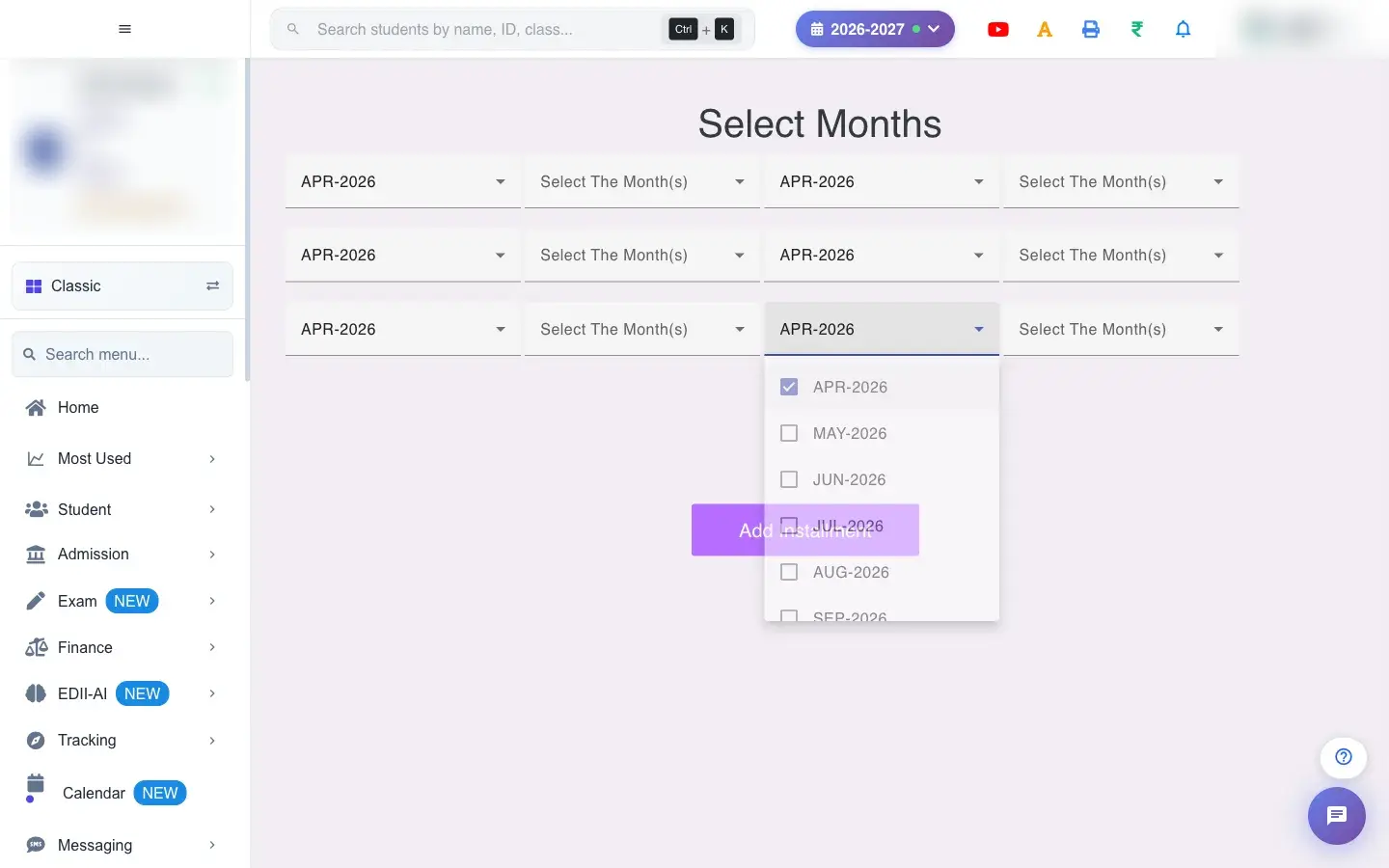 Open a bigger pictureतस्वीर बड़ी करें
Fields and filters
Section titled “Fields and filters”| Field | What it is | Notes |
|---|---|---|
| Select The Month(s) (1 to 12) | The months that make up each installment. | Multiple months per box; each month once. |
Buttons
Section titled “Buttons”| Button | What it does | What happens next |
|---|---|---|
| Add Installment | Saves the groups. | Success in Adding Installment. |
After you save
Section titled “After you save”- The installment groups are stored for the session and used when fees are collected and shown to parents.
Good to know
Section titled “Good to know”- Up to 12 installments.
- Each month in one installment only.
Messages you may see
Section titled “Messages you may see”| Message | What it means | What to do |
|---|---|---|
| Success in Adding Installment | The grouping was saved. | Nothing to do. |
| Installments Fetched! | Earlier installments loaded. | Edit if needed. |
| Bad/Slow Internet Connection, Please check your internet connection | A request failed. | Try again. |
- Match installments to the dates your school actually collects fees.
Stuck? Try this
Section titled “Stuck? Try this”| Problem | Likely cause | What to do |
|---|---|---|
| A month cannot be ticked | It already belongs to another installment. | Untick it there first. |
Did this page help?क्या इस पेज से मदद मिली?
Thanks! Glad it helped.धन्यवाद! अच्छा लगा कि काम बन गया।
Sorry about that. Ask in your own words, or write to us.माफ़ कीजिए। अपने शब्दों में पूछें, या हमें लिखें।