
Get started · Web app
Forgot password / locked out
पासवर्ड भूल गए
Reset your own password with a one-time code sent to your registered WhatsApp number, or get help from EDII if you cannot.
यह पेज अंग्रेज़ी में है। कुछ समझ न आए तो ।
You can reset your own password. EDII sends a one-time code (OTP) to the WhatsApp number registered for your user ID, and you choose a new password.
Before you start
Section titled “Before you start”- Know your User ID.
- Have the phone with your registered WhatsApp number nearby.
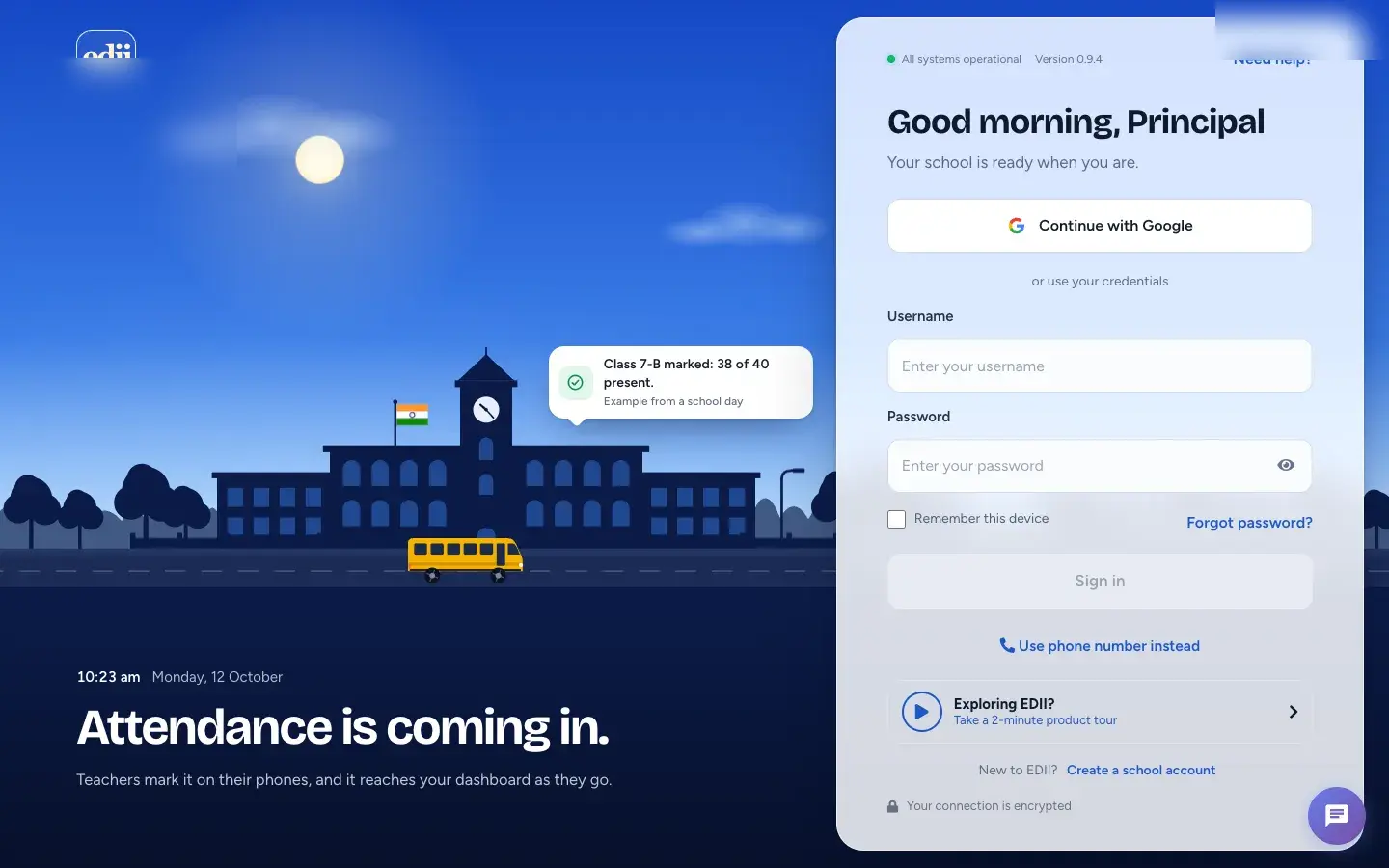
1. Open Forgot password?
Section titled “1. Open Forgot password?”On the sign-in page select Forgot password?. The Reset Password page opens.
 Open a bigger pictureतस्वीर बड़ी करें
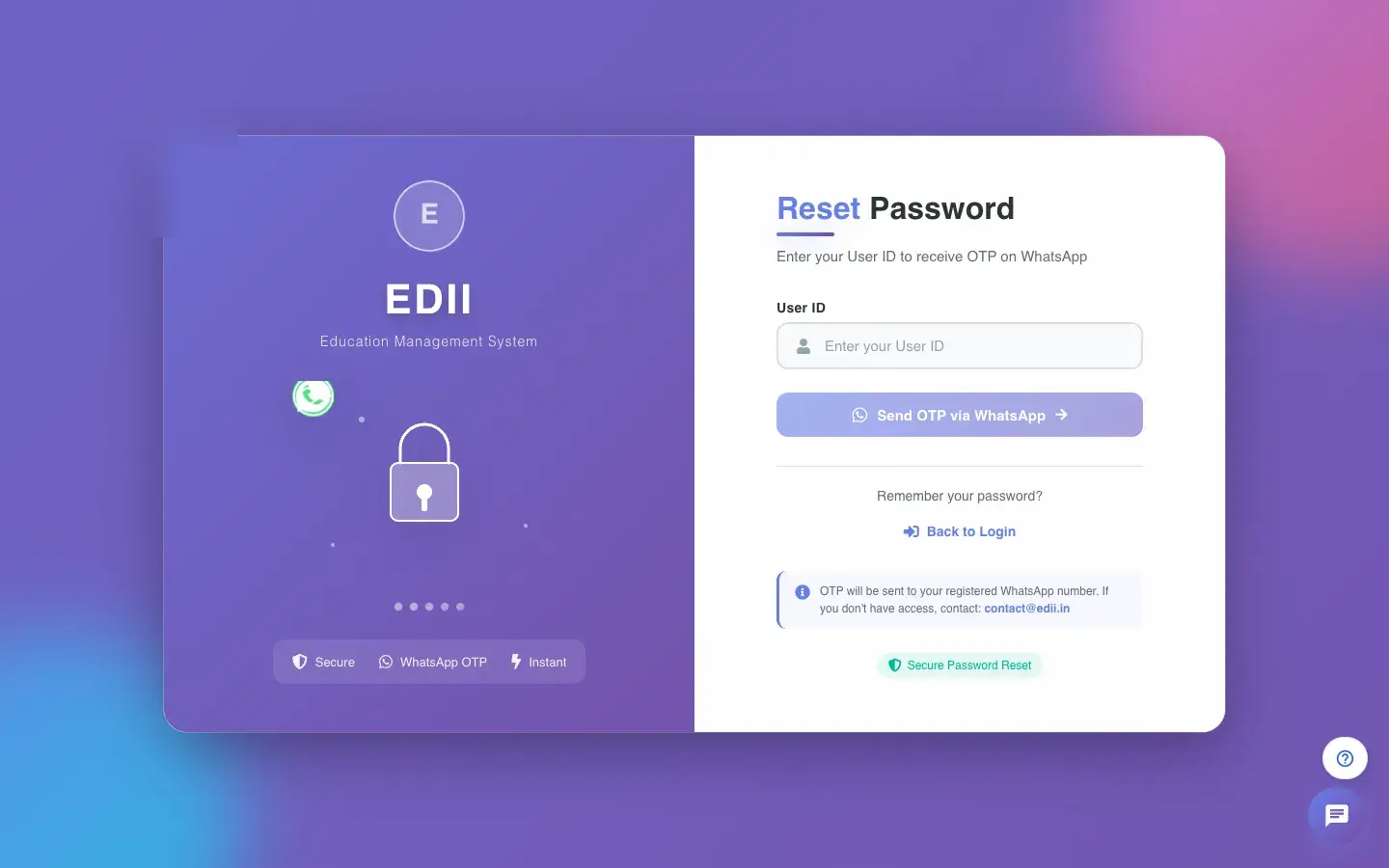
2. Enter your User ID
Section titled “2. Enter your User ID”Type your User ID and select Send OTP via WhatsApp. EDII shows the masked number it sent the code to (OTP sent to WhatsApp: …).
 Open a bigger pictureतस्वीर बड़ी करें
3. Enter the code and a new password
Section titled “3. Enter the code and a new password”Type the six-digit OTP Code, then a New Password (at least 3 characters, no spaces) and type it again to confirm.
4. Save and sign in
Section titled “4. Save and sign in”Submit the form. When it succeeds, go Back to Login and sign in with the new password.
Open a bigger pictureतस्वीर बड़ी करें5. If you get no code
Section titled “5. If you get no code”The code goes only to the registered WhatsApp number. If you do not have access to it, ask your administrator to reset your password (User › Staff Profiles), or write to contact@edii.in. On the sign-in page, Need help? offers WhatsApp, a call or an email.
Open a bigger pictureतस्वीर बड़ी करें
What happens next
Section titled “What happens next”- Your old password stops working immediately.
Good to know
Section titled “Good to know”- The new password cannot contain spaces and must be at least 3 characters.
- Never share your OTP or password.
Stuck? Try this
Section titled “Stuck? Try this”| You see | Why | What to do |
|---|---|---|
| Please enter your User ID | The User ID box is empty. | Type your User ID. |
| Please enter the OTP | The code box is empty. | Type the six digits you received. |
| Passwords do not match | The two new passwords differ. | Type the same password twice. |
| Password cannot contain spaces / must be at least 3 characters | The new password breaks a rule. | Choose another password. |
| Error sending OTP. Please try again. | The code could not be sent. | Check the User ID and try again, or contact support. |
| Error resetting password. Please try again. | The reset failed. | Try again; if it keeps failing contact support. |
Did this page help?क्या इस पेज से मदद मिली?
Thanks! Glad it helped.धन्यवाद! अच्छा लगा कि काम बन गया।
Sorry about that. Ask in your own words, or write to us.माफ़ कीजिए। अपने शब्दों में पूछें, या हमें लिखें।