Skip to content
Help homeहेल्प होम

How-to · Admin app

Start your day with Today

दिन की शुरुआत करें

See what needs you, act on it, and read the day's figures in a few minutes.

7 steps7 स्टेप

यह पेज अंग्रेज़ी में है। कुछ समझ न आए तो ।

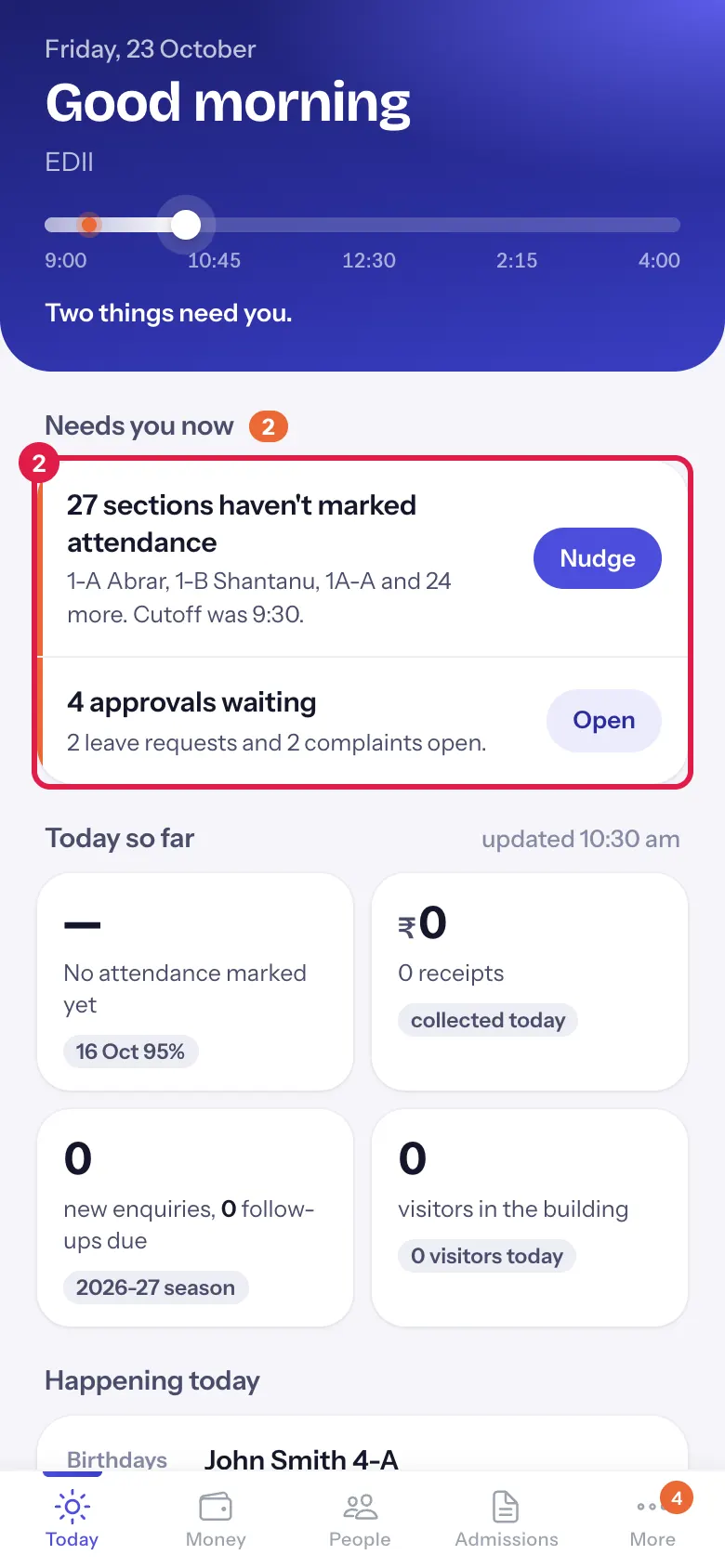
Today is the first tab of EDII Admin. It shows the school day as a line, what needs you now with one button each, today’s attendance, money, enquiries and visitors, and what is happening today. Work from the top down.

  • Teachers mark attendance and staff punch in as usual; Today reads what is already in EDII.
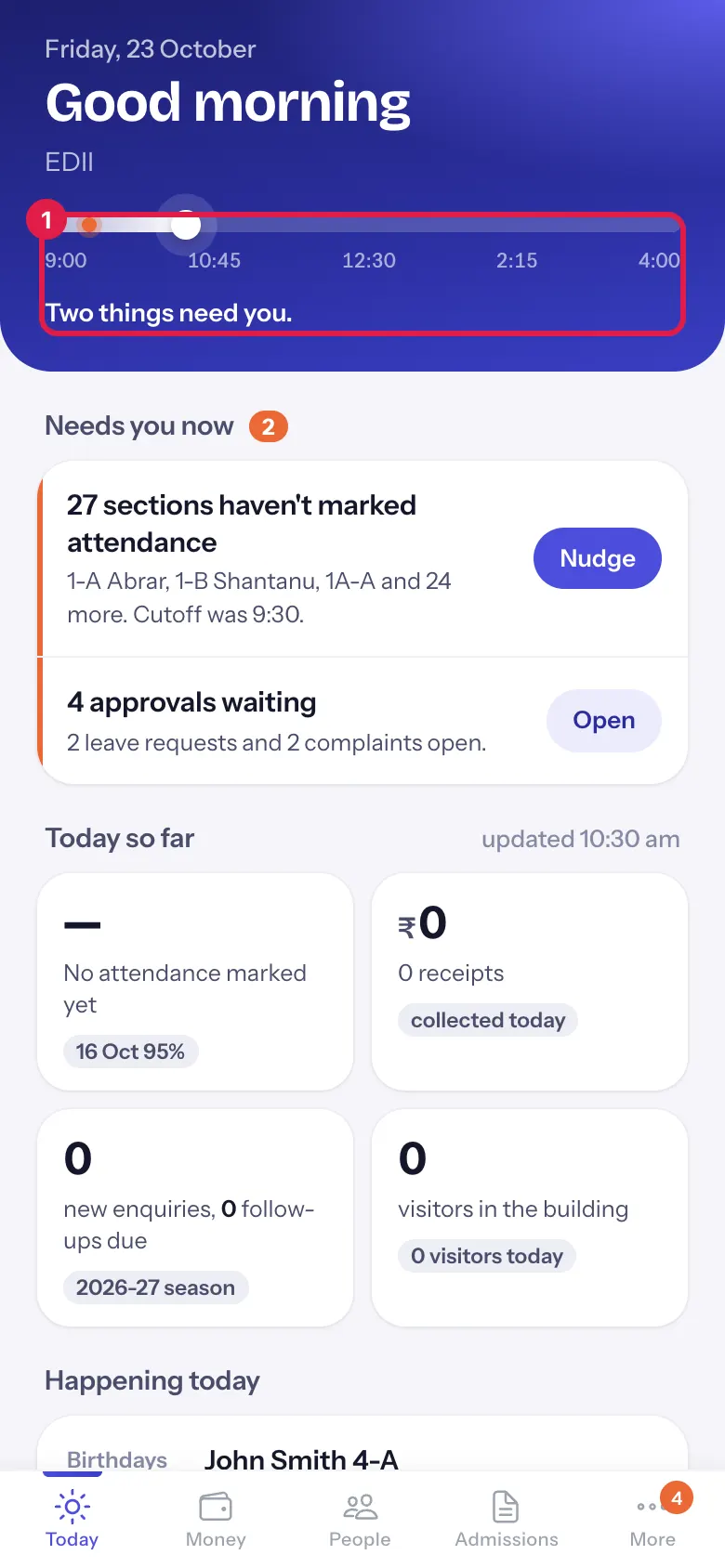
  1. The line runs from the start to the end of school hours. The white dot is now; an orange mark at 9:30 means sections were still unmarked at the attendance cutoff. The sentence under it says how many things need you.

    Read the day lineOpen a bigger pictureतस्वीर बड़ी करें
  2. Each row says what is wrong and who is involved. Select a row to open the screen behind it.

    Work down Needs you nowOpen a bigger pictureतस्वीर बड़ी करें
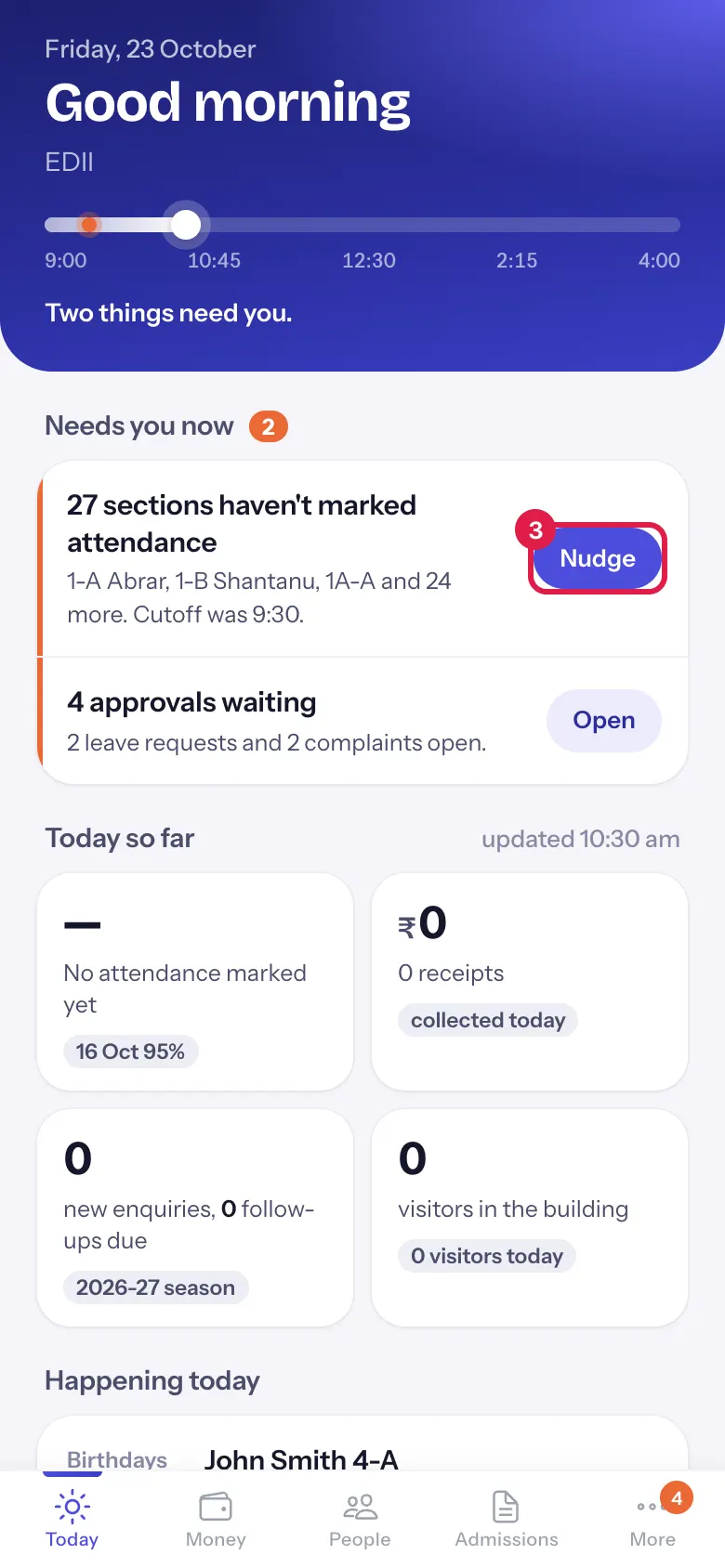
  3. 3. Nudge the teachers of unmarked sections

    Section titled “3. Nudge the teachers of unmarked sections”

    Select Nudge. Each section’s class teacher (or, if it has none, the teachers of that section) gets a notification in the EDII Teacher app and on the web: Attendance not marked. A message tells you how many teachers were reminded.

    Nudge the teachers of unmarked sectionsOpen a bigger pictureतस्वीर बड़ी करें
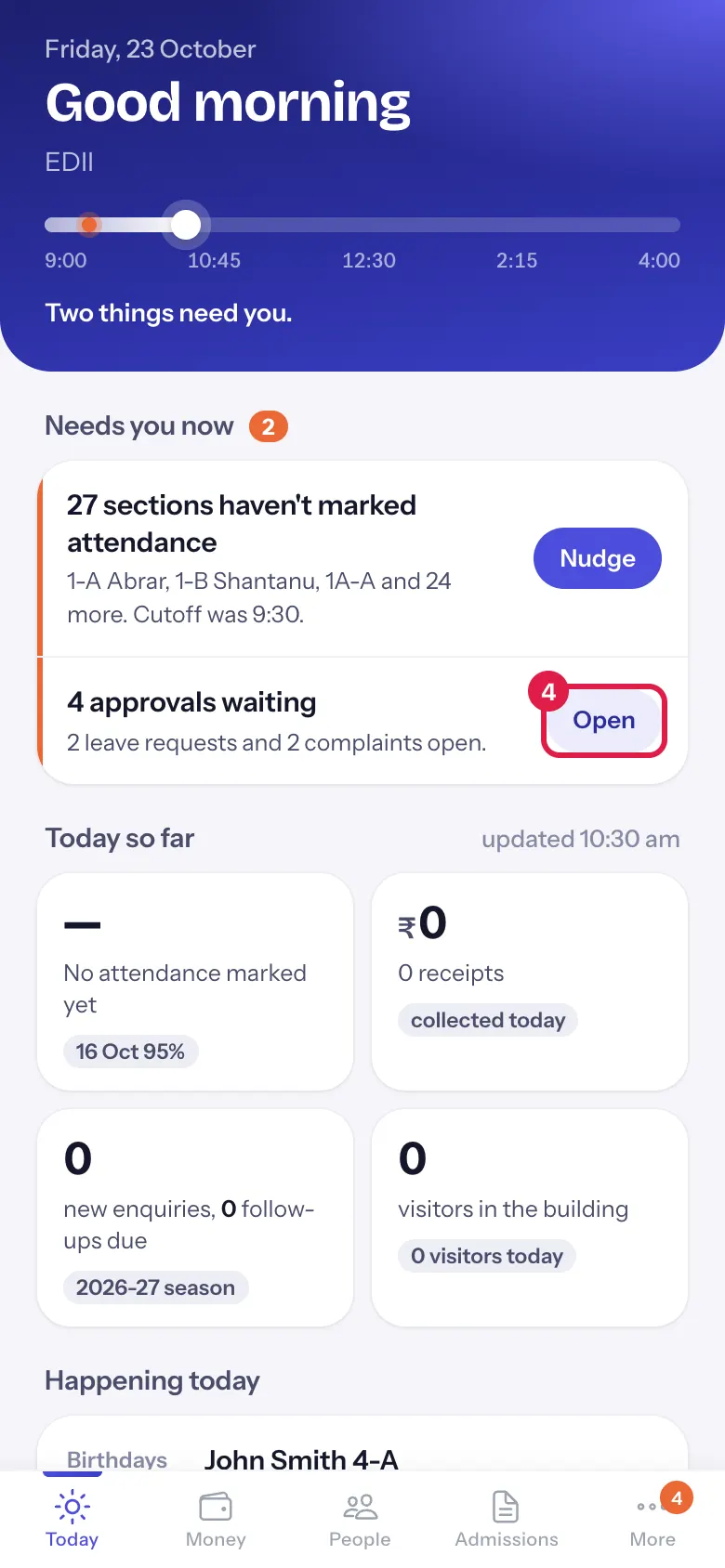
  4. Select Open on approvals waiting to decide leave requests, complaints and detail changes.

    Open approvalsOpen a bigger pictureतस्वीर बड़ी करें
  5. When an absent teacher’s periods have nobody, the row names who is free. Select Assign: the app lists each period with the suggested teacher (Period 3, 7-A: <teacher>). Choose Assign to save it or Not now. The teachers are told in their app.

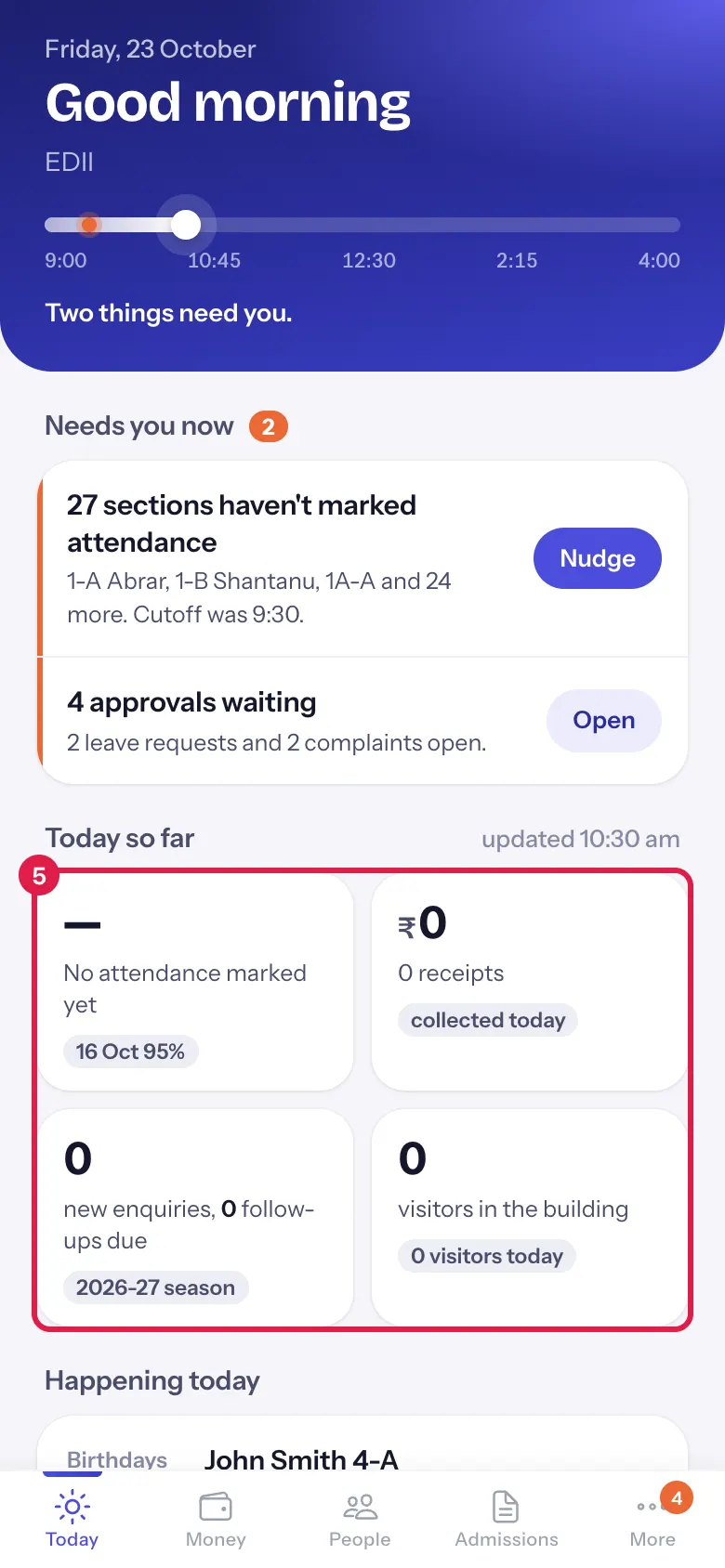
  6. Read the four tiles. Select attendance, money or enquiries to open the full screen.

    Check today so farOpen a bigger pictureतस्वीर बड़ी करें
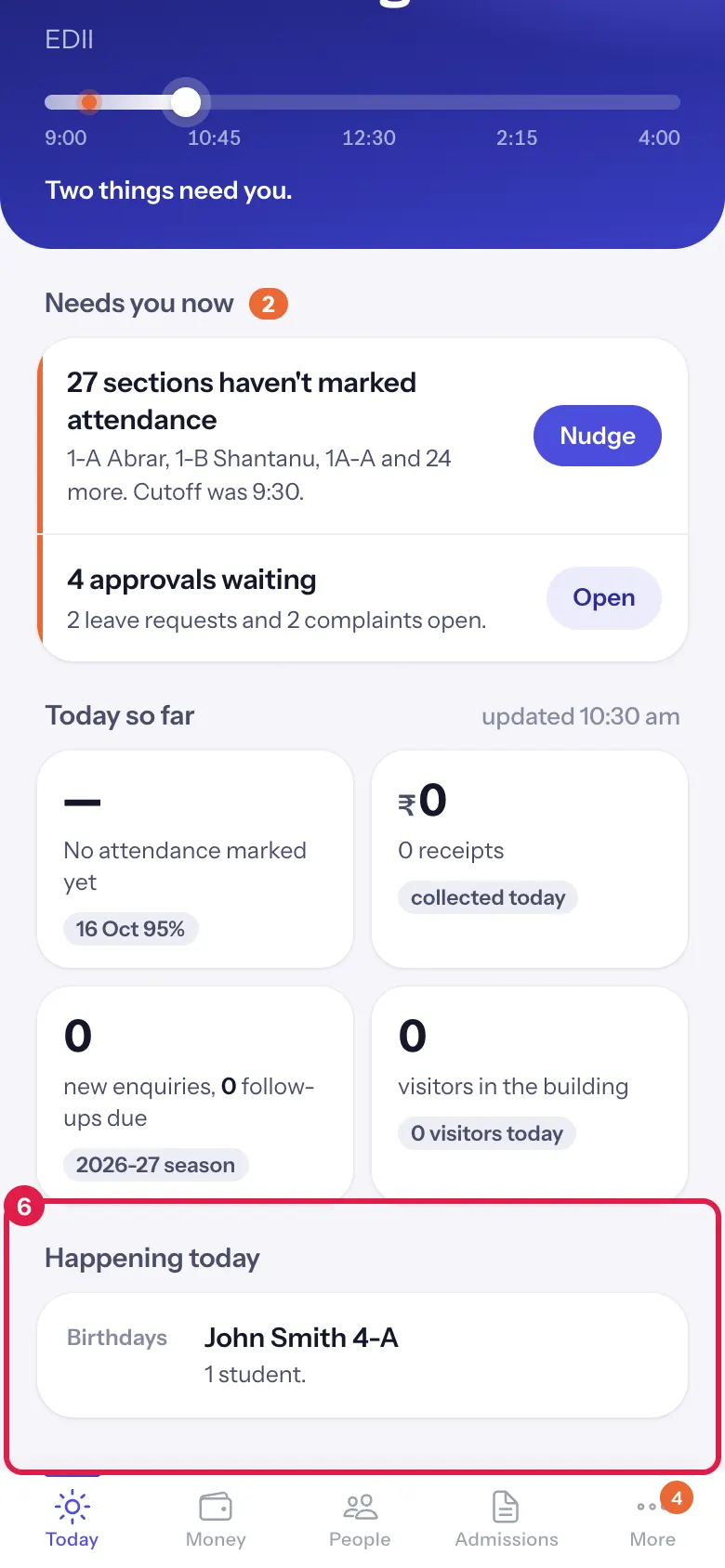
  7. Scroll to Happening today for events, exam papers and birthdays.

    See what is happening todayOpen a bigger pictureतस्वीर बड़ी करें
    Full details of this screen Start your day with Today
  • Nudge sends a notification to teachers; nothing changes in attendance.
  • Assign saves the substitute periods for today and tells those teachers in their app.
  • A section can be nudged once every 15 minutes.
  • Only sections with a teacher can be nudged; the message says how many sections have no teacher assigned.
  • Rows for attendance, cover and staff show on school days only (not on Sundays or holidays).
  • A dash (—) means the figure could not be read, not zero.
You see Why What to do
A tile shows — That figure could not be read just now. Pull down to refresh.
Nudge is missing on the attendance row None of those sections has a teacher assigned. Assign class teachers in the web app.
Assign is missing on the cover row Nobody is free in those periods. Arrange cover from the timetable on the web.
It says No school today Today is a Sunday or a holiday in the school calendar. If the holiday is wrong, correct it in the web app’s holiday list.

Did this page help?क्या इस पेज से मदद मिली?

Ask EDIIEDII से पूछें

Ask in English, Hindi or Hinglish. Answers come only from these help pages.English, हिंदी या Hinglish में पूछें। जवाब सिर्फ़ इन्हीं हेल्प पेजों से आते हैं।

Try askingऐसे पूछकर देखें