
Namasteनमस्ते
What do you want to do today?आज क्या करना है?
Every screen of EDII, explained step by step with pictures.EDII की हर स्क्रीन, आसान स्टेप में, तस्वीरों के साथ।
Office & feesऑफ़िस और फ़ीस
More for the officeऑफ़िस के और काम
Teachersटीचर
More for teachersटीचर के और काम
Principalप्रिंसिपल
More for the principalप्रिंसिपल के और काम
Bus driverबस ड्राइवर
For the transport in-chargeट्रांसपोर्ट इंचार्ज के लिए
Stuck? Quick fixesअटक गए? झटपट हल
✦ Ask EDII✦ EDII से पूछें
Ask in your own words.अपने शब्दों में पूछें।
Type in English, Hindi or Hinglish. EDII answers only from these help pages and shows the page each answer came from.English, हिंदी या Hinglish में लिखें। EDII जवाब सिर्फ़ इन्हीं हेल्प पेजों से देता है और हर जवाब का पेज भी दिखाता है।
Need a person? Contact EDII →किसी से बात करनी है? EDII से संपर्क करें →“fees ki raseed dobara kaise nikale?”
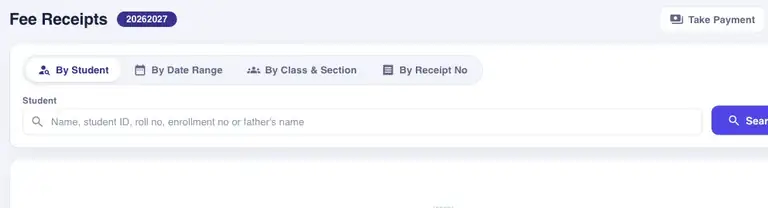
Fee Receipts (Finance › Fee Receipts) is the register of every receipt issued. Four tabs give four ways in: By Student (every receipt of one child), By Date Range (everything collected between two dates), By Class & Section (a class over a date range) and By Receipt No (the number printed on the slip, with no name or date).
From: Find or reprint a receipt →इस पेज से: Find or reprint a receipt →This is an example. Type your own question in the box.यह एक उदाहरण है। अपना सवाल बॉक्स में लिखें।
One help site, four appsएक हेल्प साइट, चार ऐप
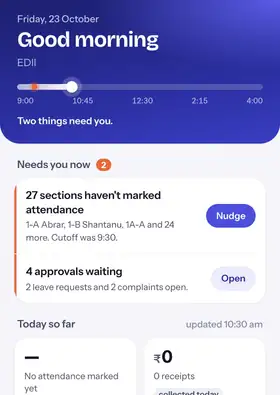
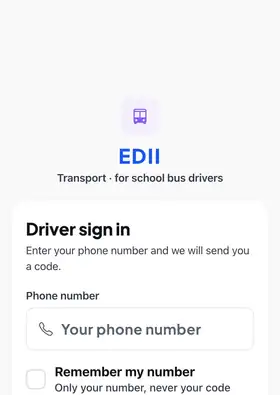
New to EDII? Start hereEDII में नए हैं? यहाँ से शुरू करें
Everything in EDIIEDII में सब कुछ
Every screen has its own page, with pictures.हर स्क्रीन का अपना पेज है, तस्वीरों के साथ।