
Screen guide · Web app
Visitor Management System
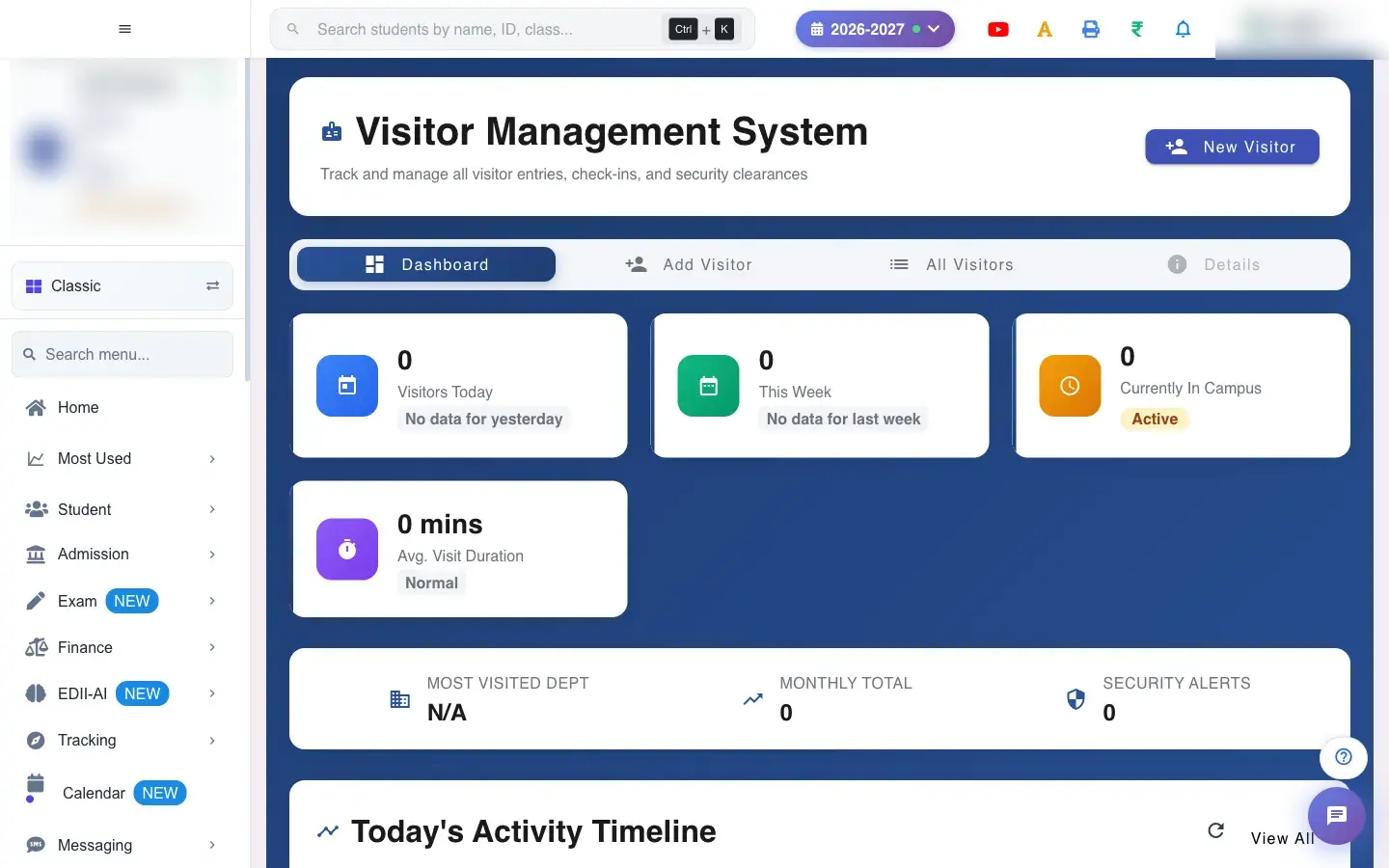
The Visitor Management System: check visitors in and out, see who is on campus now, today's activity timeline and the spread of visit purposes.
यह पेज अंग्रेज़ी में है। कुछ समझ न आए तो ।
Visitor Management System (Visitors) has tabs Dashboard, Add Visitor and All Visitors. The dashboard shows counts for today (visitors, currently inside, checked out, average visit time, busiest purpose), a Today’s Activity Timeline and a Visit Purpose Distribution, with View All and Details links.
New Visitor opens the check-in form: fill the required fields and select to check in (Visitor checked in successfully). If the visitor already has an active visit today you see This visitor already has an active visit today. A visitor who is leaving is checked out with the checkout action (Visitor checked out successfully). You can print a visitor pass and export the list. A date range is needed to list visitors (Please select both a start and end date).
Who uses it and when
Section titled “Who uses it and when”Reception and security use it all day.
Before you start
Section titled “Before you start”- Staff names load for the person to meet list.
Where to find it
Section titled “Where to find it”- Menu: Visitors
- Address:
/view/visitors-dashboard - If it is missing from your menu, your role does not include it. Ask your school admin.
 Open a bigger pictureतस्वीर बड़ी करें
Step by step
Section titled “Step by step”1. Check a visitor in
Section titled “1. Check a visitor in”Select New Visitor, fill the required fields (name, phone, purpose, person to meet) and submit. Please fill all required fields appears if something is missing.
2. Print the pass
Section titled “2. Print the pass”Print the visitor pass for the person to wear.
3. Check a visitor out
Section titled “3. Check a visitor out”When they leave, use the checkout action on their row. Visitor checked out successfully confirms it.
Fields and filters
Section titled “Fields and filters”| Field | What it is | Notes |
|---|---|---|
| Visitor form | Name, phone, purpose, person to meet and photo or ID. | Required fields must be filled. |
| Date range | To list visitors. | Both dates needed. |
Buttons
Section titled “Buttons”| Button | What it does | What happens next |
|---|---|---|
| New Visitor | Opens the check-in form. | A form appears. |
| View All / Details | Shows the full list or a visit. | Opens the list. |
After you save
Section titled “After you save”- Checking in creates an active visit; checking out closes it and records the time.
Good to know
Section titled “Good to know”- A visitor can have only one active visit a day.
- Required fields must be filled.
Messages you may see
Section titled “Messages you may see”| Message | What it means | What to do |
|---|---|---|
| Visitor checked in successfully | Check-in done. | Print the pass. |
| Visitor checked out successfully | Check-out done. | Nothing to do. |
| This visitor already has an active visit today | Already inside. | Check them out first. |
| Please fill all required fields | A field is missing. | Complete the form. |
| Failed to load visitors | The list failed. | Refresh. |
- Check visitors out at the gate so the ‘inside’ count stays right.
Stuck? Try this
Section titled “Stuck? Try this”| Problem | Likely cause | What to do |
|---|---|---|
| A visitor still shows inside | They were not checked out. | Use the checkout action. |
Did this page help?क्या इस पेज से मदद मिली?
Thanks! Glad it helped.धन्यवाद! अच्छा लगा कि काम बन गया।
Sorry about that. Ask in your own words, or write to us.माफ़ कीजिए। अपने शब्दों में पूछें, या हमें लिखें।