
Screen guide · Web app
Post a Job
Post a job opening for the school's careers page: title, type, description, pay, dates and contact, with an AI helper to draft the text.
यह पेज अंग्रेज़ी में है। कुछ समझ न आए तो ।
Post a Job (HRMS › Add jobs) creates a job opening shown on the school’s careers page. Fill Job Title (required), Department, Employment Type (for example Full-time), Work Mode (for example On-site), Education Level, Number of Openings, minimum and maximum experience, the Job Description, Key Responsibilities, Qualifications, Benefits and Search Tags.
Set the start and expiry date and time (and the date the application closes), an optional External application URL, the salary range (Salary Min/Max per year, Currency, with a switch to show salary on the job ad), the City, State and Country, and the contact name, email and phone. Write with AI drafts the description from the title (add the title first: Add the job title first — AI uses it to write better content). Choose Save as Draft to keep it private or Publish Job to put it live.
Who uses it and when
Section titled “Who uses it and when”The principal or HR posts a vacancy.
Before you start
Section titled “Before you start”- Know the role, experience, pay range and last date.
Where to find it
Section titled “Where to find it”- Menu: HRMS › Add jobs
- Address:
/add/add-job - If it is missing from your menu, your role does not include it. Ask your school admin.
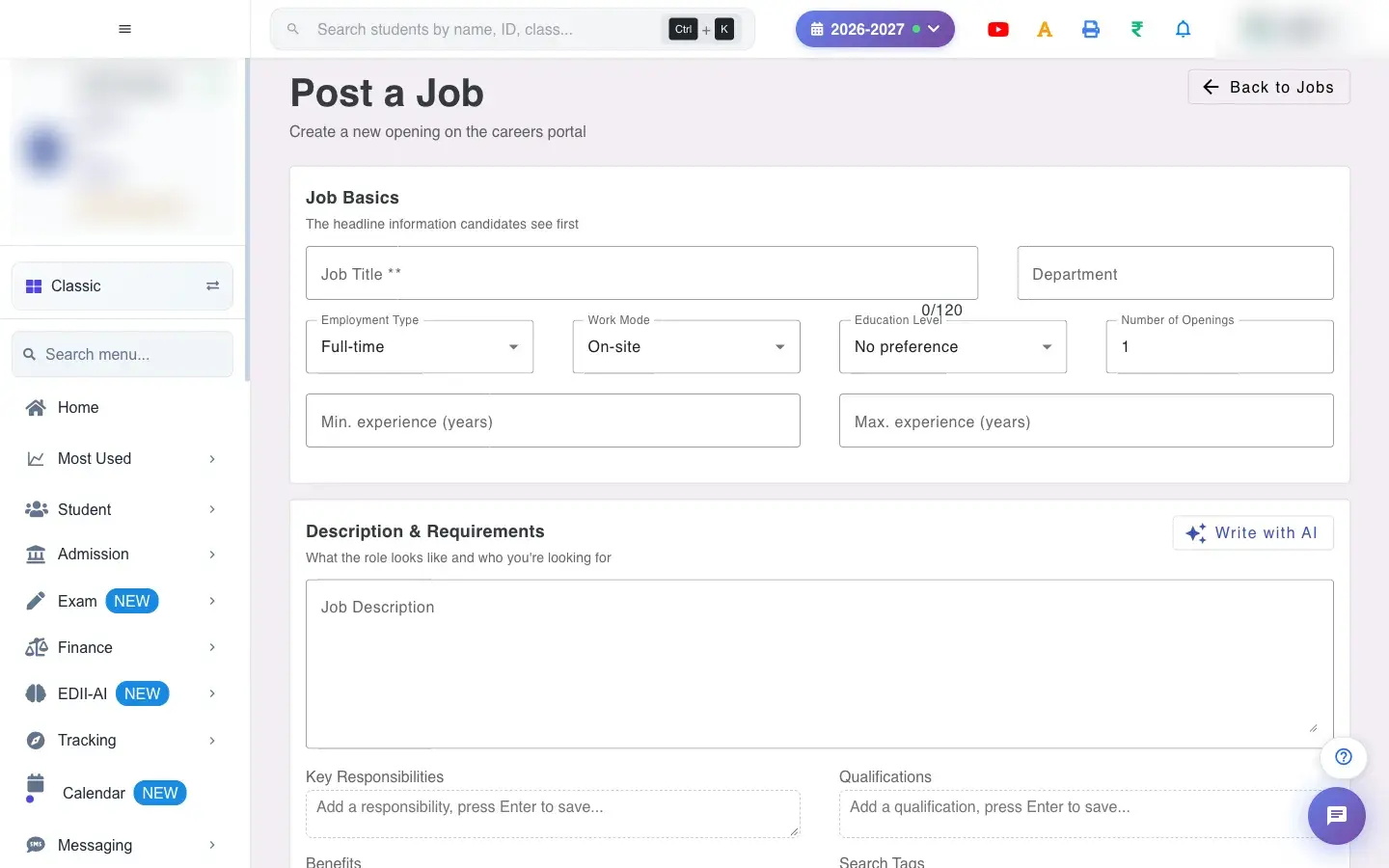 Open a bigger pictureतस्वीर बड़ी करें
Step by step
Section titled “Step by step”1. Enter the title
Section titled “1. Enter the title”Type the Job Title (required).
2. Draft the text
Section titled “2. Draft the text”Select Write with AI to generate the description, responsibilities and qualifications, then review and edit them (Generated — review and tweak before publishing).
3. Set dates and pay
Section titled “3. Set dates and pay”Pick the start and expiry date and time; fill the salary range and whether to show it.
4. Save or publish
Section titled “4. Save or publish”Save as Draft stores it; Publish Job makes it live. A message names the job; Please fill all required fields appears if something is missing.
With data
Section titled “With data”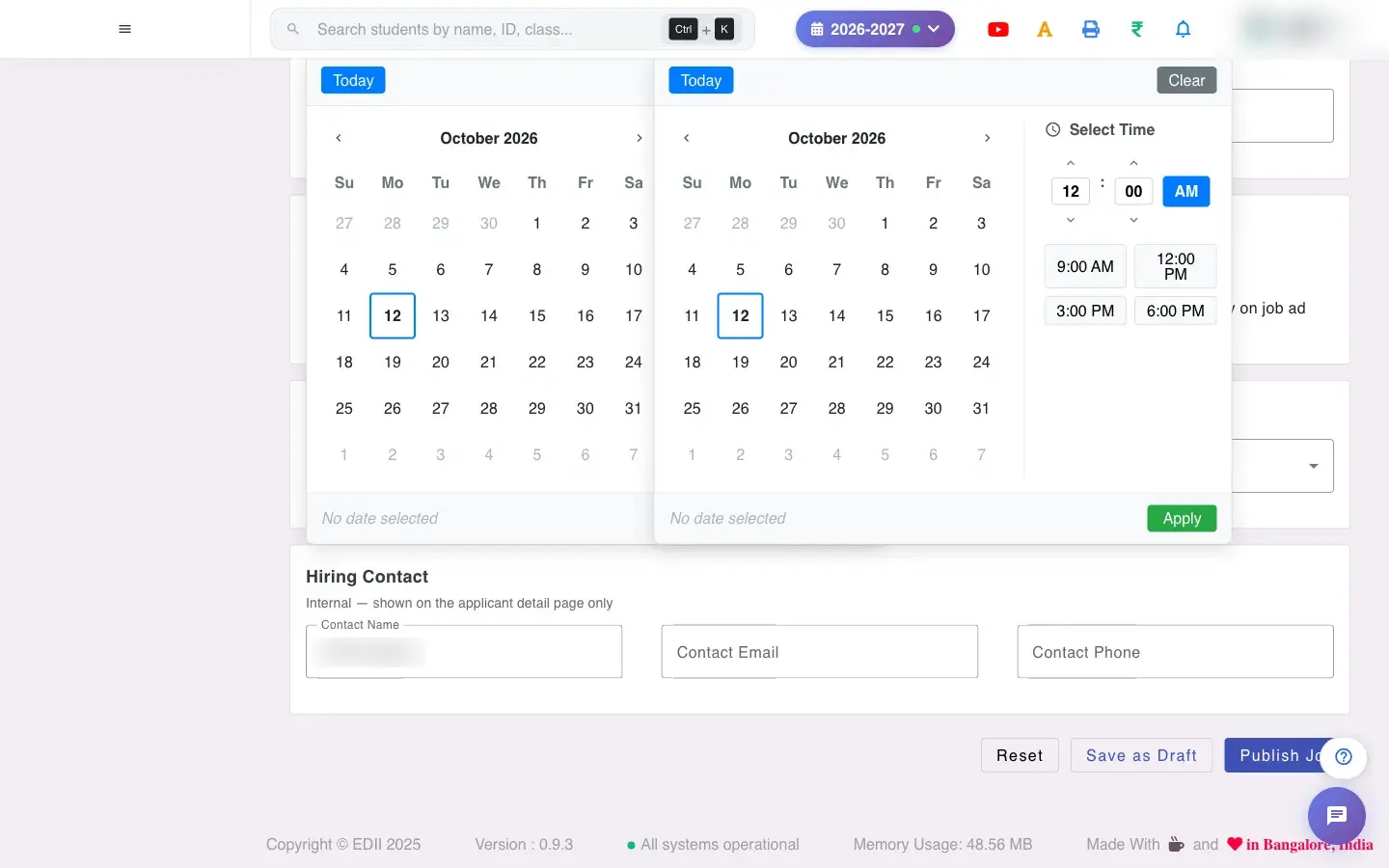 Open a bigger pictureतस्वीर बड़ी करें
Fields and filters
Section titled “Fields and filters”| Field | What it is | Notes |
|---|---|---|
| Job Title | Name of the role. | Required. |
| Department / Employment Type / Work Mode / Education Level | Classification of the job. | Lists. |
| Number of Openings / experience | How many people, and years of experience. | Numbers. |
| Job Description, Key Responsibilities, Qualifications, Benefits | The ad text. | Can be drafted by AI. |
| Search Tags | Words for finding the job. | Optional. |
| Start / expiry date and time | When the ad is live. | Calendar with quick times. |
| External application URL | Apply elsewhere instead. | Optional. |
| Salary Min / Max, Currency, Show salary | Pay range. | Optional. |
| City / State / Country | Location. | Optional. |
| Contact Name / Email / Phone | Who candidates contact. | Optional. |
Buttons
Section titled “Buttons”| Button | What it does | What happens next |
|---|---|---|
| Write with AI | Drafts the ad text from the title. | Fills the boxes; review them. |
| Save as Draft | Saves privately. | A message confirms. |
| Publish Job | Makes it live. | Appears on the careers page. |
| Back to Jobs | Returns to the list. | Unsaved text is lost. |
After you save
Section titled “After you save”- A published job appears on the school’s careers page and in Jobs; applicants arrive under Applicants.
Good to know
Section titled “Good to know”- The title is required.
- Review AI text before publishing.
Messages you may see
Section titled “Messages you may see”| Message | What it means | What to do |
|---|---|---|
| Add the job title first — AI uses it to write better content | Title empty. | Type a title. |
| Generated — review and tweak before publishing | AI text is ready. | Edit and check it. |
| Please fill all required fields | A field is missing. | Complete it. |
| Network error, please try again | A request failed. | Try again. |
- Save as Draft while you finalise the pay and dates.
Stuck? Try this
Section titled “Stuck? Try this”| Problem | Likely cause | What to do |
|---|---|---|
| AI text looks odd | The title was vague. | Use a clear title and edit the text. |
Did this page help?क्या इस पेज से मदद मिली?
Thanks! Glad it helped.धन्यवाद! अच्छा लगा कि काम बन गया।
Sorry about that. Ask in your own words, or write to us.माफ़ कीजिए। अपने शब्दों में पूछें, या हमें लिखें।