
Help homeहेल्प होम
Screen guide · Teacher app
Add Circular (Files)
Share a document or worksheet with a class: name, class, description, optional video link and attachment.
2 steps2 स्टेप
यह पेज अंग्रेज़ी में है। कुछ समझ न आए तो ।
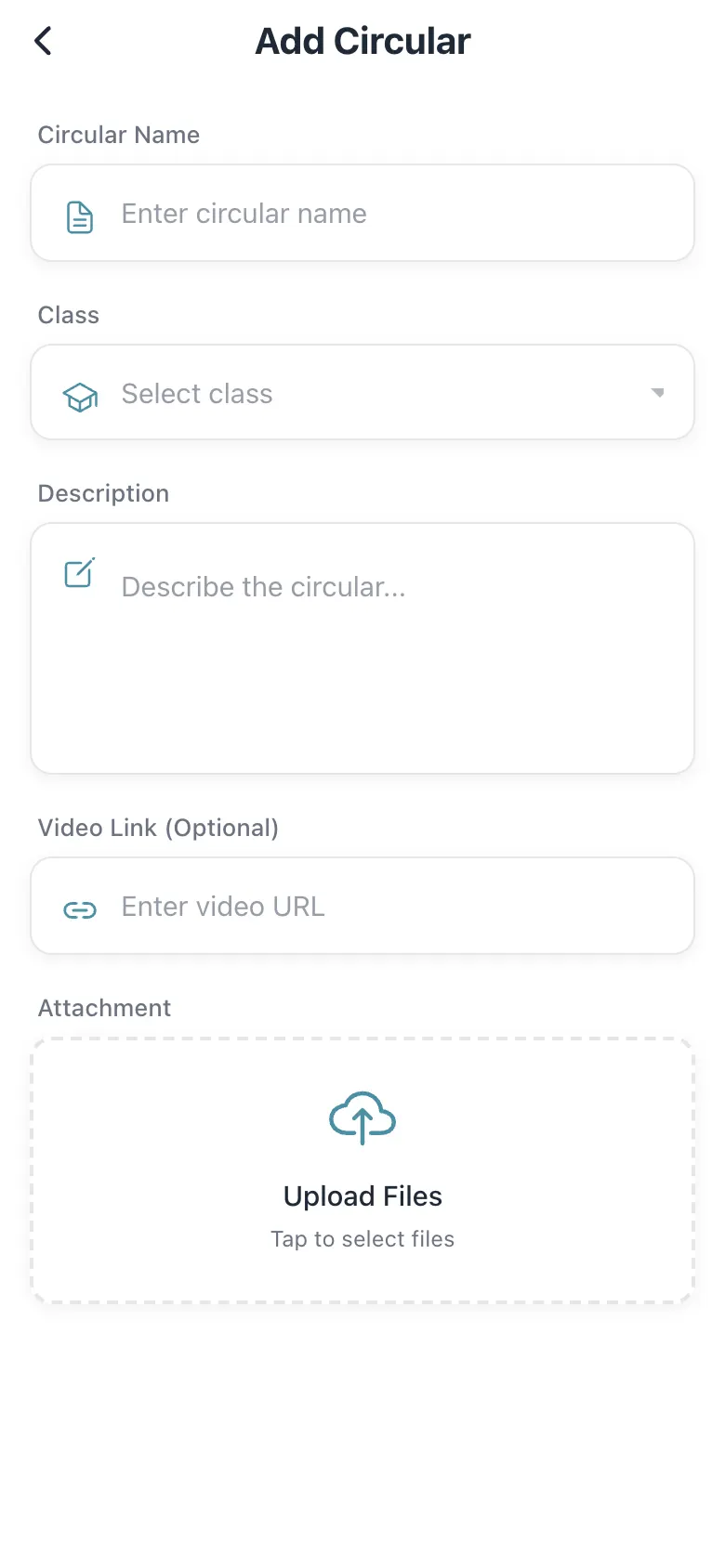
Add Circular takes a Circular Name, the Class, a Description, an optional Video Link (Optional) and an Attachment (Upload Files — tap to select files). Save to publish; students see it as a circular in their app.
Who uses it and when
Section titled “Who uses it and when”Teachers sharing worksheets.
Before you start
Section titled “Before you start”- Have the file ready.
Where to find it
Section titled “Where to find it”- Open Students › Add Files.
 Open a bigger pictureतस्वीर बड़ी करें
Step by step
Section titled “Step by step”1. Fill the form
Section titled “1. Fill the form”Name it, choose the class and describe it.
2. Attach
Section titled “2. Attach”Select Upload Files and pick the document.
Fields and filters
Section titled “Fields and filters”| Field | What it is | Notes |
|---|---|---|
| Circular Name | A title. | Required. |
| Class | Who gets it. | Required. |
| Description | What it is. | Optional. |
| Video Link (Optional) | A link. | Optional. |
| Attachment | The file. | Optional. |
Buttons
Section titled “Buttons”| Button | What it does | What happens next |
|---|---|---|
| Submit | Publishes the circular. | Success. |
After you save
Section titled “After you save”- The circular appears for the class.
Good to know
Section titled “Good to know”- A name and class are needed.
Messages you may see
Section titled “Messages you may see”| Message | What it means | What to do |
|---|---|---|
| Success | Published. | Nothing to do. |
| Error! | It failed. | Try again. |
- Use clear file names.
Stuck? Try this
Section titled “Stuck? Try this”| Problem | Likely cause | What to do |
|---|---|---|
| Parents do not see it | Wrong class. | Check the class. |
Did this page help?क्या इस पेज से मदद मिली?
Thanks! Glad it helped.धन्यवाद! अच्छा लगा कि काम बन गया।
Sorry about that. Ask in your own words, or write to us.माफ़ कीजिए। अपने शब्दों में पूछें, या हमें लिखें।