
Help homeहेल्प होम
How-to · Web app
See and manage suspended students
See suspended students and bring them back.
1 step1 स्टेप
यह पेज अंग्रेज़ी में है। कुछ समझ न आए तो ।
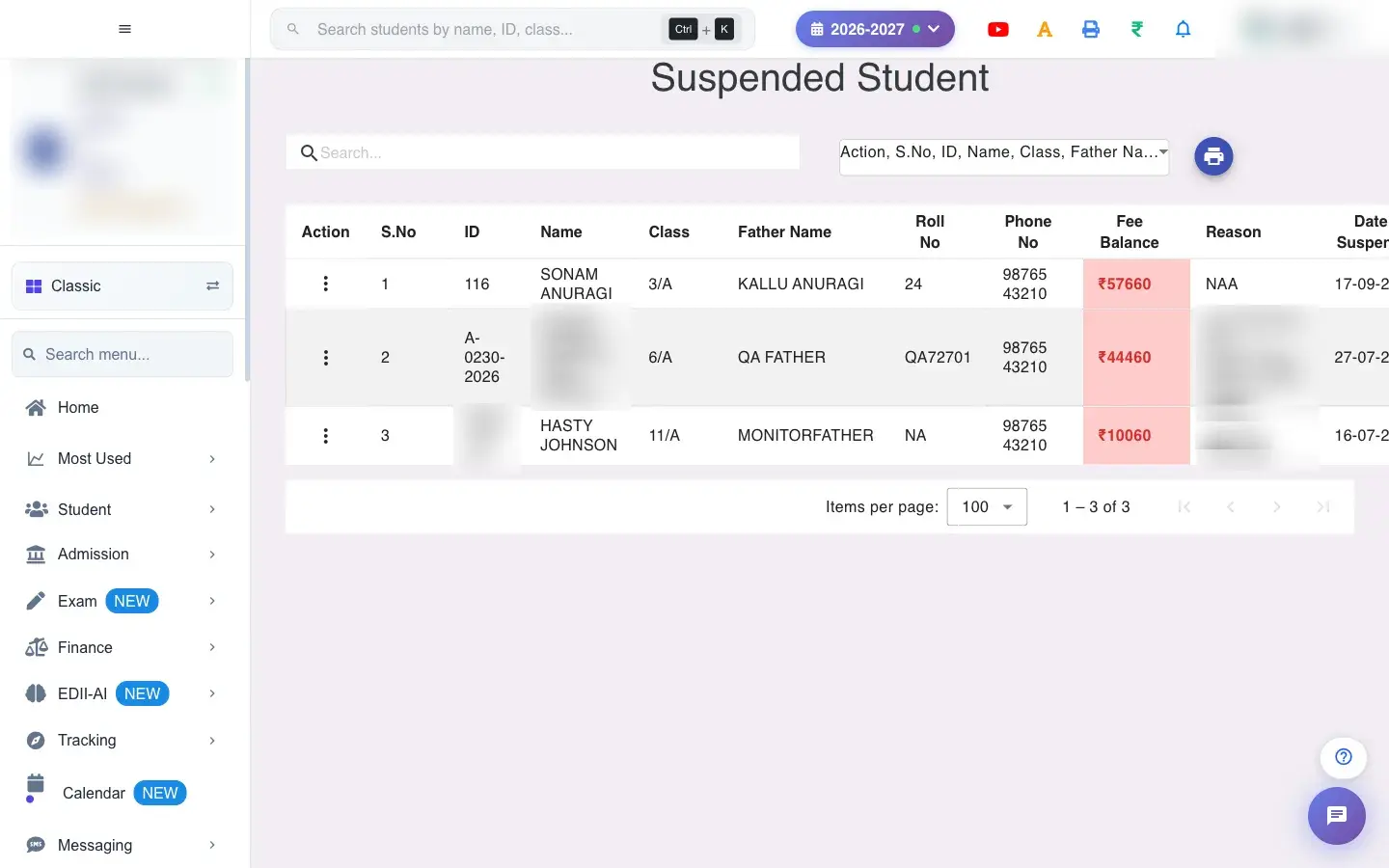
Suspended Student (Student › View Suspend Student) lists the students currently suspended: ID, name, class and section, father’s name, roll number, phone number, Fee Balance, Reason and Date of Suspension. A fee balance greater than zero is shown in red so the office can see who still owes fees.
Before you start
Section titled “Before you start”- Permission to unsuspend is required.
1. Open the screen
Section titled “1. Open the screen”Open the screen from the menu.
 Open a bigger pictureतस्वीर बड़ी करें
What happens next
Section titled “What happens next”- Unsuspending puts the student back on the active roll for attendance, fees and reports.
Good to know
Section titled “Good to know”- Only suspended students appear here.
Stuck? Try this
Section titled “Stuck? Try this”| You see | Why | What to do |
|---|---|---|
| Fee Balance keeps loading | A slow connection. | Click the amount to refresh. |
Did this page help?क्या इस पेज से मदद मिली?
Thanks! Glad it helped.धन्यवाद! अच्छा लगा कि काम बन गया।
Sorry about that. Ask in your own words, or write to us.माफ़ कीजिए। अपने शब्दों में पूछें, या हमें लिखें।