
Screen guide · Teacher app
Class Diary
Record what you taught in each period (topic, activity, homework, remarks, photos), link the Self-Learn chapter, tag students and share it with parents.
यह पेज अंग्रेज़ी में है। कुछ समझ न आए तो ।
Class Diary shows a day with arrows (Previous day / Next day) and your periods from the timetable; for days with no period (playschool or activity days) Add an entry creates a Day entry (no period). New Entry asks for Class, Section, Date, Subject, the Period and Topic / Chapter (What is this about?), then details: class activity, homework, teacher instructions, learning outcome and remarks, items to Bring for / Bring on, photos, and students to recognise or leave a private note for. Self-Learn chapter links the chapter you taught so students can revise at home (Type the topic above and Edii finds the matching chapter; pick up to 3). Entries can Convert to homework (Creates a homework for …) and be deleted (Students and parents will no longer see this diary entry). Families see items once the entry is posted.
Who uses it and when
Section titled “Who uses it and when”Teachers, after each period.
Before you start
Section titled “Before you start”- Your timetable should be set.
Where to find it
Section titled “Where to find it”- Select Class Diary on Home.
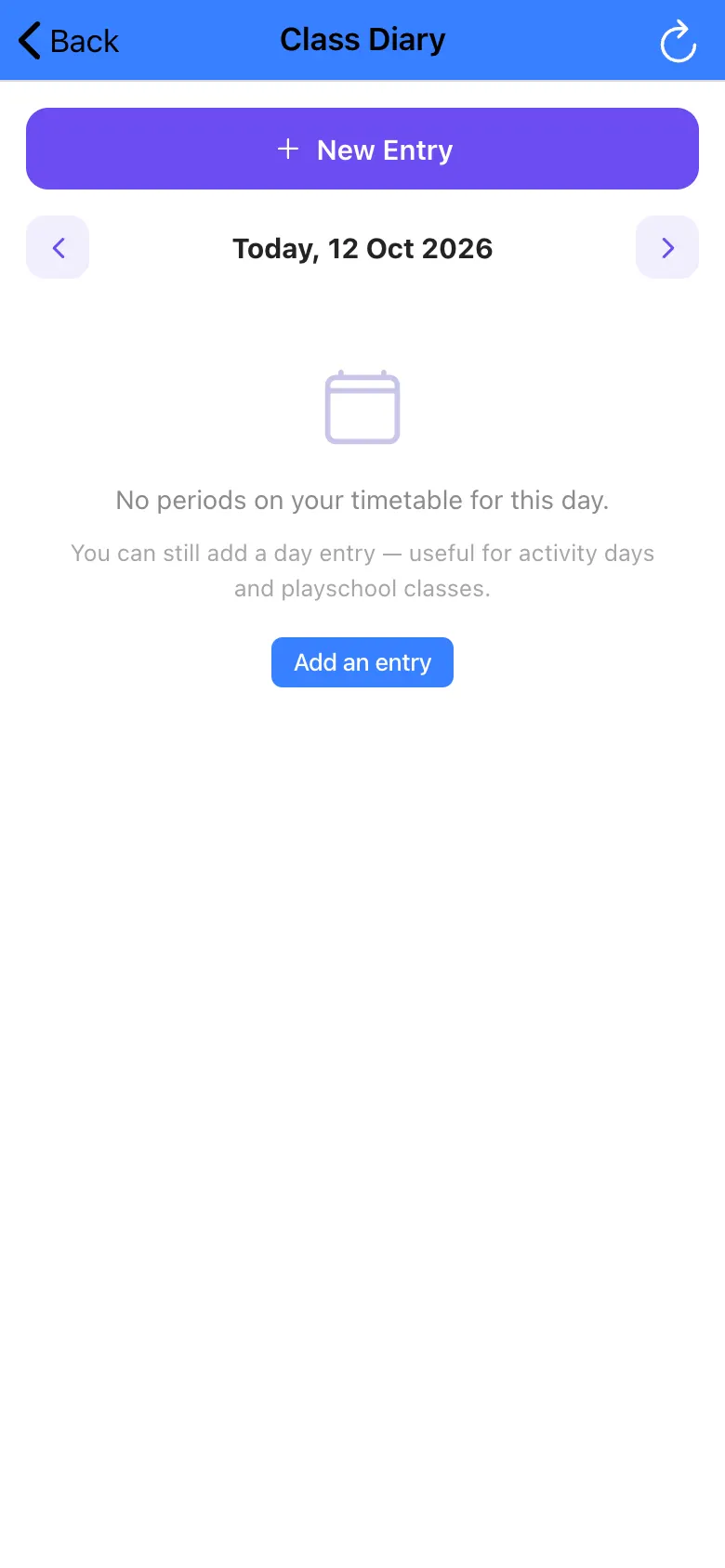 Open a bigger pictureतस्वीर बड़ी करें
Step by step
Section titled “Step by step”1. Pick the day
Section titled “1. Pick the day”Use the arrows to pick a day.
2. Add an entry
Section titled “2. Add an entry”Select New Entry or Add an entry and fill the details.
3. Post it
Section titled “3. Post it”Save so students and parents can see it.
Fields and filters
Section titled “Fields and filters”| Field | What it is | Notes |
|---|---|---|
| Class / Section / Date / Subject | Which lesson. | Required. |
| Topic / Chapter | What was taught. | Required. |
| Self-Learn chapter | A linked chapter for revision. | Optional, up to 3. |
Buttons
Section titled “Buttons”| Button | What it does | What happens next |
|---|---|---|
| New Entry / Add an entry | Starts a diary entry. | The form opens. |
| Convert to homework | Creates a homework from the entry. | Homework created. |
| Delete | Removes the entry. | Students and parents no longer see it. |
After you save
Section titled “After you save”- Parents see the posted entry in Today in Class.
Good to know
Section titled “Good to know”- Details are required before saving (Missing details).
- Up to 3 chapters can be linked.
Messages you may see
Section titled “Messages you may see”| Message | What it means | What to do |
|---|---|---|
| Missing details | A required field is empty. | Fill them. |
| Select students | No students chosen for a recognition or note. | Pick students. |
| Limit reached | You hit a limit (photos or chapters). | Remove one. |
| Delete entry? | Confirmation. | Confirm to delete. |
| Already converted | Homework was already made. | Nothing to do. |
- Post the diary the same day.
- Link the chapter so students can revise.
Stuck? Try this
Section titled “Stuck? Try this”| Problem | Likely cause | What to do |
|---|---|---|
| No periods shown | No timetable for the day. | Use a Day entry. |
Did this page help?क्या इस पेज से मदद मिली?
Thanks! Glad it helped.धन्यवाद! अच्छा लगा कि काम बन गया।
Sorry about that. Ask in your own words, or write to us.माफ़ कीजिए। अपने शब्दों में पूछें, या हमें लिखें।