
Help homeहेल्प होम
Screen guide · Teacher app
Planner
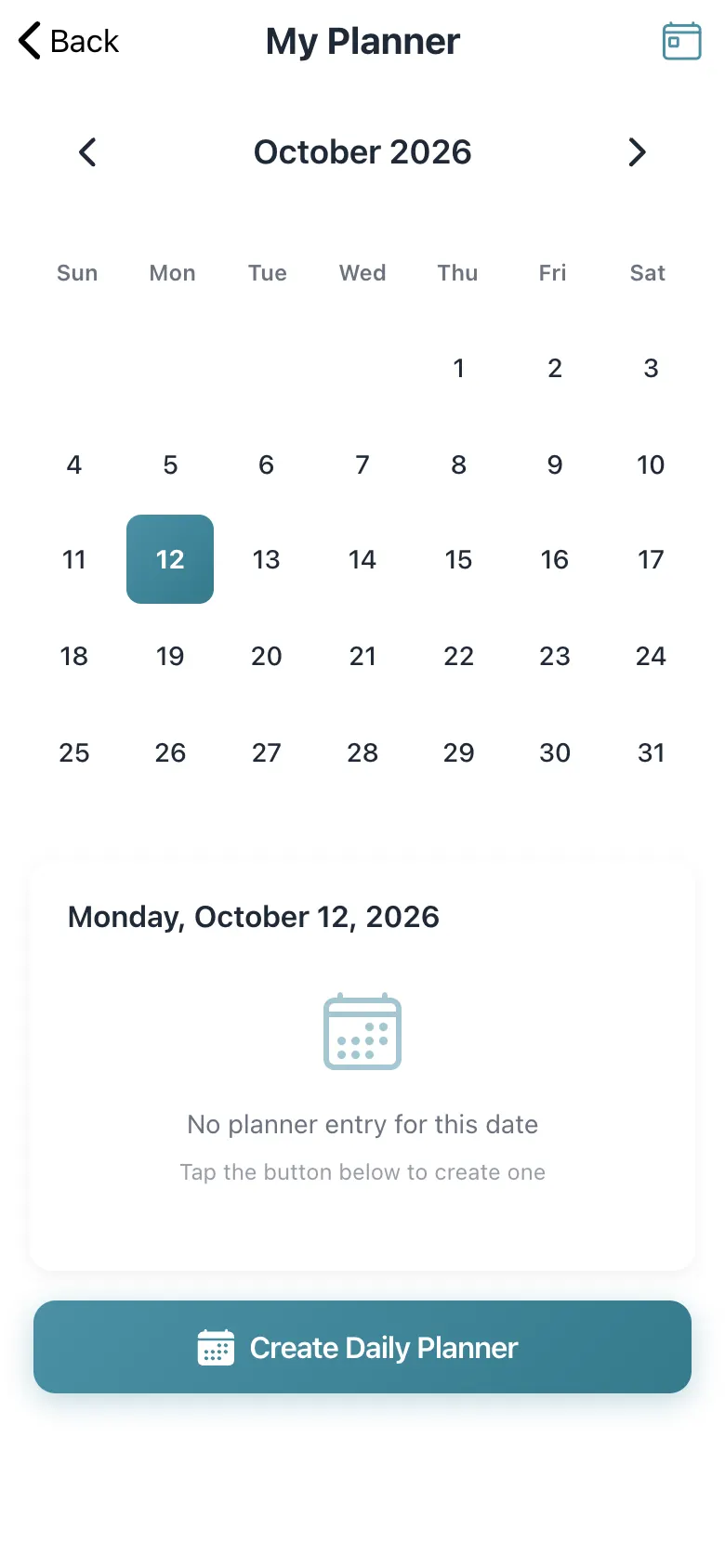
Your own lesson planner by date: a month calendar, a flag on dates that have notes, and a button to create the day's planner.
2 steps2 स्टेप
यह पेज अंग्रेज़ी में है। कुछ समझ न आए तो ।
My Planner shows a month calendar. Select a date; dates carrying an entry are marked Has notes. A date without one says No planner entry for this date — Tap the button below to create one with Create Daily Planner, which opens the daily planner.
Who uses it and when
Section titled “Who uses it and when”Teachers planning lessons.
Before you start
Section titled “Before you start”- Nothing.
Where to find it
Section titled “Where to find it”- Open Planner from Home, My Day or the menu.
 Open a bigger pictureतस्वीर बड़ी करें
Step by step
Section titled “Step by step”1. Pick a date
Section titled “1. Pick a date”Select a date on the calendar.
2. Create the planner
Section titled “2. Create the planner”Select Create Daily Planner.
Buttons
Section titled “Buttons”| Button | What it does | What happens next |
|---|---|---|
| Create Daily Planner | Opens the daily planner for the date. | The Daily Planner opens. |
After you save
Section titled “After you save”- This screen only shows information.
Messages you may see
Section titled “Messages you may see”| Message | What it means | What to do |
|---|---|---|
| No planner entry for this date | Nothing saved for the day. | Create one. |
- Plan the evening before.
Stuck? Try this
Section titled “Stuck? Try this”| Problem | Likely cause | What to do |
|---|---|---|
| A date shows no notes | No entry was saved. | Create the daily planner. |
Did this page help?क्या इस पेज से मदद मिली?
Thanks! Glad it helped.धन्यवाद! अच्छा लगा कि काम बन गया।
Sorry about that. Ask in your own words, or write to us.माफ़ कीजिए। अपने शब्दों में पूछें, या हमें लिखें।