Skip to content
This guide is about the older EDII web app. Using school.edii.in? Open the school.edii.in help.
Help homeहेल्प होम

How-to · Web app

Follow up absentees

Chase absent students and log what you did.

1 step1 स्टेप

यह पेज अंग्रेज़ी में है। कुछ समझ न आए तो ।

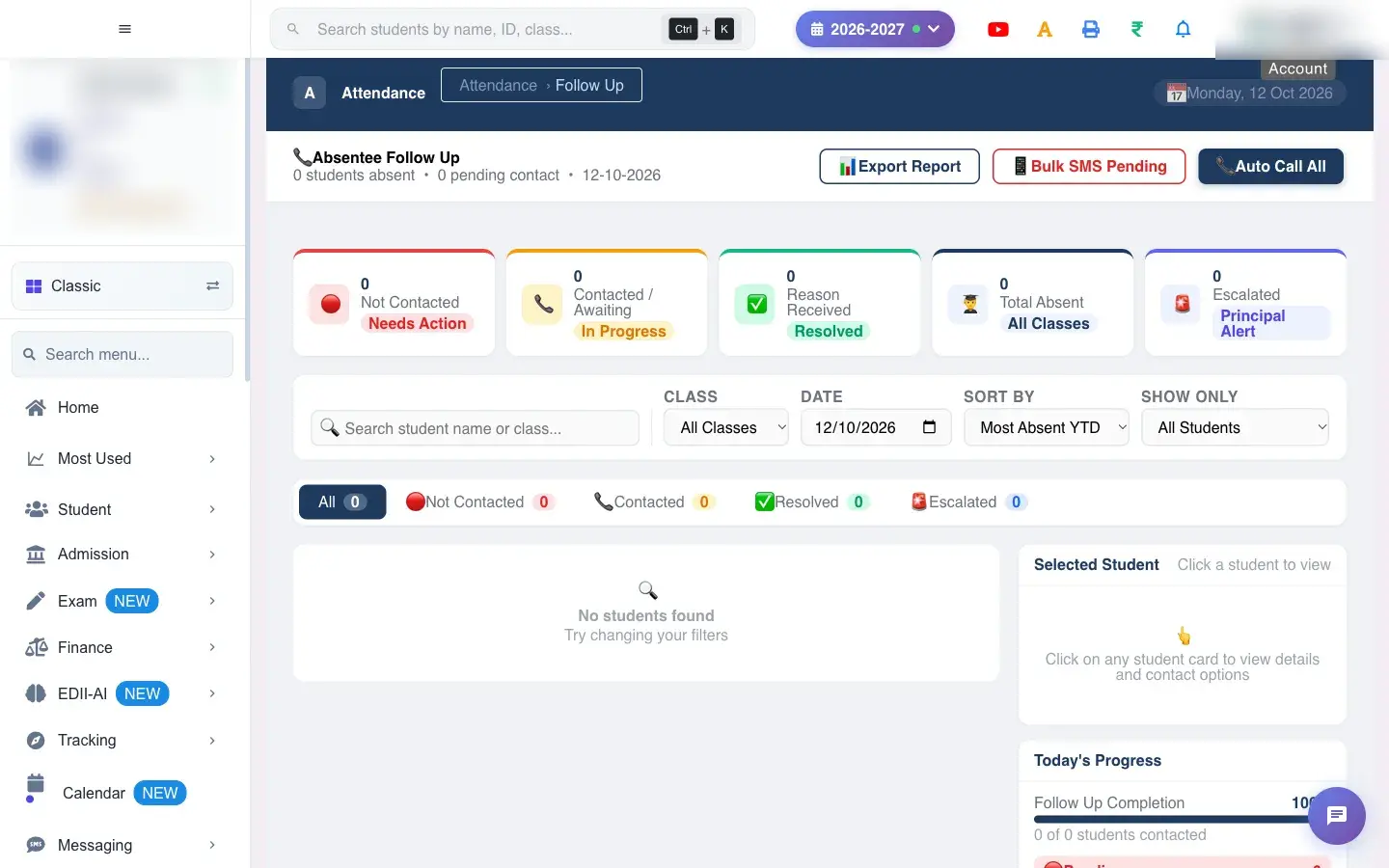
Absentee Follow Up is the working list for the attendance in-charge. Every student who was marked absent on the chosen day appears here with a status, how much attendance they have lost this year and a log of every contact so far.

  • Attendance for the day must already be saved (see Mark Attendance), otherwise the list is empty.
  • To send SMS or WhatsApp messages, the parent’s mobile number must be registered and the school needs SMS or WhatsApp balance. A student without a registered number is logged as Failed.
  1. Open the screen from the menu.

    Open the screenOpen a bigger pictureतस्वीर बड़ी करें
    Full details of this screen Follow up absentees
  • Every contact, SMS, WhatsApp, call attempt and reason is stored permanently in that student’s contact log for that date. There is no button to delete a log entry.
  • SMS and WhatsApp messages leave the school’s account: they use SMS or WhatsApp balance and reach the parent immediately.
  • A student you resolve or escalate keeps their history; you can still open the row to read it.
  • Counters and tabs refresh after each action.
  • Messages go to the mobile number registered for the parent; there is no way to type a different number here.
  • The SMS text is fixed: Dear Parent, your child was marked absent on <date>. Please contact the school office. To send different words, use Messaging.
  • Email and Call do not send anything by themselves; they are for your records.
  • The list is for one date. Change the date to look at earlier absences.
You see Why What to do
A student I marked absent is not on the list The attendance for that day was not saved, or you are viewing a different date. Save attendance on Mark Attendance and reopen this screen for the same date.
The log shows Failed The parent has no registered mobile number, or the SMS or WhatsApp could not be delivered. Update the parent’s phone number on the student record, check the SMS balance, then try again.
Clicking Call does nothing The computer has no calling app. Use the number shown on the row, or open this screen on a phone.

Did this page help?क्या इस पेज से मदद मिली?

Ask EDIIEDII से पूछें

Ask in English, Hindi or Hinglish. Answers come only from these help pages.English, हिंदी या Hinglish में पूछें। जवाब सिर्फ़ इन्हीं हेल्प पेजों से आते हैं।

Try askingऐसे पूछकर देखें