
Screen guide · Admin app
People
Staff today: how many are in, late, not in yet and marked absent; periods that need cover with Assign all; and whether teaching is being logged.
यह पेज अंग्रेज़ी में है। कुछ समझ न आए तो ।
The line under the title gives staff in today and when school starts (18 of 24 staff in today, school starts 8:00.). Four counts follow: In, Late, Not in yet and Marked absent. They come from staff attendance (punches on the attendance machine, or attendance marked on the web).
Needs cover (with a count) lists each period of an absent teacher that has nobody: Period 3, 7-A Maths at 10:15 and <teacher> is absent. <teacher> is free. or Nobody is free this period. Assign all lists the suggested cover (Assign cover) and saves it when you choose Assign (Not now to stop).
Not in yet lists staff with no punch today (No punch yet today.). Late lists those who came after school starts (In at 8:22., +12 min), latest first.
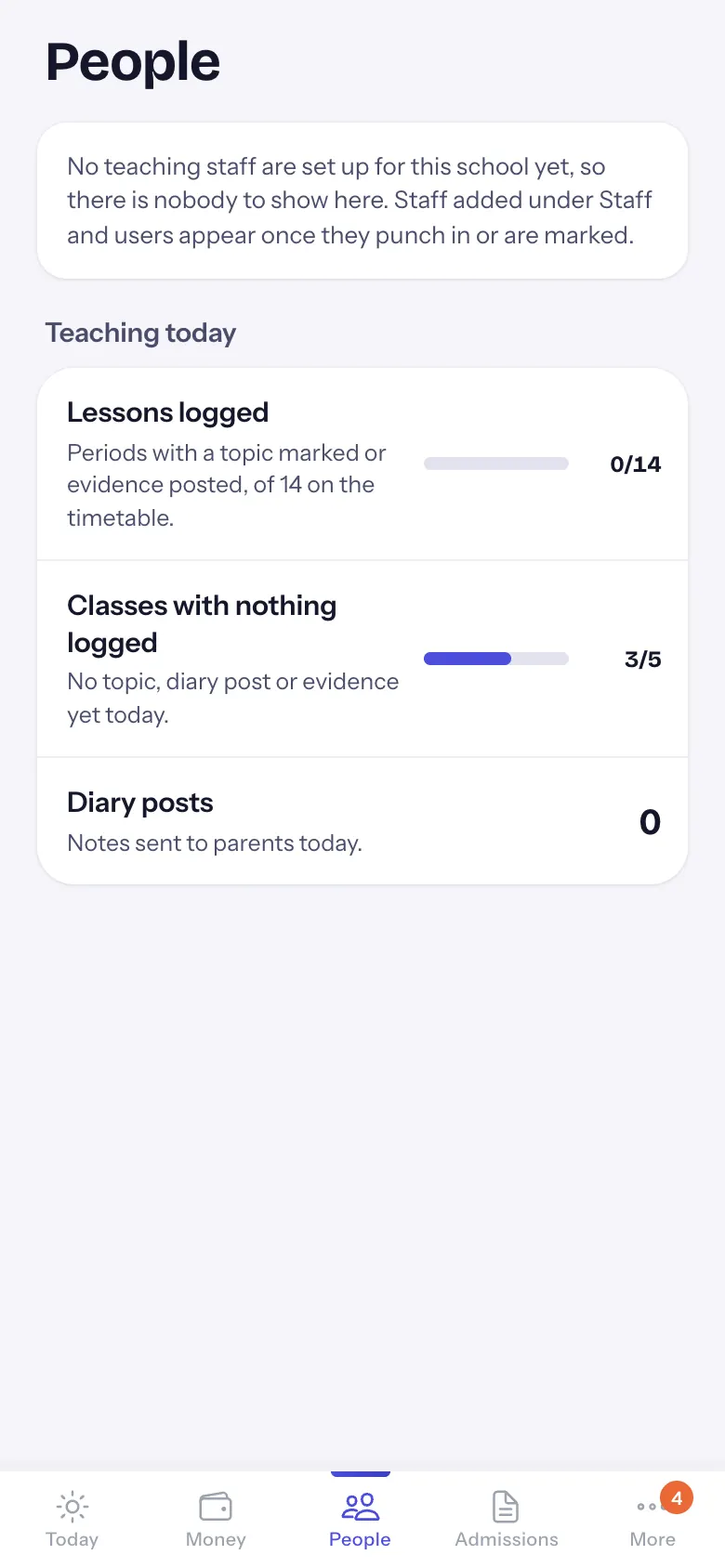
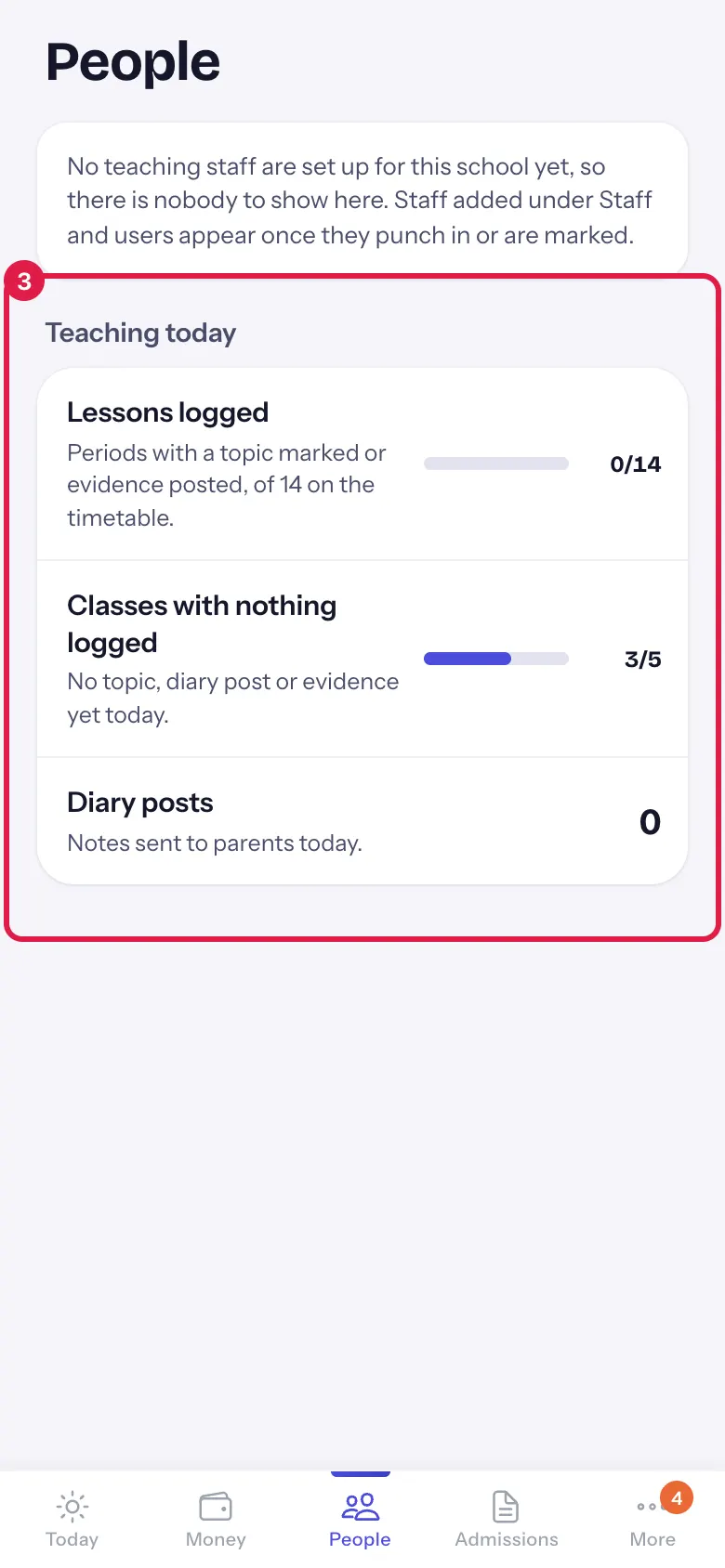
Teaching today shows Lessons logged (periods with a topic marked or evidence posted, out of the periods on the timetable), Classes with nothing logged (no topic, diary post or evidence yet today) and Diary posts (notes sent to parents today).
When the school has no teaching staff set up yet, it says No teaching staff are set up for this school yet, so there is nobody to show here. Staff added under Staff and users appear once they punch in or are marked.
Who uses it and when
Section titled “Who uses it and when”Principals, in the first period and after lunch.
Before you start
Section titled “Before you start”- Staff attendance (machine or web) and the timetable are set up in EDII.
Where to find it
Section titled “Where to find it”- Choose People in the bottom bar.
- Or select a cover or staff row on Today.
 Open a bigger pictureतस्वीर बड़ी करें
Step by step
Section titled “Step by step”1. See who is in
Section titled “1. See who is in”Read In, Late, Not in yet and Marked absent, then the names under Not in yet and Late.
2. Cover the empty periods
Section titled “2. Cover the empty periods”Under Needs cover, select Assign all, check the list and choose Assign. The teachers are told in their app.
3. Check teaching today
Section titled “3. Check teaching today”Teaching today shows whether lessons and diary notes are being logged.
 Open a bigger pictureतस्वीर बड़ी करें
Buttons
Section titled “Buttons”| Button | What it does | What happens next |
|---|---|---|
| Assign all | Shows every suggested cover and saves it when you confirm. | Assigned 4 periods. |
After you save
Section titled “After you save”- Assign all saves the substitute periods for today.
Good to know
Section titled “Good to know”- Assign all shows only when at least one period has a free teacher.
- Late means after the school start time set for staff attendance.
Messages you may see
Section titled “Messages you may see”| Message | What it means | What to do |
|---|---|---|
| Assigned <n> periods. | Cover is saved. | Nothing to do. |
| Couldn’t assign cover. | It was not saved. | Try again, or arrange it on the web. |
| Couldn’t read staff attendance for today. | Staff counts failed. | Pull down to try again. |
| Couldn’t read today’s teaching log. | Teaching today failed. | Pull down to try again. |
- A teacher in Not in yet may be on leave not yet marked: check before calling.
Stuck? Try this
Section titled “Stuck? Try this”| Problem | Likely cause | What to do |
|---|---|---|
| Everyone shows Not in yet | The attendance machine has not sent today’s punches yet. | Check the machine is online; pull down later. |
| It says no teaching staff are set up | No teacher accounts in the school yet. | Add staff under Staff and users on the web. |
Did this page help?क्या इस पेज से मदद मिली?
Thanks! Glad it helped.धन्यवाद! अच्छा लगा कि काम बन गया।
Sorry about that. Ask in your own words, or write to us.माफ़ कीजिए। अपने शब्दों में पूछें, या हमें लिखें।