Skip to content
This guide is about the older EDII web app. Using school.edii.in? Open the school.edii.in help.
Help homeहेल्प होम

How-to · Web app

Send an app notification

Send a push notification to a class.

1 step1 स्टेप

यह पेज अंग्रेज़ी में है। कुछ समझ न आए तो ।

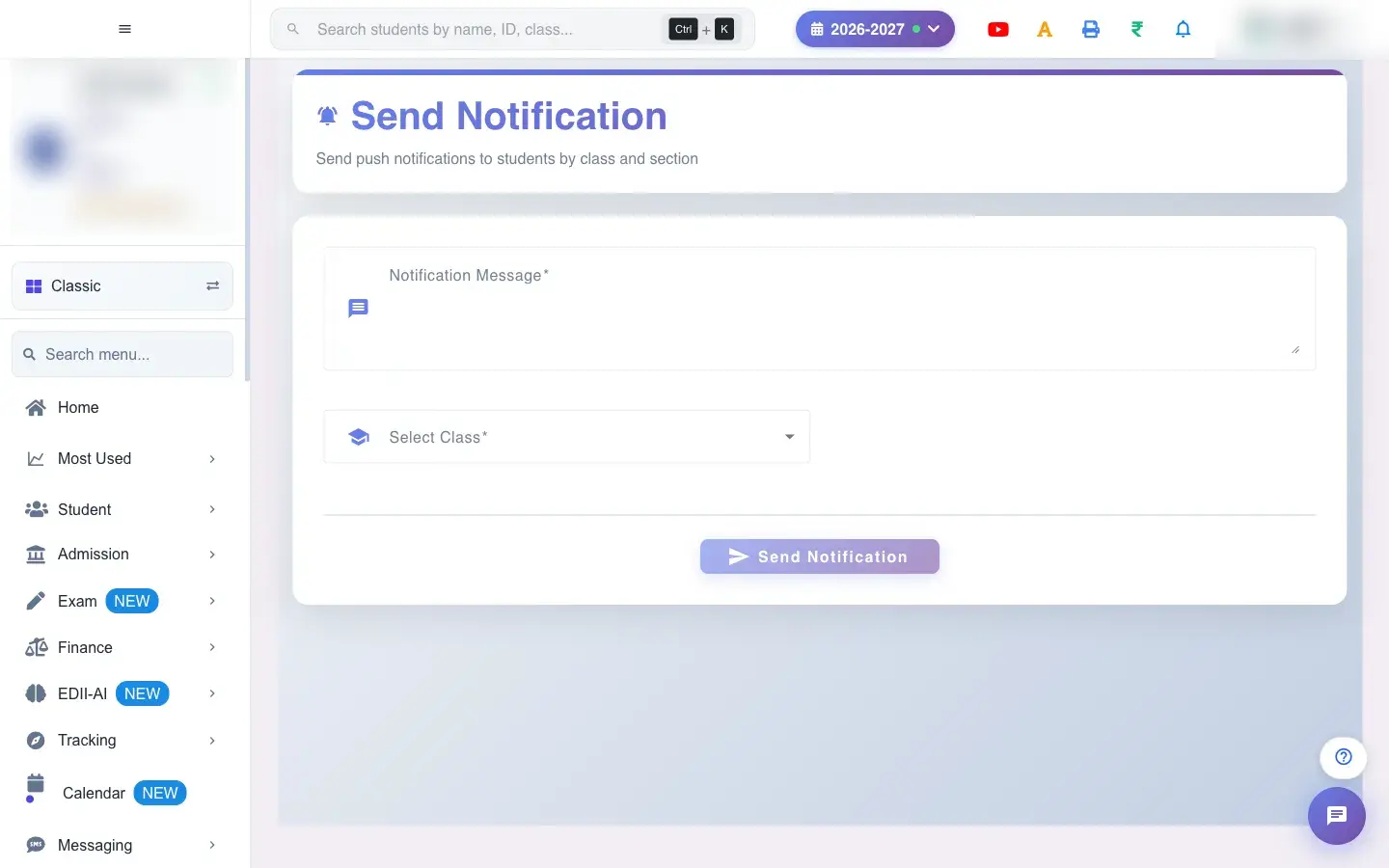
Send Notification (Messaging › Send) sends a push notification to the student app for a class and section. Choose the Class and Section (both required), type the Notification Message (required) and select Send. A confirmation reads Notification Sent! (and Notification Sent to Staff! where it also goes to staff).

  • Parents see it if they have the student app and notifications switched on.
  1. Open the screen from the menu.

    Open the screenOpen a bigger pictureतस्वीर बड़ी करें
    Full details of this screen Send an app notification
  • The notification is delivered to the app of every student in the class and section and stays in their notifications list.
  • Class, section and message are required.
You see Why What to do
A parent did not see it They are not on the app or have notifications off. Send an SMS as well.

Did this page help?क्या इस पेज से मदद मिली?

Ask EDIIEDII से पूछें

Ask in English, Hindi or Hinglish. Answers come only from these help pages.English, हिंदी या Hinglish में पूछें। जवाब सिर्फ़ इन्हीं हेल्प पेजों से आते हैं।

Try askingऐसे पूछकर देखें