
How-to · Teacher app
Assign and grade homework
होमवर्क दें
Publish homework with attachments and grade submissions.
यह पेज अंग्रेज़ी में है। कुछ समझ न आए तो ।
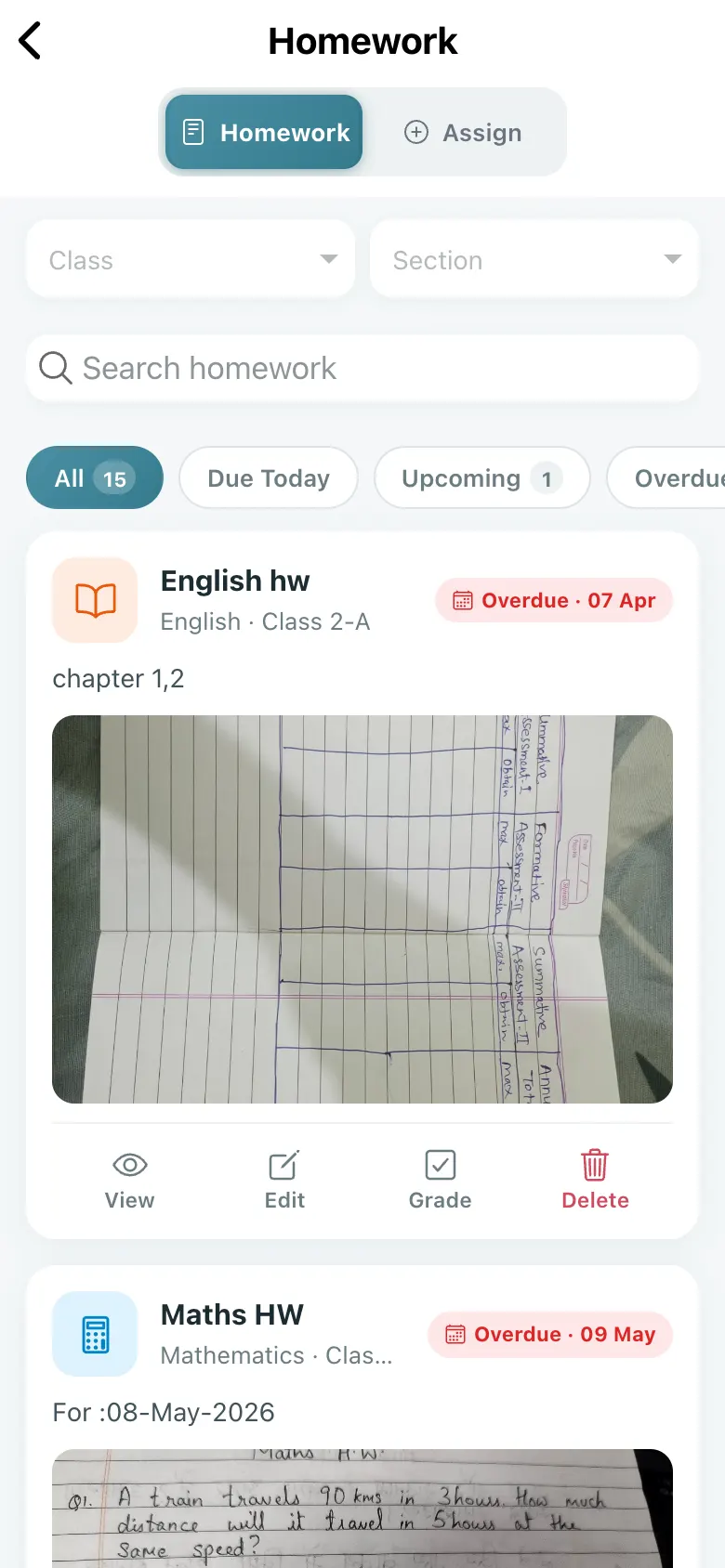
Homework lists what you assigned with filters All, Due Today, Upcoming and Overdue. Each item has Edit, Grade and Delete. With none: No homework yet — Tap “Assign” to create your first homework.
Before you start
Section titled “Before you start”- Have the worksheet photo or PDF ready.
1. Start a new homework
Section titled “1. Start a new homework”Select Assign.
 Open a bigger pictureतस्वीर बड़ी करें
2. Fill the details
Section titled “2. Fill the details”Enter title, subject, class, section, due date and priority; add attachments or generate the text with AI.
3. Publish
Section titled “3. Publish”Select Assign. Homework Assigned confirms it.
4. Grade the work
Section titled “4. Grade the work”Open Grade on an assignment, view each submission and use AI Grade.
Full details of this screen Assign and grade homework
What happens next
Section titled “What happens next”- The homework appears in the student and parent app immediately.
Good to know
Section titled “Good to know”- A title, class, section, due date and at least one attachment are required.
- Deleting removes it for students.
Stuck? Try this
Section titled “Stuck? Try this”| You see | Why | What to do |
|---|---|---|
| Students cannot see it | Wrong class or section. | Edit the homework. |
Did this page help?क्या इस पेज से मदद मिली?
Thanks! Glad it helped.धन्यवाद! अच्छा लगा कि काम बन गया।
Sorry about that. Ask in your own words, or write to us.माफ़ कीजिए। अपने शब्दों में पूछें, या हमें लिखें।