
Screen guide · Teacher app
My Attendance (punch in and out)
Your own staff attendance: punch in when you arrive and out when you leave, with your location recorded for verification.
यह पेज अंग्रेज़ी में है। कुछ समझ न आए तो ।
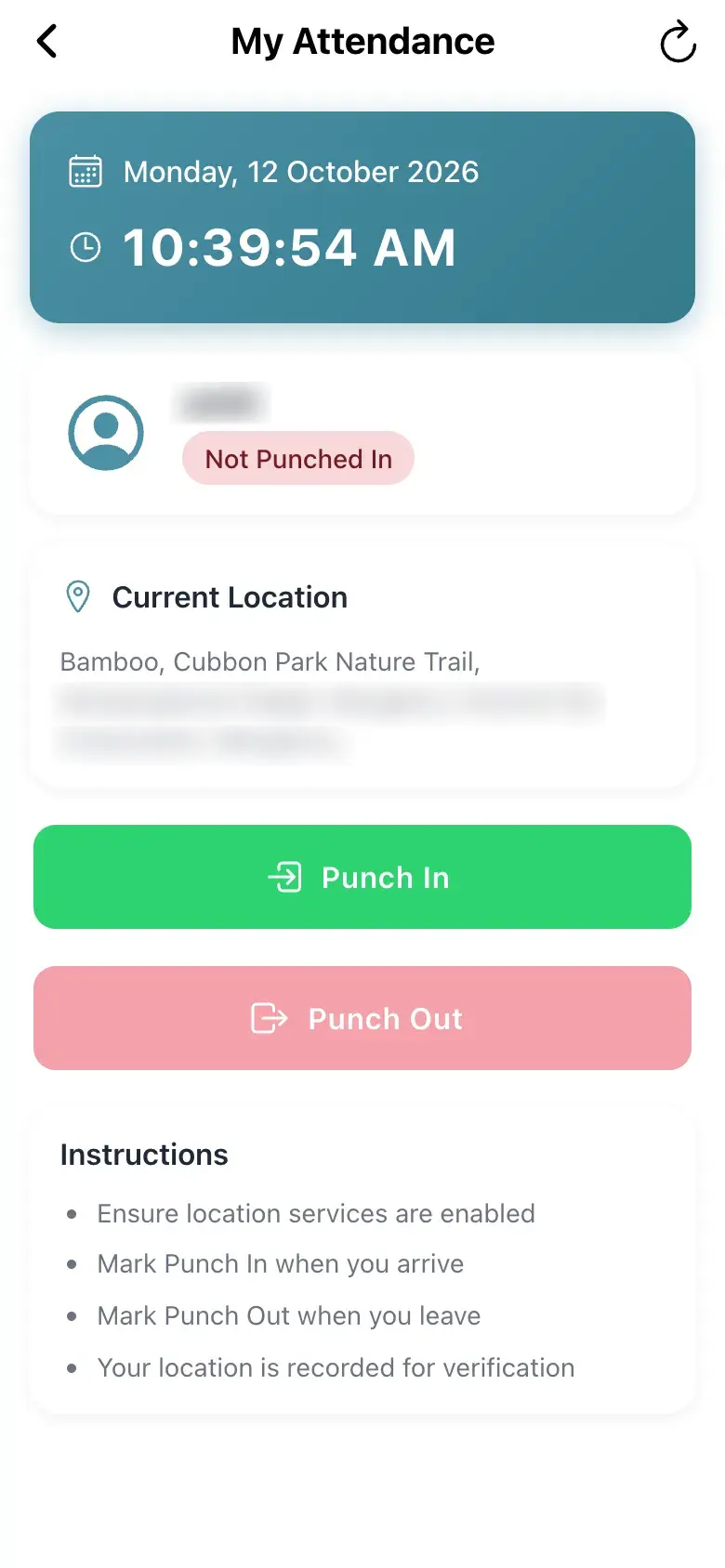
My Attendance shows today’s date and time, your user name and your status (Not Punched In before you start), the Current Location (it first says Fetching location…) and two buttons, Punch In and Punch Out. Today’s Record shows the times once you punch. The Instructions are: ensure location services are enabled, mark Punch In when you arrive, mark Punch Out when you leave, and Your location is recorded for verification.
Location is mandatory: without it you see Location Required — Please enable location services to mark your attendance. Your location is required for attendance verification. with Retry. Some schools do not record staff attendance in the app; then the page says Attendance from the app is off — Your school records staff attendance another way, such as a biometric machine. Ask your school office if you think this is a mistake.
Who uses it and when
Section titled “Who uses it and when”Teachers at the start and end of the school day.
Before you start
Section titled “Before you start”- Switch on location for the app.
Where to find it
Section titled “Where to find it”- Select My Attendance on Home, or Self attendance in My Day › Quick actions.
 Open a bigger pictureतस्वीर बड़ी करें
Step by step
Section titled “Step by step”1. Check your location
Section titled “1. Check your location”Wait for Current Location to show your place.
2. Punch in
Section titled “2. Punch in”Select Punch In when you arrive (Marking Punch In…).
3. Punch out
Section titled “3. Punch out”Select Punch Out when you leave (Marking Punch Out…).
Buttons
Section titled “Buttons”| Button | What it does | What happens next |
|---|---|---|
| Punch In | Records your arrival with your location. | Success; Today’s Record shows the time. |
| Punch Out | Records your departure with your location. | Success; Today’s Record shows the time. |
| Retry | Retries finding your location. | The location updates. |
After you save
Section titled “After you save”- Your punch is saved with your coordinates and appears in staff attendance reports.
Good to know
Section titled “Good to know”- Location services must be on.
- If the school has switched off app attendance you cannot punch here.
Messages you may see
Section titled “Messages you may see”| Message | What it means | What to do |
|---|---|---|
| Location Required | Location is off. | Turn on location for the app and select Retry. |
| Location unavailable. Please enable location services. | No location. | Enable location and retry. |
| Attendance from the app is off | The school does not use app attendance. | Ask the school office. |
| Marking Punch In… | Saving. | Wait. |
- Punch in only when you are at school; the location is checked.
Stuck? Try this
Section titled “Stuck? Try this”| Problem | Likely cause | What to do |
|---|---|---|
| Punch In fails | Location is off or the school disabled it. | Enable location; ask the office. |
Did this page help?क्या इस पेज से मदद मिली?
Thanks! Glad it helped.धन्यवाद! अच्छा लगा कि काम बन गया।
Sorry about that. Ask in your own words, or write to us.माफ़ कीजिए। अपने शब्दों में पूछें, या हमें लिखें।