Skip to content
This guide is about the older EDII web app. Using school.edii.in? Open the school.edii.in help.
Help homeहेल्प होम

How-to · Web app

Staff attendance

स्टाफ़ की हाज़िरी

Enter staff attendance by hand for a day.

1 step1 स्टेप

यह पेज अंग्रेज़ी में है। कुछ समझ न आए तो ।

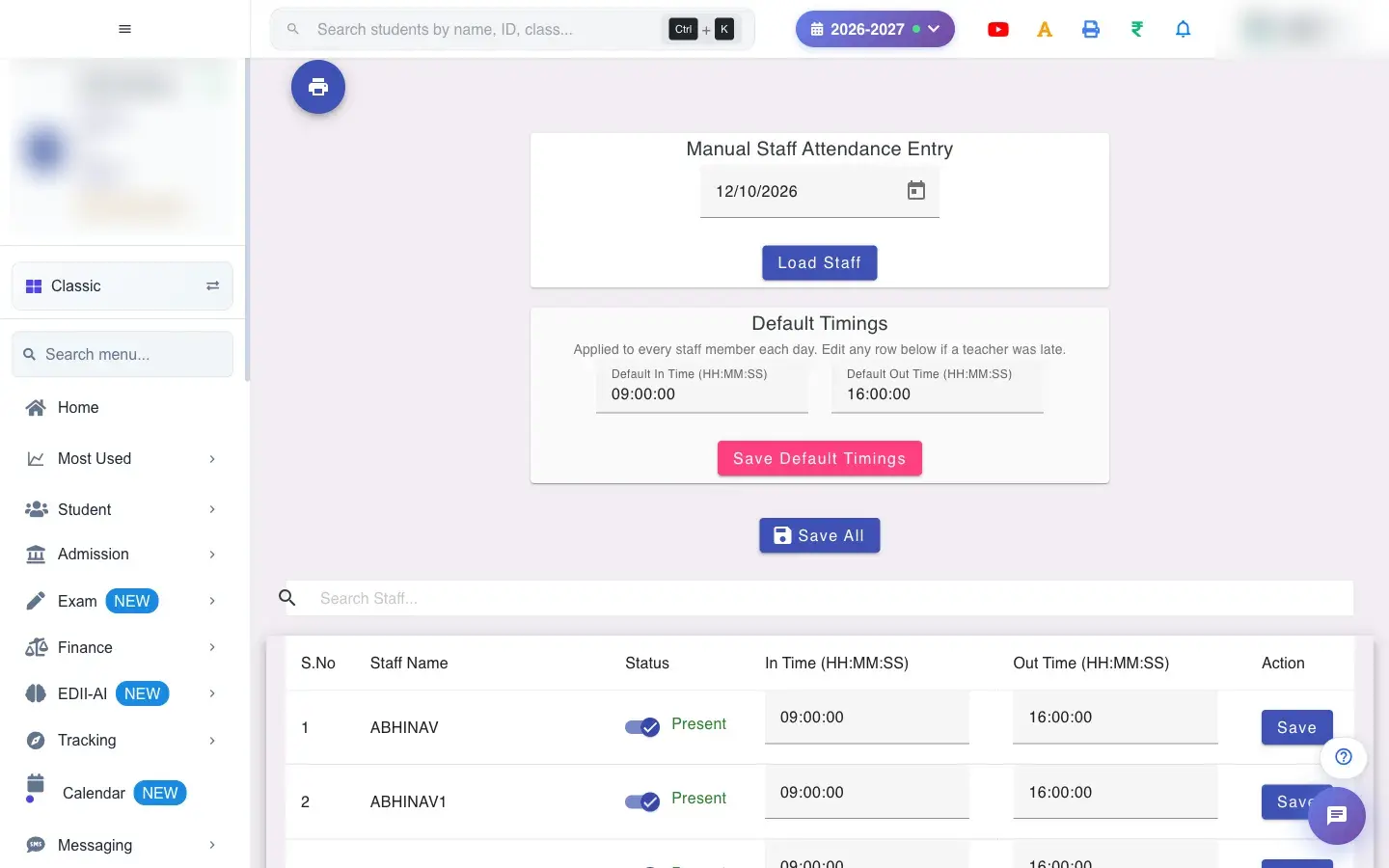
Manual Staff Attendance is for schools without a biometric device, or for days when the device missed people. You pick a date, load the staff, and for each person choose Present or Absent and the in and out times.

  • Pick the date (required). Decide your default in and out times, because every row starts with them.
  1. Open the screen from the menu.

    Open the screenOpen a bigger pictureतस्वीर बड़ी करें
    Full details of this screen Staff attendance
  • The attendance is stored per person for the date and appears in the Staff Attendance Report, the Staff Attendance Dashboard and the daily staff list.
  • Absent teachers feed the free-period cover count that Reassign Free Periods uses.
  • Saving again for the same person and date replaces the earlier record.
  • Default timings must be saved with both in and out times.
  • A row needs an in or out time, or Absent, to be saved.
  • Times use the 24-hour HH:MM:SS format.
You see Why What to do
No staff members found No staff are set up, or the date is wrong. Check the date and the staff list in User management.

Did this page help?क्या इस पेज से मदद मिली?

Ask EDIIEDII से पूछें

Ask in English, Hindi or Hinglish. Answers come only from these help pages.English, हिंदी या Hinglish में पूछें। जवाब सिर्फ़ इन्हीं हेल्प पेजों से आते हैं।

Try askingऐसे पूछकर देखें