
Help homeहेल्प होम
Screen guide · Admin app
Anomalies
Unusual movements in the school's metrics that need attention.
1 step1 स्टेप
यह पेज अंग्रेज़ी में है। कुछ समझ न आए तो ।
Anomalies scans the metrics (Scanning metrics for anomalies…) and lists Detected anomalies with a Total anomalies count. With nothing unusual it says No anomalies detected — all metrics look healthy. Retry reloads.
Who uses it and when
Section titled “Who uses it and when”Principals.
Before you start
Section titled “Before you start”- Nothing.
Where to find it
Section titled “Where to find it”- Open More › All insights › Anomalies.
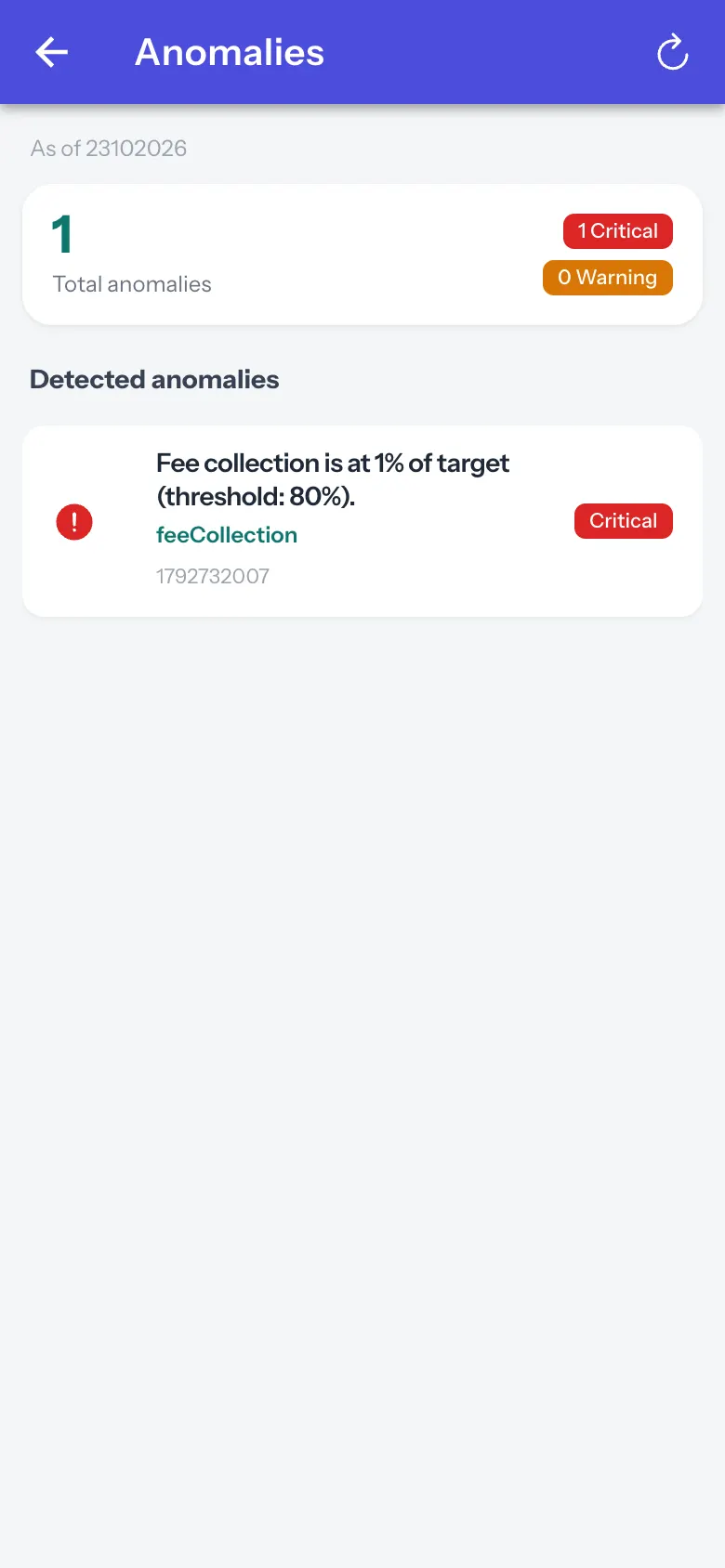 Open a bigger pictureतस्वीर बड़ी करें
Step by step
Section titled “Step by step”1. Read the list
Section titled “1. Read the list”Open each anomaly.
After you save
Section titled “After you save”- This screen only shows information.
Messages you may see
Section titled “Messages you may see”| Message | What it means | What to do |
|---|---|---|
| No anomalies detected — all metrics look healthy | Nothing unusual. | Nothing to do. |
- Check an anomaly against the source screen before acting.
Stuck? Try this
Section titled “Stuck? Try this”| Problem | Likely cause | What to do |
|---|---|---|
| Many anomalies | Missing data can look unusual. | Check data entry first. |
Did this page help?क्या इस पेज से मदद मिली?
Thanks! Glad it helped.धन्यवाद! अच्छा लगा कि काम बन गया।
Sorry about that. Ask in your own words, or write to us.माफ़ कीजिए। अपने शब्दों में पूछें, या हमें लिखें।