
How-to · Web app
Schedule an online class
Schedule a live class for a class and section.
यह पेज अंग्रेज़ी में है। कुछ समझ न आए तो ।
Add Online Class (E Learning › Add) schedules a live class. For a single class pick the Class, Section (there is a Select All option), Host (the teacher), start time and end time, type a Meeting Name and optional Notes, then select Add Meeting. Meeting names accept only plain characters (special symbols are blocked as you type).
Before you start
Section titled “Before you start”- Know the class, section, teacher and timing. For a recurring class decide the dates.
1. Choose class and section
Section titled “1. Choose class and section”Pick the Class, then the Section (or Select All sections).
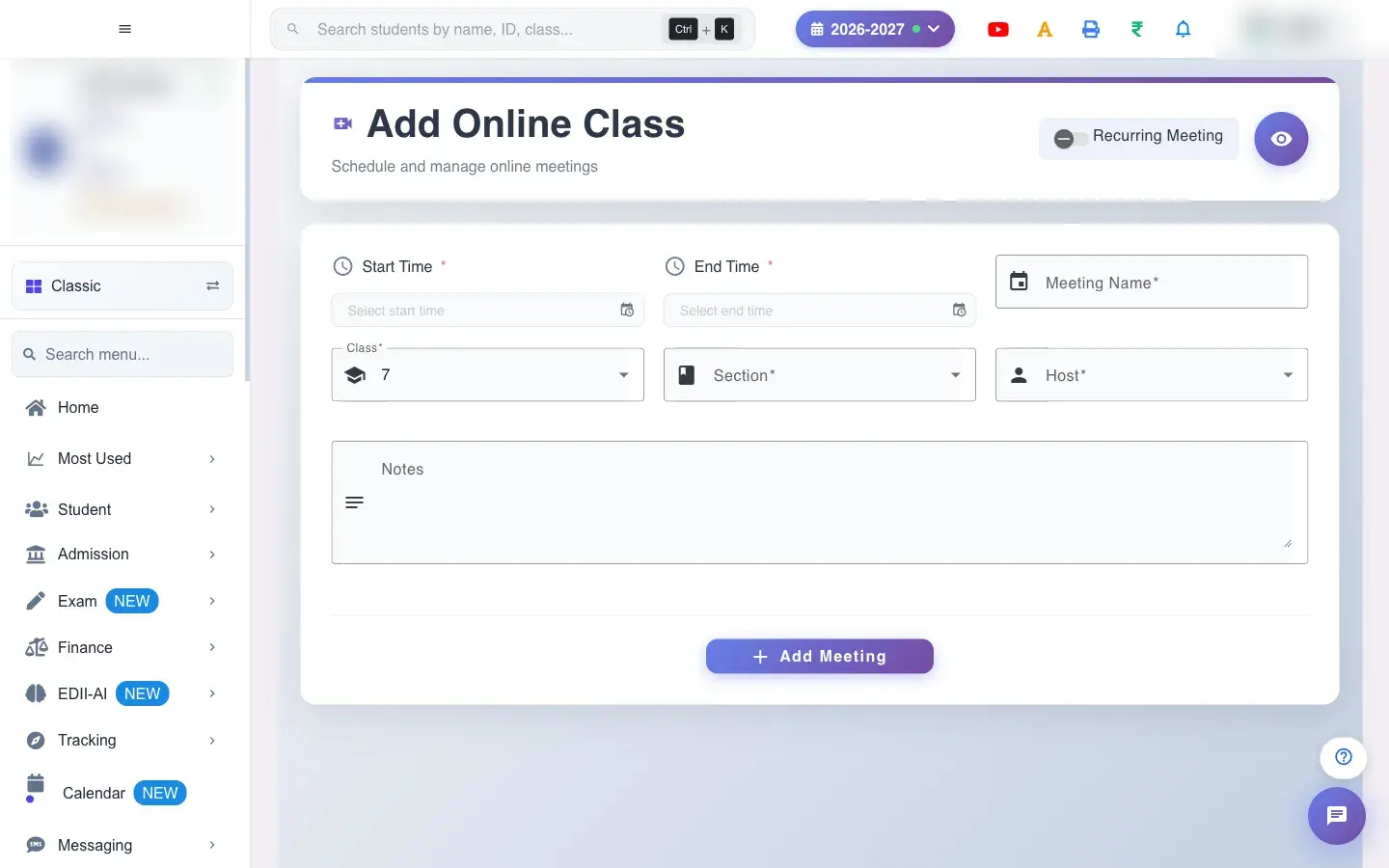 Open a bigger pictureतस्वीर बड़ी करें
2. Choose host and time
Section titled “2. Choose host and time”Pick the Host and the start and end time.
3. Name it
Section titled “3. Name it”Type the Meeting Name and, if you like, Notes for students.
4. Repeat if needed
Section titled “4. Repeat if needed”Switch on Recurring Meeting to pick several dates. Without at least two dates you see Select Multiple Dates to start a Recurring Meeting; with none you see Select at least one date for the recurring meeting.
5. Save
Section titled “5. Save”Select Add Meeting. Meeting Added confirms it.
Full details of this screen Schedule an online class
What happens next
Section titled “What happens next”- The online class is created for the class and section and appears in Meetings for the host and the students.
Good to know
Section titled “Good to know”- Name, class, section, host and times are required.
- A recurring class needs at least two dates.
Stuck? Try this
Section titled “Stuck? Try this”| You see | Why | What to do |
|---|---|---|
| Cannot save | A required box is empty. | Fill class, section, host, times and name. |
Did this page help?क्या इस पेज से मदद मिली?
Thanks! Glad it helped.धन्यवाद! अच्छा लगा कि काम बन गया।
Sorry about that. Ask in your own words, or write to us.माफ़ कीजिए। अपने शब्दों में पूछें, या हमें लिखें।