
Screen guide · Admin app
Attendance by month
Attendance for the week, month or quarter: average, working days, best and low days, trend, low-attendance students with a reminder button, and class-wise attendance.
यह पेज अंग्रेज़ी में है। कुछ समझ न आए तो ।
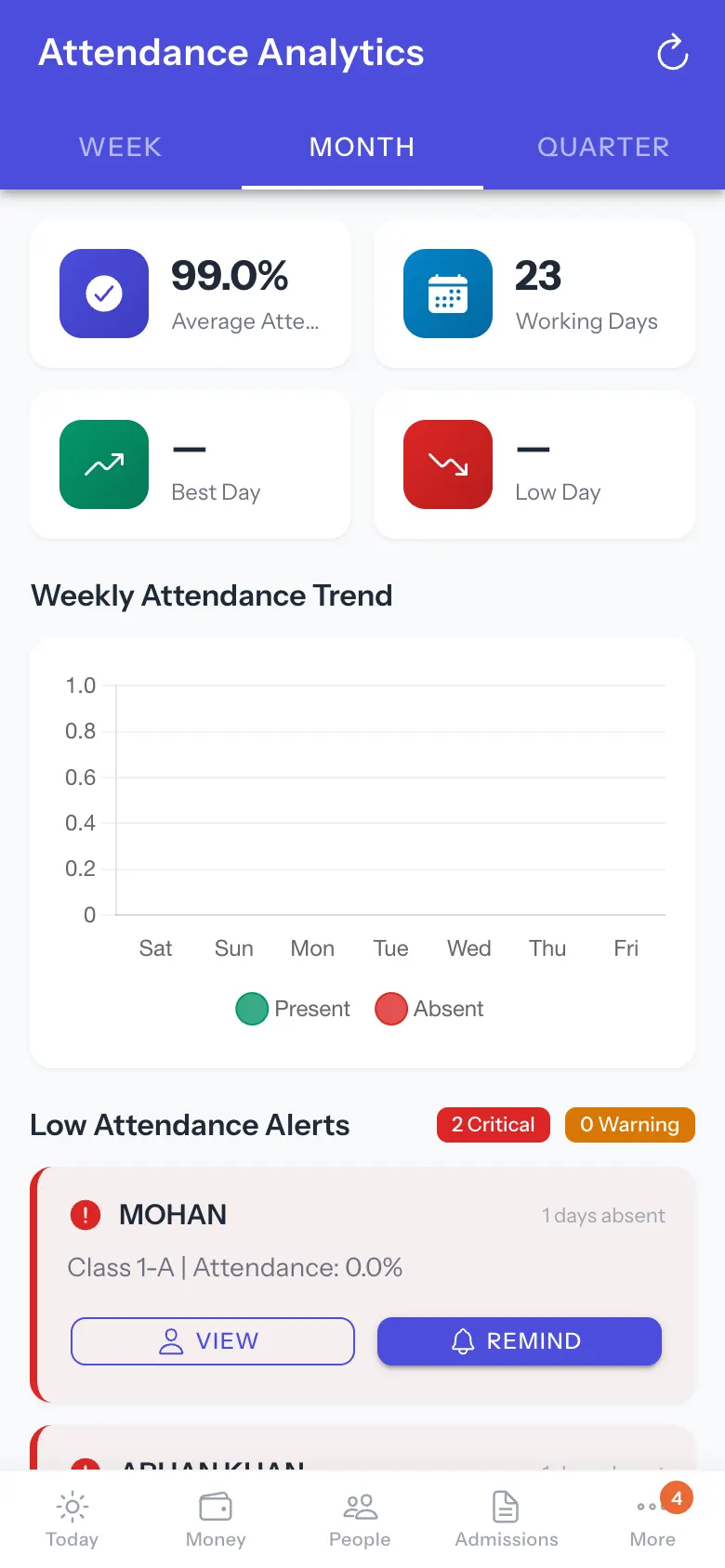
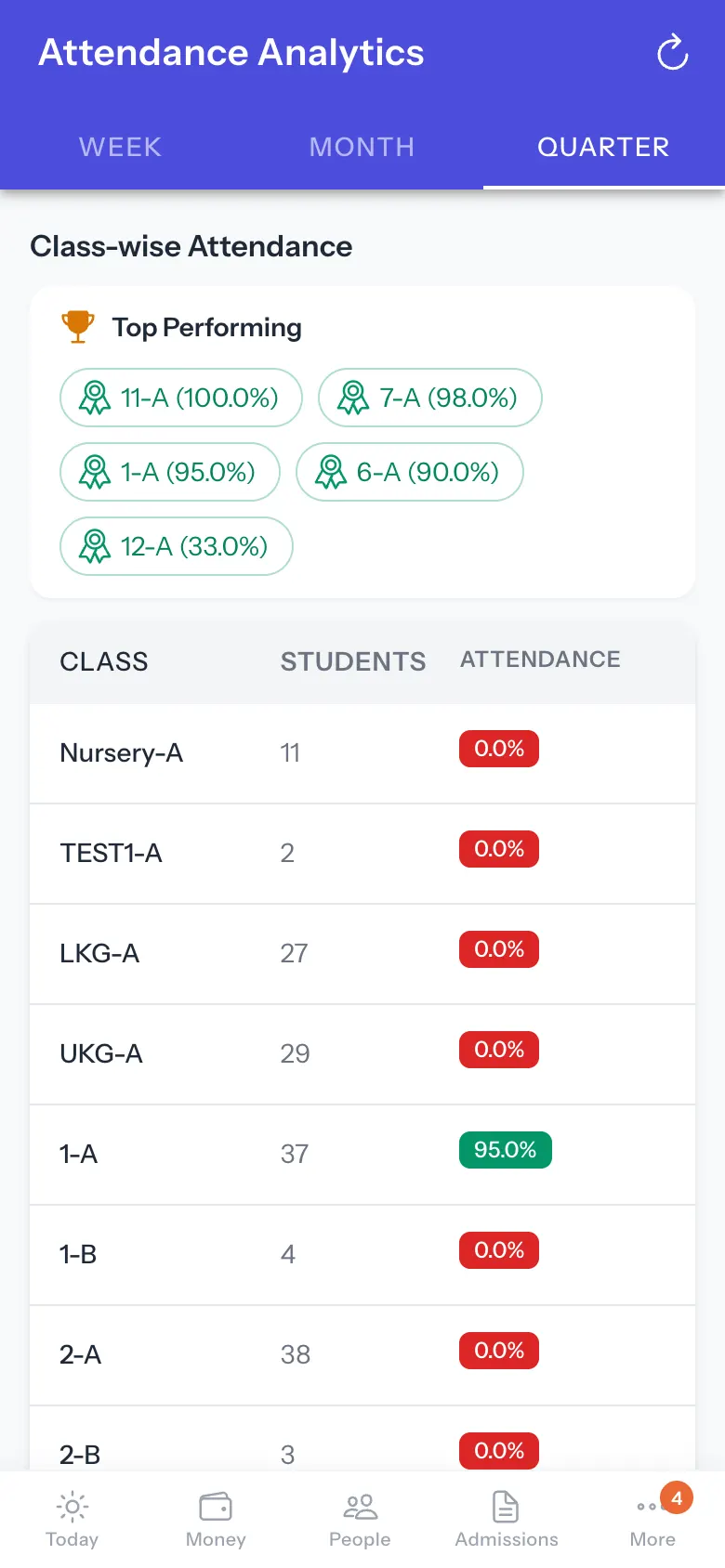
The screen is titled Attendance Analytics. It has period tabs WEEK, MONTH and QUARTER. The headline shows Average Attendance, Working Days, the Best Day and the Low Day. Weekly Attendance Trend charts the period. Low Attendance Alerts count Critical and Warning students and list each (name, days absent, class and attendance %) with VIEW (open the student) and REMIND, which sends the parent an attendance reminder (Sending reminder… then Attendance reminder sent to <student>; a message goes to the parent, so use it deliberately). VIEW ALL N STUDENTS lists everyone flagged. Class-wise Attendance ranks classes (Top Performing). If the data cannot load: Attendance Data Unavailable — We couldn’t load attendance analytics. Pull down to try again.
For today only (who is absent, which sections are unmarked), use Attendance today.
Who uses it and when
Section titled “Who uses it and when”Principals checking attendance over time.
Before you start
Section titled “Before you start”- Teachers must have saved attendance.
Where to find it
Section titled “Where to find it”- More › Attendance by month.
 Open a bigger pictureतस्वीर बड़ी करें
Step by step
Section titled “Step by step”1. Pick the period
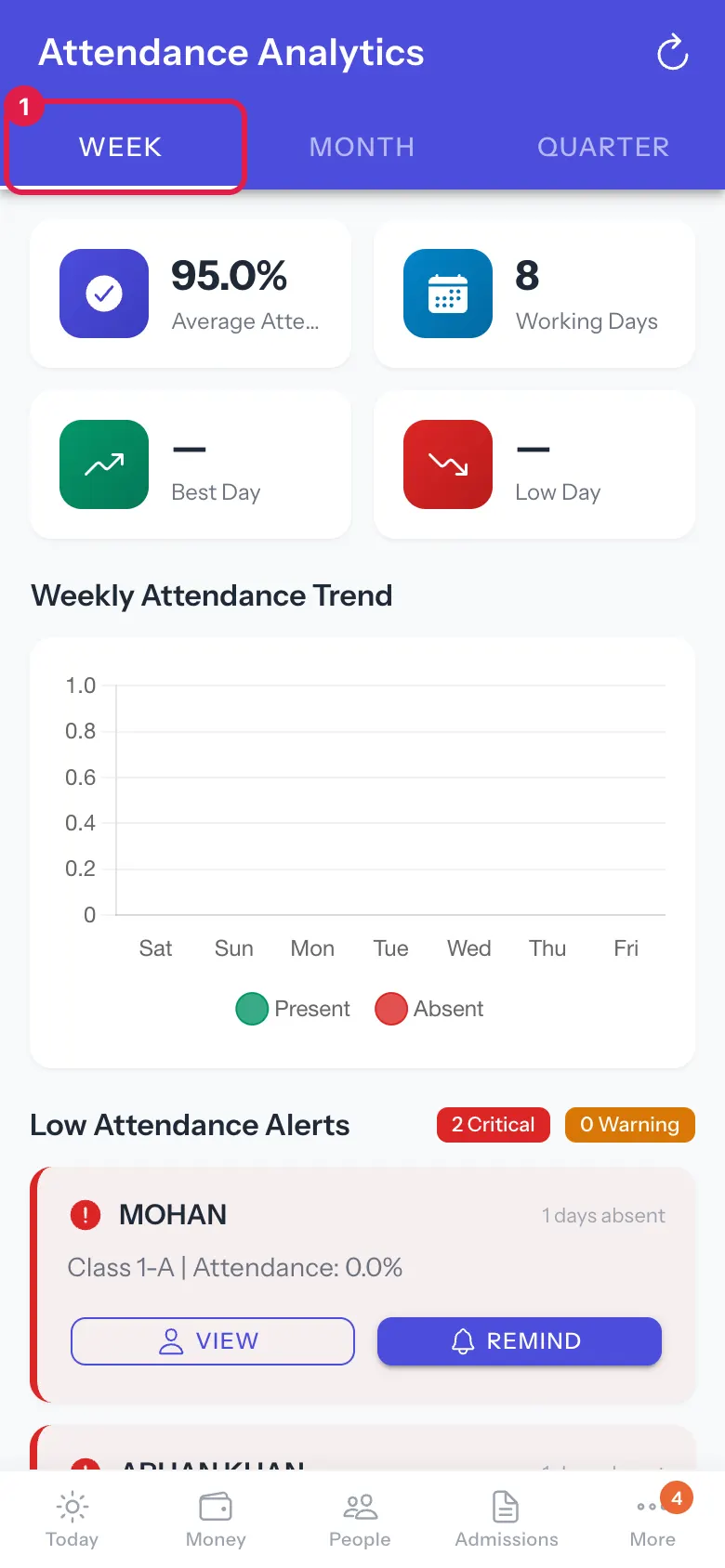
Section titled “1. Pick the period”Select WEEK, MONTH or QUARTER.
 Open a bigger pictureतस्वीर बड़ी करें
2. Read the trend and alerts
Section titled “2. Read the trend and alerts”Scroll to the trend and the low-attendance list.
 Open a bigger pictureतस्वीर बड़ी करें
3. Remind a parent
Section titled “3. Remind a parent”Select REMIND beside a student.
Buttons
Section titled “Buttons”| Button | What it does | What happens next |
|---|---|---|
| WEEK / MONTH / QUARTER | Changes the period. | The figures update. |
| REMIND | Sends the parent an attendance reminder. | Attendance reminder sent to <student>. |
| VIEW | Opens the student. | The student opens. |
After you save
Section titled “After you save”- A reminder is sent to the parent’s contact on record.
Good to know
Section titled “Good to know”- A reminder goes to the parent; check the student first.
Messages you may see
Section titled “Messages you may see”| Message | What it means | What to do |
|---|---|---|
| Attendance reminder sent to <student> | Sent. | Nothing to do. |
| Failed to send reminder. Please try again. | It failed. | Try again. |
| Attendance Data Unavailable | The data could not load. | Pull down to retry. |
| Severity unavailable | The alert level could not be computed. | Open the student to check. |
- Use QUARTER to see trends, WEEK for this week’s follow-up.
Stuck? Try this
Section titled “Stuck? Try this”| Problem | Likely cause | What to do |
|---|---|---|
| Remind does nothing | No parent contact on record. | Ask the office to add a number. |
Did this page help?क्या इस पेज से मदद मिली?
Thanks! Glad it helped.धन्यवाद! अच्छा लगा कि काम बन गया।
Sorry about that. Ask in your own words, or write to us.माफ़ कीजिए। अपने शब्दों में पूछें, या हमें लिखें।