
Screen guide · Web app
Admission Dashboard
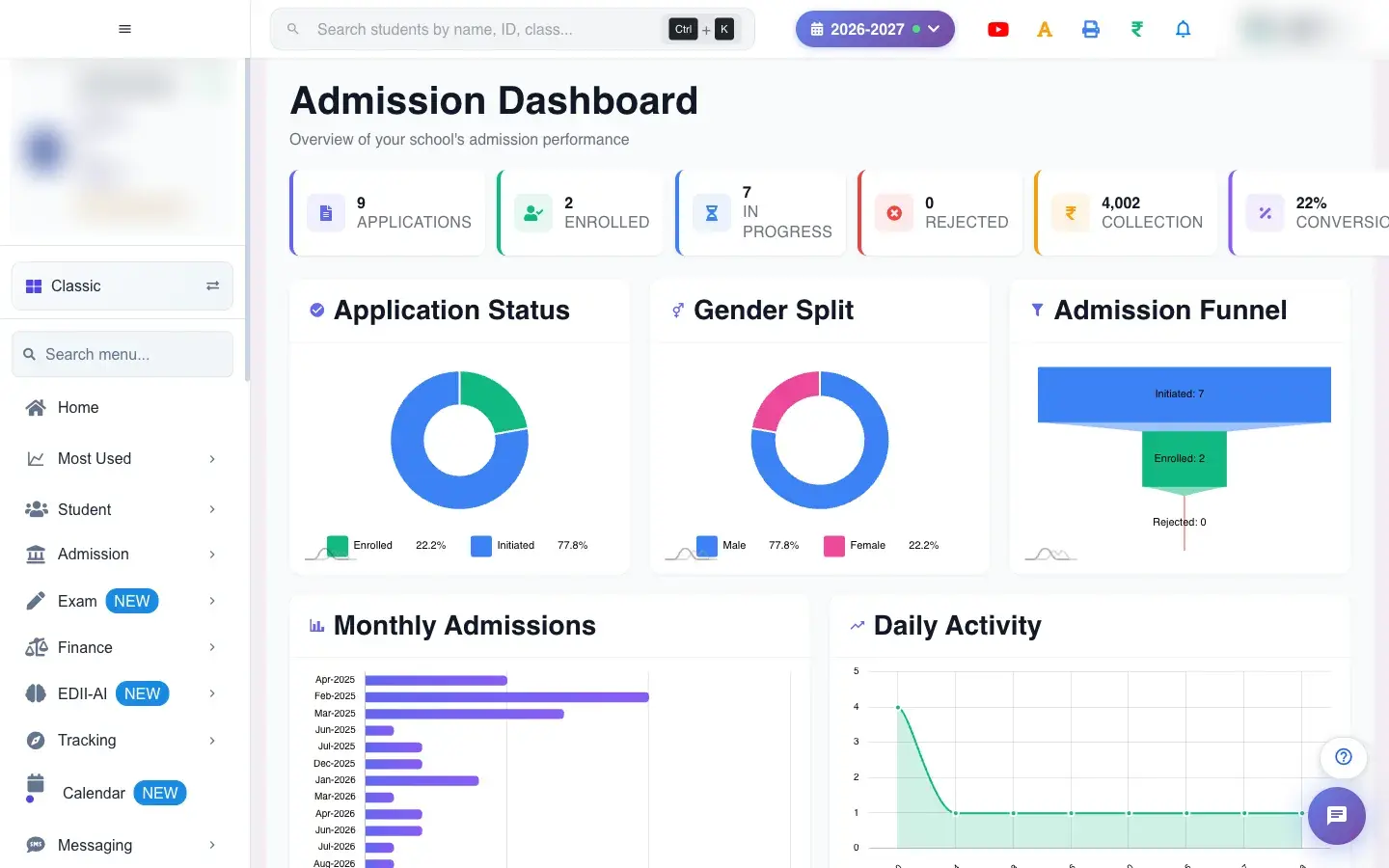
The admission overview: applications, enrolled, in progress, rejected, fee collected and conversion, with charts by status, gender, funnel, month, day, class and transport, and the five most recent admissions.
यह पेज अंग्रेज़ी में है। कुछ समझ न आए तो ।
Admission Dashboard (Admission › Dashboard) summarises the school’s admissions. Cards show Applications, Enrolled, In Progress, Rejected, Collection (admission fees) and Conversion (applications that became students). Charts show Application Status, Gender Split, Admission Funnel, Monthly Admissions, Daily Activity, Class Distribution, Top Classes and Transport Mode, and Recent Admissions lists the last five with name, class, gender, date and status. New Admission, View All and Reports take you onward.
Who uses it and when
Section titled “Who uses it and when”The principal and admission head use it during admission season.
Before you start
Section titled “Before you start”- Applicants must be registered on the entrance form.
Where to find it
Section titled “Where to find it”- Menu: Admission › Dashboard
- Address:
/view/admission-dashboard - If it is missing from your menu, your role does not include it. Ask your school admin.
 Open a bigger pictureतस्वीर बड़ी करें
Buttons
Section titled “Buttons”| Button | What it does | What happens next |
|---|---|---|
| New Admission | Opens Entrance Form. | Register an applicant. |
| View All | Opens Admission Details. | All applicants. |
| Reports | Opens the admission report. | By date range. |
Columns
Section titled “Columns”| Column | Meaning |
|---|---|
| Name / Class / Gender / Date / Status | A recent admission. |
After you save
Section titled “After you save”- This screen only reads data.
Good to know
Section titled “Good to know”- Conversion is the share of applications that were enrolled.
Messages you may see
Section titled “Messages you may see”| Message | What it means | What to do |
|---|---|---|
| No Data | Nothing registered yet. | Register applicants. |
- Watch the funnel to see where applicants drop out.
Stuck? Try this
Section titled “Stuck? Try this”| Problem | Likely cause | What to do |
|---|---|---|
| Charts are empty | No applicants this session. | Register applicants. |
Did this page help?क्या इस पेज से मदद मिली?
Thanks! Glad it helped.धन्यवाद! अच्छा लगा कि काम बन गया।
Sorry about that. Ask in your own words, or write to us.माफ़ कीजिए। अपने शब्दों में पूछें, या हमें लिखें।