
Screen guide · Admin app
Attendance today
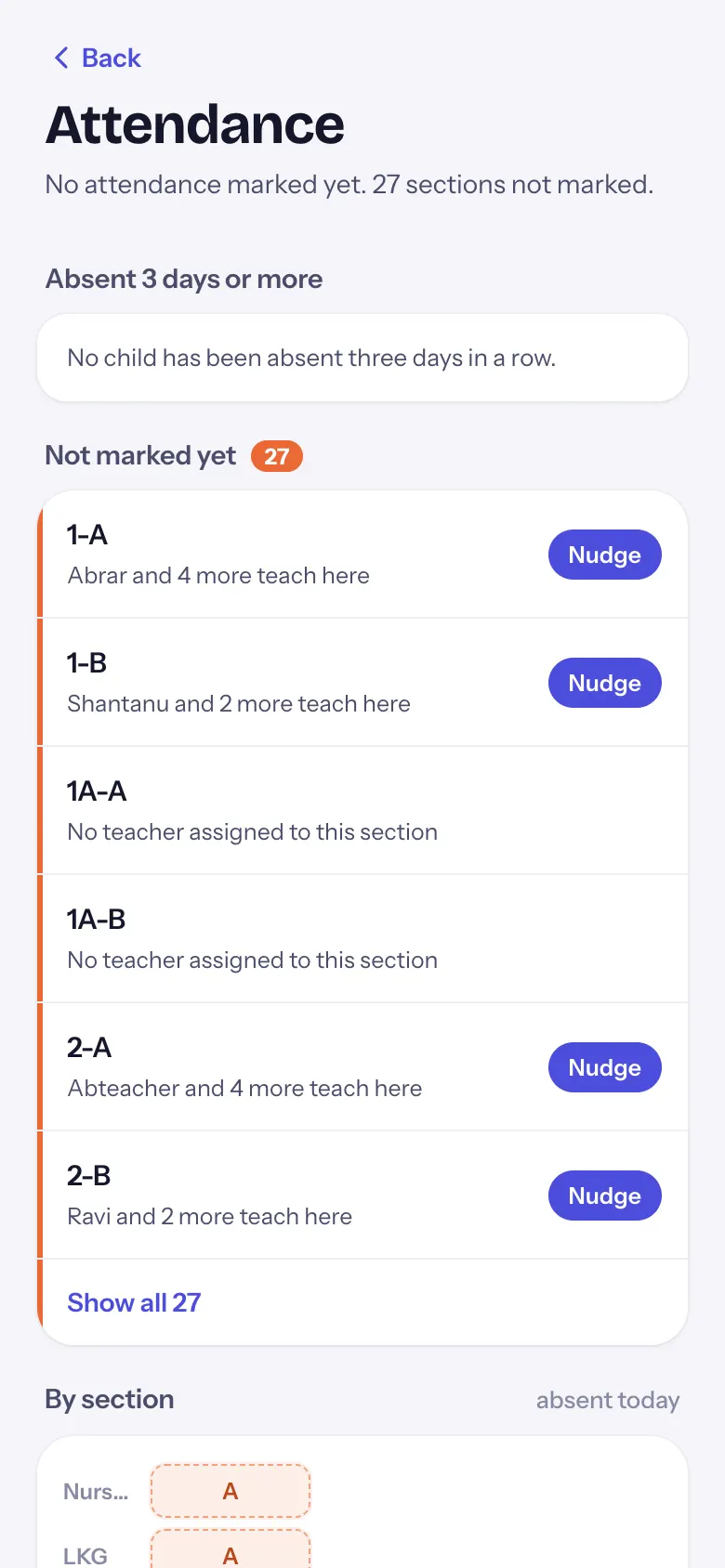
Today's student attendance: children absent three days or more with a Call button, sections that have not marked attendance with Nudge, and every section at a glance.
यह पेज अंग्रेज़ी में है। कुछ समझ न आए तो ।
The screen is titled Attendance. The line under the title sums up the day: 92% present, 460 of 500 marked. 4 sections not marked., No attendance marked yet. or Every section is marked.
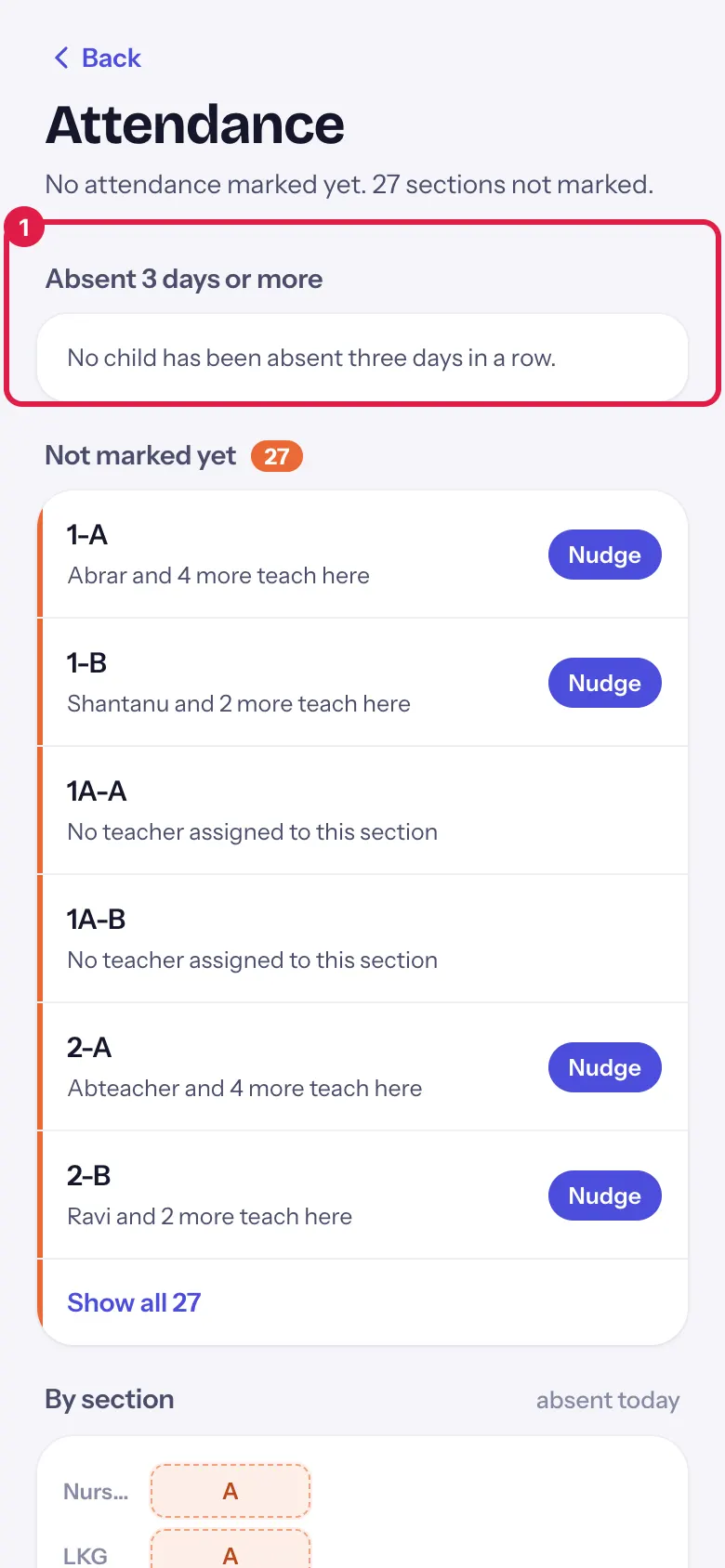
Absent 3 days or more lists each child absent three days in a row or more, longest first: class, 5 days in a row. and the last follow-up note or its status (Not contacted yet, Contacted, Reason received, Escalated, Resolved). Call dials the family. With none: No child has been absent three days in a row.
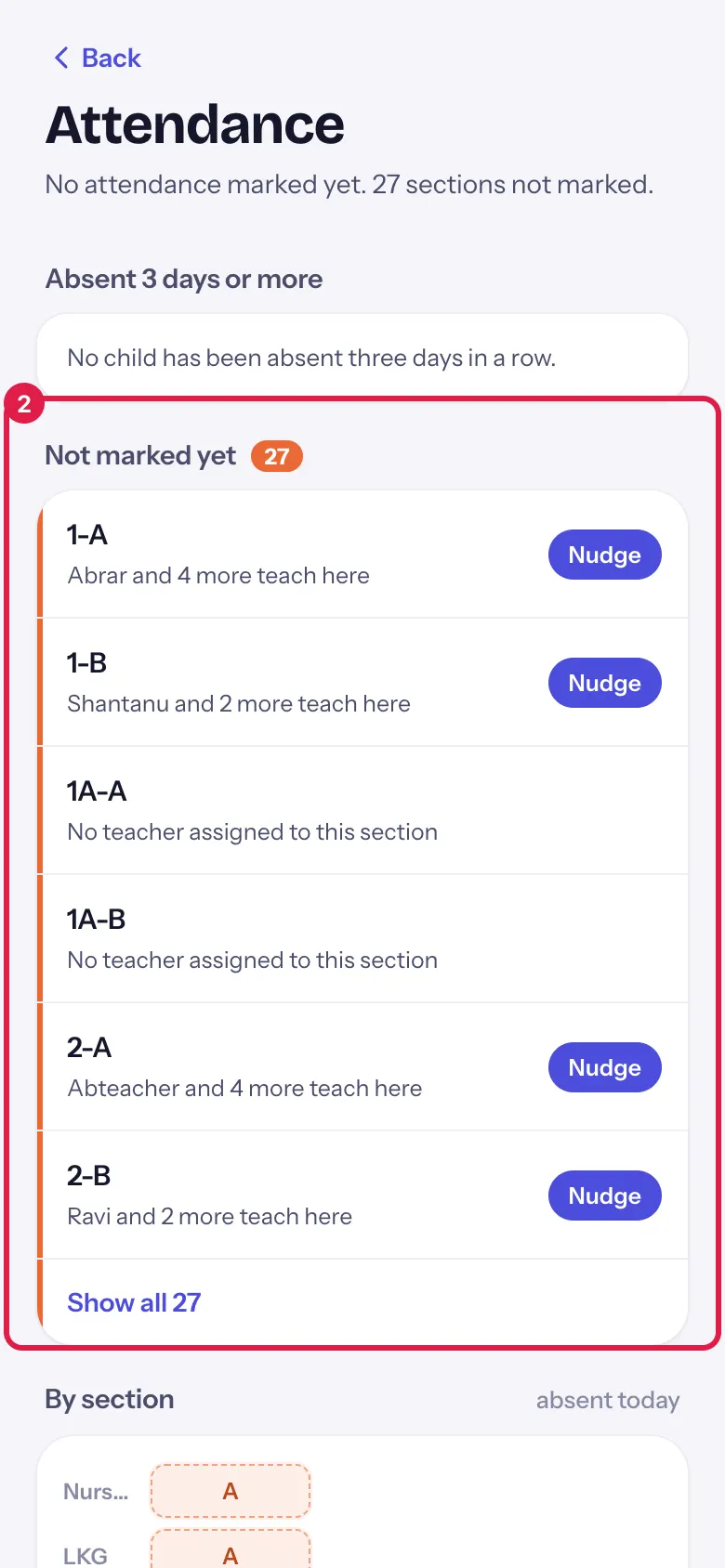
Not marked yet lists the sections that have not saved attendance today with their class teacher (or the teachers who teach there, or No teacher assigned to this section). Nudge reminds them. The first six show; Show all shows the rest.
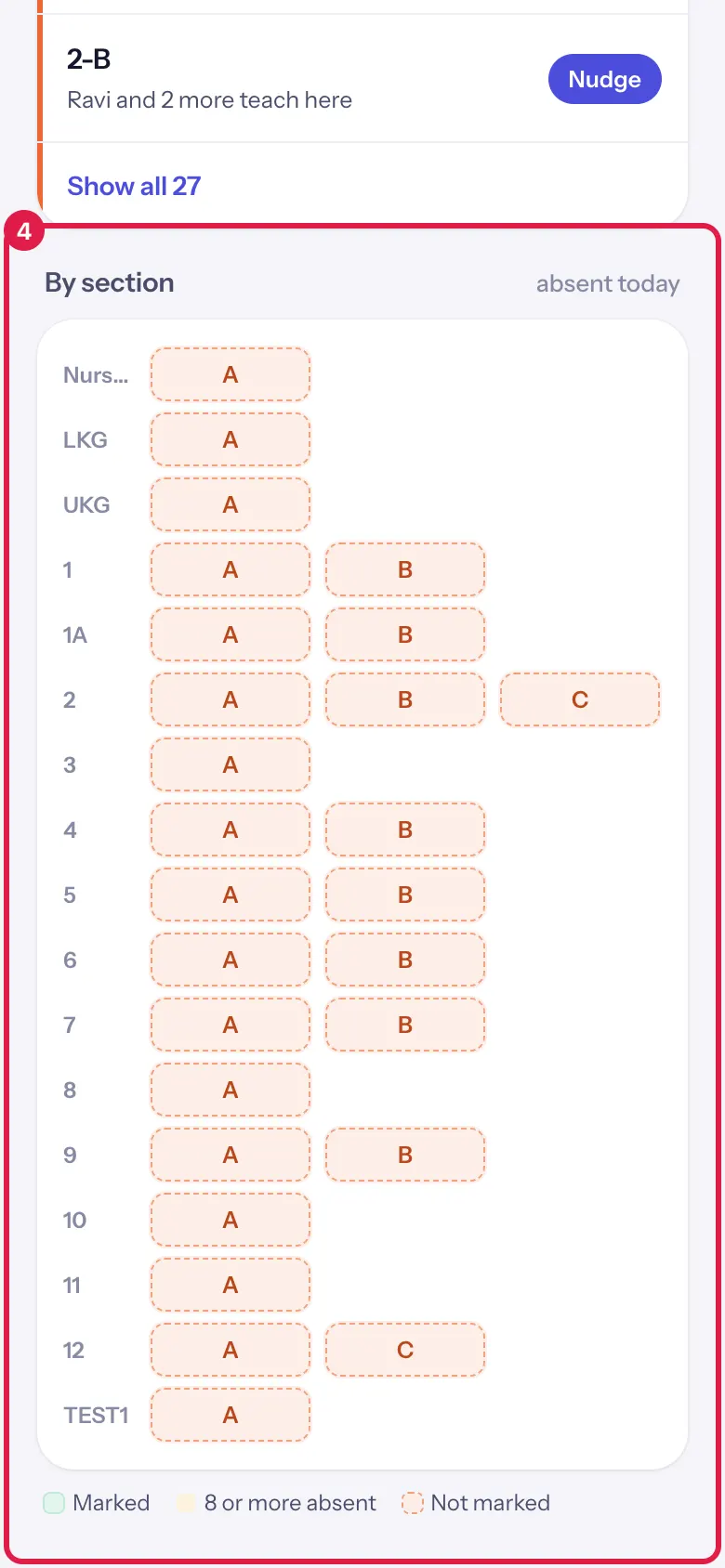
By section is a grid of every class and section with the number absent today. Colours show sections that are marked, sections with 8 or more absent, and sections not marked.
Who uses it and when
Section titled “Who uses it and when”Principals and attendance in-charges, after the 9:30 cutoff.
Before you start
Section titled “Before you start”- Teachers mark attendance in the EDII Teacher app or on the web.
Where to find it
Section titled “Where to find it”- On Today, select the attendance tile, or the haven’t marked attendance or absent 3 days or more row.
- Or More › Attendance today.
 Open a bigger pictureतस्वीर बड़ी करें
Step by step
Section titled “Step by step”1. Call families of long absences
Section titled “1. Call families of long absences”Under Absent 3 days or more, select Call to phone the family. The follow-up note shows what the school has already done.
 Open a bigger pictureतस्वीर बड़ी करें
2. Find the sections not marked
Section titled “2. Find the sections not marked”Not marked yet shows each section and its teacher.
 Open a bigger pictureतस्वीर बड़ी करें
3. Nudge a section
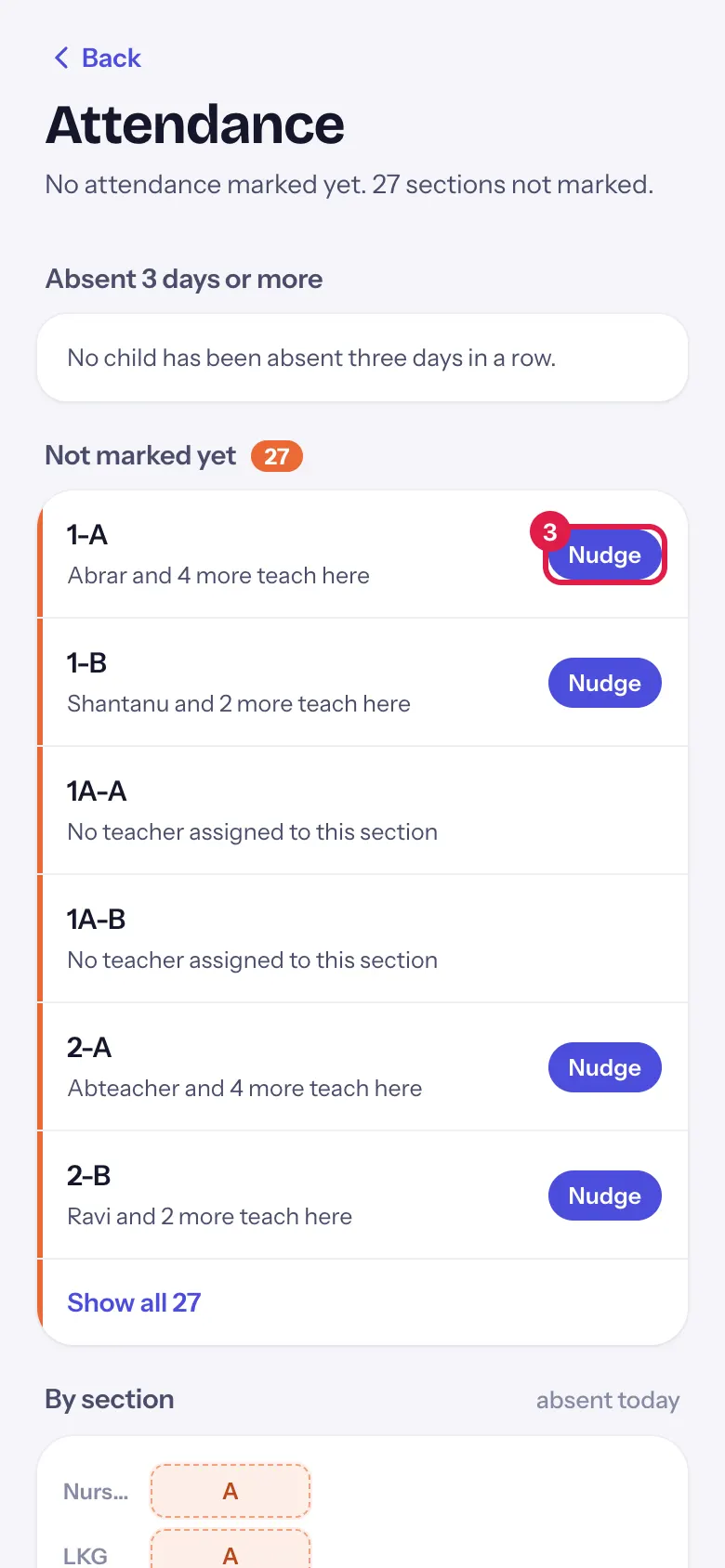
Section titled “3. Nudge a section”Select Nudge beside a section. Its teachers get a notification to mark attendance (Reminded <teacher> to mark 7-A.).
 Open a bigger pictureतस्वीर बड़ी करें
4. Read the grid
Section titled “4. Read the grid”Scroll to By section to see every section at once.
 Open a bigger pictureतस्वीर बड़ी करें
Buttons
Section titled “Buttons”| Button | What it does | What happens next |
|---|---|---|
| Call | Dials the family’s number on your phone. | Your phone’s dialler opens. |
| Nudge | Reminds that section’s teachers to mark attendance. | Reminded <teacher> to mark 7-A. |
| Show all | Shows every unmarked section. | The full list. |
| Back | Returns to the screen you came from. | — |
After you save
Section titled “After you save”- Nudge sends a notification to the teachers; it does not mark attendance.
Good to know
Section titled “Good to know”- A section can be nudged once every 15 minutes.
- Call uses your phone; nothing is sent from EDII.
- Follow-up notes and statuses are the ones recorded in attendance follow-up on the web.
Messages you may see
Section titled “Messages you may see”| Message | What it means | What to do |
|---|---|---|
| Reminded <teacher> to mark 7-A. | The nudge went out. | Nothing to do. |
| A reminder for <section> went out a few minutes ago | It was nudged less than 15 minutes ago. | Wait and check again. |
| No teacher is assigned to <section> | Nobody to remind. | Give the section a class teacher in the web app. |
| Couldn’t read today’s absences. | The absence list failed. | Pull down to try again. |
| Couldn’t read today’s sections. | The grid failed. | Pull down to try again. |
- Call the longest absences first; they are at the top.
Stuck? Try this
Section titled “Stuck? Try this”| Problem | Likely cause | What to do |
|---|---|---|
| Call is missing for a child | No parent phone number on record. | Add one in the web app. |
| A section shows Not marked but the teacher says it is done | Attendance was not saved, or was saved for another date. | Ask the teacher to open it again and save; then pull down. |
Did this page help?क्या इस पेज से मदद मिली?
Thanks! Glad it helped.धन्यवाद! अच्छा लगा कि काम बन गया।
Sorry about that. Ask in your own words, or write to us.माफ़ कीजिए। अपने शब्दों में पूछें, या हमें लिखें।