
Screen guide · Admin app
Ask EDII
Ask a question about your school in plain language (attendance, fees, exams) and get a short answer with highlights and a next step.
यह पेज अंग्रेज़ी में है। कुछ समझ न आए तो ।
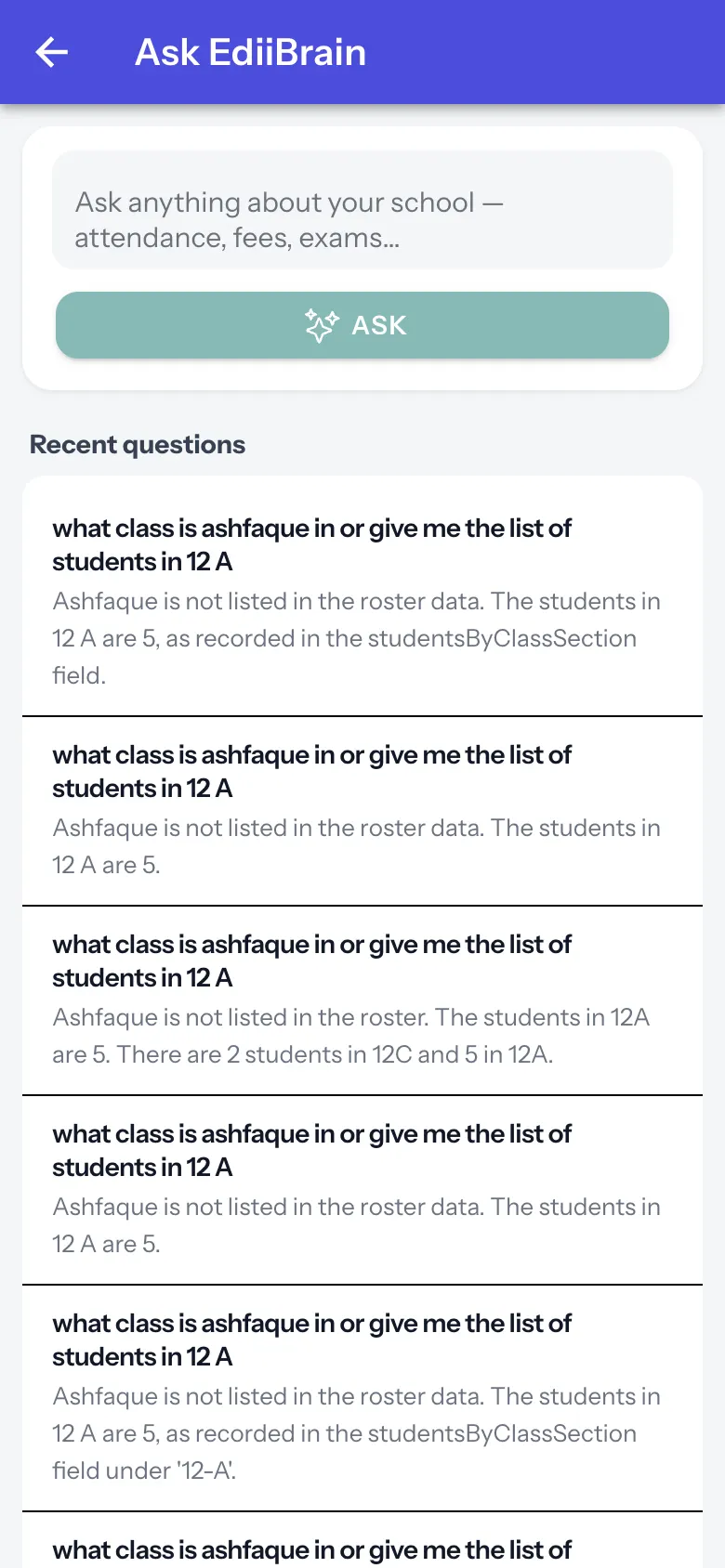
Ask EdiiBrain has a box Ask anything about your school — attendance, fees, exams… and ASK. While it works it says Thinking…; the answer shows Highlights and a Next step. Recent questions lists earlier questions with their answers; an old question can be archived (Question archived.). With none: No questions yet. Ask EdiiBrain something to get started. Answers come from the school’s data and may be incomplete: check important numbers on the source screen.
Who uses it and when
Section titled “Who uses it and when”Principals who want a quick answer.
Before you start
Section titled “Before you start”- Nothing.
Where to find it
Section titled “Where to find it”- Open More › Ask EDII (or All insights › Ask EdiiBrain). The screen is titled Ask EdiiBrain.
 Open a bigger pictureतस्वीर बड़ी करें
Step by step
Section titled “Step by step”1. Ask
Section titled “1. Ask”Type your question and select ASK.
Fields and filters
Section titled “Fields and filters”| Field | What it is | Notes |
|---|---|---|
| Your question | The question. | Required. |
Buttons
Section titled “Buttons”| Button | What it does | What happens next |
|---|---|---|
| ASK | Sends the question. | An answer appears. |
After you save
Section titled “After you save”- This screen only shows information.
Good to know
Section titled “Good to know”- Answers can be wrong; verify numbers.
Messages you may see
Section titled “Messages you may see”| Message | What it means | What to do |
|---|---|---|
| Thinking… | The answer is being prepared. | Wait. |
| Question archived. | Removed from recent questions. | Nothing to do. |
- Ask specific questions with a class or date.
Stuck? Try this
Section titled “Stuck? Try this”| Problem | Likely cause | What to do |
|---|---|---|
| The answer is vague | The question was broad. | Name the class and period. |
Did this page help?क्या इस पेज से मदद मिली?
Thanks! Glad it helped.धन्यवाद! अच्छा लगा कि काम बन गया।
Sorry about that. Ask in your own words, or write to us.माफ़ कीजिए। अपने शब्दों में पूछें, या हमें लिखें।